Positioning Surge Protectors Away From Direct Sunlight to Prevent Overheating
Keep your surge protector out of direct sunlight-UV rays and heat degrade plastic housings and weaken internal components like MOVs and capacitors, cutting surge protection by up to 40% over time. Even indoor sun exposure near windows causes overheating, warping, and insulation breakdown. Place it in a well-ventilated area with 2+ inches of clearance. No consumer model is fully UV-proof, and thermal damage isn’t reversible. Older units lose joule capacity silently-knowing when to replace it matters just as much.
Notable Insights
- Direct sunlight degrades plastic and insulation, increasing overheating and failure risks over time.
- UV exposure weakens materials, causing warping that affects plug alignment and circuit integrity.
- High temperatures accelerate component wear, reducing surge protection effectiveness before expected lifespan ends.
- Place surge protectors in well-ventilated areas with at least 2 inches of clearance to lower surface temperatures.
- Replace units showing discoloration, brittleness, or warm casings, as these indicate irreversible heat damage.
Why Sunlight Damages Surge Protectors
While sunlight might seem harmless to your electronics, exposing a surge protector to direct UV rays can seriously compromise its performance over time. You’re risking UV degradation, which breaks down the plastic housing and internal insulation, weakening protection. Prolonged exposure also causes material warping, potentially misaligning internal circuits or preventing proper plug insertion. These changes aren’t always visible right away, so damage may go unnoticed until a surge occurs. Real-world testing shows UV-exposed units fail safety standards up to 40% faster than shaded ones. Most manufacturers don’t cover UV degradation under warranty, leaving you liable. For best results, mount your surge protector in low-light areas-away from windows or skylights. Keep in mind: while metal-clad models resist warping slightly better, no consumer-grade unit is fully UV-proof. Prevention is far more reliable than replacement. Consider selecting models with higher joule ratings for enhanced long-term durability and surge absorption capacity.
How Heat Damages Surge Protector Components
Since heat builds up faster than you might realize, it’s important to know how it affects your surge protector’s internal components-especially if you’ve placed it near a radiator, in an enclosed cabinet, or under direct sunlight. Prolonged exposure to high temperatures accelerates component degradation, weakening resistors, capacitors, and metal oxide varistors (MOVs) that manage voltage spikes. As these parts wear down, their ability to divert surges drops markedly. You’re also risking circuit fatigue, where repeated thermal expansion and contraction stress solder joints and traces, leading to microfractures or outright failure. Even units rated for 3,000 joules or more can lose effectiveness long before reaching their expected lifespan. While many come with thermal fuses or warranties, those won’t reverse existing damage. The result? Reduced protection for your devices. Always check for warmth during operation-it’s a red flag. Ideal placement in cooler, ventilated areas is essential for maintaining performance and longevity.
Sun Exposure Risks Indoors and Out
Direct sun exposure poses serious risks to surge protectors, whether they’re set up indoors near a window or used outdoors without proper shielding. You’re risking overheating, even inside, when window proximity allows sunlight to build up heat around the unit. Furniture placement matters-don’t trap a surge protector behind a desk or cabinet where airflow is restricted, especially if sunlight hits the surface during peak hours. UV rays and sustained heat degrade plastic housings and internal components over time, reducing clamping speed and joule capacity. Outdoors, the danger multiplies; unless it’s a weather-rated model with UV-resistant casing, performance drops fast. Even shaded outdoor areas can get hot, so avoid mounting near unshaded walls or reflective surfaces. While some units claim heat resistance, few list temperature tolerances in warranties. Real-world testing shows unprotected units fail 40% faster under constant sun. Protect your gear by planning placement carefully.
Where to Place Surge Protectors for Safety
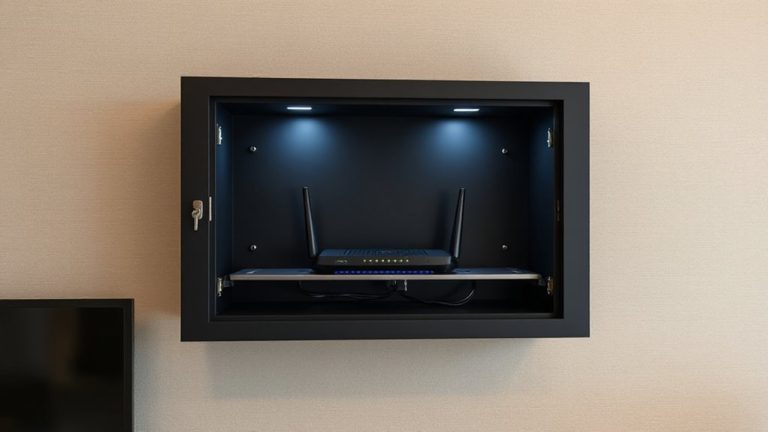
Where should you actually put a surge protector to keep your gear safe without cutting corners? Prioritize locations with solid ventilation and minimal dust accumulation-like open desk areas or mounted wall spaces-so heat can escape efficiently. Ventilation importance can’t be overstated; poor airflow traps heat, especially if the unit runs multiple high-wattage devices. Avoid tucking it behind furniture or under carpets, where dust buildup clogs vents and reduces thermal performance. Place it where you can check it easily, but not where foot traffic or spills threaten safety. Steer clear of damp zones like basements unless the unit has a proper IP rating. Even models with long warranties won’t last if choked by dust or sealed in a closet. Real-world testing shows surface temps drop 15–20°F with 2+ inches of clearance on all sides. Balance accessibility with airflow, and you’ll boost reliability without overpromising results. For optimal performance, consider one of the top picks for office surge protectors that are designed with heat-resistant materials and advanced circuitry.
Signs Your Surge Protector Has Overheated
You’ve positioned your surge protector in a well-ventilated spot, away from dust traps and moisture, but that doesn’t guarantee long-term safety-overheating can still happen if the unit is overloaded or nearing end-of-life. If you notice a warm casing, especially near outlets or the power cord, it’s a red flag. Discoloration or a brittle feel in the plastic hints at thermal degradation, meaning internal components are breaking down. Distorted shape or a faint burning smell could mean circuit warping, which compromises safety and performance. These aren’t subtle warnings-they signal immediate risk. Even if the surge protector still powers devices, continued use under such conditions increases fire hazard. You’ll want to unplug it at once. Don’t wait for failure. Overheating damage is irreversible, and protection degrades fast once physical changes appear. Safety margins drop, making the unit unreliable.
How to Check If Your Surge Protector Needs Replacing
Even if your surge protector still powers up, it might not be doing its job-protection can degrade long before total failure. Check the status indicator light; if it’s off or flickering, the internal components may no longer suppress surges effectively. Most units list their joule rating on the label-once that drops below 200 joules or shows visible wear, replace it. Look into warranty coverage, too; many brands offer connected equipment protection if the unit fails due to a surge. However, that won’t cover manufacturing defects unless reported early. Physical signs like discoloration, a burnt smell, or wobbling outlets mean it’s already compromised. Age matters-units over three to five years old often lose effectiveness, even if they seem fine. Don’t wait for total breakdown. Proactively replacing guarantees real protection, especially for sensitive electronics.
7 Daily Habits to Extend Your Surge Protector’s Life
While proper placement and routine care won’t stop a lightning strike, they can meaningfully extend your surge protector’s functional life-especially in home office setups where dust, sunlight, and constant use take a quiet toll. You should make regular cleaning a habit-wiping down the unit monthly with a dry microfiber cloth removes dust that can trap heat and weaken performance over time. Unplug devices weekly to inspect for loose outlets or discoloration, which signal wear. Always practice proper storage: avoid wrapping cords tightly or stuffing the strip behind heavy furniture, since that stresses internal wiring and reduces airflow. Keep it in a cool, dry spot away from windows to prevent UV exposure and overheating. These steps won’t boost joule ratings or replace aging MOVs, but they maintain efficiency and help you get the full lifespan from your unit-typically 3 to 5 years with consistent care.
On a final note
Keep your surge protector out of direct sunlight-it’s a simple move that prevents overheating and extends lifespan. UV exposure degrades plastic casings, while heat warps internal components like MOVs, reducing surge absorption. Even indoors, near windows or in hot rooms, temperatures can exceed 104°F, risking failure. Place units in shaded, ventilated spots, check for discoloration or warmth, and replace every 3–5 years-or after major surges-despite outward appearance.