Preventing Shoulder Hunching Due to Inadequate Desk Depth Measurements
If your desk is less than 24 inches deep, you’re likely leaning forward and hunching your shoulders, which strains your upper back over time. Aim for at least 24 inches of depth to keep your elbows close to your torso and your keyboard within a natural 18–24 inch reach. Deeper desks help with dual monitors and cable management but can waste space in smaller rooms. Use a monitor arm or compact peripherals if stuck with a shallow desk-small fixes make a real difference in posture and comfort. You’ll find smarter ways to optimize your setup next.
Notable Insights
- Ensure desk depth is at least 24 inches to prevent forward leaning and shoulder strain.
- Position keyboard within 18–24 inches from your body to keep elbows close and reduce shoulder hunching.
- Use a monitor arm to bring screens forward if desk depth is insufficient for proper viewing distance.
- Opt for compact peripherals to maximize usable space and minimize arm reach on shallow desks.
- Maintain neutral wrist and elbow alignment by adjusting seating or adding external trays when needed.
How Desk Depth Causes Shoulder Hunching
When your desk is too deep, it pulls your work zone farther away, forcing you to lean forward or hunch your shoulders just to reach your keyboard and mouse. Over time, this posture extends your arm reach beyond a comfortable range, increasing shoulder strain throughout the day. You might not notice it at first, but consistent overreaching can lead to fatigue and long-term discomfort. A deeper desk doesn’t always mean more usable space-it often pushes essentials out of your natural reach zone. Keeping your elbows near your torso reduces strain, so aim to position your keyboard within 18–24 inches from your body. Desks exceeding 30 inches in depth usually create this problem unless you adjust seating or use monitor arms. There’s no universal fix, since chair adjustability and sitting habits vary. The best solution balances depth with your body’s limits-prioritize alignment over workspace real estate.
What Desk Depth Do You Really Need?
How much desk depth do you actually need-18 inches, 24, or even 30? For most people, 24 inches is the sweet spot-it gives you enough room for a monitor, keyboard, and mouse without forcing you to reach too far and trigger shoulder hunching. If you use dual monitors or a laptop with accessories, 30 inches offers better comfort and improves cable management since you’ve got more space to route cords behind the desk. However, deeper desks can disrupt desk aesthetics in smaller rooms, making spaces feel cramped. An 18-inch depth is too shallow for proper ergonomics and limits cable access behind the work surface. While 24 inches works well for standard setups, always consider your gear footprint and wall distance. There’s no universal fix-balance function, available space, and wiring needs before deciding. Effective cable routing also contributes to cleaner desk aesthetics and reduces visual clutter that can affect focus. A key part of this is implementing best cable management techniques tailored to your desk’s depth and layout.
How to Measure Your Desk for Ergonomic Fit
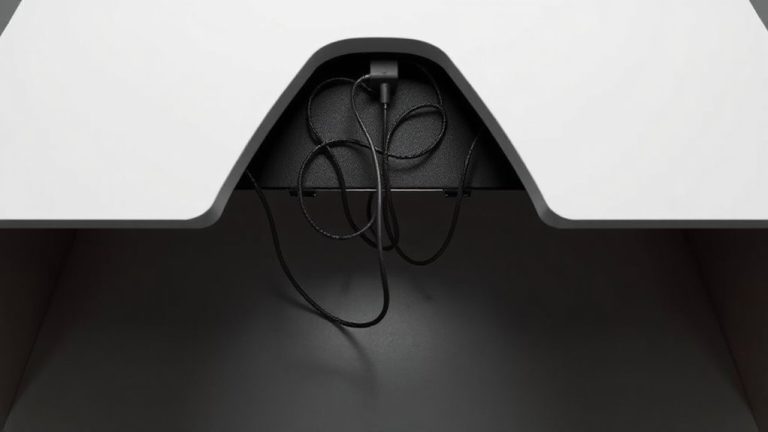
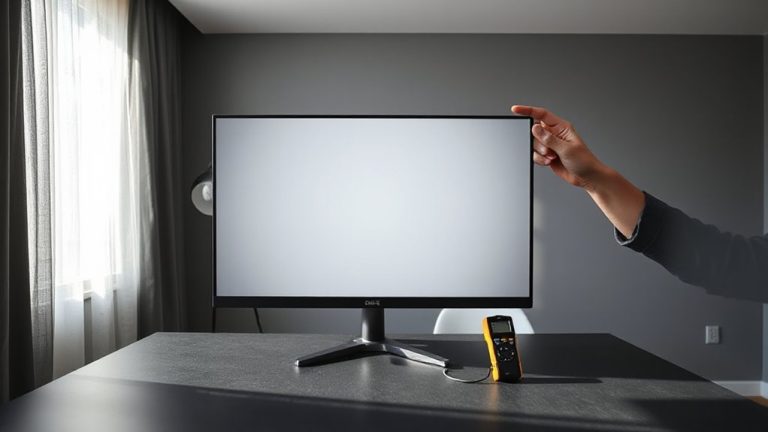
Why does your desk feel off, even after adjusting your chair and monitor? It’s likely because you haven’t measured for true ergonomic fit. Start by clearing your desk and measuring depth from front edge to wall-aim for at least 24 inches to prevent shoulder hunching. Check your desk shape; rectangular desks offer more consistent workspace, while L-shaped models add corner reach but require room for elbows. Measure width, too-you need 30+ inches for monitor, keyboard, and mouse side-by-side. Don’t forget height: 28–30 inches works for most, but pair it with an adjustable chair. Good cable management isn’t optional; use grommets or under-desk trays to keep cords tidy without pulling devices forward. Accuracy matters-double-check each dimension. Even minor gaps can disrupt posture. Measure twice, buy once. A well-chosen top home office desk can combine ideal dimensions with built-in ergonomic support.
3 Mistakes That Make Desk Depth Wreck Your Posture
What if the root of your shoulder hunch isn’t your chair or monitor height, but how far you’re reaching just to type? If your desk depth is too short, you’re likely leaning forward constantly, straining your shoulders and neck. Poor monitor placement often makes it worse-sitting too far back forces you to stretch, even if you’ve optimized height and angle. You might compensate with aggressive recline, but that disrupts keyboard alignment. Clutter from bad cable management can also push gear forward, shrinking usable depth. Even with the right chair and arm support, inadequate depth undermines everything. Desks under 24 inches often fail most users, especially if you use multiple monitors or a mechanical keyboard. While deeper desks (30+ inches) help, they require more space and careful layout. Measure your reach, then plan layout accordingly-don’t assume your current setup fits just because it fits in the room.
5 Fixes for When Your Desk Depth Is Too Shallow
A shallow desk doesn’t have to mean compromised posture-if you’re stuck with less than 24 inches of depth, strategic tweaks can restore reach and alignment. Use a monitor arm to pull screens forward, freeing space and positioning the display at eye level, roughly 20 inches away. Pair it with a compact keyboard and low-profile mouse to reduce reach. These ergonomic accessories help, but they’re not magic-your setup still needs consistent posture training. Sit back in your chair with upper arms vertical and wrists straight; avoid perching on the edge. A lap desk or external tray can extend surface area temporarily, but test stability under daily use. While some solutions improve function, few match the comfort of adequate depth. Prioritize adjustments that support neutral joints, and remember: no accessory fixes poor habits. A well-chosen best laptop stands can further elevate screen height for improved alignment when used with a shallow desk.
On a final note
You’ll want at least 24 inches of desk depth to prevent shoulder hunching, especially if you use a monitor, keyboard, and mouse. Less than that forces your arms forward, straining shoulders over time. Go deeper-30 inches-if you work with multiple screens or bigger peripherals. Measure from desk edge to wall, including any monitor arms. Just don’t sacrifice legroom; deeper desks can push chairs too far back. Test stability and weight capacity, especially with clamped accessories.