Reserving Conference Room Tech Kits Ahead of Important Broadcast Meetings
Book your conference tech kit at least two weeks ahead, especially for critical broadcasts-peak periods often need three to four weeks’ notice. This gives you time to test for Wi-Fi interference, verify backup batteries, and confirm warranty coverage on gear like 4K PTZ cameras and noise-canceling USB soundbars. Always run live checks on mic clarity, camera framing, and upload speeds. If kits are unavailable, know where spare webcams or wireless hubs are stored-being ready saves minutes when it matters most. There’s more to get right before going live.
Notable Insights
- Reserve tech kits at least two weeks in advance to secure availability and avoid last-minute issues.
- For high-demand periods, book three to four weeks ahead to ensure access to essential equipment.
- Test kits early for signal interference, audio sync, and network stability before broadcast meetings.
- Use a centralized booking system linked to room reservations to prevent double-booking and streamline access.
- Confirm kit contents include a 4K PTZ camera, noise-canceling audio, and Wi-Fi 6 support for reliable broadcasts.
Prevent Broadcast Disasters: Book Your Tech Kit Early
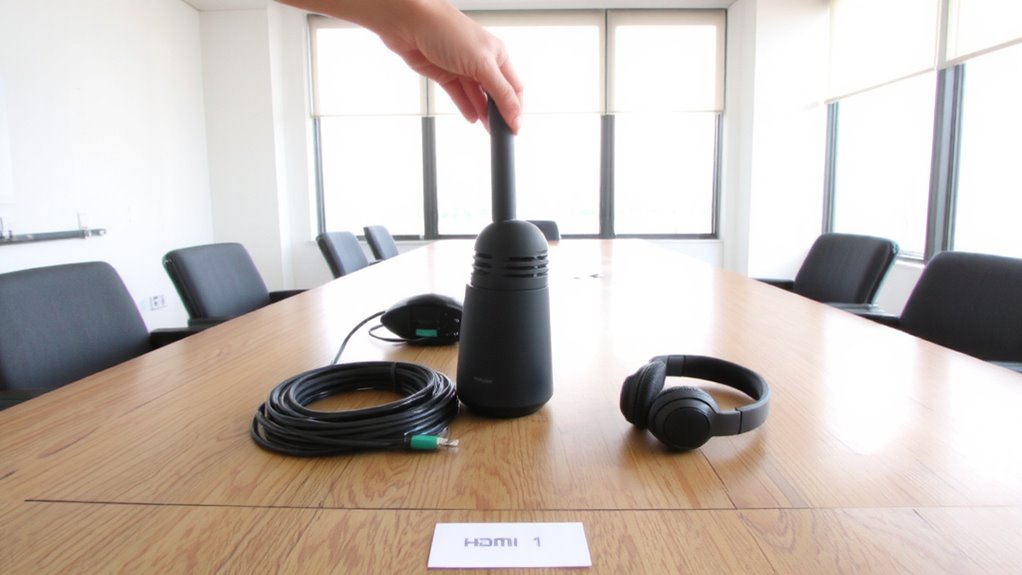
Whenever you’re setting up a remote presentation or important hybrid meeting, locking in your conference room tech kit well ahead of time can save you from last-minute glitches that derail professionalism. Booking early gives you time to test for signal interference and confirm your backup solutions are working. You’ll avoid scrambling when Wi-Fi drops or mic levels cut out. Even reliable gear sometimes underperforms in crowded office environments, so testing days in advance helps reveal hidden issues. Reliable kits include tested mics, cameras, and docks with documented range and latency specs. While most brands claim plug-and-play ease, real-world results vary-especially with Bluetooth overlap or older building wiring. Don’t assume availability matches demand; popular models get reserved fast. Always verify warranty terms and whether replacements are included. Planning ahead isn’t overkill-it’s the only way to guarantee smooth delivery when it matters. For optimal audio, consider selecting from the best conference microphones based on verified performance and user reviews.
What’s in a Conference Tech Kit (Cameras, Mics & More)?
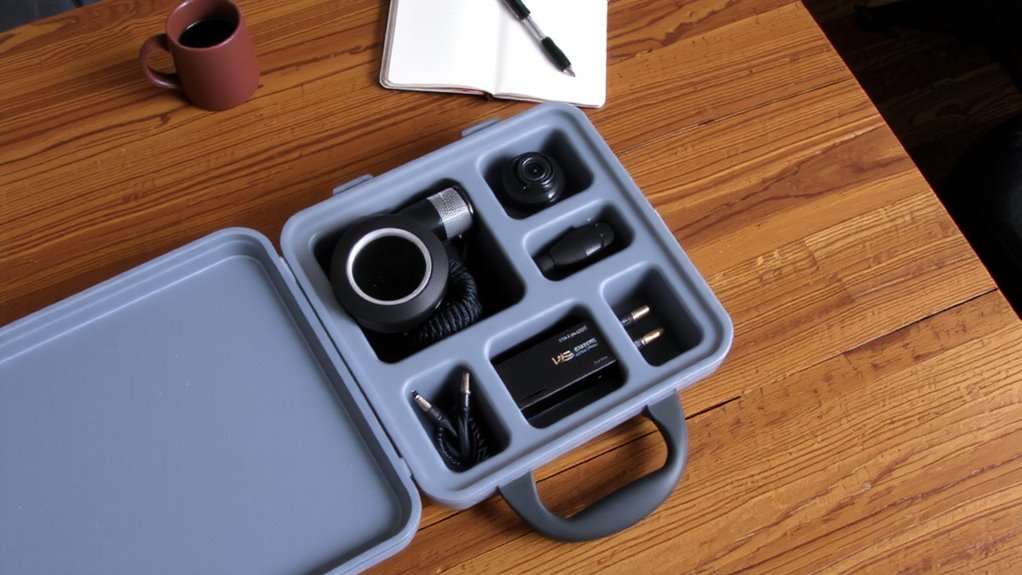
You’ll want to know exactly what’s inside a quality conference tech kit before reserving one, especially since not all packages deliver the same performance even if they look similar on paper. A solid kit typically includes a 4K PTZ camera with wide-angle viewing, a plug-and-play USB soundbar with noise-canceling microphones, and a wireless connectivity hub supporting Wi-Fi 6 for stable, lag-free streaming. You’ll also get cables, mounts, and often a portable monitor. Look for kits with backup power options-like external battery packs-so your session doesn’t crash during long meetings. While some packages cut costs with low-sensitivity mics or outdated codecs, higher-end models deliver tested audio clarity across 360-degree pickup. Always verify specs against room size and participant count. Warranty length and real-world signal range matter just as much as the gear list-test compatibility with your conferencing platform in advance. For clear video, consider kits that include one of the best webcams for professional streaming quality.
When Should You Book Your Conference Room Tech Kit?
How early should you lock in your conference room tech kit? Aim to secure it at least two weeks ahead, especially during peak business seasons. Booking timelines vary by company size and room demand, but waiting too long risks limited options or last-minute stress. With tight schedules, availability tracking becomes essential-many offices use shared calendars or internal portals to monitor kit usage. That way, you’ll know exactly when gear is free and avoid overlapping reservations. If your meeting’s tied to a client deadline or product launch, book even earlier-three to four weeks out. Keep in mind, holding a kit too far in advance can backfire if plans change, so verify your needs are final before reserving. Ultimately, balancing foresight with flexibility guarantees you get the right tech when you need it-without tying up resources unnecessarily.
Test These 5 Components Before Going Live
After locking in your conference room tech kit, the next smart move is making certain everything works as expected before your meeting goes live. Test these five components thoroughly to avoid audio latency, signal interference, or awkward dropouts during broadcast. Below is a quick checklist with what to verify and why it matters:
| Component | Test For | Why It Matters |
|---|---|---|
| Microphones | Clear pickup, no echo | Poor audio ruins engagement |
| Cameras | Focus, framing, lighting | Viewers notice blurry or dark images |
| Network Connection | Stable upload speed | Prevents lag and signal interference |
| Audio Output | Volume, latency sync | Audio latency distracts remote attendees |
Running through each test guarantees reliability. Even high-end gear fails if unchecked. Allocate 10–15 minutes pre-meeting-your team will thank you. For optimal microphone performance, consider selecting from Best Buy’s Top Microphone Picks to ensure best mics available.
Stop Double-Bookings Across Teams
Why do scheduling conflicts still plague teams despite digital calendars? Because without clear resource allocation rules, teams overbook conference room tech kits, leading to costly scheduling conflicts. You need a centralized booking system-like a shared calendar tied to your room reservation software-to track kit availability in real time. This prevents double-bookings and guarantees fair access across departments. Assign accountability: let one admin oversee reservations or use automated check-in tools that release kits if not claimed within 15 minutes. While this cuts scheduling conflicts dramatically, it only works if all teams comply-adopting the system universally is non-negotiable. Relying on goodwill or informal coordination will fail. Pair your system with visible status boards outside rooms to keep everyone informed. It’s not flashy, but disciplined resource allocation prevents last-minute chaos and keeps your broadcast meetings running smoothly.
Kit Unavailable? How to Respond Fast
What happens when the conference room tech kit you booked isn’t there-or worse, someone else is already using it? Stay calm and act fast. First, check with AV staff-they might locate an available kit or access emergency backups stored nearby. Many offices keep spare microphones, webcams, or portable speakerphones for exactly this reason. If a full kit isn’t available, prioritize core components: a reliable webcam and noise-canceling mic can get you through. Use real time troubleshooting tools like network pingers or device-test apps to confirm gear works before signing on. Don’t assume backups are fully charged or updated-verify battery levels and firmware. While borrowing last-minute gear works, it’s riskier; unfamiliar controls or lower audio quality can affect your broadcast. Always confirm kit availability early, because relying on emergency backups shouldn’t be your main plan.
Pre-Broadcast Tech Kit Verification Checklist
Since a flawless broadcast starts long before you hit record, you’ll want to verify every piece of your tech kit at least 30 minutes ahead. Check that your camera, mic, and encoder are powered and recognized by the host device-don’t just assume they’re working. Test for signal interference by scanning nearby Wi-Fi channels and switching to 5GHz if congestion appears. Confirm Bluetooth isn’t active on peripheral devices, as it can cause audio dropouts. Guarantee power redundancy is in place: use a UPS or backup battery for your laptop and streaming device to avoid crashing mid-broadcast. Plug in all cables securely-loose HDMI or XLR connectors often cause last-minute failures. Verify audio levels are peaking below -6dB to prevent clipping. Remember, even high-end gear fails silently; testing prevents disasters. While built-in laptop mics are convenient, they lack clarity under stress-stick to external mics. A clean test run beats frantic fixes live.
On a final note
Book your tech kit early-it’s the simplest way to avoid broadcast failures. Test the camera, mic, lights, encoder, and backup connection beforehand. A 1080p camera and lapel mic usually work best. Kits can get snatched fast, so confirm availability 48 hours ahead. If yours is taken, switch to a tested backup room or use your laptop with a portable light. Delays happen-plan for them.