Routing USB-C Hubs Through Hollow Desk Legs: Size Guide
You can route a USB-C hub through hollow desk legs for clean, discreet access, but only if the legs are truly empty and at least 18mm wide. Use a slim hub under 0.5 inches thick and confirm your desk’s load rating won’t drop if modified. Measure carefully-add 12 inches of slack-and guide the cable with a fish tape to avoid damage. Avoid kinks, keep USB-C lines away from power cables, and secure connections underneath with clips. Problems like signal loss often fix with ferrite cores or better bends. There’s a smarter way to hide every connection.
Notable Insights
- Ensure desk legs are fully hollow with at least 18mm inner diameter for USB-C hub and cable passage.
- Choose a compact USB-C hub under 0.5 inches thick and 3 inches wide for tight leg spaces.
- Route cables using a fish tape to avoid damage, maintaining a minimum 2-inch bend radius.
- Verify leg material and structure to prevent compromising stability during installation.
- Use adhesive clips and ferrite cores to secure cables and reduce electromagnetic interference.
Why Hide USB-C Cables in Desk Legs
Why bother hiding USB-C cables inside desk legs at all? You’re after clean cable management and a sharper aesthetic design-nothing beats a clutter-free workspace. Routing cables through hollow desk legs hides messy wires, reducing tripping hazards and electromagnetic interference. It keeps your setup sleek, especially with minimalist desks. You’ll enjoy easier access to ports at floor or leg level, ideal for quick device charging. But proper planning matters: make certain the desk legs are truly hollow and wide enough-most require at least a 0.8-inch inner diameter. Use flexible conduit or braided sleeves to protect cables during insertion. Avoid sharp bends that strain USB-C connectors, which could void warranties. While the look is worth it, some setups make maintenance harder. Test fit your cables first-you don’t want to damage ports or get stuck mid-install. It’s a smart mod, but only if your gear supports it. For the best results, consider using a cable management solution designed specifically for desks with hollow legs.
Check Desk Leg Compatibility First
Your desk’s leg design makes all the difference-confirm it’s truly hollow and large enough before routing any cables. Not all hollow legs are functional; some have internal welds or supports blocking passage. Measure the inner diameter-most USB-C hubs need at least 18mm clearance. Check material durability too: steel legs typically offer better structural integrity than aluminum or plastic, especially under daily stress. Compromising on build quality risks wobbling or long-term damage, particularly on sit-stand desks with frequent movement. Even if the leg is hollow, don’t assume it’s safe to modify-some rely on internal reinforcement for stability. Verify manufacturer specs or contact support to confirm load ratings and construction details. Drilling or filing entry points can weaken structural integrity if done improperly. Always test-fit one leg first, and consider weight distribution. Retrofitting works well on desks designed for cable management, but forcing it on incompatible frames invites more problems than it solves.
Choose a Slim USB-C Hub for Tight Spaces
Finding a hub that fits inside narrow desk legs means prioritizing slim profiles without sacrificing functionality. You’ll want a model with a slim design-less than half an inch thick-so it slides in without forcing. A compact layout with aligned ports, not fanned out, prevents snagging on interior edges during insertion. Look for reinforced ports and a rigid shell; flimsy plastic may crack when nudged through tight bends. Models under 3 inches in width fit most metal or wood legs, but always cross-check your hub’s dimensions with the leg’s inner diameter. While slim hubs save space, they often run hotter and support fewer simultaneous devices. Avoid daisy-chaining power-heavy peripherals unless the hub explicitly supports it. Check for at least a 12-month warranty-some brands exclude damage from installation. Real-world tests show aluminum-bodied hubs dissipate heat better in enclosed spaces.
Measure and Prep the Cable Route
Start by measuring the distance from your desk’s surface to the floor and adding at least 12 inches for slack-this guarantees the cable can bend smoothly without straining at connection points. Getting the right cable length matters because too short risks tension; too long creates clutter you can’t see. Use a flexible measuring tape for accuracy, and double-check your numbers before cutting or routing. You’ll likely need between 30 and 48 inches depending on desk height and hub placement. Before threading, inspect the hollow leg’s interior with a flashlight or inspection camera-some have seams or obstructions. Use routing tools like fish tapes or guide wires to map the path, but handle them carefully to avoid damaging the desk’s finish or the cable’s insulation. Not every desk supports clean internal routing, so confirm clearance first. This step isn’t complex, but skipping prep risks wasting time or damaging gear. Achieving a clean desk aesthetic starts with strategic planning and the right cable management solutions.
Thread the USB-C Cable Through the Leg
While some desks make cable routing a breeze, feeding a USB-C cable through a hollow leg requires patience and the right technique to avoid damaging either the cable or the desk. Start by attaching the cable to a flexible fish tape or rod, gently guiding it from the top down. Maintain even cable tension-yanking can fray wires or weaken internal shielding, especially with thicker, braided cables. If you’re using a longer run, practice loop management by coiling excess neatly above the leg before threading to prevent snags. Avoid sharp bends near the port end, as tight curves can degrade signal quality over time. Test fit with a thinner Ethernet cable first if the path is tight. Most metal legs have interior diameters between 0.75” and 1.25”, so verify your cable’s flexibility and thickness. Keep movements slow and steady-forcing it risks kinking. For sustained cleanliness and accessibility, consider pairing this setup with a cable management solution designed for minimalist desk environments.
Secure Hidden Cables Under the Desk
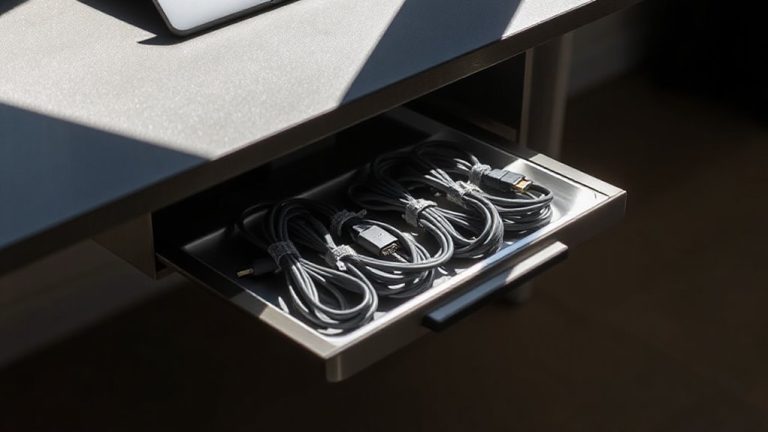
You’ve got the cable through the leg-now it’s time to keep everything tidy and out of sight by securing the connections under the desk. Good cable management prevents tangles and reduces visual clutter, especially when you’re routing power and data through one pathway. Use adhesive cable clips or Velcro straps to anchor the USB-C cable along the desk frame, making sure it doesn’t dangle or strain at the connection point. Mount the USB-C hub close to the leg exit using a low-profile bracket so it stays stable but accessible. Position it near hidden ports if your desk has pre-cut openings-this boosts clean setup and ease of access. Avoid zip ties; they can damage cables over time. Keep some slack coiled neatly underneath, but don’t over-bundle-heat buildup can degrade performance. Solid adhesion and moderate tension guarantee long-term reliability without voiding hub or desk warranties.
Fix Common USB-C Cable Routing Problems
Why do some USB-C hub setups work flawlessly while others lead to flickering displays or slow charging? Poor cable routing’s often to blame. When you drape cables loosely under your desk, they’re prone to cable tangling, which strains connectors and exposes wires to damage over time. Worse, running USB-C lines near power adapters or HDMI cables invites signal interference, degrading data and power delivery. To fix this, route cables through your desk’s hollow legs using nylon braided sleeves-they resist wear and reduce friction. Keep USB-C lines separated from high-voltage cords with adhesive dividers. Use ferrite cores on both ends of longer cables to suppress interference. Remember: even premium cables fail if crushed or sharply bent. Maintain gentle curves, ideally with a 2-inch radius, and test all connections under load before finalizing placement. Results improve, but only if execution stays precise.
On a final note
You’ll get a clean, professional setup by routing USB-C hubs through hollow desk legs, but only if your legs are wide enough-check diameter first. Use a slim, multi-port hub under 1.5 inches thick to fit tight spaces. Test cable strain before finalizing placement. While this boosts desktop real estate, it limits quick port access. Secure internal cables with twist ties, leave slack, and confirm warranty terms allow modifications.