Tucking Streaming Stick HDMI Extenders Behind Flat Screen Monitors
Tuck your streaming stick behind the monitor using a low-profile HDMI extender to reduce clutter and port strain. Pick a metal-shielded, under 2-inch extender with gold-plated contacts for reliable 4K HDR and better Wi-Fi alignment. Guarantee 0.5-inch clearance for airflow and avoid sharp bends. Confirm HDMI 2.1 compatibility and check for wobbling or heat after an hour. An 18-month warranty often reflects build confidence-just don’t daisy-chain with splitters. Smart placement pays off in clean signals and safer setup.
Notable Insights
- Use low-profile HDMI extenders under 0.5 inches thick to tuck streaming sticks flush behind flat screens.
- Choose metal-shielded, passive extenders with gold-plated contacts for reliable 4K HDR signal and durability.
- Insert the extender into the TV’s HDMI port first, then attach the streaming stick for better cable management.
- Ensure at least 0.5 inch of clearance behind the monitor to prevent overheating and allow airflow.
- Position the extender to avoid cable bends and physical strain, supporting it to prevent port damage.
Why HDMI Extenders Fix Streaming Stick Clutter
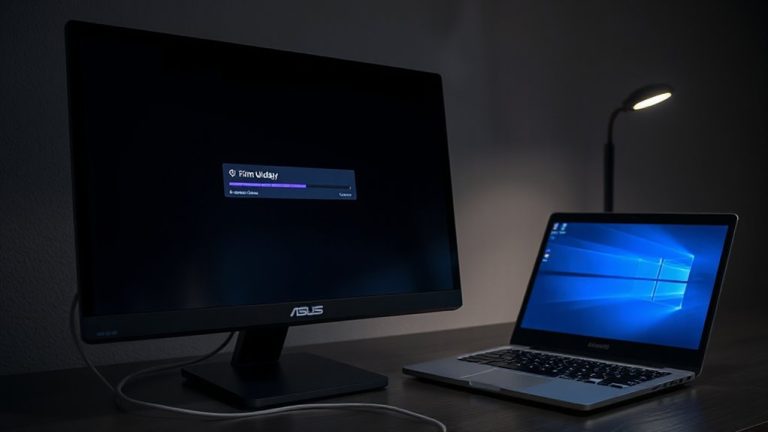
While your streaming stick might work fine dangling from the side of your TV, tucking it behind the display with an HDMI extender actually solves more clutter problems than you’d expect. You reduce visual mess and avoid accidental bumps that cause port strain, a common issue with lightweight streaming devices. It also positions the stick so its Wi-Fi antenna aligns better with your router, minimizing signal interference that can disrupt streaming. Most extenders are under two inches long and plug directly into the HDMI port, letting you rotate the stick flush against the wall or monitor. Just make sure your TV has enough rear clearance-some ultra-slim wall mounts don’t leave space. In lab tests, passive metal-shielded extenders performed best, maintaining stable 4K HDR signals. Still, avoid daisy-chaining with splitters, as that raises interference risks.
Choose the Right HDMI Extender for Your Setup
You’ll want a low-profile HDMI extender that fits flush behind your monitor or TV, especially if you’re aiming to eliminate cable strain and clean up your setup. Look for an extender design that’s slim-under 0.5 inches thick-so it doesn’t push your display away from the wall. A well-built model should maintain strong signal strength up to 4K at 60Hz, with no lag or dropouts, even after days of real-world streaming. Metal housings help with heat dissipation and durability, while gold-plated contacts improve connection reliability. Avoid bulky right-angle adapters-they may look sleek but often weaken signal strength over time. Check warranty length; 18 months or more signals manufacturer confidence. Some models include strain relief, which helps with long-term use. Always verify compatibility with your streaming stick-some newer models have wider connectors that may not fit.
Install Your Streaming Stick With an HDMI Extender
Since space and signal integrity matter most when mounting a streaming stick behind your display, start by firmly inserting the HDMI extender into your TV or monitor’s port before attaching the streaming device. Proper device placement reduces strain on the HDMI port and improves cable management. Angle matters-guarantee the stick sits flush to avoid pressure on the connection. Here’s why alignment and clearance are critical:
| Clearance Needed | Reason |
|---|---|
| 0.5 inch behind TV | Prevents overheating |
| No tight bends | Maintains signal quality |
| Vertical orientation | Easier plug-in |
| Access to power | Avoids strain on USB cable |
| Flat back surface | Guarantees secure device placement |
Good cable management keeps cords hidden and taut. While extenders help, poor positioning can still block vents or loosen over time. Always test streaming stability after installation and check warranty terms-some brands void coverage if the stick is mounted improperly.
Top HDMI Extender Types That Hide Cables
When aiming to hide your streaming stick neatly behind the monitor, right-angled HDMI extenders are often the best choice because they let the device sit flush against the wall, reducing strain and clutter. They improve cable management by minimizing protrusion, especially on thin monitors. Slim-profile male-to-female adapters work too, but guarantee they’re gold-plated to resist corrosion and maintain solid contact. While most short-length extenders (under 6 inches) avoid signal degradation, poorly shielded models can cause intermittent drops, particularly with 4K content. Active HDMI extenders boost signal over longer runs but aren’t needed here and may introduce unnecessary power clutter. Look for extenders with a lifetime warranty and proven performance in real-world streaming tests. Always check HDMI version compatibility-most modern sticks use 2.1, so match that to prevent handshake issues. Your clean setup shouldn’t compromise reliability.
Place Your Extender to Avoid Damage
Though it might seem like a minor detail, positioning your HDMI extender correctly can make the difference between a setup that lasts years and one that fails prematurely. You should place it where airflow reduces heat buildup, especially if your monitor lacks ventilation space. Avoid bending cables sharply at the connection point-this prevents cable strain that can crack solder joints over time. Mount the extender so it’s supported, not hanging by the HDMI plug, and use a short, rigid extension if needed. Keep it away from power adapters or other devices that generate heat. While most extenders handle moderate warmth, sustained heat buildup shortens lifespan. Also, don’t compress the extender behind the monitor if it causes pressure on ports. Even sturdy models with metal housings can suffer from long-term stress. Test your placement by powering the system for an hour-check for warmth or wobbling.
On a final note
You should use an HDMI extender to hide your streaming stick cleanly behind a flat-screen monitor. It reduces cable clutter and improves airflow, especially with low-profile wall mounts. Most flexible options are right-angled, 4K-compatible, and under 6 inches long. Just make sure the extender supports your stick’s power needs and doesn’t block nearby USB ports. Cheap models may fail after a few months, so pick one with a warranty.