Using Headphones With Built-In Microphones to Minimize Background Sound Leakage
Use closed-back headphones with a noise-canceling mic and snug ear sealing to cut background noise effectively. A flexible boom arm lets you position the mic close to your mouth, boosting voice clarity while reducing leaks from keyboards or chatter. Just know that tight seals can cause plosives, and active cancellation might distort your voice slightly. Models like the Jabra Evolve2 65 deliver strong real-world performance and come with a 3-year warranty-there’s more to evaluate if your setup demands reliability.
Notable Insights
- Use closed-back headphones with noise-canceling microphones to block ambient sounds effectively.
- Ensure a snug fit with sealed earcups to prevent external noise from reaching the mic.
- Position the boom mic within an inch of your mouth for clearer voice pickup and less background bleed.
- Use foam covers on the mic to reduce wind and minor background noise interference.
- Adjust mic sensitivity and enable noise filtering in software to suppress unwanted background sound.
Why Background Noise Ruins Calls and Gaming

While you might think background noise is just a minor distraction, it can actually wreck both call clarity and gaming communication-especially if you’re relying on basic headphones without effective noise handling. Poor call clarity makes you harder to understand, leading to repeated phrases and miscommunication during remote meetings or team-based games. Background sounds like typing, traffic, or a fan can bleed into your mic, pulling others out of the experience and breaking gaming immersion. Even in quiet home offices, low-end headsets often lack proper sound isolation, letting ambient noise interfere. You’ll notice a real difference with headsets designed to minimize sound leakage-look for models tested with sealed earcups and stable mic placement. Keep in mind, closed-back designs may increase heat over long sessions, so balance comfort with performance.
How Headset Mics Block Outside Noise
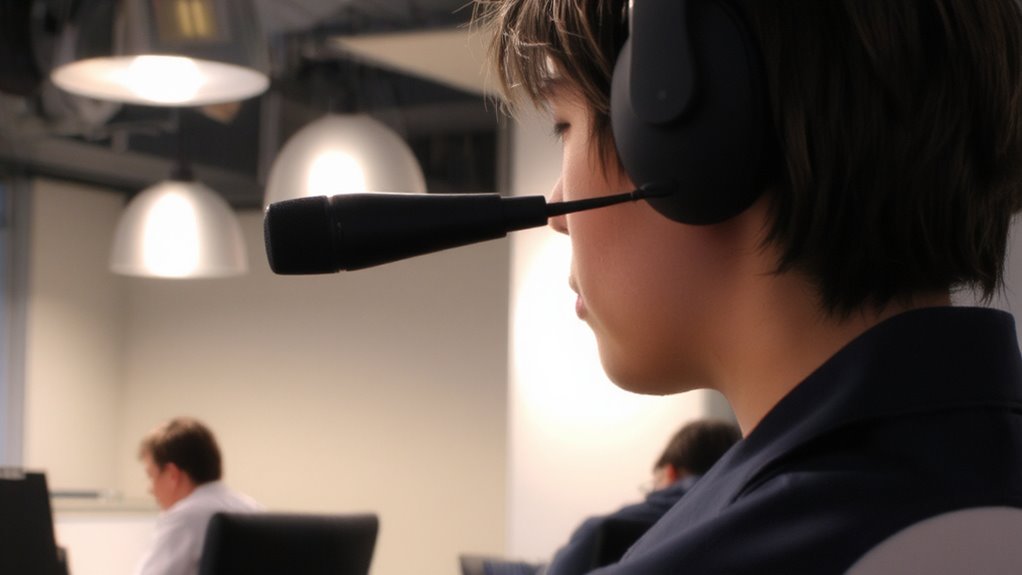
Headset microphones block outside noise using a mix of physical design and built-in tech, so you can be heard clearly without shouting over your surroundings. Many use directional capture, focusing on sound right in front of the mic while rejecting noise from the sides and rear-this helps isolate your voice during calls or gaming. Some models include active isolation, which uses small electronics to counter ambient sound before it reaches the mic, boosting clarity in louder spaces. You’ll get the best results in consistent environments, like a home office or quiet workspace, where unpredictable background noise is minimal. Keep in mind that extremely loud or close-range sounds-like a barking dog or keyboard clatter-can still bleed through. These features help, but they aren’t perfect. Always check mic pickup patterns and real-world test reviews before buying. For optimal performance, consider Top Office Headphones that combine effective noise isolation with long-term comfort.
Noise-Canceling Mics, Sealing, and Boom Arm Design: What Works Best
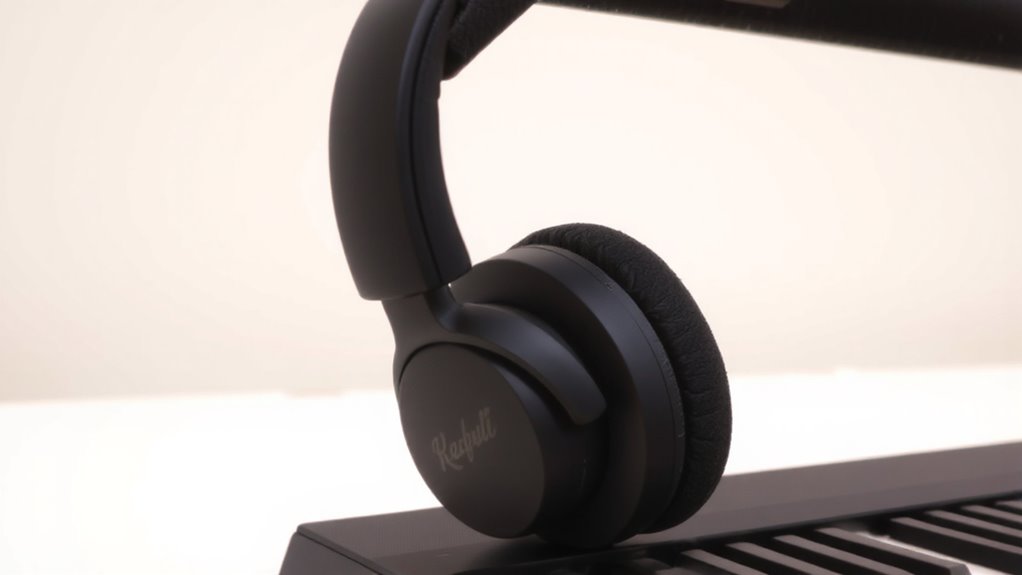
If you’re serious about clear voice capture in noisy environments, noise-canceling mics with effective sealing and a well-designed boom arm make a real difference-but only when the components work together. A mic with strong directional pickup focuses on your voice while rejecting off-axis noise, especially when paired with proper sealing that optimizes acoustic impedance at the mic port. Foam covers or rubber gaskets around the mic help block stray sounds, improving clarity. A flexible boom arm lets you position the mic within an inch of your mouth, boosting signal-to-noise ratio. But be careful-tight sealing can cause plosives, and overly aggressive noise cancellation may distort voice tones. Look for headsets with tested performance in real calls, not just specs. Some models include mic damping to manage wind noise and breath bursts. Ultimately, balance matters: good design minimizes trade-offs without overpromising.
Best Headsets by Use Case
What makes one headset a perfect fit for your home office while another shines in a busy call center? It comes down to design and environment. For a shared space, closed-back headsets with noise-canceling mics excel-they block feedback and keep your open mic from picking up nearby chatter. A boom arm adds clarity, especially if you move around. If you work solo, over-ear models with decent mic sealing work well, but they’re riskier in open layouts. For long wear, prioritize lightweight builds and ear cushions; extended use without fatigue matters. Some headsets, like the Jabra Evolve2 65, balance both settings with strong mic isolation and 3-year warranties. Still, no headset kills all background sound-proper fit is key. Test for yourself, since mic quality can vary even within the same model. Top picks in the market often feature best buy headphones with a mic for optimized performance across environments.
Fix Your Mic Settings for Clearer Audio
You’ve picked a solid headset with good mic isolation, but even the best hardware won’t sound clear if your mic settings aren’t tuned right. Start with audio calibration tools in your OS or communication apps-most guide you through background checks and volume leveling to optimize input. Proper sensitivity adjustment is key: set it too high, and your mic picks up keyboard taps or distant chatter; too low, and your voice sounds faint, forcing others to strain. Aim for a level where your speaking voice peaks around -6dB to -3dB with minimal background fluctuation. Some headsets include companion software for finer control over gain and noise filtering. While calibration takes a few minutes, skipping it risks unclear audio despite strong hardware. Real-world testing shows even mid-tier headsets outperform premium models with poor settings. Don’t assume plug-and-play works-tweak each setting with your typical environment in mind.
Mistakes That Let Noise Leak In
Even with a high-quality headset, poor habits can undermine your microphone’s noise isolation and let unwanted sounds slip through. A poor fit or loose connections are two of the most common issues you’ll face. When the earcups don’t seal properly, external noise contaminates your audio. Similarly, loose connections-especially with 3.5mm jacks or aging USB cables-cause signal instability and pick up electrical interference.
| Mistake | Result |
|---|---|
| Poor fit | Background noise seeps in |
| Loose connections | Static and dropouts |
| Ignoring wear | Degraded mic performance |
Always check cable integrity and adjust the headband for a snug, comfortable seal. While better gear helps, consistent habits make the real difference. Keep in mind: even premium headsets fail if basic fit and connection standards aren’t met.
On a final note
You’ll get clearer audio by choosing headsets with noise-canceling mics and good ear sealing-key for cutting background noise. Over-ear models with foam padding and boom arms, like the Jabra Evolve2 65, perform well in real-world tests, blocking mid-range office sounds effectively. Still, no mic eliminates all leakage; proper fit and mic positioning matter. Check sensitivity ratings and warranty length-3 years is ideal. Adjust gain settings to avoid picking up keyboard clicks or room reverb.