Using Powerline Adapters to Extend Network Coverage to a Basement Home Office
Powerline adapters are your best bet for solid internet in a basement home office, using electrical wiring to bypass Wi-Fi-killing concrete and metal. Models like the TP-Link AV1000 deliver real-world speeds of 300–400 Mbps-plenty for video calls and file uploads-with plug-and-play setup and a 2-year warranty. For best results, plug directly into wall outlets on the same circuit and avoid power strips. Performance varies with wiring age and appliance interference, so outcomes depend on your home’s electrical layout. There’s more to evaluate if you want consistent performance.
Notable Insights
- Powerline adapters use existing electrical wiring to deliver stable internet to basements, bypassing Wi-Fi dead zones caused by concrete walls.
- Plug one adapter near your router and connect via Ethernet; plug the second into a basement outlet for instant network access.
- Avoid power strips and use direct wall outlets to maximize speed and minimize interference from electrical noise.
- For optimal performance, ensure both adapters are on the same electrical circuit and phase to reduce latency and signal loss.
- TP-Link AV1000 and similar models offer 300–400 Mbps real-world speeds, ideal for video calls and remote work in basement offices.
Why Basements Kill Wi-Fi and How Powerline Adapters Help
While your basement may seem like the perfect quiet spot for a home office, thick concrete walls and long distances from your router often make Wi-Fi unreliable down there-dropped video calls and slow file uploads are common. That’s due to signal attenuation, where building materials weaken Wi-Fi strength, and electrical interference from appliances like washers or freezers further disrupts performance. You’ll likely notice unstable connections even with dual-band routers. Powerline adapters offer a reliable alternative by using your home’s existing electrical wiring to transmit data. They deliver consistent speeds across long runs with minimal lag, often outperforming Wi-Fi extenders in basement environments. Just know performance varies by circuit quality-older wiring may limit throughput. Most kits support at least 600 Mbps, with two-year warranties and plug-and-play setup. They’re not magic, but in most homes, they turn unusable basement corners into fully connected workspaces.
How Powerline Adapters Bring Internet to Your Basement
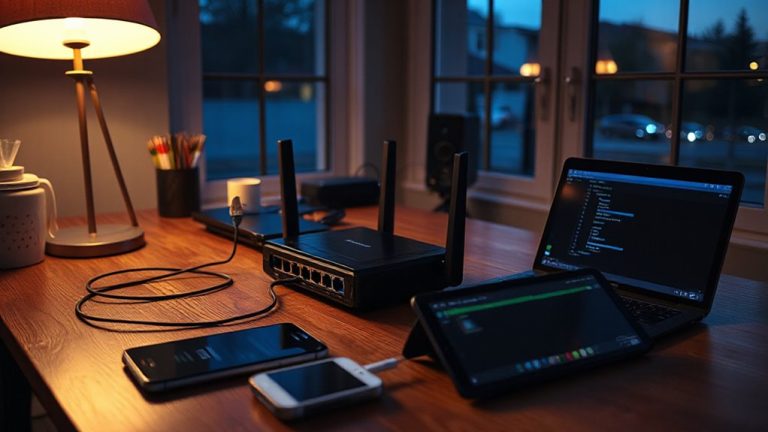
Powerline adapters bring internet to your basement by turning your home’s electrical circuits into data highways, bypassing the walls and interference that wreck Wi-Fi. You plug one adapter near your router, connect it via Ethernet, and use a second in the basement to restore a solid signal. This setup avoids signal interference from concrete and metal, common in lower levels. Most kits support speeds from 500 Mbps to over 1 Gbps, but real-world performance depends on your home’s wiring age and circuit layout. Cable compatibility matters-older or shared circuits with noise from appliances can reduce speed. Use adapters on the same electrical phase for best results; models with passthrough outlets won’t block access. They’re easy to install and work instantly, but aren’t a full replacement for dedicated Ethernet. Test thoroughly-you might need to try placements or upgrade if speeds fall short.
Best Powerline Adapters for Home Offices
Your home office deserves reliable connectivity, and the TP-Link AV1000 (TL-PA4010KIT) strikes a smart balance between speed, stability, and value. It delivers solid signal strength across most home circuits, with real-world data speed averaging 300–400 Mbps-enough for video calls, file uploads, and smooth browsing. You’ll get consistent performance if your electrical circuits aren’t overloaded or split across long or older wiring. The compact design fits tight spaces, and built-in pass-through outlets prevent wasted power strips. Units include WPA encryption for security, which matters when transmitting work data. Though not as fast as gigabit Ethernet, it’s a practical step above Wi-Fi extenders in basements. Just know that circuit breakers or major appliances can reduce signal strength. TP-Link backs it with a 2-year warranty, reflecting long-term reliability. For most remote workers, it’s a sensible, no-fuss upgrade worth the modest cost.
How to Set Up Powerline Adapters in Minutes
Once you’ve picked a reliable kit like the TP-Link AV1000, setting up powerline adapters takes just a few minutes and doesn’t require technical skills. Plug one adapter into a wall outlet near your router and connect it via Ethernet. Then plug the second into an outlet in your basement and link it to your desktop or access point. Good plug placement matters-avoid power strips and keep units directly in wall outlets for better signal transfer. Distance and electrical interference from large appliances or older wiring can reduce speeds, so test both outlets beforehand. These adapters use your home’s electrical circuit, so performance varies by house. They won’t match gigabit Wi-Fi extenders, but offer stable, low-latency connections ideal for calls and file work. Most kits include 24-month warranties and work across different circuit breakers-though response time may dip slightly in complex setups.
Fixing Common Powerline Adapter Problems
While you might expect seamless performance from powerline adapters, signal drops or slow speeds can happen-especially in older homes with outdated wiring or shared circuits. Interference issues from large appliances or fluorescent lighting can disrupt data transmission, leading to inconsistent connections. Signal degradation is common when adapters are on different electrical phases or separated by long cable runs; placing both units on the same circuit usually helps. For best results, plug them directly into wall outlets-avoid power strips. Most modern kits support at least 600 Mbps, but real-world speeds often land between 200–400 Mbps, depending on electrical noise. Units with built-in pass-through outlets won’t block adjacent sockets, a small but useful design. Check for a two-year warranty and easy reset buttons. While not as fast as Ethernet, they’re often stable enough for video calls and file transfers in basements where Wi-Fi struggles.
On a final note
You’ll get reliable basement internet with powerline adapters, especially if walls block Wi-Fi. They use existing electrical wiring, so setup is simple and speed stays stable-ideal for video calls or file uploads. Top models like the TP-Link AV1300 deliver real-world speeds near 300 Mbps and include passthrough outlets. Just avoid plug strips; plug directly into walls. Performance depends on circuit age and layout, so results vary.