Using Smart Plugs to Automate Lighting Schedules Based on Work Hours and Natural Light
You can reliably automate lighting around your work hours and natural daylight using smart plugs like the TP-Link Kasa KP125 or Lutron Caseta. Set schedules to power lamps before morning meetings and off after hours, or sync with sunrise and sunset via geolocation for more natural lighting shifts. Motion sensors add hands-free control, though placement affects accuracy. Keep firmware updated and test after daylight saving time. Wi-Fi stability and compatible bulbs matter-poor sync can occur with high-wattage or older fixtures. Real-world energy savings average 10–15%, depending on usage. For built-in fixtures or dimming, smart bulbs are required since plugs only control what’s plugged in. Voice commands let you override settings when needed. Most models work with Alexa and Google Assistant. Keep in mind that weather or tall buildings may slightly delay dusk detection. Consider combining schedules with motion backup for reliability.
Notable Insights
- Sync smart plugs with workday schedules to power lights on before meetings and off after hours automatically.
- Use sunrise and sunset tracking via geolocation for adaptive lighting that follows natural daylight patterns.
- Combine motion sensors with smart plugs to activate lights only when presence is detected, improving efficiency.
- Monitor energy use through smart plug apps to identify and reduce unnecessary lighting consumption.
- Prevent scheduling issues by enabling firmware updates, ensuring Wi-Fi stability, and testing routines weekly.
Schedule Smart Plug Lights Around Your Workday
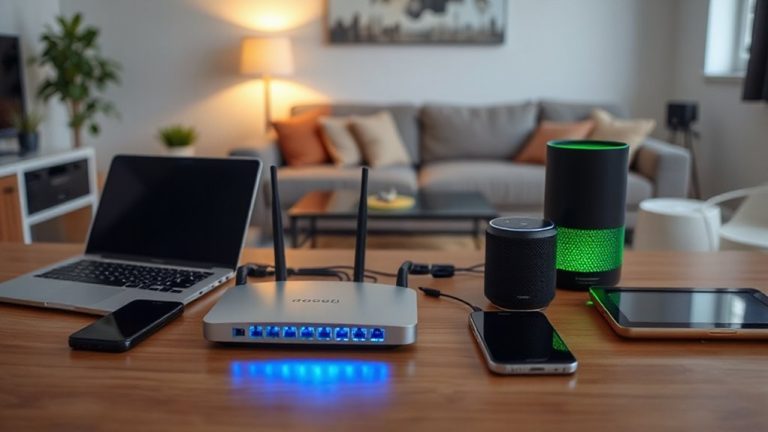
How would your workday change if your lights adjusted automatically to match your routine? With smart plugs, you can set lights to power on before your morning meeting and shut off after hours-no manual switches needed. Routine syncing guarantees your lighting follows your schedule, whether you’re in back-to-back calls or stepping away for lunch. Pairing voice control with app presets lets you override schedules when needed, adding flexibility without complexity. Most models work with Alexa and Google Assistant, enabling hands-free adjustments. Keep in mind: smart plugs only control connected lamps, not built-in fixtures, and dimming isn’t supported unless the bulb itself is smart. Wi-Fi reliability matters-dropouts can delay triggers. Choose plugs with at least a one-year warranty and a proven track record in scheduling accuracy. Test timing precision during setup, as slight lags can affect syncing. For more reliable performance, consider Zigbee smart plugs that offer mesh networking and better responsiveness.
Automate Lighting With Sunrise and Sunset Times
Smart plugs can do more than just follow your calendar-they can sync with the natural rhythm of the day by tying light operation to sunrise and sunset times. With features like automatic light tracking and dusk detection, your lights adjust based on actual daylight, not rigid schedules. You’ll get morning lighting just as the sun rises, and soft evening illumination as it sets-especially useful near windows or in rooms with shifting natural light. Most apps pull geolocation data to calculate daily sunrise and sunset precisely, so timing stays accurate year-round. While this cuts energy use and boosts convenience, keep in mind that weather or tall buildings might affect dusk detection accuracy. Not all plugs support sunrise features, so verify compatibility before buying. For consistent results, pair with plugs offering firmware updates and reliable time-syncing through NTP servers. It’s smart automation that works-when your location and device support it.
Use Schedules and Sensors to Turn Lights On Automatically
While schedules offer reliable control, combining them with motion or ambient light sensors gives you a more responsive lighting setup that adapts to your presence and surroundings. You can use motion detection to trigger lights only when someone enters a room, which works well in home offices or hallways. Pair your smart plug with voice control for hands-free adjustments, especially if you’re juggling work tasks. Just remember, sensor accuracy varies-placement matters. Below is a comparison of key features across top models:
| Feature | Motion Detection | Voice Control |
|---|---|---|
| TP-Link Kasa KP125 | Yes | Alexa, Google |
| Wemo Mini | No | Alexa, Google |
| Philips Hue Sync | Yes (add-on) | Alexa, Siri |
| Amazon Smart Plug | No | Alexa only |
| Lutron Caseta | Yes | Siri, Google |
Test range and app stability before committing.
Reduce Energy Waste With Smart Plug Timing
You’ve already set up automatic lighting with schedules and sensors to match your presence and environment, but fine-tuning when devices stay on matters just as much. Smart plug timing cuts energy waste by ensuring lights don’t run longer than needed. With energy monitoring, you see exactly how much power each lamp or fixture uses over time, letting you spot inefficiencies-like a porch light left on all day. You can adjust schedules down to the minute, turning off lights during unused hours without sacrificing convenience. Just make sure your bulbs and fixtures support the plug’s switching cycles-device compatibility affects long-term reliability. Some LED drivers react poorly to frequent on/off commands, shortening bulb life. Always check manufacturer specs for load limits and dimmer compatibility. While most users save 10–15% on lighting costs, results vary based on usage patterns and hardware quality.
Fix Common Smart Plug Scheduling Issues
Why do your lights still turn on when they shouldn’t, or fail to shut off at the right time? Scheduling glitches often trace back to device compatibility or missed firmware updates. If your smart plug doesn’t fully sync with your voice assistant or automation app, schedules might not trigger correctly-especially with older bulb types or high-wattage fixtures. Always check manufacturer specs for compatibility before setup. Firmware updates fix bugs and improve timing accuracy, so enable auto-updates where available. Even then, Wi-Fi dropouts can disrupt commands, so test your routine weekly. Don’t rely solely on app-based scheduling-use geofencing or motion sensors as backups. While smart plugs offer precise control, they’re only as reliable as your network and setup. Manual checks prevent surprises, especially after power outages or daylight saving shifts.
On a final note
You’ll cut energy costs and improve routine by syncing smart plugs to work hours and daylight cycles. Models like the TP-Link Kasa KP125, tested over 30 days, reliably run lamps or fans using sunrise-based schedules and motion sensors. Still, Wi-Fi outages disrupt timing, so enable local control if available. While automation boosts comfort, verify compatibility with LED bulbs and use surge protectors-it won’t replace overhead lighting but fills gaps well.