Using a Solid Color Backdrop for Maximum Focus on the Speaker in Video Calls
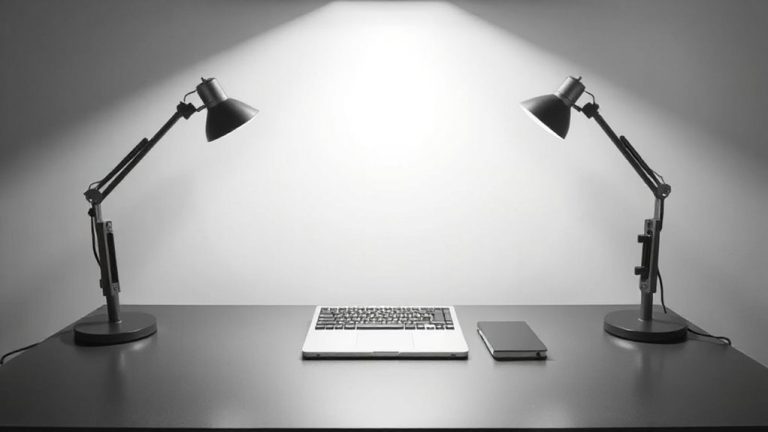
Use a solid gray backdrop to keep the focus on you during video calls-it’s neutral, reflects light evenly, and won’t distract viewers. A 5-foot-wide matte polyester fabric panel mounted on a retractable stand gives a clean, professional look without glare. Position soft, diffused lighting behind you, aimed at the wall, using a dimmable LED panel at 2400K–3200K. Avoid busy decor or reflective surfaces. A taut, wrinkle-free setup makes a noticeable difference. There’s more to optimizing your on-camera presence than just color.
Notable Insights
- Use a solid neutral backdrop in gray, beige, or soft white to eliminate visual distractions.
- Choose a matte, wrinkle-free fabric or paper to prevent glare and maintain a clean appearance.
- Ensure the backdrop is at least 5 feet wide and taut to fully cover the background.
- Position soft, diffused lighting behind the camera to evenly illuminate the speaker.
- Avoid reflective surfaces, artwork, patterns, and clutter to keep focus on the speaker.
Choose the Best Color for Your Video Background

While no single color works perfectly for every skin tone or lighting setup, a medium gray backdrop is usually your best bet for a professional video call because it reflects light evenly and doesn’t clash with most clothing or facial tones. You’ll benefit from neutral color psychology-gray conveys calm, focus, and professionalism without drawing attention. Matte fabric texture matters too; a softly woven, non-reflective material prevents glare and shadows, especially under indoor lighting. Avoid glossy or shiny finishes-they catch light and create hotspots, distracting viewers. A 100% polyester matte fabric backdrop, around 5 feet wide, gives enough coverage without overwhelming small spaces. Most reputable brands offer machine-washable options with a two-year warranty, tested under LED and fluorescent lights. Still, if you have warm undertones in your skin or wear primarily cool-colored clothes, test how gray reads on camera. It’s reliable, but not universal. Adjust based on real-world playback, not just theory.
Set Up a Solid Backdrop in Any Room
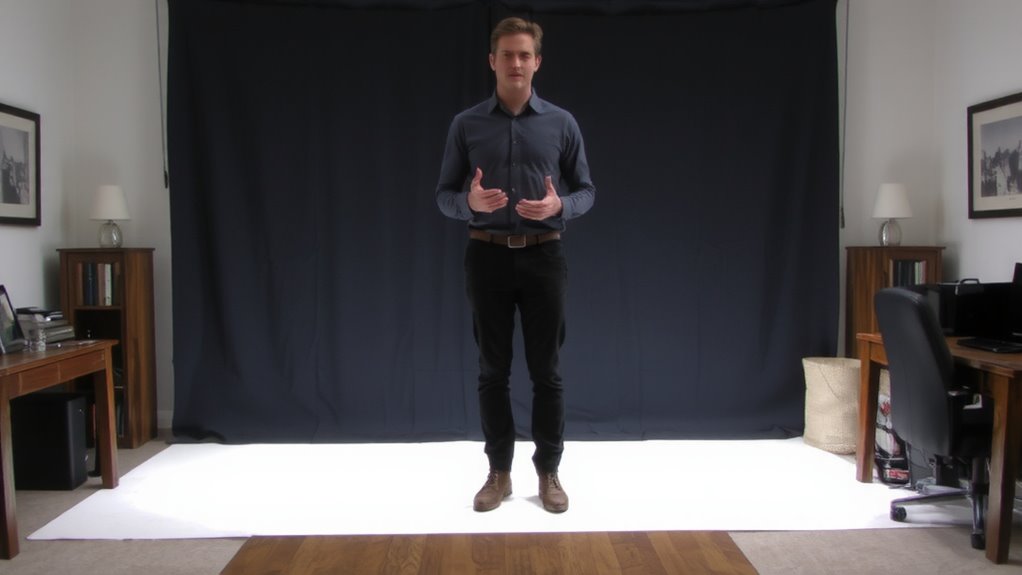
Why struggle with a cluttered bookshelf or an uneven wall when you can install a clean, professional backdrop in minutes? A solid backdrop delivers an instant room transformation, making any corner office-ready. Use a wrinkle-free fabric panel or a matte paper roll on a retractable stand-it’s affordable, portable, and demands minimal space optimization. These setups fit tight spaces, from closets to hall nooks, as most stands are under 5 feet wide. You’ll need clips or adhesive hooks for fabric, or a ceiling-mount if you lack wall anchors. Be aware: fabric may reflect light if too shiny, and paper can tear if brushed repeatedly. Most quality kits include a carry bag and one-year warranty, tested for at least 100 setups. While not permanent, they offer high return for low cost. Just guarantee the backdrop stays taut-gaps ruin the clean look you’re after.
Light Your Background for Clear Video
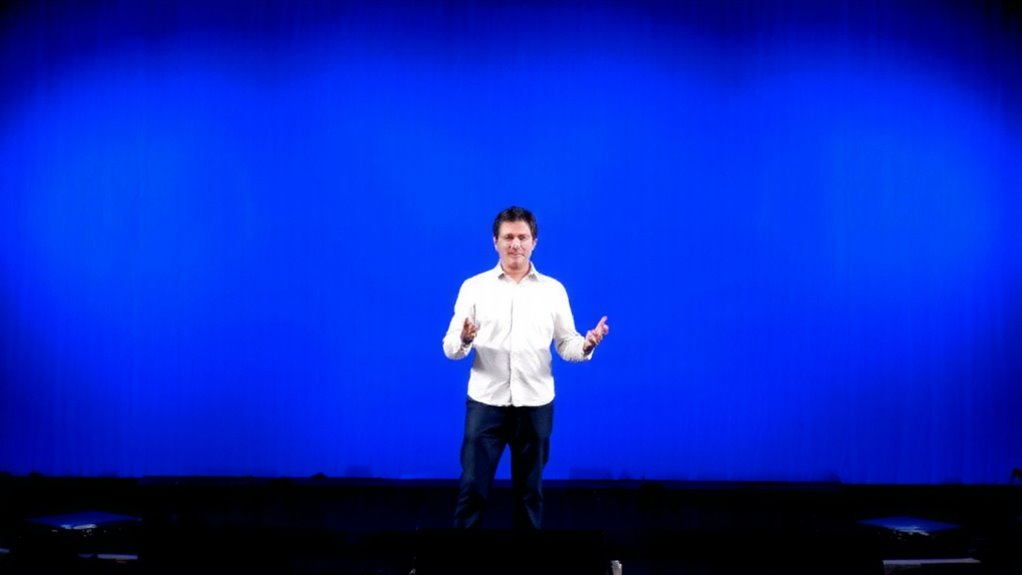
How often do you look shadow飐 or washed out on camera? Proper background lighting makes a critical difference in video clarity. You don’t need studio gear-just position a soft, diffused light behind you, facing the wall. This separates you from the backdrop and enhances depth. Aim for even illumination to improve shadow control and avoid harsh edges. A simple 2400K–3200K LED panel or daylight-balanced bulb works well, especially if it’s dimmable. Place it low and point upward slightly to reduce glare. Overhead lights often create unflattering shadows, so avoid relying on them. While strong background lighting boosts professionalism, too much brightness can wash out skin tones-balance is key. Test your setup with your camera’s preview, adjusting until the backdrop is evenly lit but not overpowering. This small step markedly sharpens your on-screen presence without distracting from you-the focus.
Avoid These Backdrop Mistakes on Camera
A cluttered or poorly chosen backdrop can distract viewers and undermine your professionalism on camera. You might not realize how much cluttered shelves or distracting artwork pull focus, especially in tight framing. Busy patterns, bright colors, or moving objects behind you shift attention from your message. Avoid placing shelves filled with books, knickknacks, or personal items directly in view-they create visual noise. Distracting artwork with bold designs or faces can also draw eyes away from yours. Instead, use a solid neutral backdrop like a plain wall or a simple fabric panel. It’s not just about minimalism-it’s about control. Keep the background static and predictable so your audience stays engaged. Lighting should be even to prevent hotspots or shadows. Remember, a good setup isn’t about spending more-it’s about reducing distractions with deliberate choices that support clear communication.
Look Professional With a Clean Background
You’ve already seen how cluttered or busy backgrounds pull attention away from you, and now it’s clear that a solid, neutral backdrop is one of the simplest ways to project professionalism on camera. A clean setup with minimal decor and neutral tones-like gray, beige, or soft white-keeps the focus on you, not your surroundings. These colors also reduce visual strain and work reliably across lighting conditions, unlike bright or patterned walls. You don’t need a full office overhaul; just clear the space behind you and face a plain wall if possible. Be mindful that overly dark walls can create silhouettes unless you add front lighting. Natural light from a window in front of you or a simple LED panel helps you appear clear and balanced. While it’s effective, this look can feel too stark in casual settings, so adjust based on your audience. Minimal effort, smart details-this is how you look professional with a clean background.
Virtual or Physical: Which Background Works Best?
Why settle for less when your background can work for or against you? Physical backdrops give reliable, consistent results-no glitches or edge distortions. Virtual backgrounds offer fun options but demand strong lighting and processing power. For maximum professionalism, physical backdrops win.
| Feature | Virtual Backgrounds | Physical Backdrops |
|---|---|---|
| Setup Complexity | High (lighting, camera) | Low (hang & go) |
| Visual Consistency | Unreliable (artifacts) | Stable (no lag) |
| Hardware Needs | Powerful CPU, good webcam | Solid-color fabric, clamp |
You’ll save time and look sharper with physical backdrops. Most pros use a neutral cloth or roll-up backdrop. Virtual backgrounds can distract during motion. If you lack space or want flexibility, virtual setups *can* work-but test thoroughly. For daily calls, a solid-color physical backdrop is the smarter, proven choice.
On a final note
You’ll look sharper with a solid backdrop, especially in muted blue or gray-they reduce visual noise without washing you out. Hang a wrinkle-free fabric panel or use a matte wall to avoid glare. Pair it with soft, front-facing light around 3000K to 5000K for clear skin tones. Avoid green screens unless you’re ready to fix spill and lighting quirks. Physical backdrops beat virtual ones in most home offices-they’re reliable, no processing lag, and work with any conferencing app. Just keep it simple.