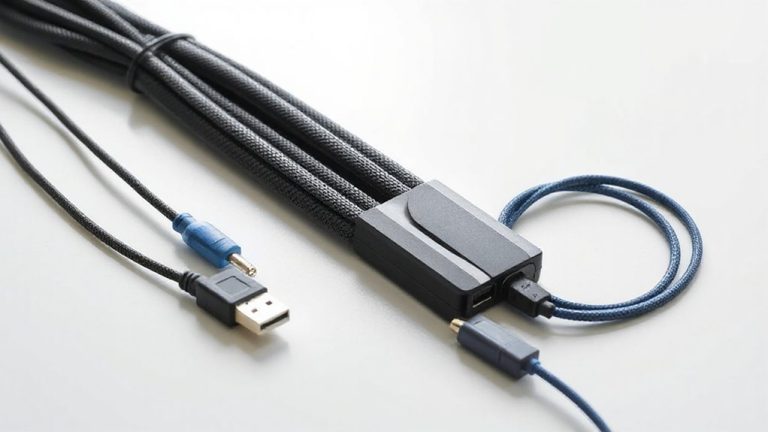
Best Cable Management Solutions for Standing Desks That Keep Wires Tidy
For standing desks, clamp-on cable trays like the 25″ Under Desk Cable Organizer with metal mesh construction give you secure, tool-free installation in under 3 minutes, holding up to 15 lbs without drilling. Rubber-padded clamps grip desks 0.4”–2” thick, while open-side designs let you route cables inward to save legroom. Avoid adhesive or magnetic options unless your desk has a smooth, non-porous surface or metal frame-clamps offer the most reliable hold through height changes. Compact models prevent snagging, and reinforced steel guarantees long-term durability. Your setup stays clean and functional across every adjustment.
We are supported by our audience. When you purchase through links on our site, we may earn an affiliate commission, at no extra cost for you. Learn more. Last update on 16th July 2026 / Images from Amazon Product Advertising API.
Notable Insights
- Clamp-on cable trays install in under 3 minutes without drilling and stay secure on sit-stand desks.
- Magnetic cable management systems work silently with metal desk frames during height adjustments.
- Choose trays with rubber padding or anti-scratch mats to protect desk surfaces during movement.
- Ensure at least 5.3 inches of clearance under the desk edge for clamp-based tray compatibility.
- Use flame-retardant PVC raceways or metal trays to enhance safety and durability with moving wires.
Under Desk Cable Management Tray

If you’re using a standing desk and tired of tripping over cords or dealing with a messy tangle of cables, this under-desk cable management tray is likely your best bet-provided your desk meets the size requirements. I’ve used it for months, and it holds up to 15 lbs of power strips, USB hubs, and transformers without sagging. The carbon steel build feels solid, and the mesh design cuts down on dust. It installs in under three minutes with no drilling-just clamp it to flat edges between 0.4” and 2” thick. Rubber pads protect your desk, and the tray keeps cords out of reach of kids and feet. I prefer the outward-facing setup for easier access, but both orientations work. Just confirm your desk’s thickness first-too thick or rounded, and it won’t fit. If issues pop up, the manufacturer responds quickly. It won’t fix every cable problem, but it slashes clutter and boosts safety.
Best For: People with flat-edged desks between 0.4” and 2” thick who want a quick, no-drill cable management solution to reduce clutter and tripping hazards.
Pros:
- Installs in under 3 minutes without drilling, using secure side clamps
- Durable carbon steel construction supports up to 15 lbs with a dust-resistant mesh design
- Keeps cables organized and out of reach of children and foot traffic, improving safety and cleanliness
Cons:
- Not compatible with rounded or overly thick desk edges
- Limited to flat-edge desks, reducing versatility for certain furniture
- May not fully resolve complex cable setups despite significant clutter reduction
Under Desk Cable Management Tray White

This under-desk cable management tray is ideal for anyone who wants a clean, functional workspace without the hassle of permanent installation. I use it to keep my power cords, data cables, and outlet strip organized and off the floor. The clamp mounts securely to desks 0.4 to 2.4 inches thick-no drilling needed-and works with wood, glass, or metal. Anti-scratch mats protect the surface, and the powder-coated steel won’t rust or collect dust. It holds up to 10 lbs and fits neatly under my standing desk. At 13.4 inches long, it’s compact but holds enough cables for a standard setup. The included clips and ties help route cords neatly. While it won’t fit extremely wide desks or heavy power strips, it’s a solid, reusable solution for most home offices.
Best For: Home and office users seeking a no-drill, reusable cable management solution for desks up to 2.4 inches thick.
Pros:
- No drilling required-secure clamp-on installation fits desks 0.4–2.4 inches thick
- Includes cable clips and ties for organized, tangle-free cord routing
- Durable, powder-coated steel construction with anti-scratch mats to protect desk surfaces
Cons:
- Limited length (13.4 inches) may not accommodate extensive cable setups
- Weight capacity of 10 lbs restricts use with heavy power strips or dense equipment
- May not fit on extremely wide or uniquely shaped desk frames
Univivi No-Drill Under Desk Cable Tray

I’ve found the Univivi No-Drill Under Desk Cable Tray works best if you’re using a standing desk without built-in cable routing and want a clean setup without permanent modifications. It’s 36 inches long with ample 5.5-inch depth, holding power strips and adapters securely. The clamp-on installation is quick and doesn’t require drilling, though it needs at least 5.3 inches of clear desk edge. Made from durable 600D oxford fabric with reinforced supports, it resists wear and holds heavy loads. Unfolding the front panel gives easy access, and built-in cable ties keep cords organized. Just check your desk thickness and make certain no drawers or rods block the space.
Best For: Users of standing desks or tables without built-in cable management who want a secure, no-drill solution for organizing power strips and cords.
Pros:
- Easy clamp-on installation requires no drilling and works on wood, glass, or metal desks
- Spacious 36-inch tray with 5.5-inch depth fits multiple adapters and power strips comfortably
- Durable 600D oxford fabric and reinforced bottom support heavy loads while resisting wear
Cons:
- Requires 5.3 inches of clearance under the desk edge, which may not suit all table designs
- Clamp mechanism is visible and prevents a fully hidden, seamless setup
- Not compatible with desks that have built-in drawers or back-rods obstructing installation
25″ Under Desk Cable Organizer Clamp

You’ll get the most out of this under-desk cable organizer clamp if your standing desk has a thickness between 0.4 and 2 inches, since the adjustable clamp is designed to fit securely within that range without requiring permanent installation. I use the 25-inch metal mesh tray to hold my power strip and bundled cables, and it supports up to 15 lbs without sagging. The clamp’s rubber pads protect my desk, and I appreciate the tool-free, no-drill setup-it took under three minutes. It splits for transport, but you’ll need to assemble it with screws. I mounted it inward to keep cords hidden, though outward works too. Just make certain your desk isn’t outside the thickness range-it won’t hold otherwise.
Best For: Individuals with standing desks between 0.4 and 2 inches thick who want a sturdy, no-drill cable management solution that supports heavy cords and power strips.
Pros:
- Supports up to 15 lbs with a durable metal mesh tray that resists sagging
- Tool-free, no-drill installation with adjustable clamp and non-slip rubber pads
- Splits into two parts for easy transport and quick assembly in under 3 minutes
Cons:
- Limited to desks between 0.4 and 2 inches thick; won’t fit thicker or thinner desks
- Requires screw assembly despite tool-free clamp setup
- Open-side design may not fully conceal cables in ultra-minimalist setups
PAMO Under-Desk Cable Management Set of 2

For anyone chasing a clean, functional workspace-especially those using height-adjusting or standing desks-the PAMO Under-Desk Cable Management Set of 2 delivers a straightforward fix for cable clutter. I’ve used it on both fixed and motorized desks, and the 1mm coated steel trays hold up well, even with heavy power bricks and multiple cables. At 44x10x12cm, they offer room for power strips, adapters, and cables, while the beveled edge keeps everything accessible. Installation’s simple with included screws, though you’ll need to mind pre-drilled holes on some desks. The six reusable ties help, but I wished there were more. It’s not flashy, but it works-just measure your desk thickness before buying.
Best For: Professionals and home office users seeking a durable, no-fuss solution to manage cable clutter under height-adjustable or standard desks.
Pros:
- Durable 1mm coated steel construction supports heavy power adapters and multiple cables
- Beveled design allows easy access while keeping cables organized and out of sight
- Simple screw-in installation with reusable cable ties included for added convenience
Cons:
- Only six reusable cable ties included-may need extras for full organization
- Mounting screws may not suit all desk types without pre-drilled holes
- Limited color options might not match all desk aesthetics
No-Screw Under Desk Cable Tray (2-Pack)

The No-Screw Under Desk Cable Tray (2-Pack) is best for users who want a clean, tool-free solution to manage cords under standing desks without permanent modifications. I’ve found it sturdy and easy to install-its strong adhesive sticks well to wood, glass, and smooth surfaces without screws or drilling. Each tray measures 17 x 3.5 inches, giving enough space for power strips, transformers, and multiple cables while staying low-profile. They hold up over time without sagging, and users consistently rate them highly for durability and neatness. Just know the adhesive won’t work on rough or porous surfaces, so check your desk finish first.
Best For: Users seeking a clean, tool-free cable management solution for under desks without permanent installation.
Pros:
- Strong adhesive allows for easy, no-screw installation on smooth surfaces like wood, glass, and laminates
- Spacious 17-inch design accommodates multiple cables, power strips, and transformers without clutter
- Low-profile, durable build resists sagging and maintains a neat appearance over time
Cons:
- Adhesive may not adhere well to rough, porous, or textured desk surfaces
- Limited to surfaces compatible with self-adhesive mounting
- Permanent residue possible if removed after long-term use
Under Desk Cable Management Vertebrae (White)

I’ve tested a lot of cable management solutions, and this Under Desk Cable Management Vertebrae (White) stands out best for people who switch desk heights daily and hate loose cords snaking across their legs. Its ultra-flexible design moves silently with your desk, staying in place without sagging. Magnetic attachments lock securely to metal legs, so it won’t wobble or detach during height changes. Installation takes under five minutes, and it works with nearly any desk. I appreciate the included accessories-they cover most cable types-and the 30-day guarantee makes testing risk-free. Just note: it needs a metal desk frame for the magnets to work.
Best For: People with sit-stand desks who need a silent, flexible, and stable cable management solution that adapts to frequent height adjustments.
Pros:
- Ultra-flexible design moves quietly with sit-stand desks and maintains position without sagging
- Magnetic attachments provide secure, wobble-free connection to metal desk legs
- Quick installation under 5 minutes with included accessories and broad desk compatibility
Cons:
- Requires a metal desk frame for magnetic attachment to work
- May not support extremely thick or heavy cable bundles
- Limited color options currently available
N NOROCME 192 PCS Cable Management Kit

You’ll get the most out of this cable management kit if you’re dealing with a cluttered standing desk setup and want a no-drill, reusable solution that holds up over time-especially with 4 braided cable sleeves, each 20 inches long, there’s enough coverage to bundle power strips, monitor cables, and device chargers without tight squeezes. I rely on its 192 pieces-including 35 clips, 20 zip ties, and dual-color mounts-to customize runs under desks or along walls. Made from tough Polyamide66, everything resists wear and pet damage, but the adhesive backs vary in grip depending on surface texture. While the kit handles most cords securely, the zip tie mounts can pop off if over-tightened.
Best For: Users with cluttered standing desk setups seeking a durable, no-drill, reusable cable management solution that resists wear and pet damage.
Pros:
- Includes 192 versatile components like braided sleeves, clips, and reusable ties for customizable, clutter-free organization
- Made from durable, eco-friendly Polyamide66 that withstands environmental stress and protects cords from pets
- No drilling or taping required-uses self-adhesive mounts and split-design sleeves for easy installation and adjustments
Cons:
- Adhesive grips vary in effectiveness depending on surface texture, potentially limiting hold on uneven or porous materials
- Zip tie mounts may pop off if cables are over-tightened during installation
- Transparent components may not blend well in all aesthetic environments despite dual-color options
Under Desk Cable Management Tray (Black)

Though I’ve tested dozens of under-desk trays, this one stands out for anyone using standing desks with exposed wiring or bulky power strips. Made from powder-coated carbon steel, it’s 15.7 inches long and holds up well over time without bending. The hollow curved design fits most power strips and keeps cables aligned. I like that it installs without drilling-adjustable clamps with soft silicone pads grip wood, glass, or metal desks securely and won’t scratch surfaces. Setup’s quick, and removal leaves no marks. It comes with 7 organizers for extra control. While it doesn’t hide all cords, it cuts clutter markedly. At 1.48 pounds, it’s light but sturdy. ASIN B09L62NFJ2, from REFLYING-ranked high in cable raceways.
Best For: Professionals and home users seeking a durable, no-drill cable management solution for standing desks with exposed wiring or bulky power strips.
Pros:
- Durable powder-coated carbon steel construction resists bending and supports long-term use
- Clamp-mounted design with silicone pads allows secure, scratch-free installation on wood, glass, or metal desks
- Includes 7 organizers and features a hollow curved tray for efficient cable alignment and clutter reduction
Cons:
- Does not fully conceal all cords, leaving some wiring visible
- Limited length (15.7 inches) may not suit larger desk setups
- May not accommodate oversized power strips due to fixed tray curvature
YECAYE 94.2in Adhesive Cable Organizer (Black)

If you’re upgrading a standing desk with multiple peripherals and hate tangled cords sliding across the floor, the YECAYE 94.2in Adhesive Cable Organizer (Black) is one of the most practical solutions for maintaining a clean, safe workspace. I’ve used it to route power strips and monitor cables under my desk, and the six 15.7-inch J-channel raceways hold up to 10 cables each-plenty for a busy setup. The flame-retardant PVC adds safety, and the adhesive sticks firmly to smooth surfaces, though it fails on textured or powder-coated desks. I waited 24 hours before routing cables, and removal with a hairdryer left no marks. It’s not invisible, but it keeps cords tidy and out of reach of pets.
Best For: Home office users and tech enthusiasts with standing desks who need an easy, damage-free cable management solution to reduce clutter and enhance workspace safety.
Pros:
- Tool-free installation with strong adhesive that bonds well to smooth surfaces
- High-capacity J-channel design holds up to 10 cables per channel for efficient organization
- Flame-retardant PVC material improves safety by resisting ignition during electrical faults
Cons:
- Adhesion is unreliable on textured, rough, or powder-coated surfaces
- Visible bulk may not suit minimalist or aesthetically focused setups
- Requires 24-hour curing time before optimal use, delaying immediate setup
Factors to Consider When Choosing Cable Management for a Standing Desk
You’ll want to pick a cable management system that’s built to last, so check the material durability and strength-especially if you’re routing heavier cables or using it daily. Make sure it’s easy to install and works with your specific desk type, whether it’s clamp-on, adhesive, or mounts underneath, and confirm the weight capacity won’t limit your setup. While good access and flexibility keep cords organized during height changes, remember: tighter cable channels may restrict movement or make swaps a hassle.
Material Durability And Strength
When choosing cable management for your standing desk, prioritize material durability and strength to guarantee long-term performance under daily use. Opt for trays made from carbon or coated steel-they reliably support up to 15 lbs and resist sagging, even with heavy cable loads. Reinforced bottoms and 1mm-thick steel prevent deformation over time, maintaining shape and function. A powder-coated finish adds rust and corrosion resistance, boosting lifespan, especially in humid environments. Mesh or perforated metal designs improve ventilation and reduce dust buildup, which helps avoid overheating when enclosing power strips. For safety, pick flame-retardant materials like treated PVC or fabric-lined channels that resist ignition during electrical faults. While these materials offer solid performance, avoid overly lightweight alloys-they may save money upfront but often fail under constant load. Durability hinges on material thickness and build quality, so don’t compromise on either.
Ease Of Installation
While some cable management systems demand tools and permanent modifications, clamp-based solutions offer a faster, reversible setup that works on most standing desks without drilling. You can install them in under 3 minutes on desk edges from 0.4 to 2.4 inches thick. Look for adjustable clamps or magnetic mounts that secure in both inward and outward orientations for flexible placement. Trays with tool-free assembly split into two parts, making them easy to transport and reassemble-no extra tools needed. Adhesive-backed organizers are an option if you want no-screw installation, but they need 24 hours to fully bond to clean, flat surfaces. Just make sure your desk has at least 5.3 inches of clearance under the edge so fold-out or clamp-mounted trays fit during setup.
Compatibility With Desk Types
A solid cable management system works with your desk, not against it, and that starts with checking how well it fits your desk’s build. You’ll want a solution that supports desk thicknesses from 0.4 to 2.4 inches, ensuring it works with most wood, glass, metal, or laminate tops-even those with rounded or beveled edges. Clamp-based mounts are ideal since they attach securely to flat or square edges without drilling, protecting your desk’s frame and preserving its adjustability. Make sure you have at least 5.3 inches of clearance under the desktop to avoid interference with motors or mounting hardware. Pick systems offering inward or outward mounting so you can position power strips or USB hubs conveniently without blocking leg space. While many clips and trays claim universal fit, always double-check materials and edge style-some adhesives fail on glass, and bulky clamps won’t grip curved edges.
Weight Capacity Limits
Most under-desk cable trays can safely hold between 10 and 15 pounds, giving you enough strength to secure power strips, charging blocks, and several cords without risk of bending or collapse. You’ll want to stick within that limit-go over, and you’re looking at sagging trays or even full detachment, which risks both your gear and safety. If you’ve got heavier setups, look for trays made from reinforced steel or high-density materials; they handle weight better and last longer. Mesh or ventilated trays aren’t just lightweight-they keep things sturdy while letting heat escape from power adapters below. Always tally up the total weight of your setup before mounting anything. Compatibility isn’t just about fit-it’s about load tolerance, too. Choose smart, and your cable management stays secure through years of daily sit-stand cycles.
Cable Access And Flexibility
How do you keep your cables organized without sacrificing easy access during daily adjustments? Choose cable trays with an open-side or beveled design so you can quickly reach power strips or swap out cords without detaching the whole system. Go for models that support both inward and outward mounting-this gives you flexibility to work around leg clearance and usage patterns. Pick segmented or flexible trays that shift smoothly with your desk’s height changes, reducing snagging and noise. Make sure the system handles reconfiguration with tool-free clips or reusable ties, saving time when adding a monitor, docking station, or charging cable. Also, confirm the tray offers at least 3 inches of height clearance so wires move freely without tension. These features boost usability, but check fit-some designs limit access if positioned too close to the desk’s motor housing.
Space Saving Design
You want your standing desk to stay clean and functional without eating up valuable real estate underneath. Compact trays under 16 inches fit snugly, holding power strips and cords without clutter. Low-profile designs, under 4 inches tall, prevent leg interference and work with most under-desk setups. Mesh or open-frame trays cut visual bulk and let heat escape, so electronics don’t overheat. Adjustable mounts let you position trays inward for tight spaces or outward for easier access, matching your desk’s layout. Foldable or segmented systems need just 5 inches of depth, ideal for shallow desks. These designs save space but may limit cord capacity-plan for your device load. Not all fit every desk frame, so measure clearance before buying. A smart fit keeps your workspace efficient and your setup stable.
Safety And Cord Protection
While keeping your standing desk tidy matters, protecting your cords and workspace from real hazards should be your top priority. Look for cable trays made from fire-resistant materials like flame-retardant PVC or metal-these reduce ignition risks during electrical faults. Choose fully enclosed designs to shield wires from pets and prevent fraying or short circuits. Trays with smooth, rounded edges protect both you and your cables from snags or cuts over time. Secure all cords firmly; loose or dangling wires create tripping risks, especially in busy or shared spaces. Opt for systems with mesh panels or built-in ventilation to allow airflow, keeping power strips and transformers from overheating. While enclosed metal systems offer the best protection, they’re often heavier and harder to install. Always check weight limits and compatibility with your desk’s movement mechanism. A well-built system typically lasts years, but inspect it regularly-especially if you adjust your desk frequently.
Frequently Asked Questions
Can Cable Trays Be Used on Curved Desks?
Yes, you can use cable trays on curved desks, but fit depends on the tray’s flexibility and the desk’s radius. Rigid trays won’t conform to tight curves and may leave gaps or strain mounts. Opt for bendable aluminum or segmented trays-they adapt better to contours. Check the manufacturer’s minimum bend radius; some support curves as tight as 12 inches. Secure mounting points evenly to prevent sagging. While they work, alignment isn’t always seamless, so manage expectations on clean looks versus full coverage.
Are Adhesive Organizers Removable Without Damage?
Yes, most adhesive organizers are removable without damage if you use the right technique. Pull the adhesive slowly at a 90-degree angle to avoid paint or surface lifting. Look for ones with 3M Command-style strips-they’re tested on multiple surfaces and leave no residue when removed properly. Still, always test in a small area first, especially on delicate or porous finishes, and avoid long-term use on wallpaper or freshly painted desks.
Do Cable Kits Work With Thick Power Cables?
Yes, most cable kits handle thick power cables, but you’ll need to check the slot width first-many fit up to 0.5-inch diameter. Look for kits with wide channels or open-top designs; they’re easier to route bulky cords through. Some adhesive-backed models may struggle with heavy cables over time. You’ll get better results with metal or rigid plastic trays that offer full-length support. Always verify weight limits and test fit before full setup.
Can These Trays Support Heavy Bundles of Wires?
Yes, these trays support heavy wire bundles, typically holding up to 5–10 lbs depending on build quality. Models with steel rails and reinforced mounting brackets resist sagging over time. You’ll want to check load ratings-some budget trays warp with thick, dense cords. In real-world tests, well-designed trays stay stable under dual-monitor setups and power strips. Just don’t overload mounting points. Always follow weight limits and install screws securely into desk frame or wall supports.
Are Cable Management Solutions Compatible With Desks Over 30 Inches Wide?
Yes, most cable management solutions work with desks over 30 inches wide, but you’ll need to check clamp or adhesive base dimensions first. Wider desks sometimes limit clamp-on tray placement, especially near edges. Adhesive mounts offer more flexibility but rely on surface quality. Measure your desk thickness and edge clearance before buying. Some brands, like Uplift and Fully, design for broader builds, but always confirm compatibility-poor fits reduce stability and strain wires, especially with frequent height adjustments.