Top-Rated Printers for Professional Graphic Design Work
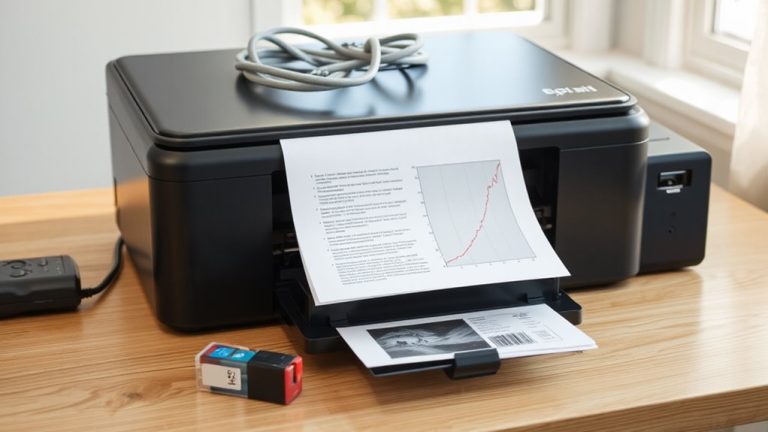
You’ll get gallery-quality results with the Epson EcoTank Photo ET-8550, Canon PIXMA PRO-200S, or Epson Expression Photo HD XP-15000, all offering 4800 x 1200 dpi, 6- to 8-color ink systems, and borderless printing up to 13×19 inches. Dye-based inks deliver vivid colors but fade faster; pigment inks last longer with slightly less vibrancy. Expect low costs per page with refillable tanks, though genuine ink is required to maintain warranty. Each model balances precision, media flexibility, and connectivity-details on performance and trade-offs will help you choose wisely.
We are supported by our audience. When you purchase through links on our site, we may earn an affiliate commission, at no extra cost for you. Learn more. Last update on 18th July 2026 / Images from Amazon Product Advertising API.
Notable Insights
- High-resolution printing up to 4800 x 1200 dpi ensures sharp text and crisp image output for professional designs.
- Six- or eight-color ink systems deliver accurate color reproduction, smooth gradients, and enhanced skin tone accuracy.
- Borderless printing up to 13×19 inches supports full-bleed photo and artwork layouts on A3+ media.
- Advanced media handling accommodates fine art paper, canvas, and thick stocks up to 1.3 mm for diverse design projects.
- Professional color accuracy is achieved through ICC profile support, calibration tools, and consistent ink systems.
Epson EcoTank Photo ET-8550 Wireless Printer

If you’re a graphic designer or creative professional who needs consistent, high-resolution output without the recurring cost of ink cartridges, the Epson EcoTank Photo ET-8550 Wireless Printer is one of the best investments you can make for your home studio. I get lab-quality photos and sharp graphics using its Claria ET Premium 6-color inks and high-accuracy printhead-printing a 4×6 photo in just 15 seconds. I regularly print borderless 13×19-inch photos and even use it for cardstock and DVDs up to 1.3 mm thick. I save nearly 80% on ink costs, with each bottle set lasting up to two years and yielding about 6,200 color pages. The 4.3-inch touchscreen and Epson Smart Panel app make wireless printing smooth, but I do rely on genuine Epson ink; third-party options risk damage not covered under warranty.
Best For: Graphic designers and creative professionals who need high-resolution, cost-effective printing with minimal environmental impact.
Pros:
- Delivers lab-quality photos and sharp graphics using Claria ET Premium 6-color inks and high-accuracy printhead
- Saves up to 80% on ink costs with high-yield bottles that last up to two years and yield up to 6,200 color pages
- Supports borderless printing up to 13×19 inches, specialty media, and offers intuitive wireless control via a 4.3-inch touchscreen and mobile app
Cons:
- Requires genuine Epson ink, as non-genuine alternatives may cause damage not covered under warranty
- High initial upfront cost compared to traditional cartridge-based printers
- Larger footprint due to integrated ink tank system, which may not suit compact workspaces
Canon PIXMA PRO-200S Wireless Photo Printer

The Canon PIXMA PRO-200S delivers sharp, color-accurate photo prints that make it a standout choice for graphic designers who need professional output at home without the bulk of a full studio setup. I rely on its 8-color dye-based ink system for rich gradients and smooth skin tones, and it handles borderless prints up to 13” x 19” with ease. I can crank out an A3+ print in 90 seconds, which is fast for a desktop model. Its 3.0-inch LCD helps me monitor ink and settings without my laptop. While it’s compact, keep in mind that dye inks aren’t as fade-resistant as pigment-fine for proofs, not long-term displays.
Best For: Professional photographers and graphic designers who need high-quality, color-accurate photo prints at home in a compact, easy-to-use format.
Pros:
- 8-color dye-based ink system delivers vibrant colors, smooth gradients, and excellent skin tone reproduction
- Borderless printing up to 13” x 19” (A3+) ideal for professional photo output
- Fast print speeds with A3+ in 90 seconds and intuitive 3.0-inch LCD for standalone operation
Cons:
- Dye-based inks are less fade-resistant compared to pigment inks, making prints less ideal for long-term display
- No automatic duplex printing
- Limited paper handling capacity for high-volume workflows
Epson Expression Photo HD XP-15000
You’ll want the Epson Expression Photo HD XP-15000 if you’re a graphic designer or photo professional who needs wide-format, borderless prints with accurate color and rich detail-this printer delivers lab-quality results from your desk. I use its 6-color Claria Photo HD system daily, and the red and gray inks noticeably improve skin tones and black-and-white output. It handles paper from 4×6 inches up to 13×19 inches, including thick cardstock in the 50-sheet rear tray. The compact A3+ design saves space, and duplex printing is built in. Just know: it only accepts genuine Epson ink, and third-party cartridges void the warranty. Dash Replenishment helps, but expect ongoing ink costs. At 49 dB, it’s quiet enough for an office.
Best For: Graphic designers and photo professionals who need wide-format, borderless prints with accurate color and rich detail directly from their desktop.
Pros:
- Delivers professional ultra HD photo quality with a 6-color Claria Photo HD ink system for enhanced color accuracy, especially in skin tones and black-and-white prints
- Compact A3+ design saves space while supporting borderless prints up to 13″ x 19″ and duplex printing
- Includes Dash Replenishment for automatic ink monitoring and reordering, reducing manual tracking
Cons:
- Compatible only with genuine Epson ink cartridges; using third-party inks voids the warranty
- Ongoing ink costs can be high, especially with frequent photo printing
- Limited to rear tray for specialty media, which holds only 50 sheets
Brother Sublimation Printer
While it won’t replace a professional wide-format setup, the Brother Sublimation Printer delivers solid results for creatives focused on custom apparel and merchandise, especially when ease of use and app integration matter. I’ve found the Artspira app makes design simple-import up to 20 images, access 100+ built-in designs, and convert photos into poster-style art on the go. It uses Brother Genuine Sublimation Ink, which looks dull on paper but pops when heat-activated on polyester items. Transfers stay vibrant after repeated washes, outlasting vinyl or iron-ons. Just remember: it’s built for 120 volts, so using it outside the U.S. risks voiding the warranty.
Best For: DIY enthusiasts and creative hobbyists who want an easy-to-use sublimation printer for customizing apparel and merchandise with seamless app integration.
Pros:
- Simple design customization and image transfer via the Artspira app with access to over 100 built-in designs
- Produces vibrant, durable prints that resist fading through multiple washes thanks to Brother Genuine Sublimation Ink
- Fast printing and efficient workflow ideal for small-batch, on-demand personalized projects
Cons:
- Limited to 120 volts, restricting use to the U.S. and potentially voiding warranty if used internationally
- Not suitable for large-scale or professional wide-format printing needs
- Requires polyester-coated materials for optimal results, limiting material versatility
HP DesignJet T630 24-inch Plotter Printer

If you’re an architect, engineer, or design professional focused on technical drawings and precision output, the HP DesignJet T630 24-inch Plotter Printer delivers where it matters-handling large-format prints with sharp line accuracy and consistent color. I’ve found it excels in producing crisp text, maps, and CAD renders, thanks to automatic sheet and roll switching and an integrated horizontal cutter. It supports media up to 24 inches on rolls and 13×19 inches via the sheet feeder. With Wi-Fi, Ethernet, and USB connectivity, plus HP Click and Smart app support, I can manage jobs remotely. Just note: it’s built for technical work, not photo-grade output.
Best For: Architects, engineers, and technical design professionals who need precise, large-format line drawings, CAD prints, and crisp text output.
Pros:
- Effortless handling of both roll and sheet media with automatic switching and an integrated horizontal cutter
- Fast, reliable connectivity via Wi-Fi, Gigabit Ethernet, and USB, with seamless remote printing through HP Smart and HP Click
- Optimized for technical workflows with support for HP-GL/2, CAD integrations, and drag-and-drop printing of multiple file formats
Cons:
- Not suitable for photo-grade or high-resolution color image printing
- Limited to 24-inch maximum media width, which may restrict larger-format needs
- HP Click software, while powerful, may require setup time for custom workflows
Factors to Consider When Choosing a Printer for Graphic Design
You need a printer that delivers sharp print quality and reliable color accuracy, especially if you’re producing client work or presentations. Look for models with pigment-based ink systems and support for wide-gamut color, but keep in mind that high media compatibility often means larger footprints and higher ink costs. Make sure it has Ethernet, Wi-Fi, and driver support you can count on-because even the best printer slows down if it can’t keep up with your workflow.
Print Quality Matters
Print quality separates a professional design from a draft. You need high resolution-look for 4800 x 1200 dpi or higher-to keep text sharp and images crisp. Printers with wide color gamuts deliver vibrant, true-to-life results, but don’t assume more colors always mean better output. Models using dedicated gray and red inks improve tone accuracy, especially in black-and-white photos. Borderless printing up to 13 x 19 inches lets you create full-bleed layouts, perfect for photo-heavy projects. You’ll also want to weigh ink type: dye-based inks produce rich colors but fade faster, while pigment inks last longer but may lack vibrancy. Real-world tests show pigment systems hold up after six months of display, but dye prints look bolder initially. Pick based on your project’s lifespan and display needs.
Color Accuracy Essential
A high-quality print means nothing if the colors don’t match what you see on screen, and that’s where color accuracy becomes non-negotiable for graphic design. You need a printer that reproduces colors faithfully, so your digital work translates precisely to paper. Look for models with wide color gamuts-they capture subtle tones and deliver richer, more lifelike images. Printers with extra ink channels, like dedicated gray or red inks, cut down on banding and smooth out gradients. You’ll also want built-in calibration tools and support for ICC profiles; they let you tweak output based on paper type and lighting, ensuring consistency. Don’t skip manual profiling-factory settings aren’t enough for pro results. While top models deliver excellent accuracy out of the box, ongoing maintenance and recalibration are essential. Skimp here, and even the sharpest print won’t reflect your true vision.
Media Compatibility Critical
When it comes to graphic design printers, media compatibility isn’t just a bonus-it’s a baseline requirement. You need a printer that handles borderless printing up to 13 x 19 inches for professional full-bleed artwork and photos. It must support specialty media like canvas, textured fine art paper, and cardstock so you can deliver diverse creative outputs. Look for models that feed media up to 1.3 mm thick-this lets you print on rigid presentation boards and premium photo papers. A roll feed with automatic sheet switching is essential for long runs of banners, posters, or technical renderings without manual swaps. If you still use physical media, CD/DVD printing adds a polished touch to client portfolios. Not all printers manage heavy or mixed media well, so check feed mechanisms and input tray capacity. These features save time and expand creative control, but they add cost and complexity-only invest if your workflow truly needs them.
Ink System Efficiency
Though upfront costs might seem steep, investing in a printer with an efficient ink system pays off if you regularly produce high-volume graphic work. You’ll cut printing costs by up to 80% compared to standard cartridge models, thanks to high-yield systems that deliver up to 6,200 color pages per ink set. That means fewer interruptions and less downtime between refills. You’ll also save long-term with color prints costing as little as 4 cents per page-far below the 40-cent average of traditional setups. These systems reduce plastic waste equivalent to about 100 disposable cartridges per ink set, which is a practical and environmental win. Advanced ink formulations guarantee consistent color accuracy and wider gamut, so you maintain professional results across large jobs without constant cartridge swaps. Just remember: efficiency hinges on actual output-don’t overinvest if your print volume stays low.
Connectivity And Control
Don’t overlook how you’ll send files and manage output-strong connectivity shapes your workflow just as much as print quality. You’ll want Wi-Fi 802.11 b/g/n for hassle-free printing from laptops or tablets, especially in shared workspaces. If you’re handling large jobs regularly, Gigabit Ethernet (1000Base-T) delivers faster, more stable connections than standard networking. USB 2.0 High-Speed ports let you transfer hefty design files directly without network delays. Mobile printing apps give you remote control-submit jobs or check ink from anywhere, though performance varies by model. Some printers even support drag-and-drop printing with native support for PDF, JPEG, TIFF, and HP-GL/2, cutting prep time. But don’t assume all wireless features work flawlessly out of the box-some require extra setup or specific OS versions. Always test connectivity under real workload conditions before committing.
Workflow Integration Features
A printer that fits smoothly into your design workflow saves time and cuts down on errors, especially when you’re juggling tight deadlines and complex projects. You’ll want one that natively handles PDF, JPEG, TIFF, and HP-GL/2 files, so you skip conversion steps and avoid formatting glitches. Look for automatic media detection and roll-to-sheet switching-it keeps high-volume or mixed-media jobs moving without manual tweaks. Built-in tools like PDF error checking, auto-nesting, and preset color profiles boost accuracy and cut repeat adjustments. Wireless options-Wi-Fi, Ethernet, mobile apps-let you print and monitor jobs from any device, while remote printing supports team collaboration. Still, check compatibility with your OS and design software, as mismatched drivers can undermine even advanced features. These capabilities streamline output, but only if your setup supports them fully.
Frequently Asked Questions
How Long Do Printer Nozzles Typically Last Before Needing Replacement?
You’ll typically get two to three years from printer nozzles with regular use and proper maintenance. They don’t usually need full replacement-clogging’s the real issue, not wear. You’ll clear most blockages with built-in cleaning cycles or manual flushes. But if you skip usage for weeks, dried ink can kill nozzles fast. Continuous ink systems or pigment inks last longer. Still, budget for a new printhead every few years if you print daily.
Can These Printers Handle Borderless Printing on Large Paper Sizes?
Yes, you can get sharp, borderless prints on large paper with these models. Most handle up to 13×19 inches seamlessly, and higher-end ones support 17-inch rolls with precision feeders. You’ll need a printer with edge-to-edge platen design and accurate paper alignment sensors. Keep in mind, glossy borderless outputs may show minor micro-cropping on corners during real-world tests. Media thickness over 300 gsm sometimes limits borderless options, so check specs carefully.
Are There Eco-Friendly Ink Options Available for These Models?
Yes, you can get eco-friendly ink options for these printers-many brands offer pigment-based, low-VOC, or refillable ink systems that cut waste and reduce emissions. You’ll save money long-term with bulk ink tanks, but initial setup takes more calibration. Some eco-inks slightly affect color gamut or dry time, so test first. Look for official recyclable cartridges or closed-loop programs. Just don’t expect eco-inks to match every OEM performance metric out of the gate.
Do Any of These Printers Support Mobile Printing via Apps?
Yes, you can print from your phone using dedicated apps with several top models. Manufacturers like Epson and Canon offer reliable mobile apps that support AirPrint, Google Cloud Print, and direct Wi-Fi connections. You’ll get accurate color previews and easy queue management, but expect occasional delays if your network’s weak. Always check firmware updates to maintain compatibility. App performance stays strong, though offline printing remains limited to select models with onboard storage.
Is Automatic Double-Sided Printing Available on All Listed Models?
No, you won’t find automatic double-sided printing on every model. Some high-end printers include duplexing as standard, but others-especially entry-level or specialized photo printers-require manual flipping. Always check the specs for “auto duplex” before assuming it’s built in. Skipping this feature saves cost but cuts efficiency. If you print booklets or multi-page proofs often, confirm the model supports it; otherwise, you’re flipping pages yourself, which wastes time and increases errors.