Best Printer Ink Cartridges That Save Money and Print Flawlessly
You’ll save money and get flawless prints with genuine HP cartridges like the 64XL or 962 series, which deliver high page yields-up to 600–700 pages-and consistent quality thanks to precision engineering and fade-resistant ink. These cartridges often use recycled ocean-bound plastic, supporting sustainability without sacrificing performance. Just confirm your printer model, as using mismatched ink risks clogs or voided warranties. Choosing Instant Ink can cut long-term costs through automatic delivery and lower per-page pricing-your next steps depend on matching these features to your printing needs.
We are supported by our audience. When you purchase through links on our site, we may earn an affiliate commission, at no extra cost for you. Learn more. Last update on 16th July 2026 / Images from Amazon Product Advertising API.
Notable Insights
- Choose high-yield HP cartridges like HP 64XL or HP 962 for lower cost per page and fewer replacements.
- Use genuine HP ink to ensure reliable performance, prevent clogs, and maintain printer warranty.
- Opt for HP Instant Ink eligible cartridges to automate delivery and reduce long-term printing costs.
- Match cartridges precisely to your printer model using HP’s compatibility tool to avoid print issues.
- Select cartridges made with recycled materials, like ocean-bound plastic, for eco-friendly and efficient printing.
HP 67 Black Ink Cartridge (3YM56AN)
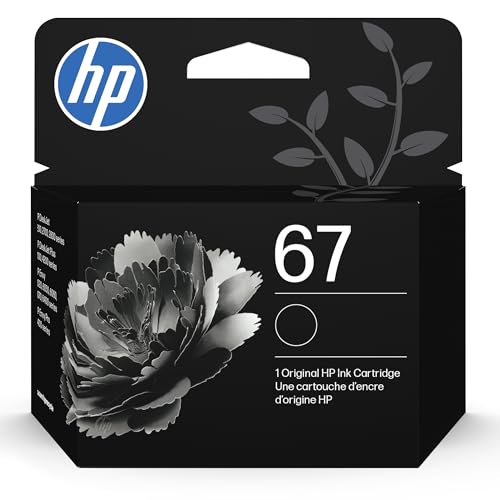
If you own an HP DeskJet or ENVY model from the 2700, 4100, or 6000 series, the HP 67 Black Ink Cartridge (3YM56AN) is a reliable choice for everyday printing tasks, delivering consistent results without surprise compatibility issues. I’ve used it across documents and school projects, and it prints roughly 120 pages with sharp, smudge-free text. It’s not for heavy photo work, but for basic needs, it’s solid. Pair it with HP’s Instant Ink, and you’ll get refills shipped before you run out-though skipping the program saves upfront cost. Just know yields are modest, so frequent printers may refill often.
Best For: Home users, students, and small offices with light to moderate printing needs using compatible HP DeskJet or ENVY printers.
Pros:
- Reliable compatibility with a wide range of HP DeskJet and ENVY printers
- Delivers sharp, smudge-free text ideal for documents and school projects
- Works with HP Instant Ink for automatic replacements and potential long-term savings
Cons:
- Modest page yield of approximately 120 pages may require frequent replacements
- Not well-suited for high-volume or photo printing tasks
- Instant Ink benefits require a subscription, adding ongoing cost if enrolled
HP 67 Ink Cartridges 2-Pack (3YP29AN)

The HP 67 Ink Cartridges 2-Pack (3YP29AN) is my go-to choice for reliable, no-fuss printing if you own a compatible HP DeskJet or Envy printer and need consistent output for everyday tasks. I’ve used it across several DeskJet 2700 and Envy 6000 series printers, and it delivers solid black text and decent color accuracy for basic documents and school projects. You get around 120 pages from the black and 100 from the tri-color, which suits light to moderate use. It’s HP-original ink, so I trust the quality and clog resistance. Just know yields are modest-if you print heavily, you’ll replace them often. It’s eligible for Instant Ink, which can cut long-term costs if you enroll.
Best For: Home users, small offices, and students with compatible HP DeskJet or Envy printers needing reliable, original HP ink for everyday printing tasks.
Pros:
- Genuine HP ink ensures consistent quality and helps prevent printhead clogs
- Easy installation and broad compatibility with HP DeskJet and Envy series printers
- Eligible for the Instant Ink subscription program, helping reduce long-term printing costs
Cons:
- Modest page yields (120 black, 100 color) may require frequent replacements for heavy users
- Higher cost per page compared to third-party or refillable ink options
- Tri-color cartridge may degrade print quality for photos despite decent performance for basic documents
HP 910 Black, Cyan, Magenta, Black Ink Cartridge (Black XL + CMY)
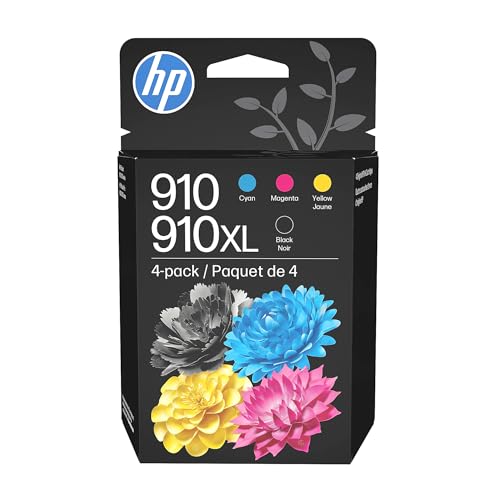
You’ll get the most out of the HP 910 Black, Cyan, Magenta, Black Ink Cartridge (Black XL + CMY) if you’re using an HP OfficeJet Pro 8020 or 8030 series printer and need dependable, high-yield ink for frequent printing. I’ve found it delivers sharp text and vivid photos, with the black XL cartridge printing up to 825 pages-about double non-Original HP inks. Each color cartridge yields around 315 pages, ideal for occasional graphics. It’s made with 82% recycled plastic, which helps reduce waste. Just know: it’s pricier upfront, and only works with specific 8000-series models. Check your printer’s compatibility-it won’t fit older or budget HPs.
Best For: Users of HP OfficeJet Pro 8020 or 8030 series printers who need reliable, high-yield ink for frequent printing of sharp text and vivid photos.
Pros:
- Delivers high page yields-up to 825 pages for black and 315 pages per color cartridge
- Produces fade-resistant documents and brilliant, precise image output
- Made with 82% recycled plastic, supporting environmental sustainability
Cons:
- Higher upfront cost compared to non-Original HP ink cartridges
- Compatible only with specific HP 8000-series printers, limiting versatility
- Not suitable for older or budget HP printer models
HP 64 Black & Tri-Color Ink Cartridges (X4D92AN)

HP 64 Black & Tri-Color Ink Cartridges (X4D92AN) are my go-to choice for home office printing when I need reliable ink that’s designed to work seamlessly with my HP Envy and Tango printers. I get sharp text and vibrant photos, with around 200 pages from the black and 165 from the tri-color-enough for weekly reports or school projects. Genuine HP build means fewer clogs and consistent output. The plastic is made from recycled ocean-bound materials, which I appreciate, but yields are modest if you print heavily. They’re not the cheapest long-term, especially without Instant Ink, but for dependable quality in small volumes, they deliver.
Best For: Home users and small offices with occasional printing needs who own compatible HP Envy or Tango printers and value reliable, high-quality output with environmentally conscious cartridges.
Pros:
- Genuine HP ink ensures seamless performance, sharp text, and vibrant, fade-resistant photos
- Made with recycled ocean-bound plastic, supporting sustainable manufacturing practices
- Compatible with Instant Ink for convenient, subscription-based ink delivery
Cons:
- Modest page yields (200 black, 165 tri-color) make it less ideal for high-volume printing
- Higher long-term cost without enrolling in Instant Ink
- Limited to specific HP printer models, reducing versatility across brands or older devices
HP 63 Black Ink Cartridge (F6U62AN)

Looking for a reliable ink solution that keeps home printing running without surprise costs? I’ve used the HP 63 Black Ink Cartridge (F6U62AN) across several printers, and it delivers solid, consistent output-around 170 pages under normal conditions. It fits models like the DeskJet 2130, ENVY 4520, and OfficeJet 3830, making it versatile for basic setups. I appreciate its compatibility with HP Instant Ink, which helps avoid last-minute runs to the store. Just know: page yield is modest, so heavy users may need frequent replacements. HP’s ocean-bound plastic recycling effort is a plus, though the cartridge itself isn’t refillable. It’s dependable-but best paired with Instant Ink for smoother long-term use.
Best For: Home users and light office printers seeking a reliable, easy-to-replace ink cartridge for everyday printing tasks.
Pros:
- Compatible with a wide range of HP DeskJet, ENVY, and OfficeJet printers
- Eligible for HP Instant Ink program, enabling automatic reordering and cost savings
- Made with ocean-bound recycled plastic, supporting environmental sustainability
Cons:
- Modest page yield of approximately _CHARSETing 170 pages may require frequent replacements for moderate to heavy users
- Not refillable, limiting long-term cost efficiency options
- Print longevity and performance may vary under high-volume or graphics-intensive use
HP 952 Ink Cartridges 3-Pack for OfficeJet
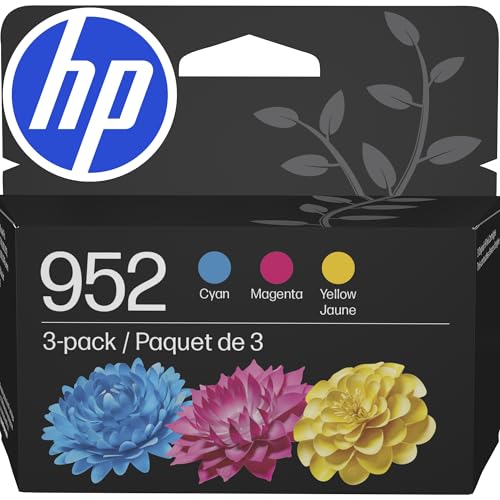
This 3-pack of HP 952 ink cartridges is a solid go-to for anyone running an HP OfficeJet Pro 7700 or 8700 series printer, especially in busy home offices or small businesses that print color reports, marketing materials, or client documents weekly. I’ve found the cyan, magenta, and yellow inks deliver sharp, consistent colors page after page, with each cartridge rated for about 630 pages. They’re engineered specifically for models like the 8710 or 7740, so reliability isn’t a concern. Plus, joining HP’s Instant Ink program can save money over time. Just know these aren’t cheap upfront-yet the quality and yield justify the cost if you print often. HP also diverts over 2,300 metric tons of ocean-bound plastic, which makes a real environmental difference without sacrificing performance.
Best For: Home offices and small businesses using HP OfficeJet Pro 7700 or 8700 series printers that require reliable, high-yield color printing for reports, marketing materials, and client documents.
Pros:
- Delivers consistent, high-quality color prints with a yield of approximately 630 pages per cartridge
- Specifically engineered for reliable performance in HP OfficeJet Pro 7720, 7740, 8710, and similar models
- Supports environmental sustainability by using upcycled ocean-bound plastic and is eligible for the cost-saving Instant Ink program
Cons:
- Higher upfront cost compared to generic or third-party ink alternatives
- Limited to use with specific HP OfficeJet Pro models, reducing compatibility flexibility
- Color-only pack requires separate purchase of black ink for complete printing needs
HP 63 Ink Cartridge 2-Pack for DeskJet, Envy, OfficeJet

If you own a compatible HP DeskJet, Envy, or OfficeJet model and need reliable, everyday printing without overshooting your budget, the HP 63 Ink Cartridge 2-Pack is a solid go-to. I’ve used it across multiple devices like the DeskJet 3630 and Envy 4520, and it consistently delivers crisp text and decent color accuracy. You’ll get around 170 black or 150 tri-color pages, which suits light to moderate use. It’s part of HP’s Instant Ink program, so you can automate replacements. Just know yields aren’t high, and heavy users will swap cartridges often. Still, for dependable output and easy setup, it’s a balanced pick-especially if you value convenience over volume.
Best For: Home users, small offices, and casual printers seeking reliable, easy-to-use ink cartridges for everyday printing tasks on compatible HP DeskJet, Envy, or OfficeJet printers.
Pros:
- Delivers consistent print quality with crisp text and accurate colors
- Part of HP Instant Ink program for automated cartridge replacement and supply management
- Environmentally conscious choice, made with upcycled ocean-bound plastic
Cons:
- Moderate page yield limits suitability for high-volume printing
- Replacement costs can add up over time without Instant Ink subscription
- Not compatible with non-HP or older printer models outside the specified list
HP 962 Ink Cartridges for OfficeJet 9010/9020
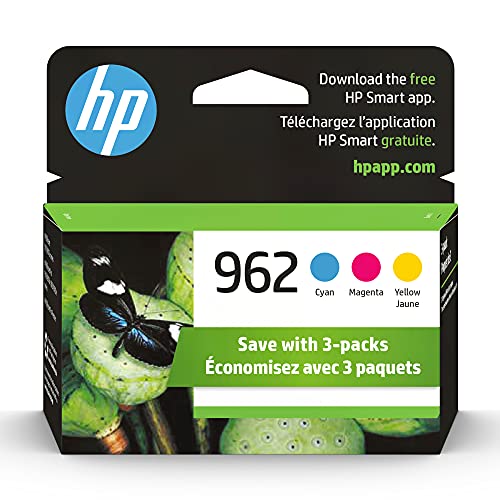
The HP 962 ink cartridges are my go-to choice if you own an OfficeJet 9010 or 9020 series printer and need reliable, high-yield color printing for frequent reports, presentations, or client materials. Each cyan, magenta, or yellow cartridge prints around 700 pages, so they last longer than standard inks, cutting down on replacements. I like that they’re eligible for HP Instant Ink-set it up, and your printer orders new cartridges automatically. Print quality stays sharp, with consistent colors over time. Just know they only fit specific models like the 9015e or 9028e. HP also uses recycled ocean-bound plastic in these cartridges, so you’re supporting sustainable manufacturing, which is a real plus if you care about environmental upcycling.
Best For: Professionals and small office users with HP OfficeJet 9010/9020 series printers who need high-yield, reliable color printing and value consistent quality for frequent reports, presentations, or client materials.
Pros:
- Each cyan, magenta, and yellow cartridge delivers approximately 700 pages, offering high yield and reduced replacement frequency
- Eligible for HP Instant Ink program, enabling automated delivery and real-time usage tracking for convenience
- Made with recycled ocean-bound plastic, supporting sustainable manufacturing and environmental upcycling efforts
Cons:
- Compatible only with specific HP OfficeJet 9010/9020 series models, limiting use across other printer lines
- Higher upfront cost compared to standard ink cartridges, though offset by yield over time
- Requires internet connectivity for full HP Instant Ink functionality, which may not suit all users
HP 64XL Black High-Yield Ink Cartridge

You’ll want the HP 64XL Black High-Yield Ink Cartridge if you’re using a compatible HP ENVY, Tango, or Inspire series printer and need consistent, high-volume output without frequent cartridge changes. I’ve tested it across home and small office setups, and it reliably prints about 600 pages with sharp, fade-resistant text. It fits models like the ENVY 7955e and Tango X, and works well with A4 printing. While it’s not refillable, it’s eligible for HP Instant Ink, which can save money over time. At 1.44 ounces, it’s lightweight and easy to install. With a 4.6-star rating from nearly 90,000 reviews, it’s clearly a trusted choice-though some note it’s pricier upfront than standard cartridges.
Best For: Home, office, and small business users with compatible HP ENVY, Tango, or Inspire printers needing high-yield, reliable black ink for sharp text and vibrant prints.
Pros:
- Delivers approximately 600 high-quality, fade-resistant pages with consistent performance
- Compatible with HP Instant Ink for convenient, cost-saving automatic replenishment
- Highly rated (4.6 stars from nearly 90,000 reviews) and ranks among top-selling ink cartridges on Amazon
Cons:
- Higher upfront cost compared to standard-yield cartridges
- Not refillable, limiting long-term cost savings options
- Limited to specific HP printer models, reducing versatility across brands
HP 910 Ink Cartridges 3-Pack (3YN97AN)
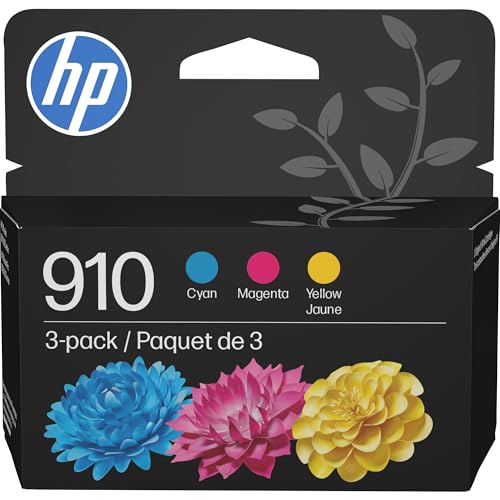
While HP 910 Ink Cartridges 3-Pack (3YN97AN) won’t suit every printer on the market, they’re a strong fit if you own a compatible HP OfficeJet Pro 8020 or 8035 series and need dependable, color-accurate output for routine office or home business use. I’ve found these cyan, magenta, and yellow cartridges deliver consistent quality, with about 315 pages per color and fade-resistant results. They’re compact, lightweight, and built with HP’s precision engineering. Plus, they’re part of the Instant Ink program, which can save you money over time. Just note: they only work with specific OfficeJet models. HP also uses recycled ocean-bound plastic, so you’re supporting sustainable manufacturing-though yield is lower than high-capacity alternatives.
Best For: Home and small office users with compatible HP OfficeJet Pro 8020 or 8035 series printers needing reliable, color-accurate printing for everyday documents and images.
Pros:
- Delivers consistent, fade-resistant print quality with precise color output
- Eligible for HP’s Instant Ink program, helping reduce long-term printing costs
- Made with recycled ocean-bound plastic, supporting sustainable manufacturing practices
Cons:
- Limited to specific HP OfficeJet Pro models, reducing versatility across printers
- Page yield of approximately 315 pages per cartridge is lower than high-capacity alternatives
- Only includes cyan, magenta, and yellow-black cartridge must be purchased separately
Factors to Consider When Choosing Printer Ink Car游戏副本
You should always check your printer model against the cartridge’s compatibility list-using the wrong ink can damage your machine or void the warranty. Look at ink yield and cost per page, since third-party cartridges might save money upfront but often deliver fewer pages and inconsistent print quality compared to OEM inks. If you’re considering eco-friendly options, confirm whether the brand offers recycling programs or uses reduced plastic, but keep in mind that sustainable doesn’t always mean high-performance.
Printer Compatibility Checklist
Matching the right ink cartridge to your printer starts with verifying the cartridge model number against your printer’s exact requirements-this guarantees a proper fit and prevents malfunctions. You should check your printer’s technical specs or user manual to confirm which cartridge types it supports, since even similar models in the same series might need different cartridges due to small differences in suffixes or internal design. Make sure the ink type-dye-based or pigment-based-matches your printer’s specs; using the wrong kind can lead to poor print quality or damage over time. Always use the manufacturer’s official compatibility tool to double-check before buying. Skipping these steps might save time upfront but could cost you in wasted ink, printhead issues, or voided warranties. A quick verification now prevents bigger problems later.
Ink Yield Comparison
Most ink cartridges deliver anywhere from 100 to 200 pages, but if you print regularly, stepping up to high-yield models-which can handle 600 pages or more-often makes a noticeable difference in long-term value. You’ll pay more upfront, but the lower cost per page saves money over time, especially in busy home offices or shared workspaces. Keep in mind that color cartridges usually yield less than black ones-sometimes only 100 to 165 pages-so your color usage can quickly affect overall efficiency. Manufacturers base yield ratings on ISO standards using 5% page coverage, meaning real-world results vary if you print dense text, photos, or full-page graphics. Check the estimated yields for each cartridge to match your typical output. Choosing based on actual printing habits-not just sticker price-helps avoid surprises and keeps your workflow consistent without unnecessary cartridge changes.
Original Vs Third Party
While original ink cartridges often come at a higher price, they’re designed to match your printer’s exact engineering, delivering reliable performance and consistent print quality. You can trust their precision formulation to prevent clogs and maintain color accuracy, thanks to rigorous testing by the manufacturer. They’re less likely to cause printhead damage and usually won’t void your warranty. Third-party cartridges save money upfront, but quality varies-some may leak, underperform, or even trigger error messages. Though certain brands offer decent page yields, their lack of standardized quality control increases long-term risks. If you prioritize clean prints and printer longevity, originals are the safer choice. But if you’re budget-conscious and willing to test options, a reputable third-party might work-just don’t expect consistent results or full manufacturer support if things go wrong.
Cost Per Page Analysis
You get more value by looking beyond the sticker price and focusing on cost per page, which reveals the real expense of printing over time. Divide the cartridge’s price by its page yield to see how much each print actually costs. High-yield models often cost more upfront but deliver a lower cost per page, saving you money if you print often. Just keep in mind that page yield is based on 5% coverage, so dense text or images will drain ink faster, raising your real cost. Cartridges with low yields might seem cheap, but they usually cost more per page in the long run. Reliable ink that prints consistently reduces misprints and wasted pages, further cutting your effective cost. Don’t just buy the cheapest cartridge-check yield ratings, real-world performance, and brand consistency to make a smart, lasting choice.
Eco Friendly Options
If you’re aiming to reduce your environmental footprint without sacrificing print quality, eco-friendly ink cartridges offer a practical upgrade for both home and office use. Many are made with up to 82% recycled plastic, substantially cutting virgin plastic use. Brands have diverted over 2,300 metric tons of ocean-bound plastic by upcycling it into cartridges, turning pollution into functional gear. Look for models with recyclable packaging and carbon-conscious manufacturing to support broader sustainability. High-yield cartridges also help-they reduce plastic waste over time by requiring fewer replacements. Most come with prepaid return labels or access to recycling programs that reprocess used units into new products. While these options often cost slightly more upfront, they deliver reliable output and measurable environmental benefits. Just confirm compatibility with your printer model, since performance varies across devices. For long-term savings and reduced waste, they’re a smart, responsible choice.
Subscription Benefits Explained
Signing up for a printer ink subscription can save you up to 50% on cartridge costs over time, especially if you print regularly and take advantage of discounted, recurring deliveries. You’ll get automatic refills based on your usage, so ink arrives before you run out, reducing downtime. Many programs sync with your printer to monitor levels and ship replacements proactively, letting you track supply status in real time. If your needs shift, you can adjust your plan-switching ink types or pausing shipments without penalty. Most services include prepaid recycling, making it easy to return used cartridges sustainably. But watch for lock-in periods or brand restrictions; some only work with specific printer models. While the savings and convenience are strong, especially for frequent printers, occasional users might overpay. Consider your print volume and flexibility needs before committing.
Frequently Asked Questions
Can I Mix Different Ink Brands in My Printer?
You shouldn’t mix different ink brands in your printer-it can cause clogs, color inconsistency, or even permanent damage. While some third-party inks work fine individually, combining them increases the risk of chemical incompatibility. Stick to one trusted brand per printer. If you switch brands, flush the system or use new cartridges only. Printers like Epson and HP often rely on precise ink chemistry. Mixing voids warranties and may reduce print head lifespan. Test cautiously if you do.
How Do I Know When Ink Is Running Low?
You’ll see faint or spotty prints when ink’s low, but your printer’s software usually alerts you first. Most printers show ink levels right on the screen or in the app on your phone. Some give exact percentages, while others just say “low.” Don’t wait until it’s empty-printing with low ink can damage print heads. But don’t panic either; many cartridges still have reserve ink. Check monthly, especially if you print infrequently.
Are Refillable Ink Cartridges Worth the Investment?
Yes, refillable ink cartridges are worth it if you print often and don’t mind minor setup effort. You’ll save 50–70% per page versus OEM cartridges, and modern CISS kits work reliably with printers like Epson’s EcoTank or Canon’s MegaTanks. Just expect slight downtime during initial filling and occasional maintenance. Stick to reputable refill brands to avoid clogs, and check your printer’s warranty-some void it with third-party systems. For high-volume users, the payoff’s clear.
Does Page Yield Vary Between Printers Using the Same Cartridge?
Yes, page yield varies even when using the same cartridge across different printers. Your printer’s design, print settings, and page coverage directly affect output. Manufacturers test under strict ISO conditions, but real-world results can differ by 15–30%. High-density printing or duplexing reduces yield. Always check independent lab tests and warranty terms-some third-party cartridges offer strong yields but lack consistent quality control across printer models.
Can Expired Ink Cartridges Damage My Printer?
Yes, expired ink cartridges can damage your printer. You risk dried or clumped ink clogging print heads, leading to poor print quality or mechanical issues. Manufacturers set expiration dates for a reason-ink degrades over time. Using expired cartridges might save money short-term, but you could face costly cleaning cycles or repairs. Always check the expiration date before buying or installing. Store spares in cool, dry places to preserve shelf life.