Ensuring Adequate Power Supply Through Efficient Load Management Practices at Home Offices
You should measure your home office’s actual power use with a plug-in watt meter to avoid overloading circuits-most laptops draw 30–60W, monitors 15–40W, and routers 5–15W. Watch for dimming lights when devices start up; that’s a sign of strain. Smart power strips like the TP-Link Kasa HS300 can balance loads and cut power to non-essential gear, but don’t use them with space heaters. ENERGY STAR devices save energy over time, though upfront costs are higher. Scheduling high-draw tasks helps, especially on older circuits. There’s more to think about if you’re managing multiple high-wattage devices.
Notable Insights
- Measure power usage with a watt meter to accurately size power strips and backup systems.
- Identify top energy consumers like space heaters and laser printers to manage load effectively.
- Use smart power strips to balance energy flow and prevent circuit overloads during peak use.
- Replace outdated devices with ENERGY STAR-certified, energy-efficient electronics to reduce overall power demand.
- Schedule high-wattage tasks strategically to avoid simultaneous operation and prevent circuit strain.
Calculate Your Home Office Power Needs
You’ll want to start by measuring the actual power draw of your home office gear-laptops, monitors, routers, and peripherals-since overestimating or underestimating can lead to inefficient setups or even circuit overloads. Conducting simple power audits with a plug-in watt meter gives you real usage data, not manufacturer estimates. Most laptops draw 30–60 watts under load, monitors 15–40, and routers 5–15. Add them up to size your power strip or backup system correctly. Undersized circuits increase the risk of voltage drops, which can crash sensitive electronics or degrade performance. While surge protectors with high joule ratings (like 1,000+) offer protection, they don’t regulate voltage. If you’re on an older circuit, test under full load-voltage should stay within 5% of 120V. Power audits take minutes but prevent long-term issues, especially in shared circuits. For optimal safety, consider a surge protector with a high joule rating to better absorb voltage spikes.
Identify the Top 5 Power-Hungry Devices
The biggest drain on your home office circuit often comes from devices you might overlook-space heaters, desktop computers, laser printers, gaming monitors, and mini-fridges frequently rank as the top five power hogs. Conducting a device comparison helps you spot hidden energy costs. Power monitoring tools reveal that space heaters pull 1500W, while laser printers spike to 1000W during use. Below is a quick reference:
| Device | Avg. Power Use (Watts) |
|---|---|
| Space Heater | 1500 |
| Desktop Computer | 200–400 |
| Laser Printer | 800–1000 (peak) |
Gaming monitors use more than standard LCDs, and mini-fridges run continuously, adding up. Always verify ratings under real loads-manufacturer labels can understate draw. Use power monitoring to avoid overloading circuits. While powerful gear boosts performance, it demands careful planning. You’ll save money and prevent outages by knowing exactly what strains your system. Upgrading to a surge-protected power strip with multiple outlets can help distribute energy safely among these high-draw devices.
Use Smart Power Strips to Balance Load Automatically
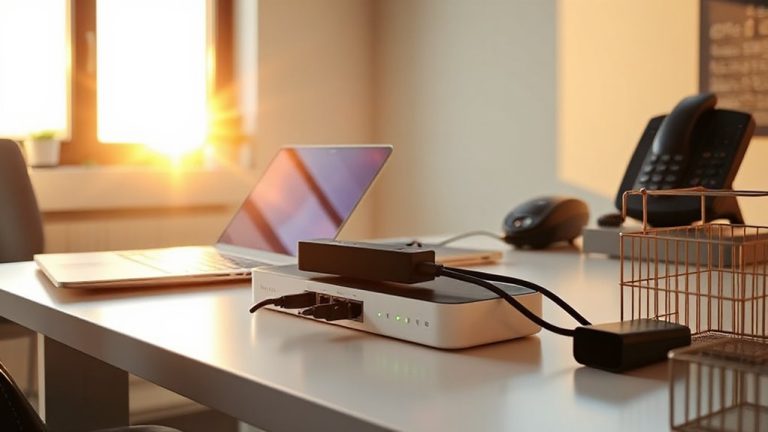
While traditional power strips simply multiply outlets, smart power strips actively manage energy flow to prevent circuit overloads and optimize performance in your home office. They enable load balancing by automatically shutting off or reducing power to less critical devices when demand spikes, keeping total draw within safe limits. Many models include energy monitoring, letting you track real-time usage per outlet via companion apps-helpful for spotting energy hogs. Units like the TP-Link Kasa HS300 support scheduling and surge protection, with 3-year warranties for reliability. But be aware: advanced features often require a 2.4 GHz Wi-Fi network and may have a learning curve. Some strips also can’t handle high-wattage devices like space heaters. While they’re effective for managing typical office loads-computers, monitors, printers-they won’t replace proper circuit design. Use them as a practical layer of control, not a fix for outdated wiring.
Switch to Energy-Efficient Electronics
When upgrading your home office, switching to energy-efficient electronics isn’t just good for the planet-it’ll save you real money over time, especially if you’re running multiple devices all day. LED monitors use about 30–50% less power than older LCDs and last longer, with many models rated for 50,000 hours of use. Efficient printers, especially ink-efficient models with automatic duplexing, cut both energy and supply costs. Look for ENERGY STAR-certified devices, which undergo real-world testing and must meet strict power draw limits in active and standby modes. While these electronics often cost more upfront, the long-term savings in electricity and maintenance outweigh the initial price. Just don’t assume all “green” labels mean efficiency-verify specs like wattage and sleep mode consumption. Some efficient printers sacrifice speed, so check reviews for performance balance.
Schedule High-Power Tasks to Prevent Overloads
Ever wonder why your home office lights dim when you fire up the printer and space heater at the same time? That’s your circuit struggling with too much demand. You can prevent this by scheduling high-power tasks deliberately. Use time blocking to assign specific windows for energy-heavy activities like printing, video rendering, or charging devices. Pair this with task clustering-group similar operations so devices run together efficiently, not all at once. For example, print reports right after booting up, then switch to low-draw work. This reduces peak load and keeps voltages stable. Just don’t assume all outlets are on separate circuits-many aren’t, so test actual draw with an energy monitor. While smart power strips help, they won’t fix poor planning. Time blocking takes discipline, and task clustering requires knowing your gear’s wattage. Do the math, stick to the schedule, and you’ll avoid nuisance trips-without upgrading wiring.
Stop Circuit Overloads Before They Happen
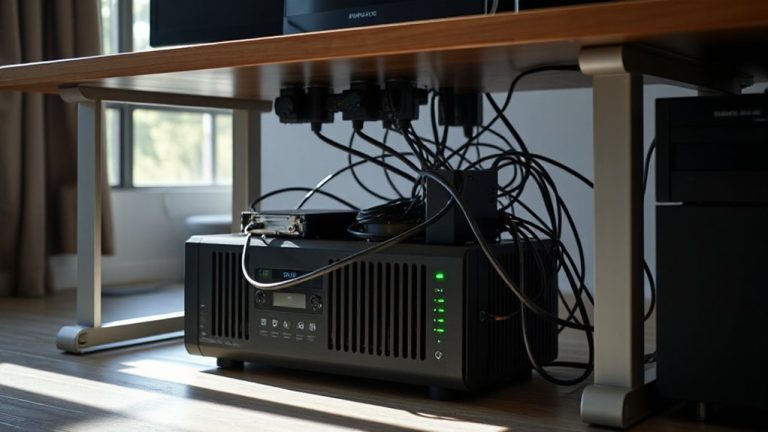
How confident are you that your home office won’t trip a breaker during a critical video call? Not very? You’re not alone. Circuit overloads happen when devices draw more current than wiring can handle, risking power surges and even electrical fires. Most home offices run on shared circuits not designed for constant high loads. Plug computers, monitors, and printers into a single power strip, and you might already be near capacity. Spread devices across different outlets-ideally on separate circuits-to reduce strain. Use surge protectors with high joule ratings (600+), not basic power strips, and look for ones with built-in circuit breakers. Avoid daisy-chaining. While smart power strips help manage loads, they don’t eliminate wiring risks. Older homes especially need updated electrical systems. Monitoring doesn’t replace proper infrastructure-no gadget fixes undersized circuits. Adding a UPS backup power system can provide both surge protection and temporary power during outages, helping maintain operations and protect sensitive electronics. Stay safe, stay powered.
On a final note
You can reliably manage your home office power load with the right strategy. Smart power strips cut phantom draw and balance demand, while energy-efficient devices-like 80 PLUS-certified power supplies-save watts over time. Schedule tasks like printing or backups during off-peak hours to avoid surges. Just remember: even with efficient gear, circuit limits (typically 15–20 amps) are firm-overloading risks tripped breakers, no matter how good the tech.