The Impact of Humidity Levels on Productivity in a Remote Work Environment
Humidity directly impacts your focus and energy at work. Too high-above 60%-and muggy air raises skin temperature, diverting blood from your brain and slowing reaction times. Too low-below 30%-dries your skin and airways, forcing your body to work harder and draining stamina. For steady productivity, aim for 40–60% humidity using a precise hygrometer; add a humidifier or compact dehumidifier as needed, but maintain them regularly to avoid mold. There’s more to optimizing your space than just moisture control.
Notable Insights
- Humidity levels above 60% reduce mental sharpness by increasing heat stress and diverting blood flow from the brain.
- Low humidity below 30% causes dry skin and respiratory irritation, leading to discomfort and decreased focus.
- The optimal humidity range for productivity in home offices is between 40% and 60%.
- Poor ventilation in compact workspaces amplifies the negative effects of high humidity on alertness and concentration.
- Using a calibrated hygrometer and proper humidifiers or dehumidifiers helps maintain ideal indoor humidity for sustained performance.
Why Humidity Ruins Your Focus at Home
While you might not immediately link muggy air to your afternoon concentration slump, high indoor humidity often plays a hidden role in degrading focus during remote work. Elevated moisture levels above 60% can trigger cognitive decline and accelerate mental fatigue, making it harder to process information or sustain attention. You’re likely to feel sluggish not because of laziness, but because your body works harder to cool itself in sticky conditions. Studies show that workers in humid environments report reduced alertness and slower reaction times. To counter this, aim to keep humidity between 40–50% using a dehumidifier with a built-in hygrometer. Units like the Fridgetank 850ml or GE 70-Pint offer precise control and quiet operation. However, oversizing a unit or running it too long may over-dry the air-balance is key.
How Dry Air Hurts Your Work and Health
If the air in your home office drops below 30% humidity, you’re likely to feel it in both your comfort and concentration-dry air isn’t just irritating, it can undermine your productivity and well-being over time. You might notice dry skin, especially in winter when heating systems strip moisture from the air. This discomfort can distract you from deep work. Low humidity also increases the risk of respiratory issues, like dry throat and irritated nasal passages, making it harder to stay focused. Without proper hydration in the air, your body spends extra energy coping, leaving you feeling fatigued. A humidifier can help, but pick one with auto-shutoff and a measurable hygrometer-many budget models lack accuracy. Over-humidifying causes its own problems, so aim to stay between 40–60%. Always clean the tank weekly to avoid mold.
Why Muggy Air Drains Your Energy
High humidity in your home office-anything above 60%-can sap your energy and sharpen your focus just as much as dry air, though the effects feel different. When moisture buildup traps heat around your body, it raises skin temperature and intensifies heat stress, making you feel sluggish. Your body works harder to cool itself, diverting blood flow from your brain and reducing mental sharpness. You might not notice the change right away, but over hours, concentration slips and fatigue sets in. Poor air circulation worsens this, especially in compact workspaces. While a dehumidifier can help, oversizing one for your room wastes energy and inflates bills. Units like the hOmeLabs 4,500 Sq. Ft. model remove moisture efficiently but generate fan noise around 48 dB-noticeable during video calls. Always pair it with a hygrometer to avoid overshooting. Relying solely on AC? It reduces humidity but may cool too aggressively, creating discomfort elsewhere. For balanced indoor air, consider using a best desk humidifier to maintain optimal moisture levels when dryness becomes an issue.
The Ideal Humidity Range for Productivity
Most experts agree the sweet spot for humidity in your home office sits between 40% and 60%. Staying in this range supports ideal comfort and sharper mental clarity, helping you stay focused during long work sessions. Too dry or too damp throws things off-dry air irritates your throat, while excess moisture makes the room feel stuffy and draining.
| Humidity Level | Effect on Productivity |
|---|---|
| Below 40% | Dry skin, irritated airways, reduced focus |
| 40%–60% | Ideal comfort, best mental clarity |
| Above 60% | Stuffy air, drowsiness, mold risk |
Keeping humidity in check isn’t about luxury-it’s a practical move for steady performance. However, actual results depend on your space size, ventilation, and climate. Accuracy varies across sensors, so rely on calibrated hygrometers, not default device readings, for reliable data.
Tools to Balance Office Humidity
You’ll need reliable tools to maintain that 40%–60% humidity range, and your best bet starts with a quality hygrometer and a room-sized humidifier or dehumidifier depending on your climate. A digital hygrometer with ±2% accuracy gives trustworthy readings, syncing well with HVAC systems or smart plugs for consistent control. If you choose a humidifier, opt for ultrasonic or evaporative models with auto-shutoff and adjustable output; they’re efficient but demand regular humidifier maintenance to prevent mold and mineral buildup. For overly damp spaces, a compact dehumidifier with a 20–30-pint capacity works well. Pair any device with ventilation optimization-use window fans or exhaust systems to circulate air without wasting energy. While these tools deliver steady conditions, they require space, power, and upkeep. Noise levels and filter replacement costs are real trade-offs. Still, when properly managed, they offer measurable improvements in comfort and focus.
Daily Habits for Better Air Balance
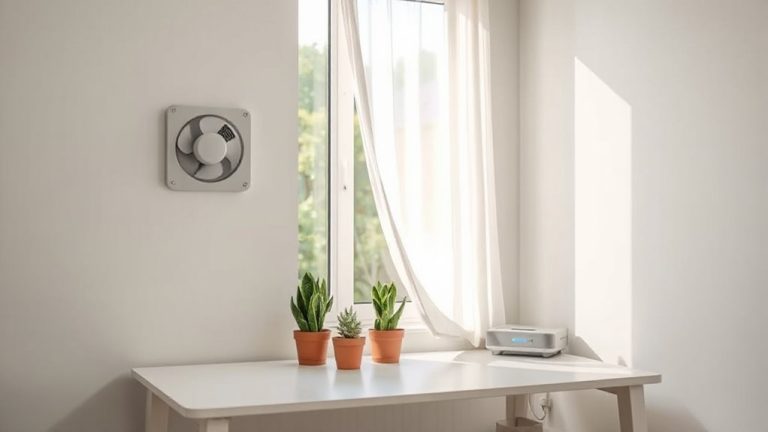
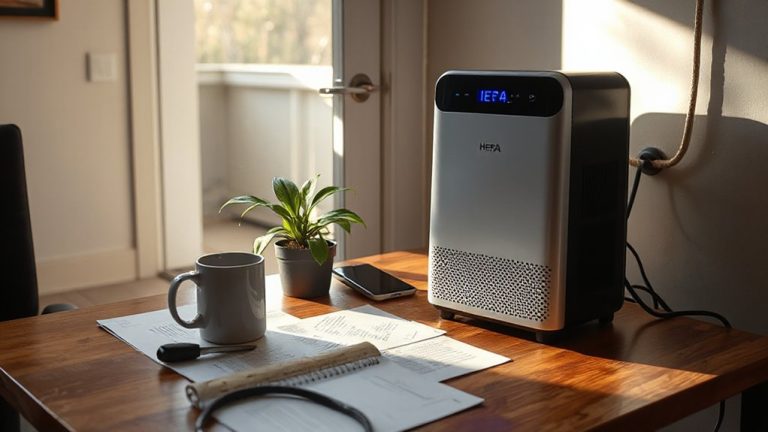
What if the key to sharper focus at your desk starts not with another coffee, but with how you manage the air around you? Small daily habits can improve air quality and keep humidity in the 40–60% range, where most people work best. Opening windows for 10 minutes each morning supports natural ventilation habits, reducing stuffiness and airborne irritants. Using exhaust fans in kitchens and bathrooms helps remove excess moisture. A hygrometer lets you track humidity without guesswork. Don’t rely solely on air purifiers-many don’t control moisture. Instead, pair them with timed ventilation and moisture-absorbing materials like silica or clay-based dehumidifiers when needed. While smart vents and HRVs boost balance, they require installation and ongoing maintenance. Consistency matters more than gear. These habits take little time but can meaningfully influence comfort and mental clarity-especially in tightly sealed rooms.
On a final note
You’ll likely boost focus and comfort by keeping your home office between 40–60% humidity. This range cuts static in dry air and reduces mugginess that saps energy. Use a digital hygrometer to monitor levels daily. A compact humidifier or dehumidifier with auto-shutoff and a 1–2 gallon tank works well for most spaces. These devices help, but they need regular cleaning and take up desk space. Results vary by room size and climate.