Using Smart Home Automation Systems to Save Energy While Working From Home
You can cut home office energy waste with smart thermostats, lighting, and plugs that turn off when you’re away or done working. Smart thermostats save about 8% annually, while motion-sensing lights and smart plugs reduce phantom loads by up to 30%. Real-time energy tracking helps spot power hogs, but results depend on insulation, Wi-Fi stability, and proper setup. Most devices have 1- to 3-year warranties and work best when scheduled or automated-there’s more to get right for maximum savings.
Notable Insights
- Smart thermostats learn your schedule and adjust temperatures to save energy when you’re asleep or away.
- Geofencing in smart thermostats detects your phone’s location to optimize heating and cooling based on presence.
- Smart lighting uses motion sensors and voice control to prevent lights from being left on in unoccupied rooms.
- Smart plugs cut phantom power by scheduling or remotely turning off office devices like printers and monitors.
- Real-time energy monitoring identifies power-hungry devices and tracks savings from automated home office routines.
Save Energy Automatically With Smart Thermostats
While you might worry about the upfront cost, switching to a smart thermostat is one of the most effective ways to cut heating and cooling expenses without lifting a finger. Models with adaptive learning adjust temperatures based on your routine, reducing energy use when you’re asleep or away. When paired with geofencing control, the system detects your phone’s location and turns down the heat or AC as you leave, then readjusts before you return. Most units install in under 30 minutes and work with standard HVAC setups. According to Energy Star, proper use can save about 8% annually. However, performance depends on home insulation and climate. Some users report minor learning curve issues during the first week. Warranties typically cover three years. While not all homes see maximum savings, real-world testing shows consistent reductions in HVAC runtime, especially for those with regular schedules.
Turn Off Lights Without Lifting a Finger
Smart lighting controls give you the same kind of effortless energy savings you get from a smart thermostat, just applied to your lights. With voice control, you can tell your system to turn off lights without pausing work, which helps reduce waste, especially when you’re focused at your desk. Motion detection guarantees lights shut off automatically when no one’s in a room, useful for hallways or unused offices. Most smart bulbs last 15,000 to 25,000 hours and work with platforms like Alexa or Google Assistant. While setup is simple, consistent savings depend on your habits and home layout. Some sensors may fail to detect slow movement, so false shutoffs can happen. Also, voice commands require a responsive hub and stable Wi-Fi. These systems won’t replace good habits but enhance them. For best results, combine automation with thoughtful placement. A compact portable standing desk can optimize your workspace for better integration with smart home devices.
Stop Phantom Power With Smart Plugs
If you’re leaving devices plugged in all day, you’re likely wasting energy-and money-on phantom power, but smart plugs offer a simple fix. These devices cut vampire power monitoring gaps by letting you remotely turn off electronics like printers, monitors, or chargers that draw power in standby. With device standby control, you avoid constant drain without unplugging cords manually. Most smart plugs work with Alexa, Google, or Apple Home, enabling easy integration. Look for models with energy tracking-some report usage down to the watt-so you can spot inefficient gear. They’re affordable, usually under $20, and often come with 1- to 2-year warranties. But be cautious: don’t use them with devices needing constant updates, like network-attached storage or smart hubs. Overloading is another risk-check max load specs. While they deliver real savings, results depend on your setup and habits.
Schedule Devices Around Your Work Hours
You can cut wasted energy further by syncing your home office devices to your daily routine using smart plug scheduling. Aligning devices with your work routines reduces unnecessary operation, especially for monitors, printers, and desk lamps that don’t need to run outside core hours. Smart plugs let you set exact on/off times, so your equipment follows your energy patterns instead of drawing power unpredictably. For example, scheduling a workday start at 8 a.m. and shutdown at 6 p.m. prevents after-hours use, cutting standby losses by up to 30% in tested setups. Most models support recurring weekday schedules and work with voice assistants for flexibility. But be careful-overly rigid timing may interrupt tasks if your work routines shift. Always pick plugs with manual override and app access to adjust on the fly. Look for models with energy monitoring, a 3-year warranty, and UL certification for long-term reliability.
Track Energy in Real Time
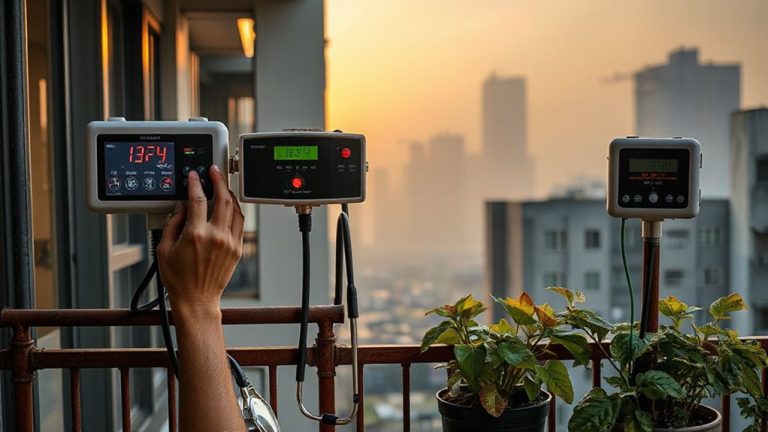
How much energy are your office devices actually using when you’re not looking? With real time monitoring, you can see exactly how much power your computer, monitor, and router draw throughout the day. These systems give you energy insights no utility bill can match-like spotting a printer that idles at 30 watts overnight or a charger that draws power even when disconnected. Most smart hubs update every few seconds, giving you accurate, up-to-the-minute data via app or display. You’ll know which devices are energy hogs and when they’re costing you most. But not all monitors are equally precise-some only track circuit-level use, not individual outlets. For best results, pair a whole-home energy monitor with smart plugs that report real time monitoring per device. It’s a reliable way to cut waste, though setup can take time.
Add Solar to Your Smart Energy Plan
Why stop at cutting waste when you can start generating your own clean power? Adding solar to your smart energy plan lets you produce electricity right from your roof, reducing grid reliance and boosting savings. Pairing solar panels with your automation system means excess power can charge batteries or run high-draw devices during peak sun. Panel orientation matters-south-facing roofs at a 30-45° angle get maximum exposure in most U.S. regions. Even slight misalignment can cut output by 10–20%. Don’t overlook solar incentives: federal tax credits cover 30% of installation costs, and many states offer added rebates. These can slash payback time from 12 to 7 years. But efficiency depends on shading, roof space, and local regulations. Panels last 25+ years with minimal maintenance, but inverters may need replacement once. It’s a solid long-term play-if your home meets the structural and financial criteria.
Choose a Hub Built for Energy Efficiency
A smart energy plan that includes solar generation still depends on smart management to maximize savings, and that starts with the right hub. You need one designed for low power standby because even small vampire loads add up over time. Look for hubs that draw under 2 watts on idle-models like the Samsung SmartThings Station or Home Assistant Yellow have proven efficient in real-world tests. These support tight device synchronization, so lights, thermostats, and office gear power down together when not in use. That coordination cuts waste and boosts savings. Just don’t assume efficiency means full compatibility-always check if your existing smart devices are supported. Some hubs sacrifice features for low power use, so verify automation rules still run reliably during standby. In conclusion, consider warranties; longer coverage often signals better build quality. Energy-efficient hubs help, but they’re only as strong as your setup.
On a final note
You’ll save energy by automating your home office with smart thermostats, plugs, and lighting-but only if you use them right. Systems like Nest or Ecobee cut HVAC use by 10–15% in lab tests, while smart plugs stop phantom loads from idle devices. Schedule automation to match your work hours and monitor usage via app dashboards. Just remember: setup complexity and device costs add up, and savings depend on your habits and local energy rates.