Ergonomic Solutions for Small Apartments and Limited Space Home Offices
You can create an ergonomic small-space office with a wall-mounted drop-leaf desk (rated for 50 lbs when stud-mounted) and a compact chair under 22 inches wide, like the IKEA Markus, which fits tight corners and offers solid adjustability. Add a VESA-compatible monitor arm to keep your screen at eye level and reduce neck strain, and use clip-on LED lighting (3,000–5,000K) for glare-free brightness. Pair with wall storage secured into studs to free up floor space and keep your setup organized. While steel-frame desks and 7-year-warranty chairs last longer, smaller models may limit dual monitors or recline. Strong build quality pays off, especially in older apartments where space and structure are limited-there’s more to optimizing your layout effectively.
Notable Insights
- Use foldable or wall-mounted desks with steel frames for durability and space savings when anchored into studs.
- Choose compact ergonomic chairs under 22 inches wide with height adjustment and waterfall seat edges for comfort.
- Position monitors at eye level using adjustable arms that support VESA standards and manage cables neatly.
- Install wall storage solutions like floating shelves or modular rails to free up floor space and reduce clutter.
- Utilize task lighting with adjustable arms and USB power, plus multi-functional furniture to maximize small areas.
Use Foldable or Wall-Mounted Desks for Tiny Spaces
If you’re working with just a few square feet, a foldable or wall-mounted desk might be your best bet for carving out a functional workspace-just don’t assume it’ll handle heavy gear. Space saving desks like wall-mounted drop-leaf models free up floor space and install securely into studs, supporting up to 50 lbs when anchored properly. Foldable workstations are portable and often fit neatly under beds or in closets when not in use. Many include built-in cable management and laminate finishes that resist scratches. However, smaller surfaces-around 30” wide-can limit dual-monitor setups. Test weight limits personally; some models sag after months of use. Look for steel frames over particleboard for durability. A 5-year warranty is common among top-tier brands. While they’re ideal for laptops and light tasks, avoid loading them with bulky printers or tower PCs. For a cleaner setup, consider using cable management solutions to keep cords organized and out of sight.
Pick a Compact Ergonomic Chair That Fits Tight Corners
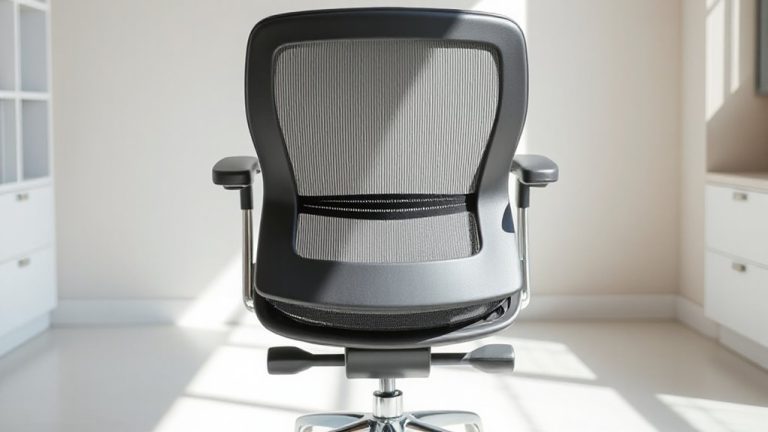
A well-designed compact ergonomic chair can make all the difference in a small home office, especially when floor space is tight and every inch counts-just like choosing the right foldable desk, your seating has to balance function with footprint. Look for models under 22 inches wide to achieve a proper corner fit without sacrificing lumbar support or adjustability. Chairs like the Branch Benchmark or IKEA Markus save space while still offering tilt tension and height control. Prioritize space optimization by choosing a frame that tucks neatly under desks when not in use. Slim arms and a waterfall seat edge help with tight clearances and reduce leg strain. Keep in mind: smaller chairs may limit recline or use lower-density foam, so test durability and comfort over time. Check warranty length-better models offer 7+ years-since compact doesn’t mean disposable. Some top-rated options are specifically tailored for short people, ensuring proper ergonomics and comfort in confined spaces.
Set Your Monitor at Eye Level in Minimal Setups
Because proper neck alignment matters even in the smallest workspaces, setting your monitor at eye level isn’t optional-it’s essential for long-term comfort and posture, especially when you’re stuck at a desk for hours. You can achieve this without taking up extra surface space by using monitor arms that clamp securely to your desk edge. These arms let you adjust height, tilt, and distance precisely, positioning the top of the screen at or slightly below eye level when seated. Look for models with built-in cable management to keep power and data cords organized and reduce clutter. While most arms support common VESA patterns and screen sizes, always check weight and size limits before buying. Some budget options may wobble or limit range, so read reviews that test for stability. Used correctly, monitor arms improve ergonomics dramatically-but they’re not a fix for poorly designed workstations. A top-rated option for maximizing both function and space efficiency is a product roundup of the best monitor arms tailored for compact environments.
Install Wall Storage to Clear Floor Space
Mounting storage on your walls keeps clutter off the floor and maintains open space in compact home offices, just like positioning your monitor correctly helps protect your posture without expanding your footprint. Wall organization isn’t just smart-it’s essential when square footage is tight. With proper shelf mounting, you can store supplies, books, or tech tools up high, freeing floor area for movement and better ergonomics. Use wall brackets rated for at least 50 pounds and secure them into studs for safety. Floating shelves save space but need precise leveling during install. Some systems include modular rails, letting you adjust bins or pegboards as needs change. However, overloading walls risks damage, especially in older buildings with drywall. Always check manufacturer load limits and warranty terms. Test stability after installation. Done right, wall storage improves both function and flow-just don’t let it become visual clutter.
Choose Multi-Functional Furniture for Small Offices
Space-saving furniture isn’t a luxury when you’re working from a studio apartment-it’s a necessity. Opt for convertible furniture that doubles as workspace and living area gear. Desks that fold into walls or transform into tables offer clean shifts between work and rest modes. Look for space saving designs with built-in storage or height adjustability to support posture without sacrificing square footage.
| Feature | Benefit | Trade-off |
|---|---|---|
| Wall-mounted desks | Frees floor space when folded | Requires secure wall mounting |
| Sofa beds with desk backs | Dual-purpose seating and surface | Limited typing depth |
| Nesting tables | Mobile work surface; stows easily | Less stability than fixed desks |
| Expandable cabinets | Extra storage; acts as desk base | Bulkier when expanded |
Prioritize sturdy materials and precise mechanisms-check warranties, as frequent transformations stress hinges and joints.
Add Task Lighting Without Cluttering Surfaces
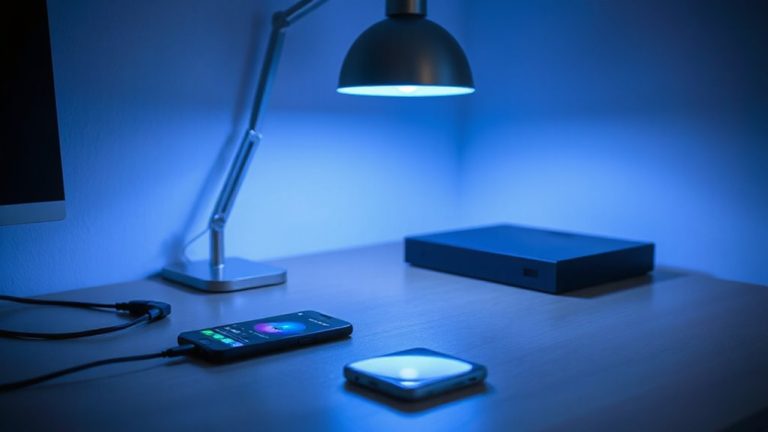
Good lighting keeps your eyes and focus sharp, especially when your desk doubles as a dining spot or vanity. Overhead lighting alone often causes glare and poor shadow reduction, making task lighting essential. You don’t need a bulky lamp. Instead, clip-on LED lights with adjustable arms mount directly to desks or shelves, freeing up surface space. Look for models with 3,000 to 5,000 Kelvin color temperature for balanced brightness-cool enough to stay alert, warm enough to avoid eye strain. Position the light above your monitor or keyboard to minimize shadows. Many options run on USB power, simplifying cable management. Just make sure the clip fits your desk edge-most support 2-inch thickness. While wall-mounted or swing-arm lights deliver excellent shadow reduction, they require drilling. If you rent, stick with secure clamps that won’t damage surfaces. Test brightness settings during actual work hours; some LEDs are too dim or too harsh.
Sit Right: Posture Tips for Compact Workspaces
Why should your posture suffer just because your workspace doesn’t take up much room? You can still maintain solid spinal alignment even in tight setups. Sit with your feet flat, knees at 90 degrees, and your backrest set to support your lower back-lumbar support isn’t optional. A chair with adjustable lumbar padding helps, but even a rolled-up towel works in a pinch. Keep your monitor at eye level, about an arm’s length away, to avoid neck strain. Compact doesn’t mean compromised, but small seats often skimp on adjustability. Test stability, depth, and padding before committing. Many space-saving chairs sacrifice long-term comfort for style. Look for models with breathable fabric, five-point bases, and at least a two-year warranty. While some budget picks hold up, real ergonomics cost more. Still, good posture starts with awareness-not price.
On a final note
You’ll save space and stay comfortable with the right small-office setup. Foldable desks and wall-mounted units free up floor area, while compact ergonomic chairs fit tight corners without sacrificing support. Raising your monitor to eye level reduces neck strain, and wall storage keeps clutter at bay. Multi-functional furniture and task lighting help, but check weight limits and warranties-some space-saving gear sacrifices durability for size. Always test stability and adjustability before committing.