Inspection of Cable Management Arms for Dust Buildup in Pivot Joints
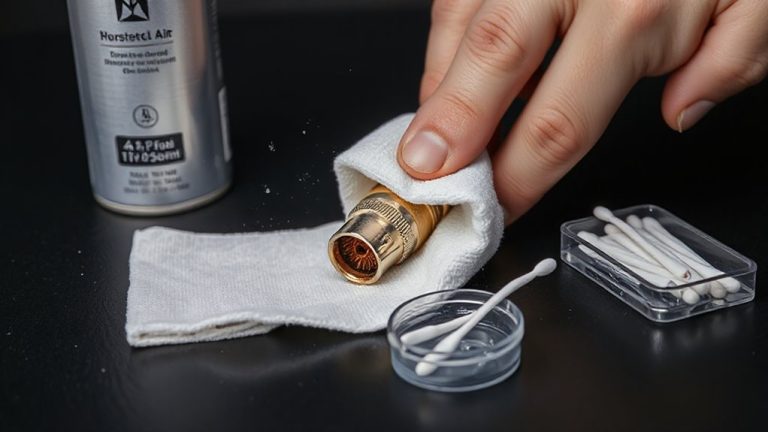
Check your cable management arm’s pivot joints every three months, especially in high-dust areas. Stiffness or crunching sounds mean dust has likely built up, accelerating wear and loosening alignment. Use compressed air to remove debris, and if allowed, clean with isopropyl alcohol and a lint-free cloth-never abrasives. Reapply a drop of silicone lubricant sparingly. If joints still resist or show visible wear, replacement may be needed to maintain function. A well-maintained arm lasts longer, but ongoing care is essential. You’ll find the full breakdown of each step and why material choices matter just ahead.
Notable Insights
- Inspect pivot joints for stiffness or resistance during movement, indicating dust accumulation.
- Listen for crunching sounds when pivoting, which signal trapped particulate matter in joints.
- Check base and elbow hinges first, as these commonly suffer from dust-induced stiffness.
- Look for misalignment or sagging in the arm, which may result from worn, dust-contaminated joints.
- Use compressed air and visual inspection during routine maintenance to detect early dust buildup.
How Dust Damages Cable Management Arm Joints
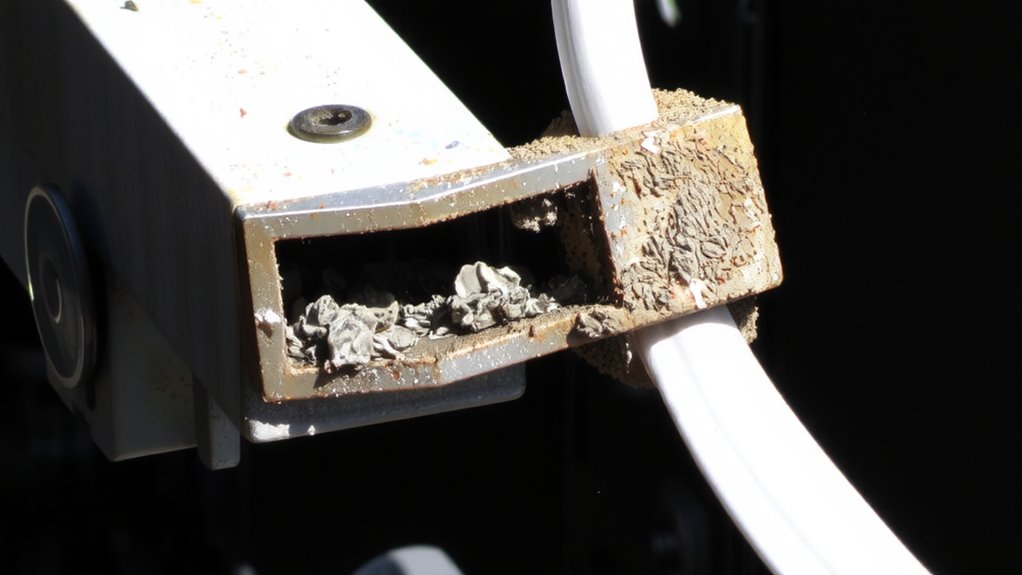
Dust isn’t just an eyesore-it’s a slow but real threat to the smooth operation of your cable management arm joints. Over time, fine particles infiltrate pivot points, increasing mechanical wear as grit grinds against moving surfaces. This wear can loosen tolerances, leading to sagging or misalignment. Worse, dust-especially if metallic or conductive-can raise electrical resistance across contact points, interfering with signal or power transfer if your arm carries internal wiring. You might not see immediate failure, but the cumulative effect degrades performance and lifespan. Regular cleaning with compressed air and a lint-free cloth helps, but don’t overdo it-aggressive wiping risks scratching finishes or forcing debris deeper. Sealed bearings or shielded joints on higher-end models reduce dust entry, but they’re not foolproof. No product eliminates maintenance, and skipping inspections will, over time, compromise even well-built arms. Prevention beats repair. For optimal results, incorporate cable management solutions into your office maintenance routine.
Signs of Dust Buildup in Pivot Joints
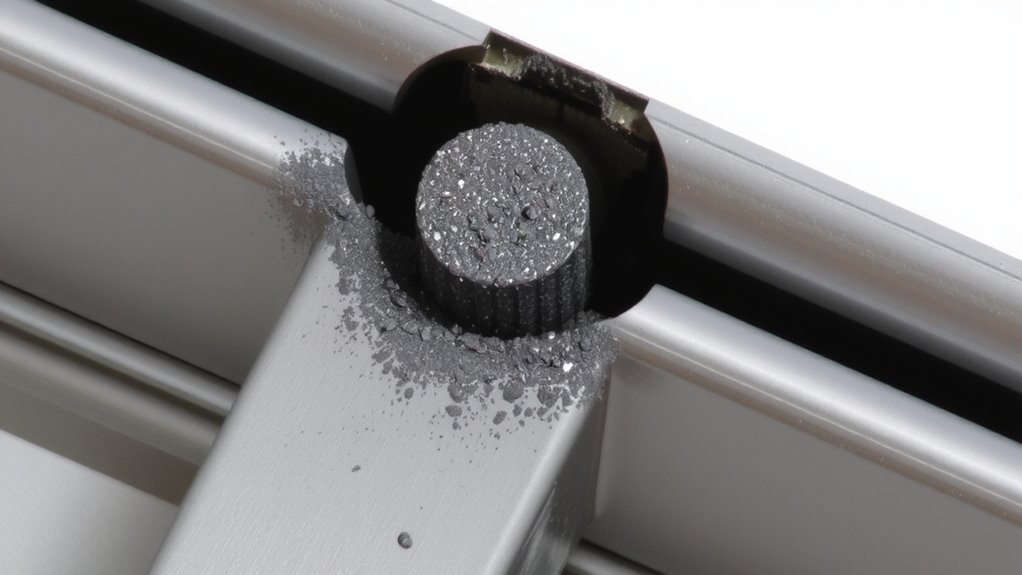
Look for stiffness or resistance when swinging the arm through its range of motion-that’s often the first telltale sign dust has packed into the pivot joints. You’ll notice joint stiffness, especially near the base or elbow hinges, where debris accumulates over time. This grit interferes with smooth articulation, leading to reduced mobility that affects cable routing and arm positioning. Check for uneven movement; if the arm doesn’t glide freely or settles unevenly, dust is likely the culprit. Listen closely-you might hear faint crunching when pivoting, a clear indicator of particulate trapped inside. While minor stiffness may not immediately impair function, it often worsens without intervention. Reduced mobility impacts usability, especially on arms with tighter clearance tolerances. Don’t assume all resistance is mechanical failure; rule out dust before considering replacement. Early detection helps maintain performance without unnecessary cost.
How to Clean Pivot Joints: Tools and Steps
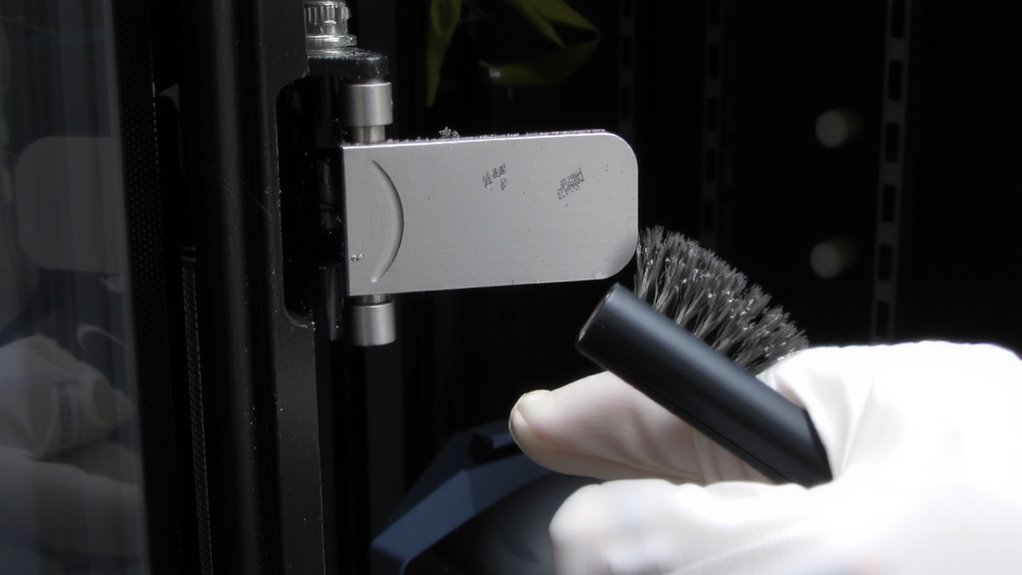
How do you restore smooth movement to stiff pivot joints without damaging delicate internal components? Start by disconnecting the cable management arm and using compressed air to blow out visible dust. Gently disassemble the pivot joint, if permitted by the manufacturer, and wipe internal parts with an isopropyl alcohol-dampened lint-free cloth. Avoid abrasive tools-they can scratch surfaces and worsen joint alignment. Once clean and dry, apply a minimal amount of silicone-based lubricant using precise lubrication techniques; too much attracts more dust. Reassemble carefully, ensuring all parts seat fully to maintain correct joint alignment. Test movement for smoothness and resistance. Some joints may need minor adjustment to avoid binding. Always consult the hardware’s service manual-improper handling can void warranties. This process typically takes 10–15 minutes per arm and improves long-term reliability when done correctly.
Preventing Dust: Maintenance for Server Racks
You’ve already tackled the stiff pivot joints on your cable management arms, and that same attention to detail should carry over into the broader environment of your server rack. Proper cable routing isn’t just about neatness-it prevents dust traps and supports consistent airflow optimization. Use Velcro ties instead of zip ties for easier adjustments and less debris accumulation. Keep cables routed along the sides or rear channels so they don’t block intake fans. Schedule quarterly cleanings with compressed air to remove settled dust on rails, vents, and blind panels. Install blanking panels on unused rack spaces-they’re proven to improve airflow by up to 30% and reduce dust ingestion. Avoid overloading the rack, since crowded setups increase heat and dust retention. While good cable routing reduces clutter, it won’t eliminate dust in high-particulate environments. Combine maintenance with proper room filtration and raised flooring where possible. These steps help, but require ongoing effort to sustain results. For even greater organization, consider using Top Cable Management Solutions that are designed specifically for clean and efficient office and server environments.
When to Replace or Repair a Stiff Arm
A stiff cable management arm isn’t just annoying-it’s a warning sign that can impact both cable integrity and server access. Before replacing it, try basic lubrication techniques-silicone-based sprays often restore joint flexibility without attracting dust. If movement remains restricted, inspect for warped hinges or cracked housings. Minor wear usually responds to maintenance, but severe resistance or grinding noises means it’s time to think about replacement.
| Issue | Action |
|---|---|
| Slight stiffness | Apply lubrication techniques |
| Consistent resistance | Check pivot alignment |
| Worn pivot points | Repair or replace joint |
| Cracked arm housing | Replace immediately |
| Restored joint flexibility | Monitor every 3 months |
Replacement is costlier but guarantees long-term reliability. Repairs work short-term but may compromise durability. Always verify compatibility with rack depth and cable load.
On a final note
You should inspect cable management arms regularly, since dust in pivot joints can restrict movement and accelerate wear. Cleaning with compressed air and isopropyl alcohol restores smooth operation in most cases. Yet, if stiffness persists after cleaning, the arm may need replacement-especially if it hampers server access. Routine maintenance prevents buildup, but don’t overclean; aggressive wiping can scratch finishes. Quality arms last years with moderate care, though no model is dustproof.