Why WPA3 Encryption Is Essential for Securing Your Home Office Wi-Fi Network
You should upgrade to WPA3 because it’s the most effective way to secure your home office Wi-Fi against modern hacking. It blocks brute-force attacks with SAE password authentication and encrypt deleges each session individually, protecting your work data even on open networks. While WPA2 is vulnerable to exploits like KRACK, WPA3 requires compatible hardware-most devices from 2020 onward support it, but older ones may force fallbacks. For full protection, make certain your router and all devices support WPA3; otherwise, you’ll need to upgrade. Moving forward reveals what to check and how to set it up right.
Notable Insights
- WPA3 is the most secure Wi-Fi encryption standard, essential for protecting home office networks from modern cyber threats.
- It prevents offline brute-force attacks using Simultaneous Authentication of Equals (SAE), making password guessing nearly impossible.
- WPA3 provides individualized data encryption for each session, shielding sensitive work communications from eavesdropping.
- Unlike vulnerable WPA2, WPA3 fixes critical flaws like those exploited by KRACK attacks that compromise network traffic.
- Enabling WPA3 ensures future-proof security, especially when using modern, compatible routers and devices in home office setups.
What Is WPA3, and Why Does It Matter for Your Wi-Fi?
Security starts with how you lock down your Wi-Fi, and WPA3 is the strongest encryption standard available for home and home office networks today. You benefit from stronger protections because WPA3 improves the Wi Fi evolution by fixing vulnerabilities in earlier protocols. It uses Simultaneous Authentication of Equals (SAE), which stops hackers from guessing your password through offline attacks. This upgrade demands a proactive security mindset-relying on default settings isn’t enough. If you use public networks or have remote work devices, WPA3’s individualized encryption per session adds essential privacy. But, you’ll need compatible routers and devices, meaning older gear may need replacing. Real-world testing shows WPA3 performs reliably, though a few IoT devices still show compatibility issues. Always verify product specs for WPA3-certified hardware and check manufacturer firmware updates. While not a magic fix, it’s a necessary step toward modern, resilient home office security.
Why WPA2 and Older Security Standards Are No Longer Safe

You’re likely still using WPA2 if your router came from the last decade, and while it held up well for years, it’s now showing serious cracks. Cybersecurity researchers have exposed critical encryption flaws in WPA2, making it easier for attackers to intercept data-even on seemingly secure home office networks. These vulnerabilities stem from outdated protocols like KRACK, which exploit how devices handshake when connecting. Once trusted, these methods can’t reliably protect against modern eavesdropping or session decryption. While WPA2 still works for basic browsing, it’s no longer sufficient if you handle sensitive files, client data, or remote work traffic. Upgrading your router isn’t just about speed; it’s about closing security gaps. However, switching requires WPA3-compatible devices, so check your laptops, phones, and IoT gear. The shift may take time, but delaying leaves your network exposed to increasingly common exploits targeting these aging standards.
How WPA3 Blocks Brute-Force and Data-Snooping Attacks

Even if you’ve never heard of Dragonfly Key Exchange, it’s at the heart of what makes WPA3 so much better at stopping brute-force attacks than WPA2. This method lets you verify your password without revealing it, making repeated guessing attempts useless. WPA3 also encrypts individual data packets, so even if someone intercepts your traffic, they can’t read it-blocking common data-snooping attacks. It offers stronger protection against side channel analysis by minimizing information leaks during key exchange. While not fully quantum-proof, WPA3’s crypto designs include early quantum resistance features, giving you a longer security shelf life. Keep in mind, though, these benefits only kick in when both your router and devices support WPA3. Older gadgets may fall back to WPA2, creating weak spots. So yes, WPA3 is a major upgrade-but its real-world strength depends on your hardware.
Check If Your Router Supports WPA3 (And Your Devices Too)
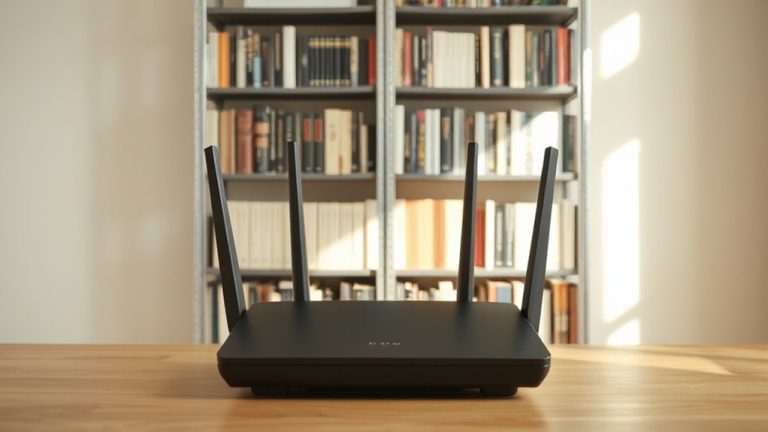
Your router’s Wi-Fi specs matter a lot more now that WPA3 has become the stronger default for fending off password cracking and eavesdropping. To use it, you’ll need both hardware compatibility and up-to-date firmware updates on your router and connected devices.
| Device Type | WPA3-Supported? | Notes |
|---|---|---|
| Router (2018–2020) | Sometimes | Check for firmware updates |
| Router (2021+) | Usually | Look for Wi-Fi 6 or 6E labels |
| Laptop | Often | Intel AX200+ or Apple M-series |
| Smartphone | Increasingly | iPhone 11+, Android 10+ |
Older gear might not support WPA3 at all, and some routers need firmware updates to enable it. While the security boost is real, mixed networks with older devices may force fallbacks to WPA2, reducing protection. Always verify both router and device support before relying on WPA3.
Enable WPA3 in 5 Minutes: Step-by-Step Setup Guide
Getting WPA3 up and running on your home office network is a quick win for security-if your gear supports it. Start your WPA3 setup by logging into your router’s admin page through a web browser, usually via an address like 192.168.1.1. Navigate to wireless settings, find the security or encryption option, and switch from WPA2 to WPA3-Personal. Confirm your devices support WPA3, as older laptops or smart home gadgets may struggle post-configuration. Save settings and reconnect each device. This quick configuration strengthens encryption and blocks offline password attacks. Note: some routers only offer WPA3 alongside WPA2 in “transition mode,” which is fine for mixed environments. Full WPA3-only mode boosts security but may limit compatibility. Always test connections after the change. If issues arise, check manufacturer firmware updates or fall back temporarily.
On a final note
You should enable WPA3-it’s the most secure Wi-Fi encryption available, blocking brute-force attacks and protecting your data even on open networks. It’s supported on modern routers and devices like the ASUS RT-AX86U and iPhones from the XS model onward. But verify compatibility first; older laptops or smart home gadgets might not work. If your gear supports it, the upgrade takes minutes and substantially strengthens your home office security.