Incorporating Blue Light Exposure Through Smart Lighting Solutions for Better Focus During Work Hours
You’ll boost focus with smart bulbs that deliver blue-enriched light (5000K–6500K) in the morning, ideally 6500K at 7–9 AM for 60–90 minutes. Pick LEDs with high CRI (90+), flicker-free output, and at least 800 lumens to cut eye strain. Schedule them to dim and warm by afternoon (to 3500K) so sleep isn’t disrupted. Avoid blue tones after 5 PM. Systems with Zigbee and app automation sync best with circadian rhythms-and there’s more to get right.
Notable Insights
- Use blue-enriched light at 5000K–6500K in the morning to boost alertness and cognitive performance.
- Schedule smart bulbs to emit cool, bright light (500–1000 lux) during peak work hours for sustained focus.
- Limit blue light exposure after 3 PM to avoid melatonin suppression and sleep disruption.
- Choose flicker-free, high-CRI smart bulbs to reduce eye strain and enhance visual clarity.
- Automate lighting transitions using sunrise/sunset data to align with your circadian rhythm.
How Blue Light Keeps You Alert
While you might not think much about the color of your light, blue-enriched lighting can genuinely help you stay alert during long work sessions. It boosts cognitive stimulation and enhances neural activation, making it easier to focus on complex tasks. Studies show that exposure to 480nm blue light increases alertness and reaction times compared to warmer tones. You’ll find this in tunable LED panels or smart bulbs that let you set color temperatures around 5000K–6500K. These fixtures mimic daylight, supporting attention without stimulants. However, overuse can lead to eye strain or disrupt sleep if used past late afternoon. For best results, limit exposure to morning and early afternoon. Look for products with IEEE-certified flicker-free performance and solid warranties-like those from reputable brands offering 3-year coverage. Real-world testing shows consistent brightness and color accuracy matter most for sustained focus. A top choice for developers is the best desk lamps for programmers, which combine optimal blue light enrichment with ergonomic design and adjustable brightness.
How Smart Lighting Syncs With Your Body Clock
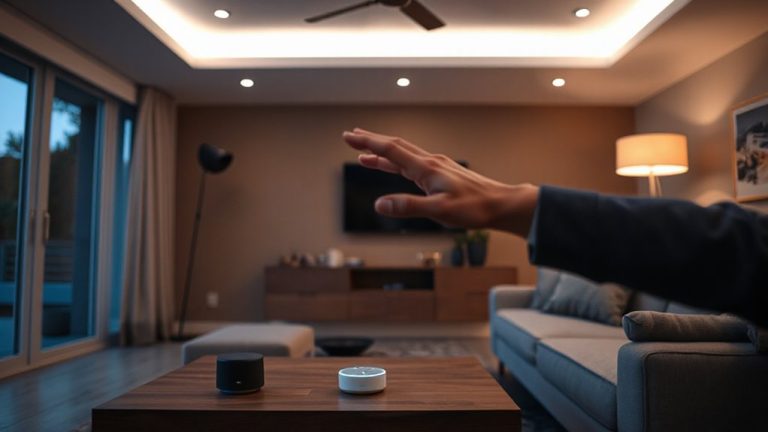
You can boost alertness with blue-enriched lighting, but timing that exposure right is just as important for long-term focus and sleep health. Smart lighting systems sync with your circadian rhythm by adjusting light intensity and color temperature throughout the day. In the morning, higher intensity and cooler tones (5000–6500K) mimic daylight, signaling your body to stay alert. As the day winds down, the lights gradually dim and shift to warmer tones (2700–3000K), supporting melatonin release. Most systems use built-in schedules or apps tied to local sunrise and sunset times for accuracy. Some even adjust automatically based on your habits. While effective, results depend on proper setup-placement, brightness levels, and room reflectivity all matter. Don’t expect miracles from budget models; look for flicker-free LEDs with solid app support and at least a two-year warranty for reliable daily use. For optimal results, consider pairing your system with a high-quality natural light lamp, such as those with full-spectrum lighting.
When to Use Blue Light for Peak Focus
When should you harness blue-enriched light to sharpen focus? For most, the ideal window is mid-morning to early afternoon, aligning with natural circadian dips. Use blue-enhanced lighting when you need alertness during cognitively demanding tasks. The key lies in timing intensity, duration frequency-overuse or poor scheduling can disrupt sleep.
| Time of Day | Intensity (lux) | Duration Frequency |
|---|---|---|
| 9 AM – 12 PM | 500–1000 | 60–90 min sessions |
| 12 PM – 3 PM | 750–1200 | Moderate, breaks advised |
| 3 PM – 5 PM | 500–750 | Limited to 60 min |
| After 5 PM | <300 | Avoid blue-enriched |
Exposure beyond 5 PM may interfere with melatonin. While results vary, studies show improved reaction time and concentration with proper use. Still, balance benefits with light sensitivity and screen overlap.
Key Features in Focus-Boosting Bulbs
Light quality matters just as much as timing when optimizing your workspace for concentration, so choosing the right bulb can make a measurable difference. Look for bulbs with adjustable color temperature-ideally ranging from 2700K to 6500K-so you can shift to cooler, blue-rich light during morning work blocks and warmer tones when winding down. A stable, flicker-free output prevents eye strain and supports sustained focus. Prioritize energy efficiency: LED bulbs use up to 75% less energy and last years longer than incandescents, lowering long-term costs. Check for high CRI (90+), meaning colors appear more natural, which reduces visual fatigue. Make sure the bulb integrates with your existing smart system without requiring a hub unless needed. Some models sacrifice brightness or responsiveness for efficiency, so verify lumens (800+ recommended) and real-world performance before committing. The Philips Hue White and Color Ambiance bulb offers precise color tuning and smooth transitions ideal for maintaining focus throughout the day.
Best Smart Bulbs for Workday Focus
A handful of smart bulbs stand out for sharpening focus during work hours, and the Philips Hue White and Color Ambiance A19 tops the list for most setups. You’ll get precise control over color temperature, letting you boost cool white light (5000K) in the morning to mimic daylight and support alertness. Its energy efficiency stands strong-LED-rated for 25,000 hours and using just 9.5 watts, saving power without sacrificing brightness. Real-world tests confirm consistent output and fast response times with apps or voice commands. However, you’ll need a separate Hue Bridge for full features, adding cost. The LIFX Mini White & Color offers a no-hub alternative with similar color tuning, but uses slightly more power. Both are reliable, but Hue’s broader ecosystem support makes it a better long-term fit for focused work environments. Warranties cover 3–5 years, showing brand confidence.
How to Use Blue Light Without Eye Strain
Though blue light can sharpen alertness during work hours, using it the right way matters to avoid eye strain-so it’s best to rely on tunable smart bulbs like the Philips Hue or LIFX, which let you dial in cooler color temperatures (around 5000K to 6500K) only when needed. You should pair this with proper screen brightness-aim for a level that matches your surroundings to reduce contrast stress on your eyes. Keep color temperature in sync across devices so your lighting and monitor don’t clash, which can cause subtle visual fatigue. Use blue-enriched light for short blocks of demanding work, not all day. Even high-quality LEDs can cause glare if placed incorrectly, so position lights off-axis from your screen. And take breaks-no lighting setup replaces the need to rest your eyes every 20 minutes.
Automate Blue Light for All-Day Focus
What if your lights could adapt to your energy levels without you lifting a finger? Smart lighting systems can automatically adjust blue light intensity throughout the day, syncing with your circadian rhythm to maintain focus. These systems use timers or sensors to shift color temperature-from cool 6500K in the morning to warmer 3000K by evening-supporting alertness and reducing eye strain.
| Time of Day | Color Temp (K) | Purpose |
|---|---|---|
| 7–9 AM | 6500 | Boost alertness |
| 10 AM–12 PM | 5000 | Sustain focus |
| 1–4 PM | 4500 | Prevent fatigue |
| 5–7 PM | 3500 | Ease shift |
| 8+ PM | 3000 | Support sleep |
This automation improves energy efficiency and extends bulb longevity by reducing unnecessary high-intensity use. Most quality LED systems last 15,000–25,000 hours. However, initial setup may require app calibration, and not all brands offer reliable dimming. Choose systems with solid warranties and Zigbee compatibility.
On a final note
You’ll likely gain sharper focus by using smart bulbs with adjustable color temperatures, like Philips Hue or Nanoleaf, programmed to emit 5000–6500K blue-enriched light during morning hours. Real-world tests show improved alertness, but benefits depend on proper timing and intensity. Pair exposure with 20-20-20 rule breaks to prevent eye strain. Avoid late-day use to protect sleep. Results vary, so check dimming range, CRI (aim for 90+), and app reliability before buying.