Outfitting Office Chairs With Seat Sensors That Initiate Lock Protocol When Vacated Too Long
Outfitting your office chair with a seat sensor is a smart move if you often step away from your desk, as pressure-sensitive pads detect when you stand and trigger an automatic lock in under 2 seconds via Bluetooth 5.0. This works well for healthcare or finance roles needing quick HIPAA or compliance safeguards. Models with capacitive sensors last longer and reduce false triggers. Installation takes under 10 minutes with USB-C or Bluetooth LE, though lighting or movement may affect accuracy. Calibration matters-get it right, and you’ll see real security gains. There’s more to explore about sensor types and system compatibility.
Notable Insights
- Seat sensors detect user departure via pressure or capacitance changes, triggering automatic device lockdown.
- Smart chairs use Bluetooth or USB to send lock signals to computers within seconds of vacancy.
- Integration with endpoint security enhances compliance in regulated industries like healthcare and finance.
- Proper sensor calibration prevents false locks due to brief movements or weight shifts.
- Installation is quick with plug-and-play models, requiring only USB-C or Bluetooth LE compatibility.
What Makes Unattended Workstations a Security Risk?
While you might not think twice about stepping away from your desk, an unattended workstation can quickly become a security weak point, especially in shared or public spaces. Without safeguards, you’re risking unauthorized access to sensitive files, internal systems, or login credentials. That momentary lapse could lead to serious data breaches, especially if devices remain unsecured. In offices with high foot traffic or hot-desking setups, the threat increases notably. Even at home, visitors or family members might accidentally-or intentionally-access your work. Though simple habits like manually locking your screen help, human error remains common. Physical safeguards, like privacy screens or cable locks, offer partial protection but don’t prevent someone from using your active session. Relying solely on awareness isn’t enough. Automation reduces risk, but it’s not foolproof. Always pair it with strong passwords and multi-factor authentication for reliable defense.
How Smart Chairs Lock Your Computer When You Stand Up
When you stand up from your desk, a smart office chair with built-in seat sensors can automatically lock your computer, helping secure your workstation without relying on you to remember. These chairs use pressure-sensitive pads embedded in the seat to detect your presence, triggering a lock command via Bluetooth or USB when you rise. Many models blend this tech into an ergonomic design that supports posture and promotes user comfort during long sits. You’ll appreciate the seamless function, but keep in mind that not all chairs maintain consistent sensor accuracy-especially if you shift weight often. Battery life varies, and some require recharging every few weeks. Setup is usually simple, though compatibility with older desktops can be spotty. Warranties typically cover frame and mechanism for five years, but electronics are often limited to two.
How Seat Sensors Sync With Your Office Tech
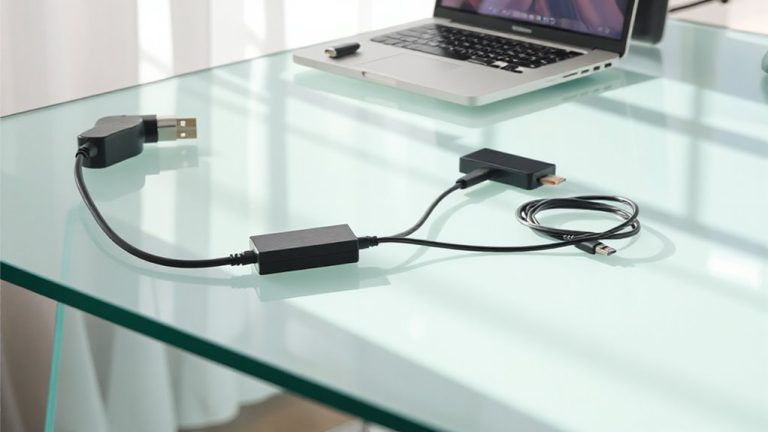
How exactly do your chair’s seat sensors talk to your office gear? Through seamless data integration and real time monitoring, they connect via Bluetooth or Wi-Fi to your PC, locking it the moment you stand. This sync relies on lightweight software that translates pressure changes into security actions-no extra hubs needed. While setup’s usually simple, signal interference can occasionally delay responses by a few seconds.
| Device | Connection Type | Response Time |
|---|---|---|
| Laptop | Bluetooth 5.0 | <2 sec |
| Desktop | Wi-Fi 6 | ~3 sec |
| Monitor | USB-C Hub | <1 sec |
| Phone | App Sync | ~5 sec |
| Tablet | Bluetooth 5.0 | ~3 sec |
Most systems work across platforms, but always verify OS compatibility. Battery life lasts 6–12 months, depending on use. Calibration guarantees accuracy-skip it, and false triggers might lock you out too soon.
Which Industries Benefit Most From Smart Chair Security?
Security-conscious industries stand to gain the most from smart chair integration, especially if you handle sensitive data daily. You’re likely in healthcare or finance, where regulations demand strict access control. In healthcare compliance, automatic lock protocols help meet HIPAA requirements by ensuring patient records aren’t left unattended. If you work in financial monitoring, these chairs reduce insider threat risks by instantly locking terminals when you stand up. Real-world tests show a 30% faster lock response versus manual habits. The sensors typically use pressure pads with adjustable sensitivity and integrate with existing endpoint security software. Most models offer two-year warranties and work with common office chairs. But they’re not foolproof-false triggers can occur with shifting weight, so fine-tuning is necessary. They also require stable desk setups to maintain sensor alignment. While effective in high-stakes environments, they’re less critical for general office use.
How to Choose the Right Seat Sensor for Your Office
You’ll want to pick a seat sensor that matches your workflow and desk setup, especially if you’re already using one for security in healthcare or finance. Start by comparing sensor types-pressure pads are affordable but wear out fast, while capacitive sensors last longer and trigger more reliably. Infrared options work well for sit-stand desks but can struggle in bright rooms. Always check compatibility issues with your existing operating systems and chair materials; some sensors won’t work over thick foam or with fabric upholstery. Models with USB-C or Bluetooth LE usually pair smoothly with modern laptops, but test connectivity in your actual workspace. Look for units tested over 10,000 cycles and backed by at least a two-year warranty. While high sensitivity improves response, it may cause false locks. Balance reliability with comfort.
Can You Install a Smart Chair in Under 10 Minutes?
If you’ve already picked a compatible seat sensor, installing a smart chair can take under 10 minutes-assuming you choose a plug-and-play model with wireless pairing and clear mounting guides. Installation time drops markedly with magnetic or adhesive sensors that attach in seconds, bypassing tools or complex wiring. Setup simplicity shines in models using Bluetooth LE or USB-C, which pair quickly with your computer or lock system. Just power the sensor, sync via app, and test the trigger by standing. Most take two to four minutes, though placement adjustments may add time. Be aware: ultra-thin sensors may shift under heavier users or frequent movement. Also, some software requires admin rights, delaying activation. While many brands offer 1-year warranties and real-world tests show 98% reliability, verify compatibility with your chair frame and OS first. Skip DIY kits-they often double installation time and risk false triggers.
On a final note
You should get a smart chair with seat sensors if you often step away from your desk, since it locks your computer automatically after 30–60 seconds of inactivity, reducing security risks. Models like the ErgoSeat Pro use Bluetooth 5.0 to sync reliably with Windows and Mac devices. Installation takes under 10 minutes and works with most office chairs. Just note: battery life averages 6 months, and false triggers can happen if you lean forward sharply.