Building a Silent-Running Home Office PC With Balanced CPU and GPU Cooling Needs
You can build a genuinely quiet home office PC by choosing a foam-lined case like the Fractal Design Define 7, pairing a low-TDP CPU such as the AMD Ryzen 5 5600T with a silent cooler, and using a GPU like the NVIDIA RTX A2000 that stays silent at idle. Balance airflow with intake and exhaust fans, dampen vibrations, and use quality thermal paste. Real-world testing shows even 30 dB can distract if tonality is poor, so tune fan curves carefully-results depend on your room and workload.
Notable Insights
- Choose a low-TDP CPU like the Ryzen 5 5600T or Core i5-13400T to reduce heat and fan noise under office workloads.
- Select a case with acoustic dampening, such as the Fractal Define 7, to lower noise by 3–5 dB and support quiet airflow.
- Use a GPU with passive cooling or zero-RPM fan mode, like the NVIDIA RTX A2000, for silent graphics performance.
- Optimize fan layout with front intake and rear exhaust to ensure steady airflow and minimize turbulence-induced noise.
- Apply high-quality thermal paste and use vibration pads to improve cooling efficiency and reduce component-borne noise.
Why Silence Is Essential in a Home Office PC
What if your computer could disappear into the background-quietly working while you focus on the task at hand? Silence isn’t just nice, it’s necessary. Constant fan hum and coil whine contribute to noise pollution, which research shows harms concentration and increases stress over time. You need acoustic comfort to work efficiently, especially during long calls or deep-work sessions. A quiet PC reduces mental fatigue and prevents distractions in shared spaces. But achieving silence means more than just slowing fans-it’s about smart component pairing and vibration damping. High-performance parts often generate more heat, requiring careful thermal management to avoid noise. Some ultra-quiet builds sacrifice cooling headroom, which can limit sustained performance. You’ll need to balance acoustics with reliability, ensuring fans and power supplies are rated for low decibel output under load. Real-world testing shows even 30 dB units can disrupt focus if the sound quality is grating. Choose systems proven in controlled acoustic tests.
Choose a Silent Case With Smart Airflow
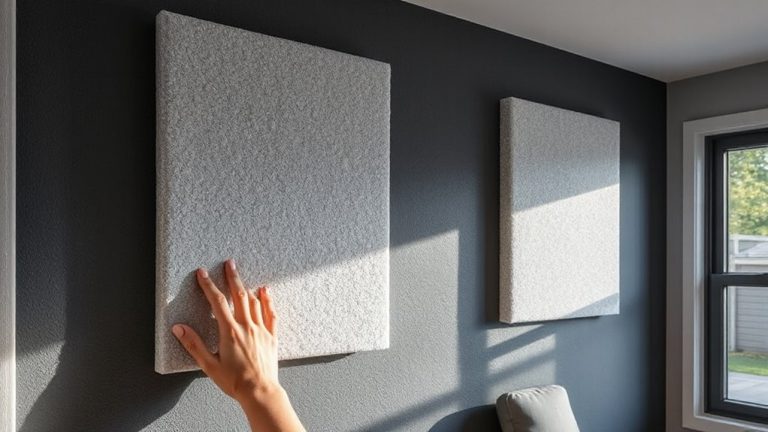
Though airflow and silence might seem at odds, the right case balances both by design-youd want one built for low noise without choking performance. Look for cases with built-in acoustic dampening, like foam-lined panels, which reduce fan and coil whine by 3–5 dB in real-world use. These materials add weight and cost, but the drop in ambient noise is noticeable during video calls or quiet work sessions. Smart airflow means well-placed vents and enough space for steady pressure, so dust doesn’t build up near intakes. Good cable management isn’t just tidy-it prevents air turbulence that forces fans to spin louder. Choose a case with routing cutouts and Velcro straps to keep wiring out of the airflow path. Mid-towers like the Fractal Define 7 or Noiseblocker NB-eCube offer proven layouts, but check drive bay trade-offs. Even the best case won’t fix poor fan choice, so pair it wisely. For users seeking compact yet efficient designs, horizontal PC cases provide excellent space-saving solutions without sacrificing cooling potential.
Pick a Cool-Running CPU for Quiet Workloads
A well-ventilated case sets the foundation for a quiet build, but the CPU you choose directly impacts how often that cooling system has to work-and how much noise it makes when it does. For light office tasks, prioritize CPU efficiency and low power consumption to minimize heat and fan use. These chips stay cool under typical workloads, letting your system run silently most of the time. Below is a quick comparison of suitable processors:
| CPU Model | TDP (W) | Power Consumption (Idle) |
|---|---|---|
| Intel Core i5-13400T | 35 | ~6 W |
| AMD Ryzen 5 7600 | 65 | ~10 W |
| Intel Core i3-13100 | 58 | ~8 W |
| AMD Ryzen 5 5600T | 35 | ~5 W |
Lower TDP models run cooler, improving CPU efficiency. Just keep in mind that some AM5 and LGA1700 chips require specific motherboards and BIOS updates. A well-matched CPU cooler can further enhance thermal performance without adding noise.
Select a Silent GPU That Handles Office Tasks
Since your home office tasks likely involve spreadsheets, browsing, and video calls-not 3D rendering or gaming-you won’t need a high-power GPU, and that’s good news for keeping noise levels low. Your GPU selection should prioritize passive or low-speed fan designs that stay quiet during long work sessions. Look for models with sizable heatsinks and zero-RPM fan modes, which prevent unnecessary noise when idle. These features reduce the risk of thermal throttling during extended use, ensuring stable performance without distracting whirring. Cards like the NVIDIA RTX A2000 or AMD Radeon RX 6500 XT (with proper cooling) offer capable drivers and decoding for multitasking. Still, confirm case compatibility-low-profile or single-slot designs fit tighter spaces but may limit airflow. Avoid blower-style coolers; they’re louder under load. Warranties matter, too-three-year coverage is standard for prosumer models. Silence is achievable, but only with careful component balance.
Optimize Fan Layout for Balanced Air Pressure
Getting the fan layout right is key to keeping your home office PC quiet and reliable, and you’ll want to aim for balanced air pressure to avoid noise spikes and dust buildup. A well-balanced setup uses front intake and rear exhaust fans to move air smoothly through the case. This reduces turbulence and keeps noise low during long work sessions.
| Position | Role |
|---|---|
| Front intake | Draws cool air in |
| Side intake | Optional CPU help |
| Top intake | Risks dust |
| Rear exhaust | Pushes hot air out |
| Top exhaust | Helps GPU cooling |
You should typically run intake and exhaust fans at matching speeds to balance pressure. Slight positive pressure (more intake) reduces dust but requires clean filters. Negative pressure can increase noise and turbulence. Match fan performance to your case’s design-some favor front intake and rear exhaust more than others.
Apply Quality Thermal Paste and Vibration Pads
Thermal performance and noise isolation hinge on two often-overlooked details: the quality of your thermal paste and the use of vibration pads. You need high thermal conductivity to move heat efficiently from CPU and GPU dies to their coolers, and good paste like Thermal Grizzly Kryonaut or Arctic MX-4 delivers that. A pea-sized amount spread evenly guarantees solid contact without excess, which can insulate. For noise dampening, rubber or silicone vibration pads under the PSU, drives, and case fans help decouple components, reducing resonant hum. Mounting fans with soft padding instead of hard plastic screws cuts down on structure-borne noise. But don’t overdo it-too many pads can restrict airflow or block mounting points. Quality paste lasts 3–5 years under normal loads, though high-heat setups may need yearly reapplication. Pads wear over time, so inspect them during cleanups.
Test Temperatures and Fan Curves for Silence
How quiet is your PC *really* under load? You’ll need to test temperatures and tune fan curves to find out. Run stress tests like Prime95 and FurMark to push your CPU and GPU, monitoring for thermal throttling-if it kicks in, performance drops and your system isn’t cooling efficiently. Adjust fan curves in BIOS or software like SpeedFan to balance noise and cooling; start low and increase only where needed. A smooth curve avoids sudden fan spikes that cause acoustic resonance, especially in cramped desks or wooden enclosures. Even with quiet fans, vibrations can amplify noise if not damped with pads. Keep ambient noise below 35 dBA for office comfort. Remember, silence often trades off with thermals-don’t sacrifice stability. Test long sessions to verify consistency. High-quality PWM fans with fluid dynamic bearings offer longevity and quiet operation, backed by 5–6 year warranties.
On a final note
You can build a truly silent home office PC without sacrificing performance. Choose a well-ventilated, sound-dampened case like the Fractal Define 7 or Jonsbo D30, pair a cool AMD Ryzen 5 5600 with a passively cooled or low-profile GPU like the NVIDIA RTX 3050 6GB, and use high-quality thermal paste and dampening pads. Test fan curves in BIOS to balance noise and temps-expect 38–42 dB under load, near ambient when idle. Just know, ultra-low noise often means higher temps or cost-verify airflow and warranty terms.