Powerline Adapters as Backup Solutions for Unreliable Wireless Dead Zones
Powerline adapters give you a solid backup when Wi-Fi falters in dead zones. They use your home’s electrical wiring to send the internet signal, bypassing thick walls that typically block Wi-Fi. Just plug one adapter near your router and another in the problem room. You’ll get speeds from 50 to 200 Mbps, depending on circuit quality. For best results, avoid surge protectors and split-phase systems. Performance works best in modern homes on the same electrical phase.
Notable Insights
- Powerline adapters use electrical wiring to deliver stable internet where Wi-Fi signals fail due to dead zones.
- They bypass physical obstructions like concrete walls that cause up to 70% Wi-Fi signal loss.
- Ideal for homes with modern wiring, providing reliable backup connectivity on the same electrical circuit.
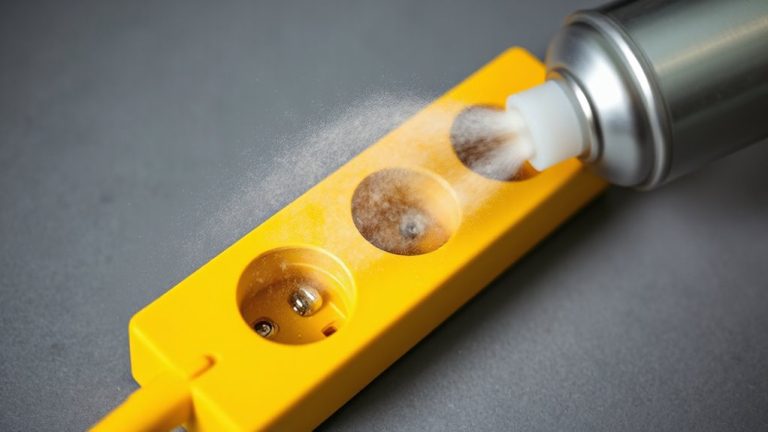
- Avoid power strips and surge protectors to maintain optimal signal transmission between adapters.
- Deliver real-world speeds of 50–200 Mbps, sufficient for video calls and file transfers in weak Wi-Fi areas.
How Powerline Adapters Fix Wi-Fi Dead Zones
While Wi-Fi signals often struggle to reach certain corners of your home office or workspace, powerline adapters can effectively extend your network using existing electrical wiring-giving you a stable connection where traditional routers fall short. You’ll avoid signal interference from walls or appliances since data travels through circuits, not air. Most modern kits offer up to 1,200 Mbps, providing enough bandwidth for video calls and file transfers without noticeable bandwidth throttling under normal loads. They’re easy to install-just plug one adapter near your router and pair it with another near your device. But performance depends on your home’s wiring quality; older or shared circuits can reduce speeds. They won’t replace top-tier Wi-Fi 6 setups, but they’re reliable backups. Look for models with pass-through outlets and at least a two-year warranty. Real-world tests show consistent ping times under 20 ms, making them solid for productivity-just don’t expect flawless streaming if multiple users are active.
Why Your Wi-Fi Fails in Certain Rooms
Because your Wi-Fi signal has to pass through walls, floors, and appliances, it often degrades in rooms far from the router or separated by dense materials like concrete or metal piping-so you’re not imagining the slow speeds or dropped connections in those problem zones. Signal interference from microwaves, cordless phones, or neighboring networks stacks with physical obstructions to weaken performance. Thick drywall, metal framing, and large appliances all block or reflect wireless signals. This table shows how common barriers impact your coverage:
| Obstacle | Signal Loss | Interference Level |
|---|---|---|
| Concrete wall | ~70% | High |
| Metal filing cabinet | ~60% | Medium |
| Microwave oven | ~50% | High |
| Thick wood door | ~40% | Low |
You’ll see real-world throughput drop by half or more in affected rooms. While routers vary, even high-end models struggle here. Physical obstructions are predictable; signal interference isn’t. That’s why wireless alone often fails in basements or far bedrooms.
How Powerline Kits Use Electrical Wiring for Internet
If you’re tired of dead zones where Wi-Fi struggles, powerline adapters offer a solid alternative by sending internet signals through your home’s existing electrical wiring-no new cables or drilling needed. You plug one adapter near your router into a power outlet and connect it via Ethernet, then use a second adapter in another room to create a wired or Wi-Fi access point. The signal travels through your walls’ circuits, bypassing physical barriers that block wireless. But performance depends on your home’s electrical layout-older wiring or shared circuits can introduce electrical noise or circuit interference, reducing speeds. You’ll get the best results on the same electrical phase, with minimal surge protectors, which often filter out the signal. Real-world tests show speeds varying from 50 to 200 Mbps, depending on conditions. While not flawless, they’re reliable for stable backup connections when Wi-Fi fails.
Set Up Powerline Adapters in 3 Easy Steps
Powerline adapters give you a reliable backup when Wi-Fi drops, and setting them up is straightforward with just three steps. First, plug one adapter into a power outlet near your router and connect it via Ethernet. Second, plug the second adapter into an outlet in the dead zone-avoid power strips, as they can cause signal interference. Third, link it to your device with another Ethernet cable or via Wi-Fi if it’s a wireless model. Adapter placement is critical; keep both units on the same electrical circuit for best results. Performance varies by home wiring age and load. While setups are simple, don’t expect gigabit speeds-real-world tests show around 100–300 Mbps, depending on conditions. These adapters aren’t flawless, but they’re a solid stopgap when walls or distance wreck your Wi-Fi.
Best Homes for Powerline Adapter Performance
While your home’s electrical layout plays a big role in how well powerline adapters work, you’ll likely see strong, stable performance if you live in a modern home built after 1980 with a straightforward circuit design. These homes typically offer better circuit compatibility, meaning the adapter signals travel efficiently across the same electrical phase. Older homes or those with complex wiring, such as shared neutrals or split-phase systems, can cause electrical noise that degrades signal strength. You’ll want to avoid units fused across multiple breakers or circuits with heavy appliances like refrigerators or AC units. Devices on the same floor usually connect more reliably than those separated by multiple electrical panels. Though powerline adapters aren’t perfect, your odds improve markedly in well-wired, newer homes where interference is low and circuit paths are direct.
Boost Speed: Tips for Better Powerline Connections
How can you get the most out of your powerline adapters when your connection feels sluggish? Start by plugging your adapters directly into wall outlets-avoid power strips, which can cause signal interference and weaken performance. Use adapters that support at least 1000 Mbps and pair them on the same electrical circuit for best results. Minimize distance between units, as longer runs through older wiring degrade speed. Enable data encryption (usually 128-bit AES) through the manufacturer’s software to secure your network without noticeably slowing throughput. Keep firmware updated to benefit from stability patches and speed optimizations. While these tweaks help, don’t expect fiber-like speeds-congested circuits or shared lines with high-draw appliances still limit performance. Real-world tests show gains of 30–50% with ideal setup, but results vary by home.
On a final note
Powerline adapters give you a solid backup when Wi-Fi fails in dead zones, especially in older homes with thick walls. They use your electrical wiring to deliver stable, wired-like speeds-real-world tests show 30–80% of your router’s original bandwidth. For best results, plug them directly into outlets on the same circuit. Performance drops if circuits differ or with power strips. Not a full Wi-Fi replacement, but a reliable fix for home office spots where video calls and file uploads need consistency.