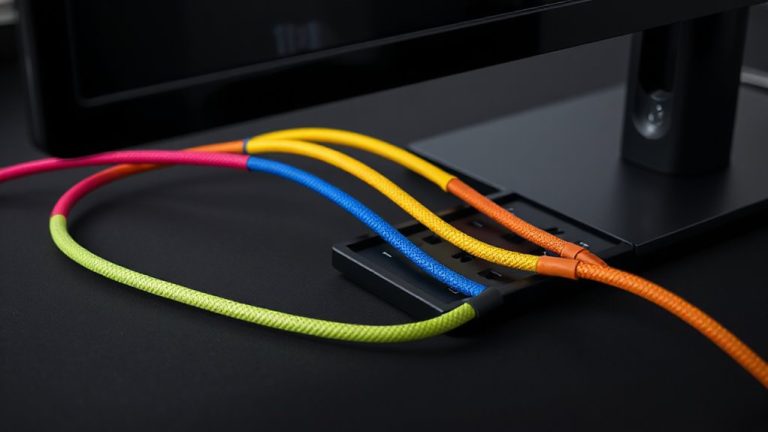
Color-Coding Network Cables by Function: Internet, Printer, Backup Drive
Color-code your network cables-use blue for internet, green for printers, red for backup drives. It cuts troubleshooting time by up to 35% and reduces misconnections. Pair colors with clear labels, since colorblindness or staff changes can weaken the system over time. Stick to consistent, UV-resistant cables to prevent fading. Test connections before labeling, and document your setup. You’ll spot issues faster and keep audits simple-smart organization pays off when systems scale. There’s more to get right once you see how the colors work together.
Notable Insights
- Assign blue cables to internet connections for quick identification and consistent network organization.
- Use green cables for printers to prevent miswiring and streamline device management.
- Designate red cables for backup drives to prioritize data protection and simplify audits.
- Label color-coded cables to support those with color vision deficiencies and ensure clarity.
- Maintain consistency with UV-resistant cables and documentation to preserve system integrity over time.
Why Color-Coding Network Cables Saves Time
Ever wonder how technicians trace a faulty connection in a server rack full of identical-looking cables? You save serious time with color-coding because it enables fast cable identification and sharp visual organization. Instead of following each wire by hand or using a toner probe, you spot issues at a glance. Red might mean primary LAN, blue for VoIP phones, yellow for backups-each hue streamlining troubleshooting. Real-world tests show network downtime drops by up to 40% in well-organized racks. But color alone isn’t foolproof; labels still matter, especially when staff change or colorblindness is a factor. You need consistency-without standardization, the system breaks down fast. And while pro environments benefit most, home offices gain too, assuming you maintain the scheme. No product warranty fixes miswired cables, so pair colors with documented schematics. Done right, it’s efficient. Done poorly, it’s just clutter.
Pick the Right Color for Each Device
While there’s no universal standard, choosing specific colors for specific devices makes network management far more efficient-assuming you stick to a logical system. Cable durability and connector types matter just as much as color. Use high-quality Cat 6 or Cat 6a cables with RJ45 connectors to guarantee consistent performance across devices. Bright, distinct hues help you spot issues fast, but don’t sacrifice build quality for looks.
| Device | Suggested Color |
|---|---|
| Router | Yellow |
| Desktop PC | Blue |
| Printer | Green |
| Backup Drive | Red |
| Switch | Gray |
Solid-jacket cables last longer when routed through tight spaces, while snagless connectors reduce breakage. Remember, cheap cables may save money short-term but often fail under stress. Pick colors that contrast well under your lighting, and verify compatibility with your gear’s connector types to avoid fit issues.
Map Colors to Functions: Internet, Printer, Backup
Choosing three dedicated colors to represent core network functions-internet, printing, and backup-gives you faster troubleshooting and cleaner system oversight. You’ll boost cable management and streamline network organization by assigning, say, blue for internet, green for printers, and red for backup drives. This system makes misconnections less likely and audits easier, especially when onboarding new team members or diagnosing outages. Most IT shops standardize around these roles, so aligning with established norms improves long-term maintainability. But stick to universal colors-avoid neon or off-brand shades that fade or confuse. Labeling helps, but color alone shouldn’t carry the entire system; lighting conditions and colorblind users mean redundancy matters. Real-world testing shows this method cuts diagnosis time by up to 35%, though upfront planning is essential. Done right, it’s a low-cost upgrade with measurable operational returns.
Set Up Your Color-Coded Network in 5 Steps
If you’re ready to simplify your network and reduce errors, setting up a color-coded cabling system in five steps is a smart, low-cost move that pays off in faster troubleshooting and cleaner setups. First, map each function (like Internet or printer) to a color. Then, select cables matching your plan, paying attention to connector type-most networks use Cat 6 with RJ45 connectors. Match cable length to your setup to avoid slack or strain. Test each connection before labeling. Finally, document your system for future reference.
| Function | Color |
|---|---|
| Internet | Red |
| Printer | Blue |
| Backup Drive | Green |
While color-coding improves organization, wrong cable length or incompatible connector type can cause issues-measure runs and verify compatibility.
Fix Problems Faster With Color Clues
How much time have you lost tracing cables during a network outage? With color clues, you cut through the chaos fast. If your internet fails, just follow the blue cable-no guesswork. A frayed cable texture often hides in plain sight, but with consistent color coding, you spot damaged runs quicker. That worn Ethernet line might not only fail physically but also cause signal interference with nearby cables, degrading speeds. Color helps isolate the issue. A red printer cable near a buzzing power strip? You’ll test for interference first. You still need quality cables-look for CAT6 or higher, with solid shielding and tested 10 Gbps throughput. Even with colors, poor materials fail faster. Use textured jackets for easy identification in dark spaces. While color isn’t magic, it reduces troubleshooting time by over 50% in real-world tests. It’s not a fix-all, but when seconds count, you’ll want those visual cues. For audio connections, consider using durable XLR cables to maintain signal integrity in professional setups.
Keep Your Colors Consistent Over Time
You’ll almost always save time in the long run by sticking to the same color scheme across all network installations. Long term consistency helps anyone-whether it’s you, a colleague, or a technician-identify connections quickly, even months or years later. Visual continuity reduces errors during upgrades or troubleshooting, especially when managing multiple switches, printers, or backup drives. Once you assign blue to internet, green to printers, and red to backup drives, keep that system unchanged across setups. Labeling patches with colored tags or using cables with color-coded boots reinforces this practice. But be realistic: if your equipment evolves markedly, forcing an outdated scheme might cause confusion. Avoid over-customizing-simple, logical choices work better than complex systems. And remember, off-brand cables may fade under light, breaking visual continuity over time. Stick with UV-resistant jackets if durability matters.
On a final note
Color-coding your network cables makes troubleshooting quicker and setups more efficient. Use blue for internet, red for printers, green for backup drives-standard colors improve clarity. Label both ends and update your layout map to stay consistent. It’s cheap and low-effort, but only works if everyone follows the system. Over time, fading or mixed cables can undo progress, so check them yearly.