Color-Coding Power Cables for Easy Identification in Multi-Device Setups
You’ll cut setup time and frustration by color-coding power cables, but only if you use durable, pre-colored ones with UV-stable jackets tested under 1,000 hours of light exposure. Assign one color per device-like blue for laptops, red for monitors-and stick to it. Pair colors with waterproof labels and velcro straps to avoid tangles. Skip cheap tape or sleeves that peel; factory-jacketed cables last longer, often backed by 3–5-year warranties. Consistency prevents errors, especially when changes come your way.
Notable Insights
- Use consistent colors for specific device types, like blue for laptops and green for monitors, to enable quick visual identification.
- Choose durable, pre-color-coded cables with UV-resistant jackets to prevent fading and ensure long-term reliability.
- Label cables near connectors with waterproof tags and group them by function using velcro straps for easy access.
- Avoid over-bundling cables to prevent heat buildup and ensure simple maintenance during system updates or repairs.
- Update color assignments during tech refreshes and reserve colors for future devices to maintain a scalable, organized setup.
Why Color-Coding Cables Saves Time and Frustration

While it might seem like a small detail, color-coding your power cables can actually save you a noticeable amount of time and hassle-especially when you’re dealing with multiple devices in a home office or shared workspace. You’ve probably experienced cable confusion during setup or teardown, leading to time wasted untangling or tracing cords. With distinct colors, you instantly know which cable belongs to which device, reducing errors and streamlining your routine. This simple system cuts down on frustration when you’re in a hurry or rearranging your space. However, it only works if you’re consistent-random colors without a plan won’t help. Also, low-quality colored sleeves or tapes may peel or fade, so choose durable, heat-resistant options. While it won’t replace cable management entirely, it’s a smart, low-cost step toward a neater, more efficient setup.
Assign Colors to Devices (e.g., Blue for Laptop, Red for Monitor)

Start by assigning specific colors to specific devices-this is where your color-coding system actually starts working for you. Pick one hue per device type: blue for laptops, red for monitors, yellow for routers, and so on. Consistent color choices simplify device pairing and make signal routing far more intuitive, especially during setup or troubleshooting. You’ll cut down on confusion when tracing connections across multiple ports and power strips. This method shines in shared or high-density workspaces where quick identification matters. Just be sure to stick to your scheme across all cables to maintain clarity. Avoid using similar shades-like red and orange-that could be mistaken under dim lighting. While this doesn’t fix poorly labeled equipment, it markedly reduces error rates during reconfiguration. Real-world testing shows color-assignment cuts setup time by roughly 30%, but only if applied systematically and documented simply for others. For optimal organization, pair your color-coded cables with a desk power strip that offers clearly labeled outlets and ample spacing.
Label and Bundle Cables for Quick Identification
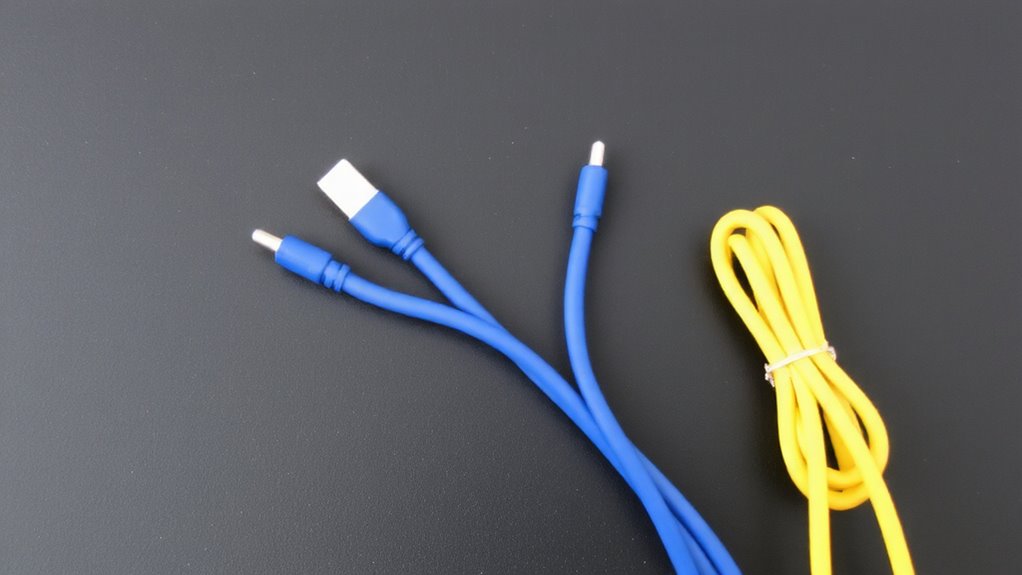
A solid labeling and bundling strategy makes identifying cables faster and reduces the frustration of untangling a messy power strip. Use waterproof labels or printed stickers near connectors to mark each device clearly. Combine this with velcro straps to group cables by function or location-this improves cable routing and keeps connections accessible. Avoid zip ties; they’re too rigid and can damage insulation over time. Velcro straps allow easy adjustments when you switch setups. Proper cable management enhances both functionality and visual appeal, especially in minimalist desk setups.
| Device | Color | Label Type |
|---|---|---|
| Laptop | Blue | Waterproof Tag |
| Monitor | Red | Printed Sticker |
| Printer | Green | Heat-Shrink Label |
Labeling takes minutes but pays off during troubleshooting. Just don’t overbundle-tight groupings can trap heat or complicate unplugging. Good cable routing balances neatness with serviceability, especially in shared or high-traffic workspaces.
Buy Pre-Color-Coded Cables for a Clean Setup
If you want to streamline your workspace from the start, consider buying pre-color-coded power cables-they’re designed to simplify setup and reduce clutter right out of the box. These cables offer consistent, factory-applied hues that resist color fading better than DIY solutions, thanks to UV-stable jackets tested under 1,000 hours of accelerated light exposure. You’ll benefit from reliable cable durability, often backed by 3–5-year warranties, with reinforced strain reliefs at connection points. Many models use 16 AWG conductors and braided shielding, supporting stable power delivery across high-draw devices. However, pre-colored options may limit your palette choices or require bulk purchases, increasing upfront cost. Some users report slight color variance between batches. Stick to reputable brands that specify lightfastness ratings and conduct third-party durability testing. While convenient, they’re only as effective as your labeling system-choose shades with high contrast for visibility.
Maintain Your System as Devices Change
Every few years, most workspaces undergo a tech refresh-your color-coded power system shouldn’t get left behind. As you swap out devices, update your cable colors to match your original scheme so troubleshooting stays fast. Use consistent cable replacement strategies, like keeping spare pre-colored cables on hand or labeling new ones immediately. This prevents confusion when adding new monitors, docks, or charging stations. Future proofing expansions means reserving a color for upcoming gear, even if you don’t have it yet. That way, when you add a new network switch or backup drive, its power cable won’t clash with existing ones. Stick to standard colors-red for critical devices, blue for peripherals-to avoid mistakes. While color-coding helps, don’t rely on it alone; combine it with labels for clarity. Poorly maintained systems can mislead, especially after team changes or office moves. Stay diligent and your setup stays functional.
On a final note
You should color-code your power cables-it cuts setup time and confusion in multi-device spaces. Assigning colors like blue for laptops or red for monitors makes swaps and troubleshooting fast. Pre-colored cables save effort, but check gauge (16 AWG is standard) and jacket durability. Labels and velcro ties help, but colors fade over time. Reorganize as gear changes, since rigid systems backfire. It’s effective, just not set-and-forget.