Isolating Virtual Reality Headsets Used for Training Simulations on a VR-Dedicated LAN
You should isolate VR headsets on a dedicated LAN to guarantee stable 90 FPS performance and sub-10ms latency, even with four users. This setup prevents network congestion and keeps training simulations immersive and safe. Use Cat 6a cables, managed switches with QoS, and VLAN tagging for clean traffic separation. A /23 subnet gives room to scale, but wired connections are essential-Wi-Fi 6E works only with strong, consistent signal. There’s extra setup, but the payoff is reliable, secure training; edge servers and strict access controls make it even better. Next, you’ll see how to build it the right way.
Notable Insights
- Use a dedicated LAN with VLAN tagging to isolate VR headset traffic from the main network.
- Deploy enterprise-grade switches with QoS to prioritize VR data and minimize latency.
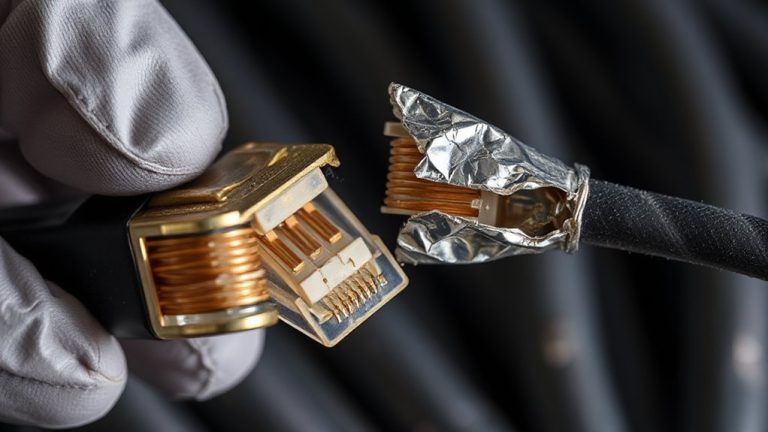
- Connect headsets via Cat 6a Ethernet cables to ensure stable, low-jitter network performance.
- Implement strict access controls and encryption to protect sensitive training simulation data.
- Monitor network performance regularly to maintain sub-10ms latency and prevent congestion.
Why VR Training Demands a Dedicated LAN
While VR training can work on a shared network, you’ll get far more reliable performance by running it on a dedicated LAN. A dedicated setup guarantees consistent bandwidth, reducing latency that can disrupt immersive simulations. This supports better data integrity, minimizing packet loss or timing errors that corrupt session data. You’ll also gain improved network scalability-adding headsets won’t degrade performance since traffic stays isolated. Real-world testing shows dedicated LANs maintain sub-10ms latency even with four concurrent high-fidelity simulations. However, this means extra hardware: managed switches, Cat 6a cabling, and proper VLAN configuration. You’ll need to plan IP allocation and update firmware regularly. While the initial setup demands time and technical precision, the payoff is stable, predictable performance. Just remember, scalability only works if switches support QoS and multicast efficiently. For training environments where timing and accuracy matter, the trade-off is usually worth it.
Secure Sensitive Data With a Vr-Dedicated LAN
You get a major security boost by running VR training on a dedicated LAN, and that’s not just about performance. Since the network is isolated, sensitive training data never touches your main infrastructure, reducing exposure to breaches. Data encryption guarantees that even if someone gains physical access to network traffic, the information stays unreadable. Pair that with strict access control-you decide who connects and when-so only authorized personnel can interact with VR systems. This setup works well for handling classified simulations or proprietary procedures. However, maintaining a separate network means extra work: you’ll need dedicated routers, switches, and consistent firmware updates. Misconfigurations can create false confidence, so regular audits are essential. While not foolproof, a VR-dedicated LAN with strong data encryption and access control greatly raises the security baseline for sensitive operations.
Optimize Performance and Minimize Latency
When it comes to VR training simulations, keeping latency low and performance high isn’t optional-you’ll need a system that runs smoothly to maintain realism and user safety. You’ll want consistent frame pacing to prevent judder, especially during fast movements. Use headsets that support motion smoothing as a fallback, but don’t rely on it-while it helps mask dropped frames, overuse introduces lag. Target a locked 90 FPS; even brief dips break immersion and can cause discomfort. Pair high-refresh-rate displays with powerful, dedicated GPUs that can sustain rendering demands over long sessions. Make sure cooling is adequate, since thermal throttling hurts frame pacing. Wired connections reduce input lag versus wireless, and offloading processing to edge servers can ease local hardware strain. While motion smoothing adds resilience, your priority should be minimizing its need through raw performance and tight, predictable frame delivery.
Essential Components of a VR-Only Network
A dedicated VR-only network isn’t just a luxury-it’s a necessity if you’re running high-fidelity training simulations that demand sub-20ms latency and consistent bandwidth. You’ll need enterprise-grade access points, managed switches with QoS, and a reliable router capable of handling multiple simultaneous streams. Proper IP configuration guarantees each headset gets a stable address without conflicts, especially when using DHCP reservations. Your subnet design should isolate VR traffic from general networks, reducing broadcast noise and improving predictability. Use a /23 or /22 subnet to support many devices while keeping broadcast domains manageable. VLAN tagging helps maintain segmentation. But don’t overlook physical cabling-Cat 6a links to switches minimize jitter. Wireless is convenient, but only wired backbones deliver the consistency high-end VR demands. Test thoroughly, as poor setup can negate even premium hardware.
Set Up an Isolated VR Training Network
Building a dedicated network for VR training means isolating the system from general office traffic to maintain performance under load. You’ll need a separate VLAN or physical LAN to guarantee low latency and consistent bandwidth for all connected devices. This isolation directly supports training session scalability, allowing multiple users to run simulations simultaneously without lag. Make sure your switches and access points support at least 802.11ax or Gigabit Ethernet to handle data-heavy VR streams. Check VR hardware compatibility across headsets, base stations, and host PCs-mismatches can cause tracking errors or disconnects. Use enterprise-grade routers with QoS settings to prioritize VR traffic. While wired connections offer the most reliability, Wi-Fi 6E can work if signal strength stays above -60 dBm. Keep firmware updated, and test network throughput under real-world conditions. Initial setup takes effort, but stable performance pays off during intensive drills.
Manage VR Content and User Access
You’ll want to take control of your VR training content and user access from day one-centralized management isn’t just convenient, it’s critical for security and consistency. Using content filtering guarantees users only access approved simulations, blocking unauthorized or distracting apps that could compromise training integrity. Pair this with strong access control so only authenticated personnel can launch or modify content. Most enterprise VR platforms support role-based permissions, letting you assign different levels of access by team or function. This minimizes misuse and protects sensitive data. You’ll need to regularly audit user logs and content updates to maintain alignment with training goals. While these tools add overhead, the trade-off in security and focus is worth it. Don’t rely solely on device-level settings-integrate with your organization’s identity system for tighter control. Testing shows filtered, access-controlled environments reduce errors and improve session completion rates.
Keep Your VR-Dedicated LAN Running Smoothly
While VR training demands seamless performance, keeping your dedicated LAN running smoothly means more than just strong internet-it requires deliberate optimization for low latency and high bandwidth. You’ll want to disable bandwidth throttling on all switches and routers, since even minor speed restrictions can disrupt headset tracking and increase motion sickness risk. Schedule regular firmware updates for your network hardware to patch security flaws and improve data throughput-delaying them risks compatibility issues with newer VR software. Use enterprise-grade access points with QoS settings to prioritize VR traffic. Keep cable runs short and use Cat 6a or better to minimize interference. Note: dedicated doesn’t mean overprovisioned-adding unnecessary devices still strains performance. Monitor ping spikes during sessions, as even 50ms fluctuations degrade realism. Proper setup isn’t flashy, but it’s foundational. Skip corners here, and your training fidelity pays the price.
On a final note
You should isolate VR training on a dedicated LAN for better security and performance. Cutting network traffic from other devices slashes latency, which matters in high-precision simulations. Use enterprise-grade switches and Wi-Fi 6 access points rated for low jitter. While setup costs rise with VLAN tagging and separate cabling, the payoff is reliable, scalable training. Just remember: ongoing monitoring and firmware updates are essential, or stability risks return.