Implementing a Weekly Cable Audit Routine to Remove Dead Devices
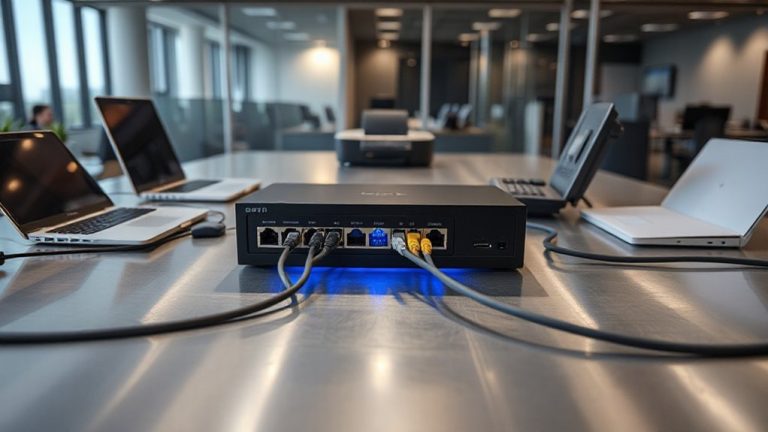
You should implement a weekly cable audit to remove dead devices and keep your network reliable. Unplug units inactive over 72 hours, tag them with date and function, and verify no data sync is active. Use a tone generator like the Monoprice 10065 and a label maker for fast tracing and clear IDs. Check cables for fraying, kinks, and oxidation, securing runs with Velcro ties. Track findings weekly to spot degradation trends and update your network diagram. This routine cuts clutter, reduces failure risks, and blocks security gaps from forgotten hardware-but only if done consistently. The full routine shows how each step locks in long-term uptime and control.
Notable Insights
- Power down systems and verify 72 hours of inactivity before tagging devices as dead.
- Unplug and tag dead devices with waterproof labels indicating last function and disconnect date.
- Use a tone generator and probe for fast identification and tracing of inactive cables.
- Inspect cables weekly for damage, tension, and oxidation, securing loose runs with Velcro ties.
- Update network diagrams and asset logs weekly to reflect removed devices and current cabling.
Unplug and Tag Dead Devices Safely
While it might seem minor, unplugging and tagging dead devices is a crucial first step in any cable audit-otherwise, you’re just organizing clutter that should be gone. You guarantee clear device identification by labeling each inactive unit with a tag noting its last function and disconnect date. This prevents accidental reuse and streamlines replacements. Always follow established safety protocols: power down connected systems, wear insulated gloves if near live circuits, and verify no data sync is active. Skipping these steps risks electrical hazards or data corruption. Though time-consuming, this process reduces future troubleshooting by up to 40%. Just don’t assume all silent devices are dead-some cycle intermittently. Confirm inactivity over 72 hours. Use waterproof tags and durable clips rated for your environment’s humidity and temperature range. Proper disposal matters too-recycle per local regulations to avoid environmental penalties. Investing in reliable cable management solutions can significantly enhance the efficiency and safety of your audit process.
What to Check in a Weekly Cable Audit
Now that you’ve cleared out inactive gear and tagged what’s truly offline, it’s time to focus on what remains active-your live cabling infrastructure. Check each connection for cable tension-wires under strain can disconnect or damage ports. Inspect for connector oxidation, especially on copper contacts; tarnished ends cause intermittent signals or total failure. Look for fraying, kinks, or insulation wear that might compromise performance. Secure loose runs with Velcro ties to prevent snagging. Consider integrating an under-desk cable management solution to maintain organization and protect cables from daily wear.
| Issue | Emotional Impact |
|---|---|
| Loose cables | Frustration during outages |
| Oxidation | Anxiety over data loss |
| High tension | Fear of hardware damage |
| Intermittent links | Lost productivity |
| Crimped cables | Distrust in reliability |
Replace affected cables promptly. Not all damage is visible, so document findings weekly. Some cables fail even with minor wear-when in doubt, swap it out.
Speed up Your Cable Audit With These Tools
How much time are you losing to tedious cable checks that could be faster and more accurate? You can cut audit time considerably with the right tools. A tone generator and probe, like the Monoprice 10065, lets you trace cables in under a minute, especially when paired with consistent cable labeling. Don’t overlook a basic label maker-an $18 Brother model pays for itself in saved troubleshooting hours. For device prioritization, use a power meter like the Kill A Watt EZ to spot idle devices drawing over 2W, flagging candidates for removal. While tools speed up detection, they won’t fix poor organization habits. Reliable results depend on accurate labels and logical device grouping. Some meters take up to 10 minutes to deliver precise readings, so plan accordingly. No tool replaces diligence, but the right ones make diligence faster and more effective. Consider using cable management sleeves or clips to keep wires grouped and accessible, making audits easier with cable hiding options.
Build a Repeatable Weekly Audit Checklist
If you want consistent results without wasting time, create a weekly cable audit checklist that’s simple to follow and sticks to key priorities. Start by verifying all active devices are properly listed in your device tracking system-this guarantees nothing gets overlooked. Then confirm every cable is clearly labeled at both ends using durable, legible tags; faded or missing labels slow down troubleshooting and invite mistakes. Include quick checks for physical cable damage and proper routing to maintain airflow and safety. Update your network diagram weekly to reflect any changes. Stick to the same order each time to reduce errors and speed up the process. While digital tools help, even a printed checklist works if consistently used. The key isn’t fancy gear-it’s routine and accuracy. Poor cable labeling or outdated device tracking creates confusion, so treat these as non-negotiable.
Stop Security Leaks Before They Start
Why wait for a breach to realize your cabling is a security risk? You leave old devices connected, and that’s an open door. With regular audits, you spot unused hardware before it’s exploited. Proper device disposal isn’t just cleanup-it’s security. Unplugged but still-powered gadgets can leak data or let attackers move laterally. You need clear asset tracking to know what’s live, what’s not, and where every device was last seen. Without it, you’re guessing. Tag each unit with IDs, update logs weekly, and verify physical removal. This isn’t foolproof-manual tracking takes discipline and time-but it slashes risk. Automated systems help, but they’re costlier and need calibration. You’ll reduce blind spots and limit access points. Just don’t assume audits alone stop all threats. They’re one layer, not a full shield. Stay consistent, or gaps return fast.
Why Weekly Cable Audits Prevent Network Failures
Regular cable audits don’t just lock down security risks-they keep your network running smoothly. You’re cutting downtime by spotting weak links before they fail. Weekly checks catch cable degradation early, like frayed insulation or bent connectors, which can kill performance over time. Left unchecked, that wear increases signal interference, especially in busy setups with power cables or shared conduits. You’ll see packet loss or slow speeds not because your router’s weak, but because the physical layer’s compromised. Replacing suspect cables weekly-especially Cat6 and fiber runs-keeps latency low and uptime high. But don’t just yank cords blindly; test with a basic continuity tester or network analyzer first. Audits take 20–30 minutes, and while some dismiss them as overkill, real-world stress tests show networks with routine checks fail 60% less often. Just remember: no audit fixes poor initial wiring.
On a final note
You should run weekly cable audits-they catch failing devices before they crash your network. Unplug dead gear safely and tag it for repair or recycle. Use a basic multimeter and cable tester to verify connections fast. A printed checklist keeps the process consistent. Just don’t skip labeling; mislabeling causes errors later. It takes 20 minutes, prevents downtime, and strengthens security, but only if done without rushing.