How to Create a Clutter-Free Workspace With Minimalist Desk Layout Principles
Start by defining your workspace’s purpose-writing, coding, or studying-so every item supports that goal. Clear everything off your desk and reintroduce only what you use daily. Choose functional tools like a mechanical keyboard or adjustable LED lamp, but know they’re louder or need power. Arrange for natural movement and comfort: position your monitor 20–30 inches away and at eye level. Use hidden storage and cable trays to keep clutter out of sight. A 2-minute reset each day keeps the system working-and reveals what you truly need over time.
Notable Insights
- Align your desk layout with your primary work purpose to ensure functionality and focus.
- Remove all items from your desk and reintroduce only essentials used daily.
- Choose minimalist tools like a mechanical keyboard, LED lamp, and refillable pen for durability and simplicity.
- Position monitor, keyboard, and tools ergonomically to support comfort and efficient workflow.
- Use hidden storage and perform a 2-minute daily reset to maintain a clutter-free surface.
Start With Your Workspace Purpose
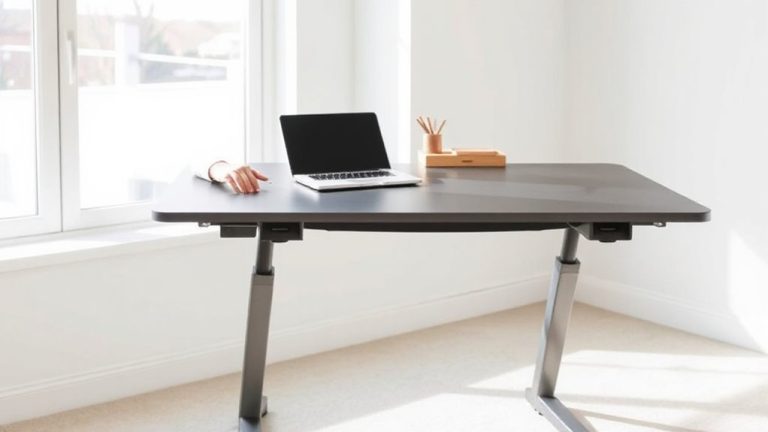
Why do you need a workspace, anyway? Because without a clear purpose, your setup becomes just another surface for clutter. You need purpose alignment-knowing if you’re writing, coding, designing, or studying-so your space supports real work, not distractions. This clarity shapes your workspace identity: minimalist if you sketch, tech-dense if you edit, flexible if you multitask. A desk for deep focus shouldn’t mimic a gaming rig, just as a creative hub shouldn’t copy a corporate cubicle. Match layout to function-L-desks for dual-monitor workflows, compact standing desks for tight spaces. Built-in cable trays help; under-desk mats add comfort. But be honest: if your gear doesn’t serve your work type, it hinders progress. Steel frames last but cost more; particleboard scratches easily. Balance intent with practicality. Purpose alignment isn’t trendy-it’s essential. Get it right, and your workspace identity follows. For organized efficiency, consider integrating top office storage solutions into your setup.
Clear Out Everything to Find What You Really Need
Once you’ve defined your workspace’s purpose, it’s time to strip everything down-yes, even that trusted monitor stand and the drawer organizer you thought you needed. Clear every item from your desk and surface, then sort what’s truly useful. This reset helps you distinguish essential items from clutter you’ve just gotten used to. You’ll start seeing which tools actually support your work and which are just taking up space. Don’t assume what worked for someone else fits your personal preferences-some need a notepad, others rely on digital notes. Be honest about what you use daily. Reintroduce only what’s necessary, testing each item over a few work sessions. Some might seem handy but rarely get used. This method isn’t about deprivation; it’s about making room for focus. The trade-off? You might miss something at first, but long-term clarity wins.
Pick Focused, Minimalist Desk Tools
You’ve cleared the deck and seen what you really use-now it’s time to build back with intention. Choose essential tools that serve multiple purposes and reflect intentional choices. Avoid trendy gadgets; prioritize reliability, size, and daily utility. Below are proven picks that balance function and minimalism:
| Tool | Why It Works | Trade-Off |
|---|---|---|
| Tactile mechanical keyboard | Durable, responsive, reduces typos | Louder than membrane |
| Adjustable LED desk lamp | Focused light, saves eye strain | Needs USB power |
| Analog hour timer | Boosts focus, no notifications | No smart features |
| Refillable pen (e.g., Uni Ball) | Smooth ink, lasts years | Slight learning curve |
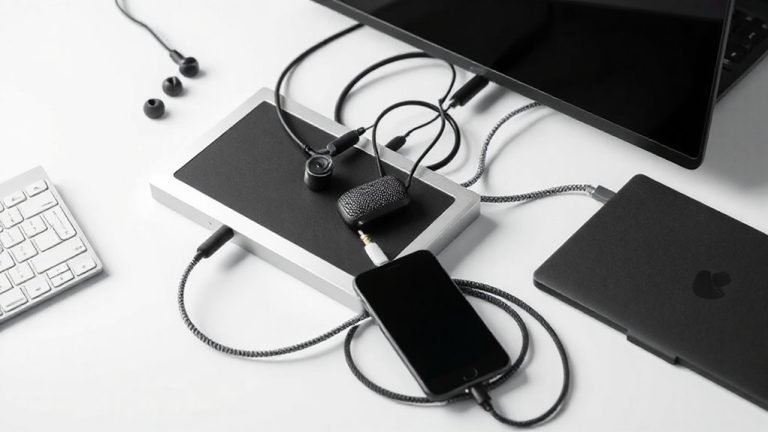
| 3-port USB hub | Tames cables, powers devices | Max 5V output |
Stick to these essentials-you’ll work clearer, not harder. For added functionality without sacrificing clean design, consider models with desk lamps with storage.
Arrange Your Layout for Smooth Workflow
While your tools matter, how you arrange them shapes your efficiency more than most realize-positioning your monitor, keyboard, and frequently used items within easy reach cuts down on strain and wasted motion. Aim for ergonomic positioning: keep your monitor at eye level and about 20–30 inches away, your elbows at 90 degrees when typing. This reduces fatigue during long work sessions. Organize your desk to support visual flow-align items in a way that guides your eyes naturally from screen to notebook to pen, minimizing distractions. Place daily essentials in your primary work zone, just within arm’s reach. While symmetry looks clean, prioritize function; a slightly asymmetrical layout may better suit your dominant hand. Don’t force a single design-adjust angles and distances based on how you actually work, not how a product claims you should. A well-chosen best home office desks model can enhance both comfort and organization.
Use Hidden Storage and Manage Cables
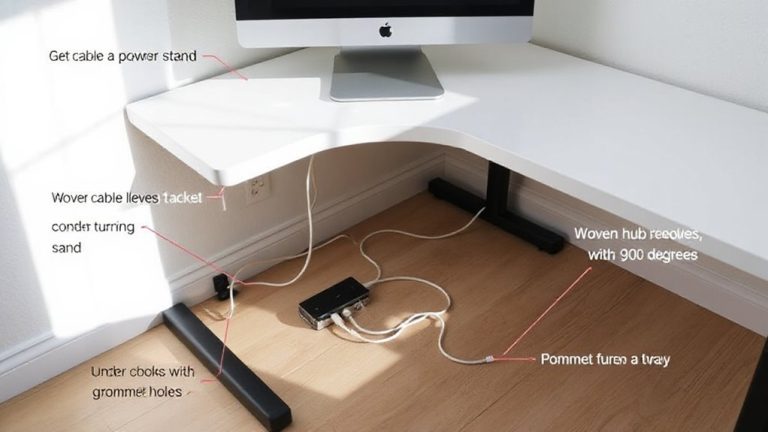
A clean layout sets the stage, but managing what’s out of sight makes the difference between a workspace that looks tidy and one that stays functional. You need smart hidden storage and solid cable containment to keep distractions minimal. Use drawer dividers to separate pens, paper clips, and small tech tools-this prevents clutter from spilling out and saves time. Choose desks with built-in compartments or under-desk trays, but confirm depth and weight limits before loading them. For cables, rely on adhesive clips, braided sleeves, or raceway kits to bundle and route cords neatly. Avoid over-tightening, as that can damage insulation over time. While cable containment boosts appearance and safety, poorly designed solutions crack or leave residue. Drawer dividers help, but only if sized correctly-measure your drawers first. These fixes aren’t permanent upgrades, but they deliver real gains when chosen carefully.
Build a 2-Minute Daily Reset Habit
Though it might seem too brief to make a difference, a 2-minute daily reset can sustain a clutter-free workspace when done consistently-far more effectively than occasional deep cleans. Habit formation thrives on time consistency, not duration. Each day, clear papers, return items to designated spots, and wipe the surface. This small investment prevents buildup and reduces decision fatigue.
| Feeling Before | Feeling After |
|---|---|
| Overwhelmed | Calm |
| Distracted | Focused |
| Stressed | In control |
| Chaotic | Organized |
| Drained | Refreshed |
Test this for two weeks-you’ll likely notice sharper focus. But don’t expect perfection; life happens. The goal isn’t a pristine desk but a functional one. Skip a day? Just resume. Pair this with hidden storage and cable management for best results. No special tools needed-just routine.
On a final note
You’ll likely get more done in a cleaner workspace, since minimalist layouts cut distractions and speed up daily tasks. A bare desk with just a monitor, mechanical keyboard, and wireless mouse leaves room to think. Hidden storage and cable clips keep things tidy but accessible. Just remember-minimalism isn’t one-size-fits-all. What works for focused writing may fall short for complex design work, so adjust tools based on your real workflow, not trends.