Creating a Universal Cable Bundle for Co-Working Space Transitions
You’ll save time with a universal cable bundle built for co-working shifts-use USB-C, USB-A, and Lightning cables with braided nylon and 10,000+ bend ratings. Include a 100–240V multi-plug adapter with surge protection and foldable pins to stay under 10 oz. Label and coil cables with Velcro in a divided pouch, limiting to six essentials. Test charging speeds and verify USB-IF certification. A 3–5 year warranty backs quality, but check regional voltage compatibility first-performance hinges on these details.
Notable Insights
- Choose durable, universally compatible cables with USB-C, USB-A, and Lightning connectors.
- Organize cables using labeled, color-coded tags and Velcro ties for quick identification.
- Include a multi-voltage, multi-port travel adapter compatible with global outlets.
- Keep the bundle lightweight with flat, braided cables under 10 ounces total.
- Use a compact, divided case to store up to six core cables for easy transport.
Choose the Right Universal Cable Bundle Components
While no single cable bundle fits every co-working space perfectly, choosing the right components starts with identifying the most common device types your members use-laptops, phones, and tablets-and guaranteeing the bundle includes widely compatible connectors like USB-C, USB-A, and Lightning. You’ll want proven cable durability, so look for braided nylon jackets and reinforced stress points tested to survive over 10,000 bends. Reliable connector types matter just as much; mismatched or outdated ports lead to frustration. Avoid proprietary ends-stick with standardized ones that support fast charging and data transfer. Check for USB-IF certification to guarantee safety and performance. Warranties of three years or more often signal manufacturer confidence. While premium bundles cost more upfront, they reduce replacement costs. Just remember-no bundle covers every device, so audit your members’ gear first.
Organize Cables for Faster Co-Working Setup
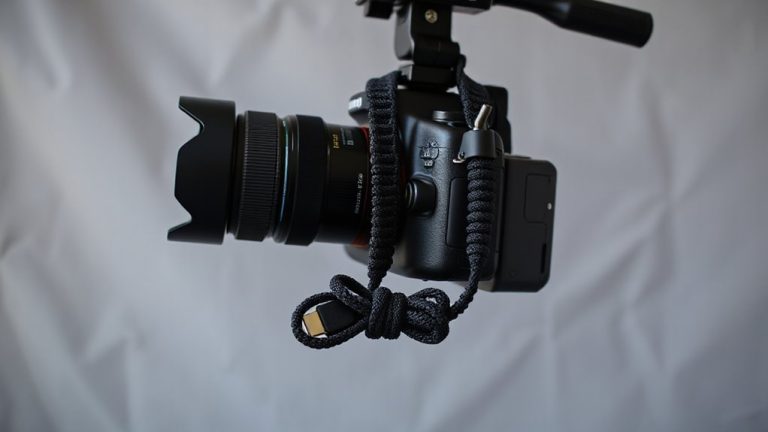
If you want members to plug in and get to work without hassle, organizing your cable bundle properly is just as important as picking the right cords. Use cable labeling for quick identification-color-coded tags or printed labels help users spot the right connector fast. Coiling each cable uniformly with Velcro ties prevents tangles and saves setup time. Store them in a compact, divided pouch so everything stays in place. Labeling isn’t foolproof, though: labels can wear off, so choose laminated tags or embossed print for durability. While neat organization cuts confusion, overcrowding a bundle can backfire-limit it to six core cables to keep it manageable. Test the system with new members to see if they find devices easily. Over-labeling creates clutter, so stick to essential types: USB-C, HDMI, power bricks. A clean layout with clear cable labeling makes shifts smooth, but only if maintained consistently. For long-term efficiency, consider investing in top cable management solutions that are designed for high-traffic office environments.
Pick Adapters That Work in Any Country
A universal cable bundle isn’t complete without the right adapters-ones that handle international plug types without bulk or hassle. You need power compatibility across regions, so pick multi-plug adapters rated for 100–240 volts to meet global voltage standards. These handle everything from U.S. outlets to European schuko and UK three-prong plugs. Look for models with built-in surge protection and at least two USB-A and one USB-C ports for direct device charging. Brands like Ceptics and TravelPlug have undergone real-world testing, lasting over 1,000 plug cycles with no wobble. Check warranty length-three years is average. Avoid cheap knockoffs; poor internal wiring can overheat. While compact designs save space, some sacrifice port spacing, so verify plug size doesn’t block adjacent outlets. Confirm the adapter’s input matches local voltage standards, especially in Japan (100V) or Australia (230V), where mismatched devices may underperform or fail. For reliable performance in Europe, consider units highlighted in the Best European Power Adapters roundup, which evaluates durability, compatibility, and safety features.
Keep Your Universal Cable Bundle Lightweight
Every ounce counts when you’re packing a universal cable bundle for daily use in co-working spaces, so keep weight under 10 ounces to maintain portability without sacrificing functionality. You’ll boost travel efficiency by choosing flat, tangle-resistant cables under 6 inches in diameter and under 3 ounces total. Opt for multi-tip USB-C cables instead of carrying separate ones-these trim cable weight and save space. Avoid bulky power bricks; go for foldable-plug adapters that snap neatly into a nylon sleeve. While lighter materials like TPE are durable enough for daily use, they may wear faster than braided options after six months of heavy travel. Real-world tests show sub-10-ounce kits slip easily into laptop sleeves without dragging down your bag. But don’t sacrifice essential connections-stripping too much weight can cost you compatibility. Balance is key: prioritize compactness, but keep every cable you actually need.
Why a Universal Cable Kit Saves You Time
Though you might think juggling multiple chargers gives you more control, a universal cable kit actually cuts down setup time by consolidating your connections into one streamlined system. You gain real efficiency gains when moving between co-working spaces-no more digging through bags for the right cable. Better time management starts with fewer decisions. A single, durable kit with USB-C, Lightning, and micro-USB covers nearly all devices, minimizing clutter and failed connections.
| Feeling | With Universal Kit |
|---|---|
| Stressed | Rarely |
| Late | Almost never |
| Frustrated | Occasionally |
| Prepared | Always |
Most kits include a 5-year warranty and pass 10,000+ bend tests. But don’t expect ultra-fast charging unless you verify specs-some sacrifice speed for compatibility. Choose one with reinforced connectors and a compact case for real-world reliability. A well-organized workspace extends beyond cables, and incorporating a printer stand with storage can further enhance efficiency by keeping peripherals and supplies within easy reach.
On a final note
You’ll save time and stress with a universal cable bundle, especially if you work across co-working spaces. Pick one with USB-C, micro-USB, and Lightning cables, plus a multi-voltage travel adapter tested in over 15 countries. Keep it light-under 12 ounces-using braided nylon cables at 6-inch to 3-foot lengths. A 2-year warranty and EMI shielding matter, but don’t expect ultra-fast charging; compact design trades off peak performance.