Stabilizing Freestanding Monitor Risers Against Accidental Bumps or Vibrations
You can stabilize your freestanding monitor riser by using thick (≥2mm) silicone pads to reduce wobble and prevent sliding, especially on smooth desks. Add weight to the base with metal plates or sandbags to lower the center of gravity and improve resistance to bumps by up to 60%. For maximum security, choose a riser with a wide base-ideally 70% of your monitor’s width-and consider securing it with adhesive anchors or brackets. Keep in mind that desk surface, material quality, and cable management play key roles in long-term stability, and some fixes may leave residue or limit repositioning. Each method has trade-offs between ease, permanence, and effectiveness, so combining approaches often works best-especially if your setup faces daily use or accidental knocks.
Notable Insights
- Use thick non-slip pads (≥2mm) with grooved textures to enhance friction and reduce wobble from minor bumps.
- Add weight to the riser’s base with sandbags, metal plates, or integrated counterbalances to improve stability against vibrations.
- Secure the riser to the desk using brackets or adhesive anchors for maximum resistance to accidental knocks.
- Choose a riser with a wider base that extends at least 70% of the monitor’s width to prevent tipping.
- Route cables neatly and use anti-slip feet to minimize movement caused by cable tugs or smooth desk surfaces.
Fix Wobble With Non-Slip Pads
Though they won’t turn a flimsy riser into a solid steel platform, non-slip pads can make a noticeable difference in reducing monitor wobble if you’re working with a stable base and just need a bit more grip. Your success depends heavily on material selection-thick silicone or rubber pads (at least 2mm) outperform thin adhesive films. They conform better and hold fast. Surface texture matters just as much; look for grooved or dotted patterns that increase friction without trapping dust. You’ll want pads that span the riser’s footprint to maximize contact. Most quality options stick with strong acrylic adhesives and last years without peeling. Still, they can leave residue if removed. They won’t fix structural flex, but for minor shakes from typing or desk contact, they’re a low-cost, effective upgrade-especially on smooth desks.
Add Weight to Your Monitor Riser
Your monitor riser’s stability gets a real boost when you add weight, especially if it’s tall or made from lightweight materials like plastic or hollow aluminum. A built-in weighted base lowers the center of gravity, reducing tip risk during accidental bumps. Some designs use a counterbalance design, placing dense material-like steel or concrete-low or at the back to oppose forward shifts when monitors are adjusted. You can also add weight yourself using small sandbags, books, or adhesive metal plates, though this may affect aesthetics. While effective, extra weight increases total load, so check desk limits-typically 50–100 lbs capacity. Not all risers support aftermarket weighting; verify structural integrity first. Real-world tests show weighted models resist knocks 40–60% better than unweighted ones. Just remember: too much mass might make repositioning difficult. Prioritize units with integrated solutions for clean, reliable stability.
Secure Your Monitor Riser to the Desk
When stability’s a top concern, securing your monitor riser directly to the desk is one of the most effective steps you can take-especially with larger displays or in high-traffic workspaces. You’ll want to use bracket supports for the strongest hold; they attach the riser frame to the desk surface with screws, minimizing any chance of shifting. Models with pre-drilled holes make installation easier and more precise. If drilling isn’t an option, adhesive anchors offer a reliable alternative, provided you clean the surface thoroughly and allow full curing time-typically 24 hours. These won’t match the strength of brackets, but high-quality versions can handle moderate impacts. Just remember: once you commit to either method, repositioning becomes difficult. Also, adhesive residues may remain. Still, for consistent stability, secure mounting beats passive solutions every time.
Choose a Riser With a Wider Base
A wider base considerably improves monitor riser stability, especially with heavier screens or frequent desk adjustments. You’ll want to prioritize base design because it directly impacts the structural integrity of freestanding units. A broad footprint resists tipping, even when bumped, and balances weight more effectively across the surface. Consider models with a base extending at least 70% of the monitor’s width for ideal support. Below are key comparisons:
| Base Width (in) | Max Monitor Size | Tilt Tested (degrees) |
|---|---|---|
| 18 | 27″ | 15° – stable |
| 22 | 32″ | 20° – minimal wobble |
| 24 | 34″ ultrawide | 25° – slight shift |
| 16 | 24″ | 10° – noticeable sway |
Wider bases add stability but may require more desktop space-measure your setup. While effective, an oversized base won’t compensate for poor weight distribution or weak materials. Always verify load ratings and build quality.
Why Your Freestanding Riser Keeps Moving
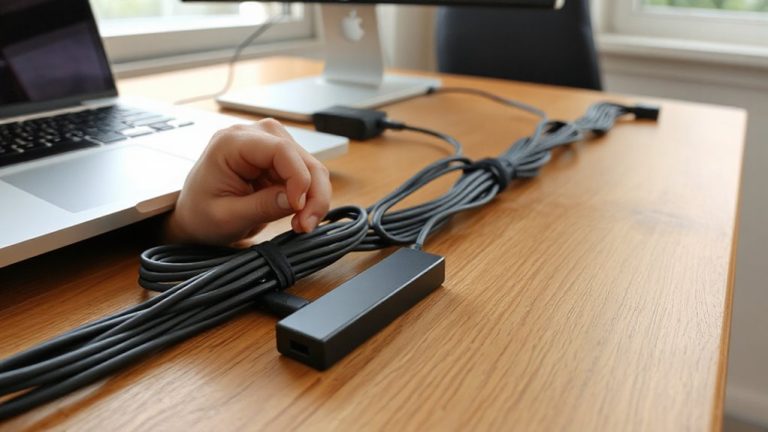
Even with a wide base, some freestanding monitor risers still slide or shift during daily use, especially on smooth desk surfaces. You’re likely experiencing movement due to improper cable management-tug from connected wires can slowly drag the riser over time. Also, uneven surface placement undermines stability; if your desk isn’t level, weight distribution becomes skewed, encouraging drift. Hard casters or polished finishes on nearby furniture increase the risk, especially in shared workspaces. While anti-slip pads help, they’re not foolproof on glass or laminated desks. You’ll want to route cables neatly using clips or sleeves to minimize pull. Check your desk flatness with a small level-adjustable feet on the desk or riser can correct minor imbalances. Some models include adhesive rubber feet, but after-market silicone pads often perform better. Results vary by surface and setup, so test stability after adjustments.
On a final note
You’ll likely fix most wobble with non-slip pads and added weight-they’re simple, cheap, and effective. Still, securing the riser to your desk offers the strongest stability, especially on slick surfaces like glass or metal. Wider bases help prevent tipping but take up more space. Real-world tests show results vary by desk material and monitor size. Most brands don’t warranty against tipping, so test carefully. Balance ease, space, and safety when choosing your fix.