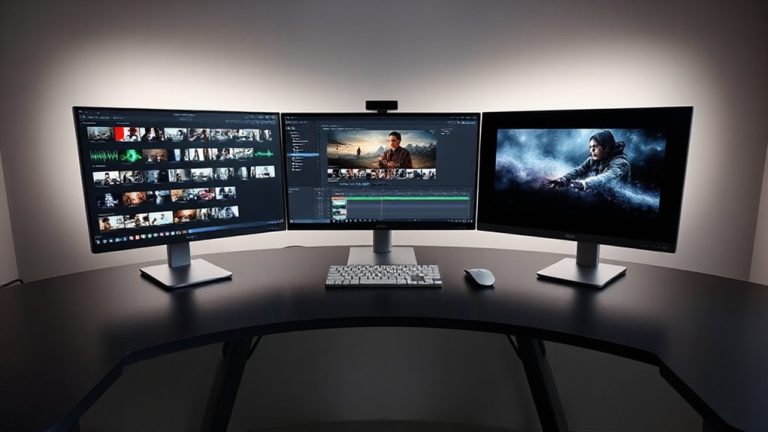
Designing a Personal Comfort Zone With Adjustable Task Lighting and Glare Shields
You need a solid metal articulated-arm task light with at least 400 lumens and dimmable LED output to maintain focus without glare. Position it opposite your dominant hand, at a 30- to 45-degree angle, just above eye level. Pair it with a matte glare shield that diffuses overhead light and reduces screen reflections. Choose a 4000K color temperature to match screen output and minimize eye strain. Look for CRI over 90 and warranties covering 25,000+ hours-signs of long-term reliability. Proper setup cuts fatigue, but fine-tuning placement guarantees lasting comfort. Details on optimizing each component follow.
Notable Insights
- Choose an adjustable task light with solid metal joints and dimmable LED output of at least 400 lumens for optimal control and longevity.
- Position the light on the non-dominant hand side at a 30- to 45-degree angle to minimize shadows and avoid screen glare.
- Use a matte anti-reflective glare shield on your monitor to reduce ambient light reflections and improve screen contrast.
- Match the task light’s color temperature to around 4000K to align with screen output and reduce eye strain.
- Combine proper light placement, glare shielding, and high-CRI LEDs to create a consistent, eye-friendly workspace.
Choose the Right Adjustable Task Light
While plenty of task lights claim to offer flexibility, most fall short when it comes to lasting comfort and precise beam control-so if you’re serious about reducing eye strain and boosting focus, you’ll want an adjustable task light that actually holds its position and delivers consistent illumination. Look for a lamp type like an articulated-arm or gooseneck design, which balances stability and range. Solid metal joints should lock firmly without creeping. For bulb brightness, aim for at least 400 lumens with dimmable output to match ambient light. LEDs are ideal-cool-running and long-lasting-but check color temperature; 3000K–5000K works best depending on time of day. Don’t assume higher brightness means better-too much glare hurts more than helps. Test models with memory presets or motion sensors only if needed; they add cost. Warranties of three years or more signal quality. Real-world use shows simpler designs often outlast flashy ones. Based on extensive testing, the best desk lamps for your workspace combine precise adjustability with minimal glare.
Position It to Avoid Shadows and Glare
Once you’ve picked a sturdy, adjustable task light, getting the placement right makes all the difference in cutting glare and eliminating shadows that strain your eyes. Position the light to the side opposite your dominant hand-left if you’re right-handed-to improve shadow control during writing or reading. Aim for a 30- to 45-degree angle from the task surface to optimize light direction, reducing harsh contrasts. Avoid placing it directly in front of or behind the screen, as this can cause reflections or cast unintended shadows. Most users find success when the bulb sits just above eye level and slightly behind the work area. While precise positioning boosts comfort, it can limit flexibility if the arm’s range is too short. Always test adjustments during actual use, since ideal placement varies by task and desk layout. Proper setup delivers consistent results, but only if the fixture allows fine-tuned, stable movement. Students benefit greatly from models with adjustable color temperature to match lighting conditions with study tasks.
Add a Glare Shield for Screen Comfort
Why do some screen glare problems persist even after perfecting your light’s position? Because overhead and ambient light still bounce off your screen, especially in bright rooms. That’s where a glare shield helps. These matte, anti-reflective panels attach to your monitor and diffuse incoming light, cutting visual strain. Look for ones with a slight blue tint if you’re sensitive to warm light-it can improve contrast without skewing colors. Many quality shields also support flicker reduction by minimizing rapid brightness changes caused by fluctuating light. They’re not a fix-all, though. On glossy displays, results vary, and some shields reduce screen brightness slightly. Choose models with anti-static coatings and tool-free mounts for easy setup. Most come with a one-year warranty and fit monitors from 22 to 32 inches. If you work long hours, a glare shield’s comfort boost is real, but test it in your actual lighting to confirm benefits.
Combine Lighting and Shields for Best Results
You get the best screen comfort not by relying on lighting or shields alone, but by using them together. Pair an adjustable task light with a glare shield to balance brightness and reduce reflections. Good light diffusion spreads illumination evenly across your workspace, minimizing harsh spots that strain your eyes. When the light’s color temperature matches your screen’s, usually around 4000K, you achieve color harmony, reducing visual fatigue during long sessions. Position the light to the side or behind your monitor so it doesn’t reflect off the screen. Use matte finishes on both the shield and desk surface to prevent secondary glare. While this setup improves comfort markedly, it requires precise placement-move things even slightly, and shadows or glare can return. Not all lights offer adjustable diffusion or accurate color temps, so check specs and reviews. Top models feature adjustable color temperature for optimal visual comfort.
Make Eye-Friendly Lighting a Daily Habit
Often, sticking to eye-friendly lighting means making small, consistent choices that add up over time. You should prioritize light quality by choosing LEDs with a CRI above 90 and color temperatures between 4000K and 5000K-these reduce eye strain without feeling too harsh. Pair this with a solid usage routine: turn on task lighting before glare becomes an issue, especially in the late afternoon. Adjustable arms and diffusers help direct light exactly where you need it, minimizing shadows and reflections. But don’t assume more light is better; over-illumination causes fatigue. Most quality fixtures last 25,000 to 50,000 hours, but check warranties-some brands offer only one year. Real-world testing shows users report clearer focus after two weeks of consistent use, though results vary based on ambient light and screen placement. Balance is key.
On a final note
You’ll boost focus and comfort by pairing an adjustable task light with a glare shield. Pick a light with gooseneck flexibility and 3000–5000K color temperature to match natural daylight. Position it to the side, avoiding screen reflections and hand shadows. A matte glare shield cuts monitor glare without dimming image quality. Just remember: too much light layered with a bright screen can create contrast strain, so adjust both carefully. Test settings over a full workday.