Docking Tablets and E-Readers on a Slotted Wood Charging Stand
You’ll love how a slotted wood charging stand keeps your tablet or e-reader secure and cords tidy, but only if the fit is precise-measure your device and case thickness first, since even 2–3 mm can cause slipping. Opt for walnut, bamboo, or maple for durability and clean looks. Route slim cables underneath, and place the stand near an outlet to avoid strain. Keep it in a stable spot, away from foot traffic and sun exposure. Night charging works well, just make sure airflow and unplug when full. See what factors make each wood type and design best for your setup.
Notable Insights
- Choose a slotted wood stand sized precisely for your device to ensure stability and prevent port blockage.
- Select durable woods like walnut, bamboo, or maple based on aesthetics, durability, and ease of maintenance.
- Use thin, flat cables and hidden routing beneath the stand for a clean, tangle-free charging setup.
- Place the stand at eye level on a desk or wall-mounted shelf for easy access and reduced clutter.
- Ensure secure fit and proper ventilation to protect your device during overnight charging and prevent overheating.
Pick the Right Size for Your Tablet or E-Reader
A charging stand that fits your tablet or e-reader just right keeps things stable and protects your device from wear-go too small and the fit’s insecure, too large and the device wobb薄弱ens or blocks the charging port. You need proper device compatibility to guarantee your gear stays secure and functional. Slot dimensions matter because even a few millimeters off can cause slipping or interference. Most stands are designed for tablets 6 to 10 inches, but check your device’s width and case thickness before choosing. If you use a rugged case, account for added bulk-some slots only fit bare devices. Always verify measurements from the manufacturer; real-world testing shows mismatches can lead to frustration or port blockage. A snug fit supports daily use without wear, but precision in sizing prevents compatibility issues down the line. Measure twice, buy once.
Choose Walnut, Bamboo, or Maple for Strength and Beauty
Wood matters more than you might think when it comes to balancing durability and style in a charging stand. You want strength and design elegance, and walnut, bamboo, or maple deliver-each with trade-offs.
| Wood Type | Why It Works |
|---|---|
| Walnut | Rich wood grain; sturdy but pricier |
| Bamboo | Eco-friendly; hard as maple, consistent look |
| Maple | Light tone, subtle grain; shows scratches more |
| Walnut | Ages beautifully; resists warping well |
| Bamboo | Moisture-resistant; limited grain variation |
You’ll get lasting build quality with any of these, but walnut offers the most design elegance. Maple suits minimalists, while bamboo balances cost and toughness. All three support daily use without flexing. Yet walnut’s deep wood grain can highlight fingerprints, and maple may need occasional oiling. Choose based on your desk’s look and how much upkeep you’ll do. No wood is flawless, but these stand up best over time.
Route Cables Under the Stand for a Clean Look
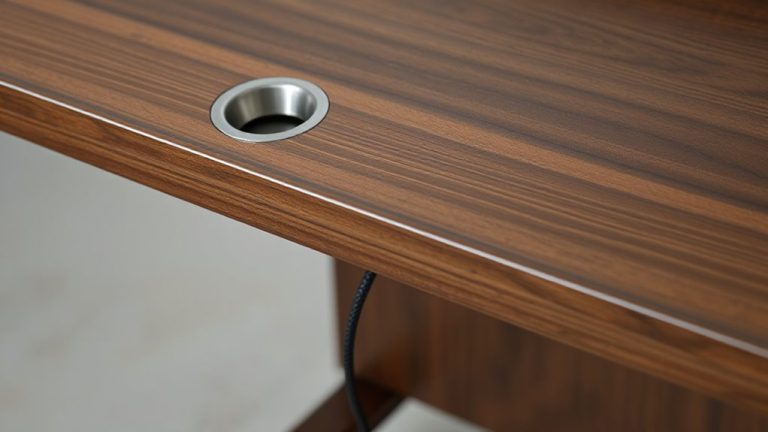
Under the stand is where your cables should stay-out of sight and out of mind. Good cable management isn’t just tidy, it’s essential for a functional setup. Use the gap beneath the slotted base to run charging cords, so they’re secured and barely visible. This hidden routing keeps your space sleek and reduces clutter around your desk or nightstand. Most stands have a low profile-typically 0.5 to 0.75 inches off the surface-so make sure your cable isn’t too thick to fit snugly underneath. Flat USB-C or micro-USB cables work best. Avoid heavy braided ones; they can lift the stand or prevent proper cord placement. If your power adapter is bulky, position it just behind the base so it stays stable. Effective cable management saves time and maintains that clean look, but only if you choose the right cable type and length. For optimal results, consider using adhesive cable clips to secure loose runs along the desk surface, ensuring a clean desk aesthetic from all angles.
Position Your Stand for Easy Access
Where should you place your charging stand for the best balance of visibility and convenience? Mount it near eye level on a wall or shelf where you naturally reach for your devices-like beside your nightstand or home office desk. Wall placement keeps the stand secure and within easy reach, reducing clutter on flat surfaces. Make sure your cable management setup allows for a short, direct power cord run to the outlet, minimizing slack and tripping hazards. Braided nylon cables or adhesive clips can keep wires tidy and durable. Avoid placing the stand where doors swing into it or sunlight fades screens. While elevated spots improve access, they require sturdier wall anchors. Test the position by plugging in your tablet or e-reader daily for a week-adjust if it feels awkward. Good placement balances ease of use with long-term safety.
Protect Your Devices While Charging Overnight
While charging your tablet or e-reader overnight offers convenience, it’s smart to take steps that reduce wear and protect the battery over time. Proper cable management prevents strain on ports and reduces fraying, which can lead to unsafe charging conditions. Use snug but not overly tight slots to secure devices, minimizing accidental drops that threaten device safety. Opt for stands with built-in cable clips or grooves to keep cords aligned and tangle-free. Avoid covering devices with bedding or placing them under pillows-restricted airflow can cause overheating. Even with a well-ventilated wood stand, unplug once fully charged when possible to limit battery stress. Though modern devices stop drawing current at 100%, occasional overcharging still degrades battery lifespan. Choose a stand with smooth, rounded edges to prevent scratches during extended contact.
Style It Right: Match Your Stand to Any Room
A charging stand isn’t just functional-it’s a small design choice that can align with your room’s vibe. You can match wood tone to your room decor, whether it’s walnut in a study or lighter maple in a bedroom. Aesthetic placement matters: set it beside a lamp on a nightstand or next to a notebook on a desk. It blends in without drawing excessive attention. The slotted design keeps things tidy, but don’t expect it to replace larger organizers. Size is compact-about 6 inches wide-so it fits tight spaces. Solid wood resists wear, though scratches show over time. There’s no finish warranty, so handle with care. Works best when your space favors minimalism. If your style leans clutter-free, this supports that look. It won’t upgrade your decor, but it won’t clash either. Choose based on existing tones and layout. For a complete setup, consider pairing it with one of the best desk mats for a cohesive and functional workspace.
Why a Slotted Wood Charging Stand Beats Tangled Cords
If you’re tired of tripping over coiled cables or untangling a knot just to charge your tablet, a slotted wood charging stand offers a smarter, cleaner solution. It improves cable management by routing cords through discreet rear slots, keeping them secure and out of sight. This design enhances device organization, holding your e-reader or tablet upright and ready to use. You’ll save desk space and reduce clutter, especially in shared or compact workspaces. Most models fit devices 7 to 10 inches and support standard USB-C or Lightning cables. Unlike plastic docks, wood stands add durability and subtle style, but they don’t include charging cables-check compatibility. They’re stable on flat surfaces, though not ideal for frequent travelers. Look for finishes with a non-slip base and a one-year warranty for long-term use. It’s a practical upgrade if you value order and simplicity.
On a final note
You’ll get a solid, tidy charging solution with a slotted wood stand, especially if you own one or two tablets or e-read一直在 testing setups, note that walnut and maple resist warping better than bamboo over time. Slots fit most 7–10 inch devices, but check your case thickness first. It keeps cords hidden and devices secure, though it won’t charge more than two gadgets at once. No power adapter included.