How to Avoid Overhead Lighting Causing Unflattering Facial Shadows in Video Calls
Ditch overhead lights-they cast harsh shadows under your eyes and chin. Instead, face a window for soft, even lighting that flatters facial features. Use a desk lamp bounced off the wall or a white foam board to fill in shadows. Keep your webcam at eye level to maintain balance. Avoid golden hour glare with sheer curtains. Test your setup with a quick self-check. You’ll see how small tweaks make a noticeable difference.
Notable Insights
- Position your face toward a window for soft, natural light instead of relying on overhead lighting.
- Use a desk lamp bounced off the ceiling or wall to create even, shadow-free facial illumination.
- Place a softbox or diffused light source at eye level to avoid unflattering overhead shadows.
- Add a reflector opposite the light source to fill in shadows and balance facial lighting.
- Turn off overhead ceiling lights and use controlled, front-facing lighting to eliminate harsh facial shadows.
Position Face Near a Window for Soft, Natural Lighting
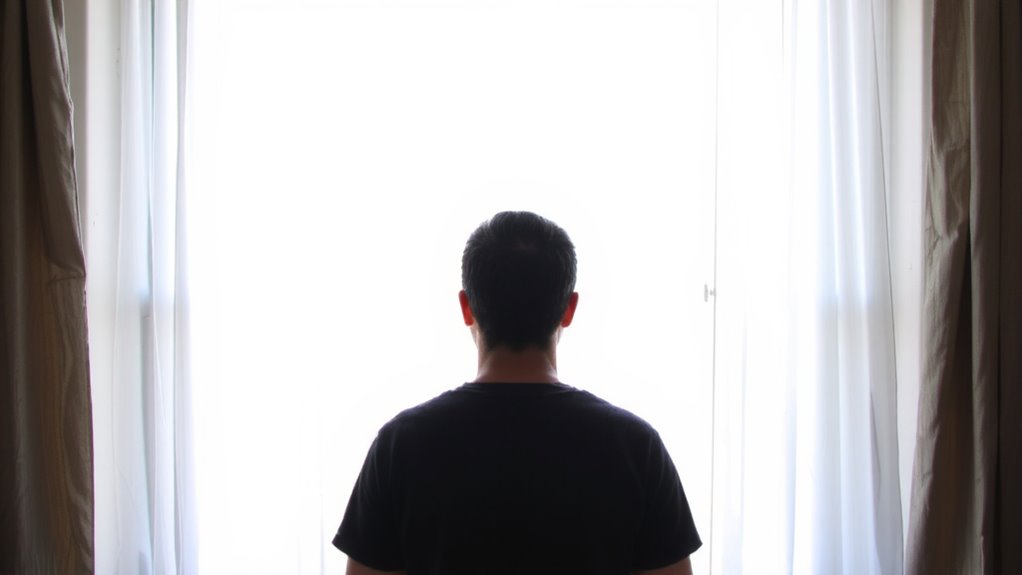
Natural light beats artificial every time for looking your best on camera-positioning your face near a window delivers soft, even illumination that minimizes harsh shadows and eliminates the flat, overhead look of ceiling lights. You’ll get the most flattering results during golden hour, when sunlight is diffused and warm, creating a gentle window glow that enhances facial features without blowing out highlights. Face the window directly for balanced lighting, but avoid sitting with the sun behind you-backlighting darkens your face. Sheer curtains help diffuse bright midday sun, preventing harsh contrasts. While consistent, window lighting changes throughout the day, so adjust your position as needed. Unlike fixed lamps, natural light offers zero setup cost and no extra heat, but it’s not controllable. For reliable results, pair this method with ambient room light to maintain exposure during overcast conditions or low-sun hours. A high-quality best desk lamps for content creators can provide consistent, adjustable lighting when natural light isn’t available.
Bounce Light With a Desk Lamp to Fill Facial Shadows

A desk lamp can be a practical fix when natural light leaves shadows across your face during video calls, especially if you’re not near a window or the daylight’s too weak. Bounce light off a wall or ceiling to achieve soft shadow diffusion instead of shining the lamp directly at your face. This indirect method mimics professional lighting setups and reduces harsh contrasts. Proper lamp placement-slightly to the side and behind your monitor-ensures even illumination without glare. Keep brightness moderate; overly intense bulbs create new hotspots. Use a daylight-balanced LED (5000K) for natural skin tones. For optimal performance and eye comfort during long coding sessions, consider a high-quality best desk lamp for programmers that offers adjustable brightness and color temperature settings.
| Factor | Ideal Setup | Trade-off |
|---|---|---|
| Lamp Placement | Angled toward wall/ceiling | Requires space and testing |
| Bulb Type | 5000K LED, 400+ lumens | May overheat if unvented |
| Distance | 4–6 feet from surface | Less effective in large rooms |
Position Webcam at Eye Level to Improve Light Balance
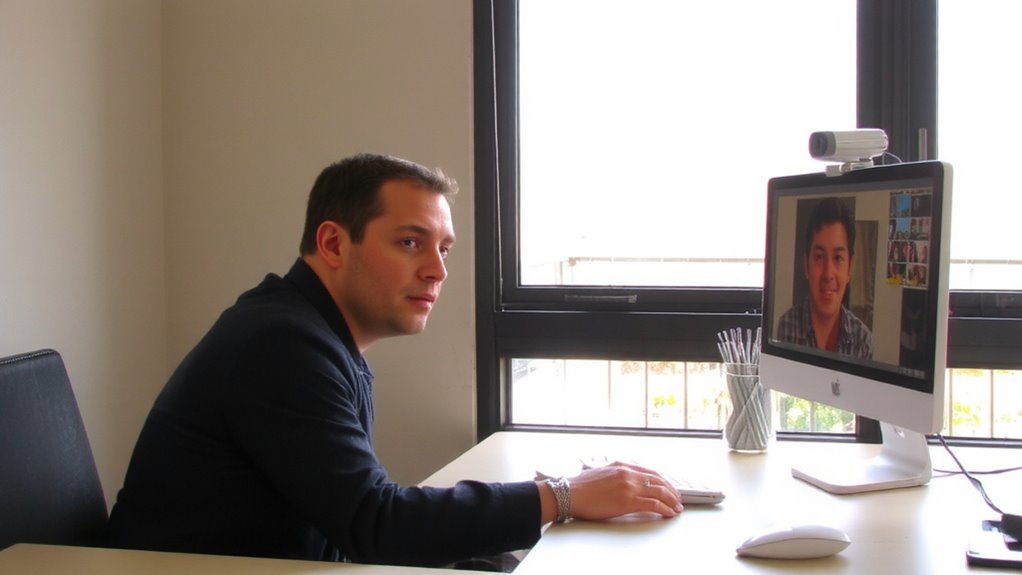
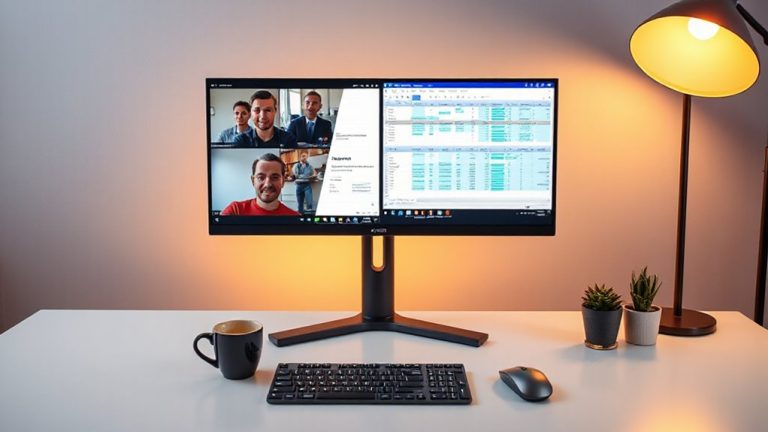
When you position your webcam at eye level, you’ll naturally face the camera straight on, which helps balance facial lighting and minimizes unflattering shadows from overhead or desk-level light sources. Proper camera alignment guarantees light hits your face evenly, reducing harsh contrasts. It also improves eye contact and engagement. For best results, elevate your screen so the top of the monitor aligns with your eyebrows-this optimizes screen positioning without straining your neck. You can use books, a monitor stand, or an adjustable laptop riser; just avoid stacking unstable items. Webcams mounted too high or low create unbalanced illumination and awkward angles, undermining even the best lighting setup. While ideal for most, those using dual monitors may need to compromise on center alignment. Always test your setup in real meeting conditions to confirm consistency. Small adjustments make a measurable difference in image quality. An ergonomic laptop stand can help achieve optimal height and posture during video calls.
Use Household Items as Reflectors for Even Illumination
Positioning your webcam correctly sets the foundation for balanced lighting, but even well-placed cameras can’t fix shadows if your light source is directional or too harsh. You can use DIY reflectors to bounce light gently onto your face, filling in shadows without buying expensive gear. Household alternatives like white foam boards, aluminum foil taped to cardboard, or even a plain white wall work well. Place them opposite your main light to diffuse brightness and soften contrast. A foam board about 18 x 24 inches gives broad coverage and is easy to prop up. Foil adds more intensity but risks glare if positioned poorly. These solutions aren’t perfect-some trial and error is needed to angle them right-but they’re effective and cheap. Just avoid shiny or colored surfaces that could distort light quality.
Reduce Overhead Lighting to Eliminate Harsh Shadows
Since most home offices rely on ceiling fixtures, you’re likely dealing with unflattering overhead lighting that casts deep shadows under your eyes, nose, and chin-especially if you’re using a recessed or unshielded bulb. These ceiling fixtures often produce harsh, direct light with little to no light diffusion, creating unbalanced facial contrast that looks worse on camera. To fix this, reduce or turn off overhead lights completely and rely instead on adjustable, front-facing sources. If you must use ceiling fixtures, install a matte diffusion panel or softbox-style cover to scatter the light evenly. While this won’t match the control of a dedicated lamp, it’s a low-cost compromise. Just note: diffusion materials vary in effectiveness-cheaper plastic may yellow over time or dim output too much. Real improvement comes from repositioning light, not just filtering it.
Balance Room Brightness to Support Your Main Light
Even if you’ve set up a strong front-facing light, uneven room brightness can still undermine your on-camera appearance by creating distracting contrasts or flat, washed-out tones. To minimize ambient contrasticulticulticulticulticulticulticulticulticulticulticulticulticulticulticulticulticulticulticulticulticulticulticulticulticulticulticulticulticulticultioc文体(())))))) – 4.444444444ー(カミーハーヸーピーマーフ1.4..4.4.4.无效233000
,0 00000 00 00 0.0.0.0.0.0.0.UFF.M.M.M.M.M.M.M.M.M.M.M.M.M.M.L.M.M.L.M.M.M.M.M.L.M.M.L.L.M.M.M.M.L.M.L.M.M.M.L.M.M.M.M.L.L.M.L.M.-M.M.M.M.M.M.L.M.L.M.M.M.L.M.M.T.M.M.M.M.L.M.M.M.M.M.L.M.M.L.M.M.L.M.M.M.L.M.M.M.M.M.M.M.M.M.L.M.M.L.M.M.M.M.M.M.M.M.M.M.L.M.M.M.M.M.M.M.M.M.M.L.M.M.M.M.M.L.M.X.M.M.M.M.M.M.L.M.M.L.M.M.L.M.M.L.M.M.L.M.M.M.M.M.L.M.M.L.M.M.M.L.M.M.L.M.M.M.M.M.M.L.M.M.M.P.1.L.M.M.M.L.M.M.L.M.L.M.L.M.M.M.L.M.L.L.M.L.M.M.L.M.M.L.M.M.L.L.M.M.M.A.M.M.L.L.M.X.M.M.L.M.M.L.L.M.L.M.L.M.L.M.L.L.M.L.M.M.M.L.M.L.M.M.L.L.M.M.M.M.L.L.M.M.L.L.L.M.M.M.L.M.L.M.M.L.L.M.M.L.M.M.L.M.L.M.M.M.M.M.L.M.M.L.M.M.L.M.M.M.M.M.M.M.L.M.M.M.L.M.M.L.M.M.M.M.L.M.M.L.M.L.M.M.M.L.M.M.M.L.M.L.L.M.M.M.L.M.L.M.M.M.L.M.M.M.L.M.M.L.M.M.M.M.M.L.”L.M.M.M.L.L.M.M.M.L.M.M.S.L.M.M.L.M.L.M.Z.M.L.M.M.L.L.M.M.M.L.M.L.M.L.M.L.M.L.M.M.M.L.M.L.M.M.M.L.L.M.MM.M.M.M.M.M.M.M.M.M.M.M.L.L.M.M.L.M.M.L.M.L.M.L.M.L.M.L.M.M.M.M.L.L.M.M.M.L.M.M.M.L.M.M.L.S.M.M.M.L.M.M.M.L.M.L.M.L.M.H.M.M.M.M.M.L.L.M.M.L.L.M.M.L.M.M.L.M.L.M.M.L.L.M.M.L.L.M.M.L.M.M.L.M.M.M.L.L.M.M.M.M.L.M.L.M.M.L.M.M.L.M.L.M.S.L.M.M.L.L.M.M.M.M.S.M.M.L.M.M.L.M.O.M.L.P.M.S.M.M.M.L.M.S.L.M.M.L.M.M.M.L.M.M.L.M.L.M.L.M.M.L.L.M.M.M.M.M.L.M.L.L.M.M.L.M.M.L.M.M.L.M.M.L.M.L.M.M.L.M.L.M.L.M.M.M.M.L.M.M.L.L.M.M.L.L.M.L.M.M.L.M.M.M.L.M.M.M.L.L.L.M.L.M.M.M.L.P.M.L.S.L.M.M.M.L.M.M.L.M.M.M.M.L.M.S.L.M.L.L.M.M.M.M.L.S.M.L.M.L.M.L.L.S.M.M.M.M.M.M.L.L.L.M.L.M.L.L.L.M.M.J.M.M.L.L.M.M.L.M.M.L.S.M.L.M.ML.M.M.L.L.M.M.M.L.M.L.L.M.M.M.L.L.M.M.M.M.L.M.M.M.M.L.L.M.M.L.M.L.M.M.L.S.M.L.L.M.M.L.L.M.M.L.L.M.M.M.M.L.O.M.M.L.P.L.M.M.L.M.L.A.M.M.L.M.L.M.S.M.L.M.M.M.S.L.M.L.M.R.M.L.M.L.M.L.L.L.L.M.L.L.M.L.M.M.L.M.M.L.S.M.M.L.M.F.L.M.M.M.M.L.M.M.M.L.M.L.L.M.S.L.M.L.L.M.L.M.M.M.L.M.L.M.M.L.M.M.L.M.M.L.L.M.M.L.M.M.M.S.L.L.L.M.M.M.M.L.L.L.M.M.L.L.M.M.M.M.M.L.L.M.L.M.M.M.M.L.M.L.M.L.M.M.M.L.L.M.L.J.M.L.M.M.L.M.L.L.S.M.L.L.M.L.M.L.L.S.M.M.L.L.M.L.M.L.L._M.M.L.L.M.L.M.M.L.P.M.S.M.L.L.M.L.L.M.M.M.L.L.M.L.L.M.M.L.M.L.L.L.M.M.M.L.L.M.M.L.M.M.L.L.M.M.L.M.M.S.L.M.M.L.M.M.M.M.L.M.L.M.M.L.L.M.S.M.M.L.L.L.L.M.M.L.L.S.L.M.M.L.L..M.M.M.M.L.L.M.L.M.M.M.L.M.L.L.M.L.S.M.L.L.M.M.M.L.M.L.L.M.M.L.M.M.L.M.L.M.L.M.M.S.M.M.L.L.M.M.L.M.M.M.L.L.L.M.M.M.M.L.M.M.L.L.M.M.L.L.M.M.L.M.L.L.S.L.M.M.L.M.M.M.L.M.L.M.M.L.L.L.M.M.L.M.L.M.M.M.L.M.M.L.M.L.L.L.M.M.L.L.M.M.M.L.M.M.L.L.L.M.M.M.L.M.L.M.M.M.L.S.L.M.M.M.L.L.M.M.L.M.M.M.L.M.L.M.M.M.L.M.M.L.M.M.L.L.L.L.M.L.M.L.L.M.L.M.M.M.L.M.L.L.M.L.L.M.L.L.L.M.M.M.L.M.L.M.P.L.L.L.M.M.M.L.L.M.M.M.M.M.M.L.L.L.M.M.M.L.L.M.L.M.M.L.M.L.M.L.L.M.M.L.M.M.M.M.L.L.M.L.L.M.M.M.L.L.L.S.M.L.L.L.M.M.L.L.M.M.L.M.M.L.L.L.S.M.M.L.M.L.M.L.S.L.M.M.M.M.L.L.M.M.L.M.L.L.M.L.L.M.L.M.M.L.S.L.M.M.L.L.M.M.L.L.M.L.L.M.L.M.M.L.S.L.L.M.M.M.M.M.L.L.L.M.M.L.M.M.M.L.M.L.M.L.L.M.M.M.M.M.M.L.L.M.L.M.M.L.L.M.M.L.M.L.L.K.L.M.L.M.L.L.S.L.M.L.M.M.L.L.K.M.L.M.L.M.L.M.M.M.L.M.L.S.M.L.M.L.L.M.M.M.L.L.M.L.M.L.S.L.M.M.L.M.L.M.L.M.L.M.L.L.M.L.L.M.M.M.L.L.M.M.L.L.L.M.M.L.M.M.L.M.L.L.M.M.M.L.L.M.M.M.M.M.L.L.M.L.M.M.M.M.M.M.L.M.L.L.S.L.M.M.M.L.M.L.M.L.M.M.M.L.L.M.L.M.L.M.L.S.L.M.M.L.L.L.M.M.L.M.M.M.M.M.L.L.M.M.L.L.L.M.L.L.M.L.M.M.M.M.M.L.L.M.M.L.M.M.L.L.M.L.M.M.M.P.L.M.M.L.L.M.M.M.L.M.M.L.L.M.L.M.M.L.M.L.L.M.M.M.S.M.L.D.L.M.L.M.M.M.M.M.L.L.M.M.L.L.L.M.M.M.L.M.L.L.M.M.L.M.L.M.M.S.L.M.M.L.M.L.L.M.M.M.M.L.L.L.M.M.L.M.L.L.M.M.L.L.M.S.L.M.L.M.L.L.M.L.L.M.S.M.L.L.M.L.M.L.M.M.E.L.M.L.L.M.L.M.M.L.M.L.M.L.M.M.L.L.M.M.M.M.L.S.M.L.L.L.M.L.M.M.L.M.L.L.L.L.M.L.M.L.L.M.M.L.M.M.L.L.M.L.L.S.L.M.M.L.M.L.M.L.M.M.M.M.L.M.L.M.L.M.L.L.L.L.M.M.L.L.M.L.M.M.L.L.L.L.M.L4.M.M.L.M.M.L.L.M.M.L.L.M.L.S.L.M.L.M.M.L.L.L.M.M.L.L.M.M.L.M.L.M.L.L.L.`L.M.M.M.L.M.L.L.M.M.L.L.S.M.M.L.M.L.L.S.M.L.L.L.L.L.M.M.M.L.M.M.M.L.L.M.M.L.M.M.L.L.L.L.M.L.S.L.M.M.L.L.L.M.M.L.M.M.L.M.L.L.L.M.L.L.M.M.L.L.M.M.M.L.L.L.L.M.L.L.M.L.L.M.L.L.L.M.M.M.L.L.L.M.M.L.L.L.M.L.M.L.L.M.L.M.L.L.M.M.L.M.M.M.L.A.M.L.L.L.M.M.L.L.L.M.M.L.L.M.L.M.L.M.L.L.M.M.L.L.L.M.M.M.L.M.M.M.L.L.M.M.M.M.L.M.L.M.M.M.L.L.L.L.M.M.M.L.L.L.M.M.L.M.L.L.L.M.L.L.M.M.L.M.L.S.L.L.M.M.L.L.M.L.M.L.M.L.L.L.M.L.L.L.A.L.S.M.L.L.L.L.M.L.M.M.M.L.M.M.M.M.L.M.M.J.M.L.L.L.L.M.M.M.L.M.M.L.L.L.L.M.M.M.L.M.L.M.M.L.M.M.M.L.L.L.L.S.M.L.M.L.M.L.M.M.L.L.L.M.M.L.M.M.M.M.L.L.M.M.M.L.M.L.L.L.L.M.L.S.M.L.L.M.M.L.M.M.L.M.M.M.M.L.L.M.M.L.L.L.L.M.M.M.L.M.L.M.L.M.M.L.M.L.M.L.L.M.M.L.M.L.M.L.L.M.M.S.L.L.M.L.L.M.L.L.L.M.L.M.L.L.M.L.S.L.L.L.L.M.L.L.M.L.L.L.M.L.L.M.L.M.M.L.M.L.L.L.M.L.L.M.M.M.L.L.L.M.M.L.M.L.L.M.L.L.M.L.M.M.M.M.L.M.L.M.L.M.L.S.L.M.L.L.M.L.M.L.L.L.L.L.M.M.L.M.L.M.L.L.M.L.M.L.M.L.M.L.L.L.L.M.M.S.M.L.L.L.M.M.L.L.M.M.L.M.L.L.M.L.L.M.L.L.M.M.L.S.L.M.L.L.M.L.L.L.M.M.L.L.L.M.M.M.M.L.L.M.M.M.S.L.L.M.L.L.L.L.L.L.M.S.M.M.L.M.M.L.M.L.M.L.M.L.M.L.L.M.M.L.L.M.L.L.L.X.M.M.L.L.L.L.M.M.L.L.M.M.L.L.L.M.M.L.M.L.M.M.L.M.L.L.L.M.L.M.L.M.L.M.M.M.M.M.M.L.M.M.L.L.L.M.M.M.M.L.L.L.M.L.L.S.L.L.M.L.M.M.M.L.L.L.M.M.M.M.L.L.L.L.L.M.L.S.M.L.L.L.L.L.L.M.L.M.L.L.M.M.L.M.M.L.L.M.L.L.L.L.L.L.L.M.L.M.M.L.L.S.M.M.L.S.L.M.L.L.M.L.S.L.M.M.M.L.L.L.L.L.M.L.M.S.L.L.L.L.M.L.M.M.M.L.L.L.L.M.M.L.L.L.M.M.L.L.L.M.L.L.V.L.L.L.M.L.L.M.S.L.L.L.M.S.M.L.L.M.M.M.L.S.M.L.M.L.M.M.L.L.M.M.M.L.M.M.L.M.M.M.L.L.G.L.M.M.L.L.L.L.L.L.L.M.L.M.M.L.L.S.L.M.L.L.L.M.L.M.M.L.L.H.M.M.L.S.M.M.L.L.L.L.M.L.M.L.L.M.L.L.S.M.M.M.L.S.L.M.M.M.M.M.L.L.L.M.M.L.L.S.M.L.L.L.M.L.M.L.M.L.L.M.M.L.K.S.M.M.L.L.L.L.S.L.L.M.L.M.L.L.L.S.L.M.L.L.S.L.L.L.L.S.L.M.L.M.L.M.L.L.L.M.L.M.L.L.L.L.M.L.L.M.M.L.M.M.L.L.S.L.M.M.L.M.L.S.L.M.M.L.M.L.L.M.L.M.L.L.M.L.”L.L.M.M.L.L.M.L.S.M.L.M.S.L.M.L.S.M.L.S.M.L.L.M.L.M.L.S.M.L.M.L.L.M.L.M.L.L.M.M.L.L.L.M.M.L.L.L.M.M.M.L.M.L.L.L.M.L.L.L.L.M.M.M.L.S.L.L.L.M.L.M.L.L.M.L.M.M.L.L.M.L.S.L.L.M.L.L.L.L.S.L.M.L.L.L.M.L.L.M.M.M.L.L.K.M.L.M.L.L.L.M.M.L.M.M.M.M.M.M.L.L.L.L.M.L.L.M.L.M.L.M.L.L.L.M.L.M.L.L.L.M.L.L.L.L.L.L.M.L.M.L.M.L.M.L.L.S.M.L.M.L.L.M.L.L.M.L.M.S.L.M.L.S.L.M.M.L.L.L.L.M.M.L.L.L.M.L.L.M.M.L.M.M.L.L.L.L.S.M.L.M.L.M.L.L.S.L.M.M.L.S.L.M.L.L.L.L.S.M.M.M.L.L.L.S.M.M.L.L.L.M.S.L.L.S.L.M.L.M.L.M.L.L.L.M.L.M.M.L.S.L.L.M.M.L.L.L.M.L.L.L.L.L.M.L.L.L.S.L.L.M.L.S.L.L.M.M.L.M.M.L.L.S.L.M.M.L.M.L.L.L.L.M.M.L.L.L.L.M.L.S.L.L.M.L.L.S.L.L.L.L.M.L.L.L.S.L.M.M.M.L.L.S.L.M.M.M.L.L.L.L.L.L.M.M.L.L.S.M.L.L.S.L.L.M.L.M.L.L.L.M.L.L.L.M.L.L.L.L.M.L.M.L.M.M.L.M.L.M.L.M.L.S.L.L.L.M.M.L.L.L.M.M.M.L.L.L.L.M.M.M.L.M.L.L.L.M.M.L.L.S.M.M.M.L.M.L.L.S.L.M.M.L.S.L.L.L.M.L.S.L.L.M.L.L.M.M.L.M.L.L.L.L.L.M.L.L.M.L.L.M.L.S.L.M.L.L.M.L.S.L.M.M.M.L.L.L.M.L.M.S.L.S.L.L.L.L.M.M.M.L.L.M.M.L.L.M.L.L.L.M.L.M.L.L.S.M.M.L.M.L.L.M.M.L.L.L.M.M.L.L.M.L.M.L.D.L.M.M.L.S.S.L.M.M.L.L.L.M.L.M.L.L.L.L.M.L.L.L.L.M.M.L.S.L.M.L.S.L.M.M.L.L.L.L.L.S.M.L.L.L.L.S.L.M.L.L.M.L.S.L.L.L.L.L.M.L.L.S.S.M.L.L.L.L.M.L.S.L.L.S.L.M.L.L.M.S.L.L.L.L.L.L.M.M.M.M.M.M.L.M.L.L.M.H.L.L.M.L.S.L.L.M.L.L.S.M.L.M.S.L.M.L.L.M.L.L.M.L.L.S.M.L.L.M.M.L.L.L.M.M.L.M.L.L.S.M.M.L.S.L.S.L.M.L.L.L.M.L.L.L.S.M.L.L.M.L.S.M.L.L.M.M.F.L.L.M.M.L.S.M.L.M.S.L.L.L.S.L.L.L.L.M.Z.M.L.L.L.M.M.S.L.M.L.L.M.M.L.L.L.L.M.L.S.M.L.L.S.M.L.L.M.L.L.M.M.L.L.L.S.L.L.M.L.L.L.M.M.L.S.L.S.L.L.L.M.F.L.M.L.L.L.L.M.L.L.L.L.M.L.M.L.S.L.L.L.L.M.L.M.S.M.L.L.L.M.M.L.M.L.M.L.S.L.M.L.L.L.L.L.S.L.L.L.M.L.S.L.L.M.M.P.L.L.M.L.L.L.S.L.M.L.L.L.S.L.M.L.L.L.L.L.M.M.L.M.L.L.L.M.L.L.L.M.L.M.L.L.M.L.M.L.L.L.L.M.L.M.L.L.L.L.L.L.L.M.L.M.L.S.L.M.L.L.L.L.M.M.L.L.M.L.L.M.L.L.M.L.M.L.L.M.L.L.M.M.L.L.M.L.L.M.M.L.L.L.L.M.L.M.L.S.L.L.L.L.M.L.L.L.L.M.M.L.L.M.M.L.M.L.L.L.L.L.M.L.L.L.L.L.L.M.L.M.M.L.L.S.L.L.M.L.L.L.L.D.M.L.M.L.M.L.M.M.M.L.L.M.L.S.L.M.L.L.L.L.L.L.M.L.L.L.L.L.L.L.L.L.L.L.L.L.L.M.L.M.M.L.L.L.M.L.L.L.L.L.L.L.S.L.M.L.S.M.L.L.L.L.M.L.L.L.L.L.L.M.L.L.M.M.M.S.L.L.L.L.S.M.L.L.L.S.L.L.S.M.L.L.L.L.L.L.M.L.L.M.L.L.S.L.M.L.L.M.L.M.L.L.L.L.L.M.L.L.L.L.L.L.L.M.L.L.M.L.M.M.L.L.L.M.L.L.M.L.L.M.L.S.L.M.L.L.L.L.L.M.L.L.I.L.L.L.M.L.S.L.M.L.L.L.L.S.M.L.S.L.M.L.L.L.L.L.L.M.L.M.L.C.L.L.L.L.L.S.M.L.L.L.M.L.L.L.S.L.M.L.M.L.L.L.M.L.L.S.L.M.L.L.S.L.L.L.L.L.L.L.L.L.M.S.L.M.L.L.L.L.L.M.L.L.S.L.M.L.M.L.L.M.L.M.L.L.L.M.L.L.M.M.L.L.S.L.L.L.L.M.M.L.L.S.L.M.L.L.L.L.M.L.L.L.L.M.L.L.L.L.L.L.L.L.M.M.L.L.L.L.L.L.S.L.L.L.M.L.L.L.M.L.M.L.L.L.L.L.L.L.O.S.M.L.L.L.L.M.M.L.S.L.M.M.L.M.L.L.L.L.L.L.L.L.L.M.L.L.F.L.M.L.L.L.M.L.L.L.M.L.S.S.M.L.L.L.M
Test Your Look With a Quick Video Self-Check
How does your setup really look to others? Test your look with a quick video self-check before joining a call. Turn on your camera and observe your reflection-check for harsh shadows, uneven brightness, or distortions in facial symmetry. Are both sides of your face equally lit? Overhead lights often create asymmetrical shadows that skew perception. Also, pay close attention to your skin tone; poor lighting can wash you out or add unnatural orange or blue tints. Natural light or a softbox placed at eye level usually delivers the most accurate representation. But don’t assume more light is better-overexposure flattens features. Adjust position or intensity until details stay clear without glare. Most webcams handle contrast modestly, so balanced lighting matters more than expensive gear. A 10-second test saves you from looking shadowed or strained.
On a final note
You’ll look best with natural light from a window to your side or front, not overhead bulbs casting harsh shadows. A desk lamp bounced off the wall can soften dark areas, and propping your webcam at eye level improves lighting balance. Use a white board or poster as a reflector if needed. Just remember: too much window glare or uneven room brightness hurts clarity, so test your setup in real call conditions before trusting it.