How to Secure Voice Assistants and Smart Speakers in a Home Office Environment
Choose a voice assistant with strong privacy controls like Alexa or Google, and enable Voice Match with 2FA to limit access-just know voice recognition can falter with background noise. Auto-delete voice recordings every 3 or 18 months to reduce data risks, and disable always-on mics and Drop-In to prevent eavesdropping. Keep firmware updated and isolate devices on your network. Just remember, tighter security means some convenience trade-offs, but your calls and commands stay far more private. There’s more to fine-tuning your setup the right way.
Notable Insights
- Choose a voice assistant with strong privacy controls, device compatibility, and easy data management for secure home office use.
- Enable Voice Match and two-factor authentication to restrict access and protect sensitive actions from unauthorized use.
- Set up automatic deletion of voice recordings every 3 or 18 months to minimize data retention and privacy risks.
- Disable always-on microphones and features like Drop-In to prevent unintended listening and remote access in professional settings.
- Keep firmware updated automatically and review patch notes to address security flaws and maintain protection across connected devices.
Pick a Secure Voice Assistant for Your Office
What makes one voice assistant a smarter choice for your home office than another? It boils down to privacy settings and device compatibility. You want a voice assistant that lets you easily manage what data is stored and how it’s used-look for clear, accessible privacy settings that allow voice deletion and microphone off switches. Not all platforms offer the same level of control, so check each provider’s history with data handling. Device compatibility matters just as much; your assistant should seamlessly connect with your existing calendar, email, and productivity tools without glitching. While some assistants integrate deeply with specific ecosystems, that convenience may limit your flexibility later. Balance is key: strong security and broad compatibility make a voice assistant reliable, but be aware-tighter integration sometimes means giving up some privacy. Test options in real workflows before committing.
Use Voice Match and 2FA to Lock Your Device
You’ve picked a voice assistant that respects your privacy and works with your office tools-now lock it down so no one else can use it. Enable Voice matching to guarantee only you can trigger sensitive commands; it analyzes vocal patterns to distinguish your voice from others. While effective, voice matching isn’t perfect-background noise or illness can reduce accuracy. Pair it with two-factor authentication (2FA) for key actions like payments or accessing calendar details, so even if someone mimics your voice, they can’t bypass the second verification step. Most platforms support 2FA via authenticator apps or SMS. Note: SMS adds convenience but is less secure than app-based codes. These tools add friction, but the trade-off is clear-better protection for work data. Use both features, but stay aware of their limits in shared or noisy environments. Regularly review voice access logs too.
Delete Voice Recordings Automatically on Alexa and Google
While voice assistants make hands-free tasks convenient, leaving old recordings stored increases the risk of unintended data exposure-especially in a home office where sensitive work conversations may occur. You can reduce this risk by adjusting data retention settings to automatically delete voice recordings. On Alexa, go to the app’s privacy settings and enable auto-delete for recordings older than 3 or 18 months. Google Assistant offers a similar option: turn on “Auto-delete” in Web & App Activity to remove voice data after 3 or 18 months. These settings help protect your privacy without disabling core functions. However, automatic deletion may limit your ability to review past requests or improve personalized responses. Make sure you’re okay with that trade-off. While not foolproof, configuring these privacy settings strengthens your control over stored voice data in shared or professional spaces.
Turn Off Always-On Microphones and Drop-In
If you’re using a smart speaker in your home office, consider disabling the always-on microphone and features like Alexa’s Drop-In unless you truly need them. These settings can weaken your voice privacy and limit your microphone control. Turning them off reduces accidental recordings and potential eavesdropping, especially during private calls or meetings.
| Feature | Impact on Privacy | Trade-off |
|---|---|---|
| Always-on mic | High risk if hacked | Slower response when off |
| Drop-In | Allows remote listening | Useful for families, not offices |
| Voice activation | Enables commands | Requires wake word |
| Mic mute button | Full microphone control | Manual effort needed |
| Auto-shutdown | Boosts voice privacy | Less convenience |
Disabling these features gives you stronger microphone control and better voice privacy-critical for a professional workspace. You’ll sacrifice some convenience, but the security gain is worth it. Check app settings regularly to verify controls stay as you set them.
Update Firmware and Connected Devices Regularly
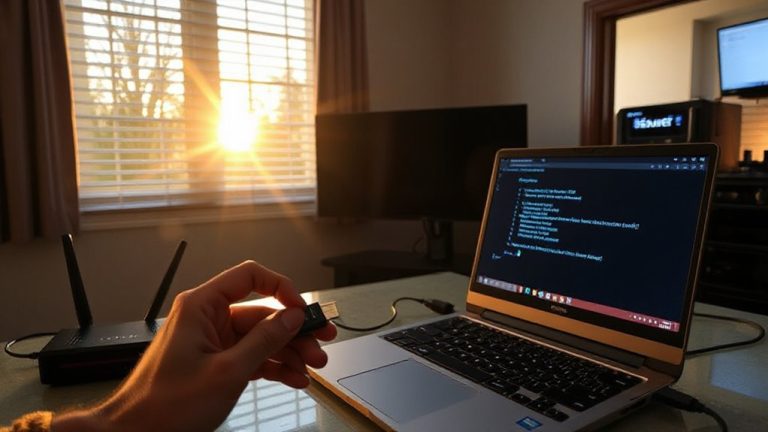
Frequently, keeping your smart speaker and connected devices up to date is one of the most effective ways to protect your home office from security flaws. Manufacturers regularly issue firmware updates that patch vulnerabilities, improve device encryption, and strengthen authentication protocols. Without these updates, your devices are more exposed to remote exploits and data leaks. You should enable automatic updates where available, especially for voice assistants like Alexa, Google Assistant, and Siri-compatible hubs. Pairing updates with network segmentation-placing smart speakers on a separate VLAN-limits access to sensitive work devices. While segmentation improves control, it can complicate setup on basic routers. Firmware updates sometimes introduce bugs, so check patch notes before deploying. Overall, consistent updates are essential, but they’re only effective when combined with broader network hygiene and physical safeguards in your workspace.
On a final note
You should secure your voice assistant using Voice Match and two-factor authentication, as these features help block unauthorized access. Regularly delete voice recordings on Alexa or Google to limit data exposure. While turning off always-on mics reduces risk, it disables hands-free use. Keep firmware updated for patches. These steps improve privacy, but remember: convenience trades off with security, and no setup is fully foolproof.