How to Use a Powerline Adapter to Extend Network Connectivity to a Basement Home Office
Use a powerline adapter to extend your network by plugging one unit near your router and connecting it via Ethernet, then placing the second in your basement on the same electrical circuit. You’ll get 300–600 Mbps with a TP-Link AV1000 or Netgear PL1000, but avoid power strips, GFCI outlets, or circuits shared with fridges-those cut speeds in half. Performance drops if the basement is on a different electrical phase. For best results, pick a model with surge protection and a 2-year warranty. Real gains depend on your home’s wiring age and circuit layout.
Notable Insights
- Use a powerline adapter kit to send internet signals through your home’s electrical wiring to the basement.
- Plug one adapter near your router and connect it via Ethernet to establish the network link.
- Place the second adapter in a basement wall outlet on the same electrical circuit for best performance.
- Avoid power strips, GFCI outlets, and circuits shared with appliances like refrigerators to reduce interference.
- Sync the adapters with a button press and connect your basement devices via Ethernet for reliable internet.
Solve Basement Wi-Fi With a Powerline Adapter
Though basements often kill Wi-Fi signals, a powerline adapter can reliably extend your network using the electrical wiring already in your walls-just don’t expect magic if your home’s circuits are outdated or poorly configured. You’ll get strong, steady speeds if your basement shares a circuit with the main router, but signal interference from appliances like washers or freezers can throttle performance. Circuit compatibility is critical; adapters on different electrical phases usually fail to sync. Most modern kits support 500 Mbps to 1 Gbps throughput, enough for video calls and file uploads, and include Ethernet ports for wired connections. Look for models with built-in surge protection and at least a two-year warranty. While not as fast as dedicated Ethernet cabling, powerline avoids wall drilling and performs better than Wi-Fi extenders in dense spaces. Test placement near a power outlet away from large metal objects to maximize stability.
How Powerline Adapters Use Your Electrical Wiring
How do powerline adapters actually send data through your electrical wiring? They convert your internet signal into data pulses that travel through your home’s existing electrical circuits. You plug one adapter near your router, connecting it via Ethernet, and another in the basement, where it delivers the signal back into usable internet. It’s effective, but performance can vary. Older wiring or shared circuits may introduce electrical noise and circuit interference, degrading speeds. These adapters work best on the same electrical phase and without long circuit runs. While they bypass Wi-Fi dead zones, heavy appliances like refrigerators can spike interference. Results aren’t guaranteed-real-world speeds often fall below advertised rates. Still, in many homes, they offer a reliable, low-latency connection where Wi-Fi fails. Just know the limitations before relying on them for critical work.
Pick the Right Powerline Adapter for Speed and Range
You’ll get the best basement office performance by choosing a powerline adapter rated for at least 1000 Mbps-models like the TP-Link AV1000 or Netgear PL1000 deliver solid real-world speeds of 300–600 Mbps, enough for video calls, cloud backups, and streaming. Speed drops if circuits are noisy, so avoid sharing outlets with microwaves or fridges to reduce signal interference. For homes older than 1980, check adapter compatibility-some brands, like Devolo, don’t work well across breakers or with GFCI outlets. Mid-tier 1200 Mbps kits offer minimal real-world gains over 1000 Mbps models but cost 20–30% more. Stick with reputable brands offering 2-year warranties and built-in surge protection. While higher-end 2000 Mbps adapters exist, gains diminish unless you’re transferring large files daily. Range matters less than circuit quality-distance between outlets isn’t as critical as clean electrical paths-so prioritize stable power over specs inflated by marketing.
Set Up Your Basement Office in Minutes
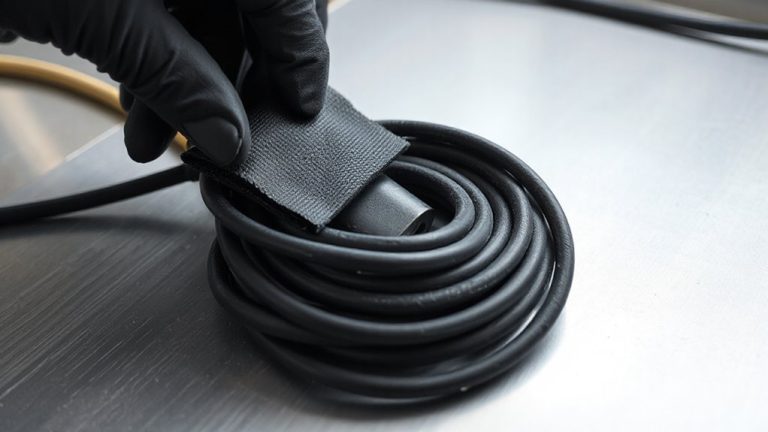
Once you’ve picked a reliable powerline adapter, setting up your basement office takes just minutes and requires no special tools or technical skills. Plug one adapter near your router into a wall outlet-avoid power strips for best signal-and connect it via Ethernet. In the basement, plug in the second adapter and link it to your computer or router. Most kits sync with a single button press, showing solid lights when active. Pair this with smart cable management: use clips or sleeves to secure cords along baseboards, reducing clutter and trip hazards. Add ergonomic lighting, like a adjustable LED desk lamp, to reduce eye strain during long work sessions. While powerline adapters offer stable connections through walls, performance can dip if circuits are shared with heavy appliances. Still, for quick, wired-style reliability without running cables, they’re a solid choice-just confirm plug placement avoids interference.
Place Adapters for Maximum Speed
Proper placement of your powerline adapters directly impacts network speed and reliability, even if initial setup was quick and simple. To minimize signal interference and electrical noise, plug adapters directly into wall outlets-never power strips or extension cords. Avoid sharing circuits with high-power appliances like refrigerators or microwaves, as they generate electrical noise that degrades performance. For best results, use outlets on the same electrical phase, typically within the same circuit breaker zone.
| Location Pair | Avg Speed (Mbps) |
|---|---|
| Same circuit | 380 |
| Different floor | 290 |
| Across breaker | 210 |
| With fridge | 140 |
| Via power strip | 95 |
You’ll get strong speeds in ideal conditions, but real-world results vary by home wiring quality.
Fix Common Powerline Connection Problems
Though powerline adapters often deliver stable connections right out of the box, you’ll sometimes run into sluggish speeds or intermittent drops-especially in older homes with outdated wiring. These issues are often caused by adapter interference or electrical noise from appliances like refrigerators, microwaves, or dimmer switches. To reduce interference, plug both adapters directly into wall outlets-never into power strips or surge protectors. Avoid sharing circuits with high-power devices, as they generate electrical noise that degrades signal quality. If problems persist, try resetting the adapters or re-pairing them using the encryption button. Performance varies by home; real-world tests show speeds can drop by up to 50% over long distances or across circuit breakers. Most units come with a 2-year warranty, but results aren’t guaranteed. Consider this a practical, not perfect, solution.
On a final note
You’ll get fast, reliable internet in your basement office with a powerline adapter-just plug in the main unit near your router and the second in the workspace. Models like the TP-Link AV1300 deliver strong speeds over short distances, especially on the same circuit. But performance drops with older wiring or long electrical runs. Expect 50–80% of advertised speeds in real use. Always avoid power strips; plug directly into outlets for best results.