Installing a Magnetic Cable Dock for Daily Use Phone and Watch Charging
Choose a dual-port magnetic dock with MFi certification and precise alignment to charge your phone and watch securely at full speed. Use a 20W+ USB-C adapter and 20AWG or thicker cable for reliable performance. Position the dock within arm’s reach near an outlet, avoiding heat and cable strain. Reinforced hinges and weighted bases prevent wobbling, while braided cables resist fraying. If charging slows, check alignment or test output-weak magnets or worn tips often cause issues. Ideal setup guarantees lasting, efficient daily charging without overheating. You’ll find smart placement and durable accessories make a noticeable difference.
Notable Insights
- Choose a dual-port magnetic dock with precise alignment and MFi certification for secure, efficient phone and watch charging.
- Use a 20W+ USB-C power adapter and 20AWG or thicker cable to ensure optimal charging speed and durability.
- Position the dock within arm’s reach near a power outlet, avoiding sharp bends and high-heat areas.
- Gently align your phone and watch on the dock, confirming a soft click for secure magnetic attachment.
- Inspect cables regularly, replacing frayed ones, and reseat misaligned magnets to maintain reliable charging performance.
Choose the Right Magnetic Dock for Your Phone and Watch
How do you pick a magnetic dock that actually works for both your phone and watch without cluttering your desk? Choose a dual-port model with precise Magnetic alignment to guarantee secure attachment-especially for AirPods and Apple Watch-while holding your iPhone steady. Look for docks tested to maintain full charging speed on both devices simultaneously, using a 20W+ USB-C power adapter. Avoid slim designs that overheat or wobble. Top models use reinforced hinges and weighted bases, with certifications like MFi for reliability. Most come with a 1-year warranty, though metal builds tend to last longer. Keep in mind: faster charging requires a compatible wall brick not always included. Some docks sacrifice port access or camera clearance, so check dimensions against your phone case. A well-built option saves time daily, but poor alignment can mean dropped connections or slower power delivery-test it within the return window.
Gather What You Need Before Installation
You’ve picked a solid dual-port magnetic dock that aligns well and charges fast, so now it’s time to set it up right. Before you begin, gather everything to guarantee smooth installation and long-term reliability. Strong magnetic strength means less fumbling, but you’ll want to verify alignment with your phone and watch. Prioritize cable durability-look for braided nylon and reinforced stress points. Check your power adapter output; underpowered units slow charging. Here’s what you need:
| Item | Why It Matters |
|---|---|
| Magnetic dock | Guarantees proper alignment and charging |
| 20AWG or thicker cable | Boosts cable durability |
| 20W+ USB-C adapter | Matches fast-charging needs |
| Phone & watch | Confirm fit and magnetic strength |
| Microfiber cloth | Prevent dust interference |
Skip cheap cables-they sacrifice cable durability and weaken magnetic strength over time.
Set Up Your Magnetic Dock in Minutes
While setup is straightforward, doing it right means faster charging and fewer alignment issues down the line. First, connect your magnetic cable to a USB-C power adapter with at least 20W output-lower wattage hurts charging efficiency. Position the dock so the magnetic connector lies flat and accessible. When attaching your phone, guide it gently until you hear a soft click; that’s magnetic alignment engaging properly. Misalignment here can reduce charging speed by up to 40%, so don’t force it. For watches, place the band so the sensor side faces inward and clips securely. Test both devices for a solid connection before finalizing placement. Note: while most docks charge reliably, cheap third-party cables often fail under daily stress. Stick with MFi-certified or manufacturer-provided cables to maintain performance and warranty coverage. Patience during setup pays off in long-term use.
Find the Best Spot for Your Dock
Where should you place your magnetic dock for the best balance of convenience and performance? Choose a spot within arm’s reach of your usual seat, like a desk corner or nightstand, so you can dock devices daily without strain. Make sure it’s near a power outlet to minimize cable length-this improves power efficiency by reducing resistance over long runs. For reliable cable management, avoid sharp bends or heavy furniture压 on the cord, which can degrade signal and charging over time. Don’t place it in direct sunlight or high-heat areas; sustained warmth harms battery longevity and charging stability. While easier access encourages consistent use, placing it too close to a monitor or speaker may introduce electromagnetic interference. Test the position with both phone and watch attached to confirm stable alignment. A well-chosen spot supports routine charging but demands awareness of environment and setup limits.
Keep Cables Tidy and Functional
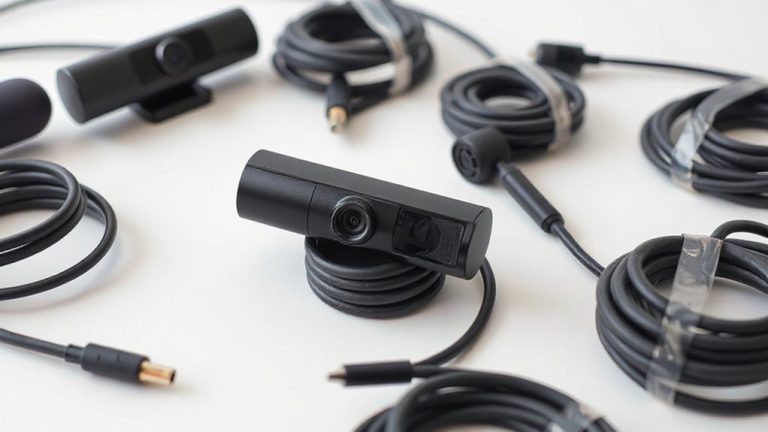
A single well-managed cable setup can make the difference between a clean desk and daily frustration. Good cable management isn’t just about looks-it guarantees reliable charging and protects your gear. Use braided nylon cables; they resist fraying and handle frequent plugging. Velcro straps work better than zip ties-they’re reusable and won’t damage wires. For device compatibility, check that your dock supports both your phone’s wattage and your watch’s connector type. A clutter-free desk enhances both productivity and device longevity.
| Cable Type | Length (ft) | Best Use Case |
|---|---|---|
| USB-C to MagSafe | 6 | Fast phone charging |
| Magnetic Pogo Pin | 4 | Watch charging |
| USB-C to USB-C | 6 | Universal compatibility |
| Lightning to USB-C | 3 | Older iPhones |
| USB-C Hub Cable | 5 | Multi-device setups |
Avoid sharp bends-tight loops weaken internal wires over time.
Fix Common Magnetic Dock Problems
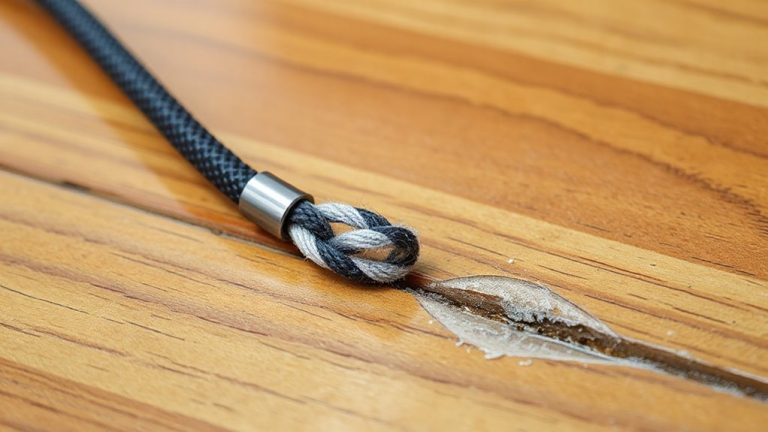
Why does your magnetic dock stop charging reliably after just a few months? You’re likely dealing with cable fraying or magnet misalignment. Over time, frequent plugging and twisting wear down the cable’s outer layer-especially near stress points-until connections flicker or fail. If the fraying nears the connector or coil, replace the cable immediately; continued use risks short circuits. Magnet misalignment happens when repeated force unseats internal alignment posts, so your phone or watch no longer snaps into ideal position. This reduces charging efficiency and can trigger intermittent power loss. Fix it by gently reseating the magnetic tip or replacing misaligned modules. Most reputable docks offer 18-month warranties covering these failures. Test charging speed before and after fixes using a standard wattage meter-anything below 75% output means it’s time for a replacement.
On a final note
You’ll save time daily with a magnetic dock, thanks to fast, secure snap-on charging for your phone and watch. Models with Qi2 support and 15W output deliver reliable performance. Look for a 2-year warranty and braided cables-they last longer. Keep the dock on a stable nightstand or desk within arm’s reach. But don’t expect miracles: alignment matters, and thick cases often block charging.