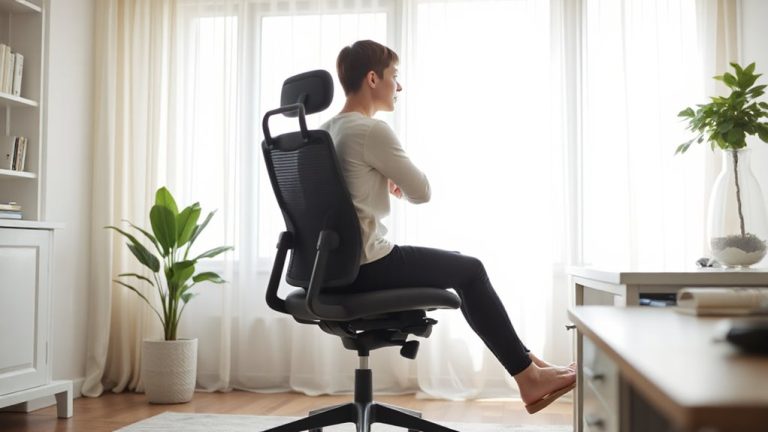
Strategic Desk Placement Near Windows Without Causing Screen Glare or Overheating
Place your desk parallel to a north- or south-facing window to balance natural light and reduce glare by up to 70%. Avoid direct sun exposure to prevent screen reflections and overheating. Use a matte-finish desk (under 10 GU) and tilt your monitor slightly down to cut glare. Pair with frosted film or sheer curtains for diffusion. Keep 18 inches of clearance for airflow, and consider light-colored, open-frame furniture to stay cool-there’s more to optimizing light and comfort just beyond this setup.
Notable Insights
- Position your desk parallel to the window to minimize glare while maintaining natural light exposure.
- Choose north-facing windows for consistent, diffused lighting that reduces screen reflections and overheating risks.
- Install frosted film or solar shades to control glare without blocking all natural light and visibility.
- Use matte-finish desks and monitor surfaces to scatter light and reduce eye strain from ambient brightness.
- Ensure cross ventilation and use light-colored, open-frame furniture to maintain thermal comfort near sunny windows.
Position Your Desk Near a Window Without Glare
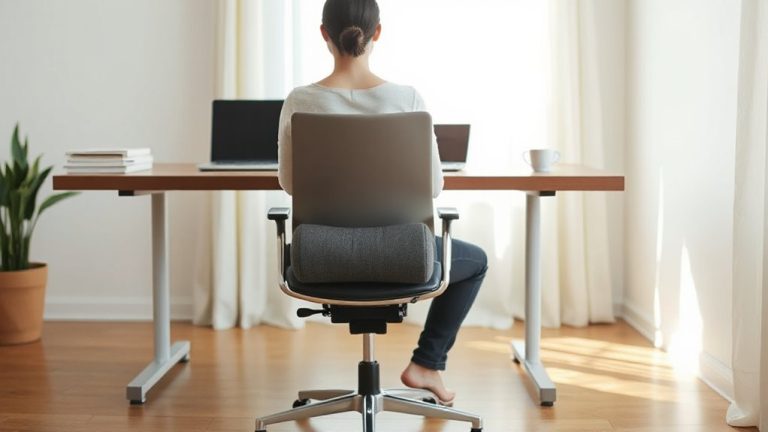
Ever wonder why some window-side desks feel bright yet uncomfortable? That’s often because you’ve nailed the natural lighting but ignored window orientation. Placing your desk parallel to the window usually cuts glare while still flooding your workspace with soft, indirect light. North- or south-facing windows give the most consistent natural lighting-south gets intense midday sun, north offers steadier diffused light. East and west? Tricky. Morning or afternoon glare spikes can wreck screen visibility. You’ll want sheer curtains or adjustable blinds to manage harsh rays. Natural lighting boosts alertness, no doubt, but only if you’re not squinting. Avoid direct sunlight on your screen area-ever. It’s not just about comfort; prolonged exposure can fade surfaces. Position matters more than proximity. Get the angle right, and you’ll cut eye strain without killing the view.
Adjust Your Monitor to Cut Screen Reflections
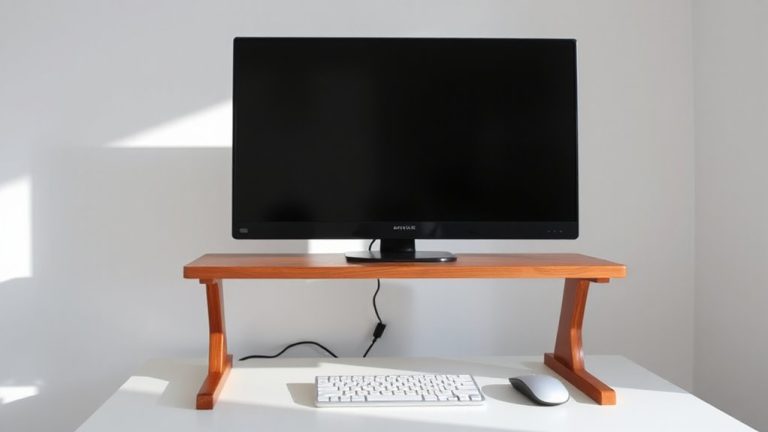
Positioning your monitor correctly is one of the most effective ways to reduce screen reflections, and it starts with a simple rule: tilt the screen slightly downward if overhead lighting or windows create glare. You’ll minimize bounce-off light and eye strain without needing extra gear. For best results, pair this with proper screen calibration-adjust brightness, contrast, and color temperature to match your ambient light. This boosts readability and reduces glare-related fatigue. Don’t overlook cable management either; routing power and data cables neatly keeps your focus on the screen, not clutter. While tilting helps, too much can distort viewing angles or cause neck strain over time. Also, glossy screens reflect more than matte finishes, so consider panel type when buying. These steps aren’t foolproof-natural light changes all day-but they offer measurable improvement. Test adjustments hourly to fine-tune comfort.
Pick Anti-Glare Window Treatments
You can tilt your monitor and tweak settings all you want, but if sunlight’s blazing across your screen, you’ll still fight glare. That’s where anti-glare window treatments come in. Opt for window tinting with a low visible light transmittance (VLT)-around 30%-to cut brightness without darkening the room too much. For softer, more even light, choose materials that enhance light diffusion, like sheer roller shades or frosted film. These spread sunlight evenly, reducing hotspots while keeping your space welcoming.
| Treatment | Glare Reduction | Light Diffusion |
|---|---|---|
| Frosted film | High | Moderate |
| Solar shades | Very High | Low |
| Sheer curtains | Moderate | High |
Frosted film lasts 10+ years but limits visibility. Solar shades offer the best glare control but reduce outdoor views. Sheer curtains add style but require frequent adjusting. Always test samples in your actual lighting first. For ready-to-install solutions, consider the best blinds on Amazon that combine style, function, and glare control.
Use Matte Surfaces to Reduce Reflections
A matte-finish desk surface is one of the most effective, low-maintenance ways to minimize screen glare caused by window light. You’ll benefit from matte finish benefits like reduced eye strain and clearer screen visibility, especially during bright daylight. Unlike glossy surfaces, non reflective materials scatter light instead of bouncing it directly into your eyes. This makes a noticeable difference if your desk faces a south- or west-facing window. Most high-pressure laminates and powder-coated desks with matte finishes last 7–10 years under daily use, though they can show scuffs over time. While fingerprint resistance is lower than on semi-gloss options, a quick wipe fixes most marks. Don’t assume all “matte” labels are equal-check product specs for gloss meter readings under 10 GU (gloss units) for best results. Pairing non reflective materials with proper monitor positioning doubles the glare reduction.
Improve Airflow Around Your Window Desk
If your desk sits near a window, you’re likely missing out on one of the easiest ways to stay comfortable during warmer months-strategic airflow management. Set up cross ventilation by opening another window or door across the room to create a natural cooling breeze. This works best when paired with ceiling fans set to spin counterclockwise in summer, pushing air down efficiently. Position your desk so it doesn’t block airflow paths-keep at least 18 inches of clearance behind and beside it. Ceiling fans use far less energy than AC, but they cool people, not spaces, so turn them off when you leave. While cross ventilation relies on outdoor temps and wind direction-making it less predictable-it reduces reliance on mechanical cooling. Avoid oversized fans that create drafts strong enough to disturb papers. With careful setup, passive airflow keeps your workspace cooler without noise or high energy bills. For added flexibility when natural ventilation isn’t enough, consider using a best cordless fan to maintain personal comfort without limiting mobility.
Cool Your Workspace With Smart Furniture Placement
Though often overlooked, positioning your desk and other key furniture with airflow and sunlight in mind can make a noticeable difference in how cool your workspace feels-especially during heat waves. You can boost natural ventilation by leaving at least 6 inches of space behind and beside furniture to let air circulate freely. Avoid blocking vents or windows with bookshelves or heavy cabinets that trap heat. For better thermal insulation, choose desks with open frames or mesh panels instead of solid materials that absorb warmth. Light-colored furniture also helps reflect sunlight, reducing ambient heat. But don’t overlook room layout-aligning your desk perpendicular to the window balances daylight and avoids direct afternoon sun. While smart placement improves comfort, it won’t replace proper window treatments or HVAC in extreme climates. Always test adjustments over several days to assess real impact.
On a final note
Place your desk near a window for natural light and better focus, but avoid direct sunlight on your screen. Angle your monitor to reduce glare, or use a matte filter for clearer viewing. Install blinds or anti-glare film to control light without blocking views. Guarantee airflow with open windows or a small fan, but keep electronics away from humidity. Note that some dimming occurs with tinted glass, and cheap filters may blur text. Test one solution at a time.