Setting Up a Lockable Charging Box for Shared or Family Home Offices
Get a steel lockable charging box with 6–10 slots to fit most home offices, ensuring it matches your device sizes-especially bulky tablets or controllers. Mount it near power but away from foot traffic, using built-in cable channels and tamper-resistant locks. Use reinforced cables and adjustable dividers for security and organization. Set clear charging rules and user codes to prevent conflicts. Smart models offer remote access and alerts but cost 30–50% more and need stable power. A well-set hub cuts clutter and theft, especially with ventilation and labeled ports-there’s more to optimizing it effectively.
Notable Insights
- Choose a charging box with 6–12+ slots and steel construction for durability in shared family or home office use.
- Mount the box near a power outlet but away from foot traffic to ensure safety and easy access.
- Use adjustable dividers and tethered, metal-reinforced cables to organize devices and prevent theft or tangling.
- Set clear usage rules, such as time limits and scheduled access, to avoid conflicts among users.
- Enable smart features like remote locking and charging alerts for better control and monitoring in shared environments.
Pick the Right Lockable Charging Box for Your Home Office
If you’re looking to keep your devices secure and organized, a lockable charging box is worth considering, but only if it fits your actual needs. Start by evaluating size capacity-boxes holding 6–10 devices suit most home offices, but larger families may need 12+ slots. Measure your devices first; bulkier tablets or gaming controllers demand deeper compartments. Don’t overlook material durability: steel housings resist tampering better than plastic, especially in shared environments. Look for powder-coated finishes to prevent scratches and corrosion over time. Some models include ventilation and cable management, but these won’t matter if the build feels flimsy. Check warranty length-2+ years signals manufacturer confidence. While larger, sturdier units cost more, they reduce risk of damage or theft. Balance convenience with real usage: if you only charge two phones nightly, a compact, less expensive option might be smarter.
Install Your Lockable Charging Station in 5 Steps
You’ve picked out a sturdy lockable charging box that fits your device load and build preferences-now it’s time to set it up right. Start by mounting the unit near a power outlet but away from high-traffic areas to reduce tripping hazards. Next, route the power cord through the built-in channel to simplify cable management and prevent strain. Then, install the lock mechanism-keyed or electronic-ensuring it provides reliable access control for users. Populate the interior with devices, using adjustable dividers to separate tablets, phones, or earbuds. Finally, test the door swing and clearance to confirm it won’t hit walls or furniture when opened. Most models need only basic tools and under 15 minutes to install. Just note: wall anchoring is critical for security, and poor placement can limit airflow or frustrate daily use.
Secure Cables and Devices With Locks and Clips
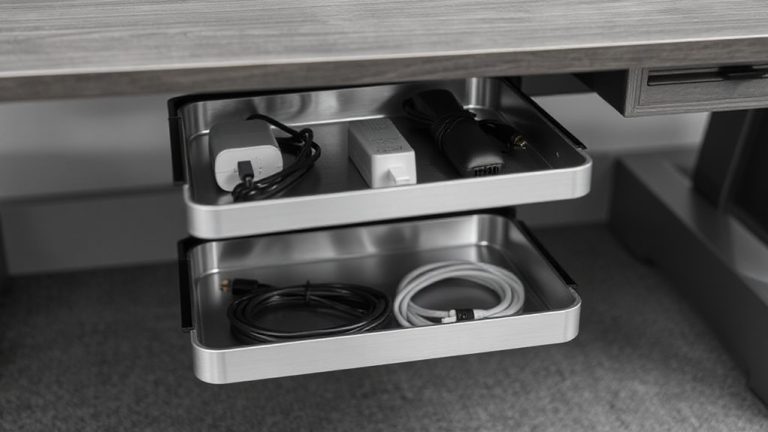
How do you keep charging cables from becoming a tangled mess or a theft risk in shared spaces? You tackle cable management and device security head-on with locks and clips designed for daily use. These tools keep cords organized and devices physically secured, which is critical in high-traffic home offices. Tethered cables reduce clutter but still allow easy access. Locking clips work with common charging ports, while metal-reinforced cables resist tampering. But not all locks are equal-some add bulk or slow down device removal.
| Product Type | Security Level | Ease of Use |
|---|---|---|
| Cable Locks | High | Medium |
| Adhesive Clips | Low | High |
| Lockable Straps | Medium | High |
Always check compatibility with your devices and charging box dimensions. Some clips wear out after six months of heavy use. Proper installation matters-peel adhesive slowly and align locks before tightening.
Set Charging Rules for Family or Roommates
While shared home offices demand clear boundaries, setting charging rules for family or roommates can prevent conflicts over access and device safety-especially when using lockable charging boxes. You’ll want to establish clear guidelines for device sharing to avoid overuse or misplaced items. Assign access scheduling if multiple people rely on the same devices-like tablets or work phones-so usage doesn’t overlap during key hours. Most lockable boxes support individual user codes, making it easier to track who’s charging what and when. Be realistic: rigid timing might frustrate busy schedules, so build in flexibility. Clearly posted rules, like “no overnight charging” or “clear the box by 8 a.m.,” help maintain fairness. Remember, even with physical locks, cooperation is essential. Poorly enforced rules can undermine the system, no matter how secure the box. Balance automation with mutual respect for reliable, long-term results.
Add Smart Features to Your Charging Box
Smart features can take your lockable charging box from a simple storage solution to a more efficient, trackable part of your home office routine-especially if you already have rules in place for shared use. Adding Smart alerts lets you monitor charge status and receive notifications when devices are fully charged or disconnected unexpectedly-ideal for managing usage fairly. With Remote access, you can lock or open the box using a smartphone app, which helps when someone forgets the code or needs temporary access. These upgrades work best with Wi-Fi-connected models that support encryption to protect access logs and user data. However, smart models often cost 30–50% more and require consistent power and network stability. Battery backups and two-year warranties help mitigate downtime risks. While they streamline access, overreliance on apps can complicate use for less tech-savvy users, so physical key overrides are wise.
Stop Clutter and Theft With a Central Charging Hub
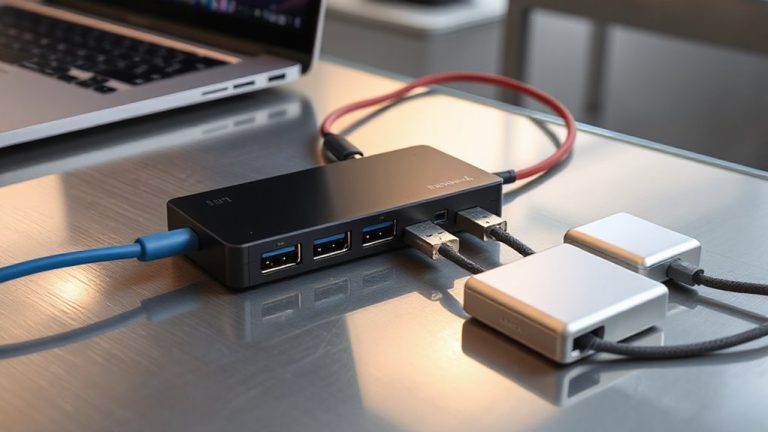
Since every exposed cable and misplaced charger adds to the chaos of a home office, consolidating your devices into a central charging hub isn’t just convenient-it’s a practical defense against clutter and theft. A lockable box with built-in cable management keeps cords tangle-free and out of sight, using labeled ports and Velcro straps for easy identification and access. You’ll reduce wear on charging cables and avoid the frustration of digging through piles. For shared spaces, device tracking guarantees each user’s gear stays accounted for, especially with labeled compartments or RFID tags. While a central hub improves organization, it can limit airflow if devices overheat during long charges. Make sure the model you choose has ventilation slots and tamper-resistant locks. Most tested units support up to six devices and come with a 1-year warranty-ideal for families or roommates who want order without sacrificing security. Some of the top models feature desktop charging stations designed specifically for ultimate organization and space efficiency.
On a final note
A lockable charging box is a smart upgrade for shared home offices, cutting clutter and deterring theft. Look for sturdy steel cases with internal cable clips and a reliable key or combo lock. Units with 6–8 port USB hubs and surge protection handle multiple devices safely. Just confirm spacing fits your adapters and check warranty length-most last 1–3 years. Overheating can happen if overloaded, so don’t exceed total output.