Designing a Sensory-Friendly Home Office for Neurodivergent Remote Workers
You’ll want to tailor your space to your sensory needs, starting with high-CRI, flicker-free LED lighting at 5000K–6500K for focus-though they cost more and may not last as long. Swap out scratchy fabrics and use acoustic panels, heavy curtains, and noise-masking systems to tame sound without killing all ambient noise. Go for soft blues or warm neutrals in matte finishes to cut glare, and pick a sit-stand desk like Fully or Uplift with solid stability and a 12-year warranty. An ergonomic chair with adjustable arms and lumbar support helps, but test changes over 3–5 days to catch trade-offs. The right mix of airflow, light, and movement-friendly furniture can reduce fatigue-especially when you know exactly which triggers to target.
Notable Insights
- Choose adjustable, high-CRI LED lighting with dimming and flicker-free features to reduce eye strain and support focus.
- Test and minimize sensory triggers like drafts, scratchy fabrics, and background noise through controlled environmental adjustments.
- Use soft, matte-colored walls in blues, greens, or neutrals to reduce visual stress and avoid overstimulation.
- Combine acoustic panels, heavy curtains, and noise-masking systems to manage sound sensitivity without requiring total silence.
- Invest in ergonomic, dynamic furniture like sit-stand desks and supportive chairs to accommodate movement and posture needs.
Identify Your Sensory Triggers and Preferences
How do you know what’s really affecting your focus at work? Start by tracking daily discomforts-headaches, restlessness, or eye strain-and link them to environmental factors. Textures matter more than you might think: a scratchy sweater or a chair with stiff fabric can disrupt concentration over time. Observe how different materials feel during long sessions. Airflow balance is equally critical; stagnant air causes drowsiness, while strong drafts increase distraction. Use a small fan with variable speeds and position it to circulate air without blowing directly on you. Test adjustments over three to five workdays to gauge real impact. Note trade-offs: quieter spaces may trap heat, while open ones lack acoustic control. Reliable gear helps, but personal sensitivity varies-what works for one may not for you. Track changes objectively before investing in upgrades.
Use Lighting That Won’t Trigger Overload
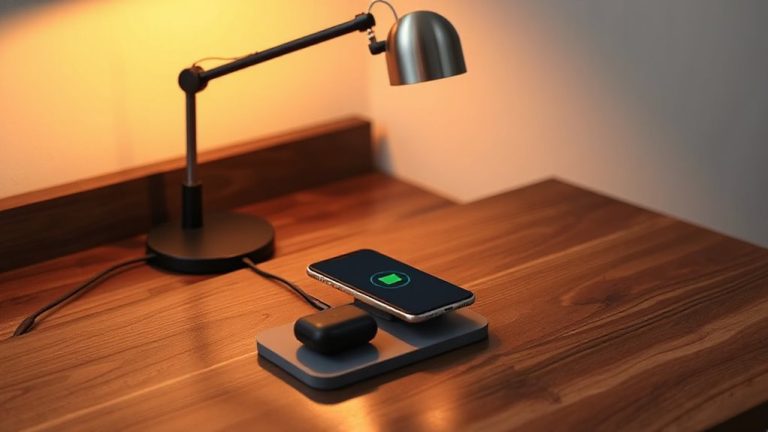
While overhead fluorescents might be the default in many workspaces, you’re better off replacing them if you want to reduce sensory strain-LED bulbs with a high CRI (90+) and adjustable color temperature give you precise control over brightness and tone, which directly affects focus and fatigue. Choose flicker free bulbs to prevent headaches and discomfort; many budget LEDs flicker imperceptibly but still trigger overload. Look for models independently tested with oscilloscopes to confirm true flicker-free operation. A natural spectrum light-closest to daylight between 5000K and 6500K-boosts alertness but can feel harsh, so pair it with dimmable fixtures. Warmer tones (2700K–3000K) work better for long sessions. Desk lamps with adjustable arms let you direct light exactly where needed, reducing glare. Note: high-CRI bulbs cost more and may last slightly less than standard LEDs, but user testing shows clear benefits for concentration and eye comfort. For targeted light exposure that supports circadian rhythm regulation, consider using a dedicated light therapy lamp.
Reduce Noise With Sound-Smart Solutions
Noise control starts with knowing your space. You’ll need to identify noise sources-traffic, appliances, or household activity-and choose targeted solutions. Acoustic panels help absorb echo and reduce sound reflection, especially when placed on walls or ceilings near desks. For consistent background coverage, noise masking systems emit soft, uniform sound to cover distractions without drawing attention. Results depend on room size and material quality, so test placements before finalizing. Consider using high-quality noise-cancelling headphones for personal sound control in dynamic environments.
| Solution | Effectiveness | Key Consideration |
|---|---|---|
| Acoustic panels | High for echoes | Vary by thickness and material density |
| Noise masking | Moderate to high | Works best with steady background noise |
| Heavy curtains | Low to moderate | Adds insulation but limited absorption |
| Door sweeps | Moderate | Blocks transmission but not airborne sound |
Don’t expect total silence-manage expectations and layer methods for best results.
Choose Calming Colors for a Sensory-Friendly Workspace
You’ve got your sound under control with panels, masking, and sweeps-now shift focus to what your eyes process all day. Calm colors matter because color psychology shows that soft blues, warm neutrals, and muted greens can reduce visual stress and support focus. These tones don’t overwhelm your space or your senses. Opt for matte or eggshell paint finishes-they minimize glare from screens and windows, unlike glossy options that create hotspots and visual noise. But don’t assume one palette fits all; personal sensitivity varies, so test samples in your actual light before committing. Color isn’t a fix-all, and overuse-even of “calming” hues-can backfire. Keep contrast balanced and avoid bold patterns. Ultimately, choose a scheme that feels steady, not stimulating. It’s a small change with measurable impact on your daily comfort and mental load.
Build a Workspace That Moves With You
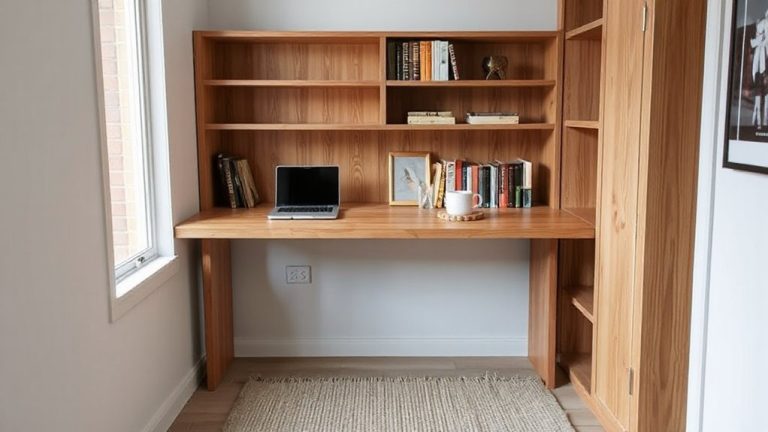
If your body needs to shift, stretch, or reposition to stay focused, a static desk regain spun’t cut it-investing in adjustable furniture that supports dynamic work is worth the upgrade. Ergonomic flexibility helps reduce physical strain, especially during long work sessions. Sit-stand desks with programmable height settings, like those from Fully or Uplift, allow smooth shifts between postures, but verify weight capacity and stability-wobble can distract. Pair with an active chair or anti-fatigue mat to encourage subtle movement. Dynamic organization means keeping supplies within reach during position changes; sliding trays and modular rails adapt as you shift. These systems improve efficiency but require consistent maintenance to avoid clutter. While high-end models offer strong warranties (10+ years), budget options may lack durability. Test motion range and ease of adjustment before buying-real-world use often reveals hidden stiffness or noise. A top contender for seamless height adjustment and reliability is the best standing desks from brands featured in expert roundups.
Add Tools That Reduce Sensory Fatigue
A well-tuned workspace doesn’t just move with your body-it also protects your focus from sensory overload, which matters just as much for sustained productivity. You’ll benefit from ergonomic furniture that supports neutral postures, reducing physical strain that amplifies sensory fatigue. Look for chairs with adjustable lumbar support and depth-adjustable arms-tested models like the Steelcase Leap or Herman Miller Aeron offer 12-year warranties and real-world comfort feedback from neurodivergent users. Pair that with mindful texture selection: smooth, non-reflective surfaces on desks and mats help minimize visual and tactile distractions. Avoid fabrics that shed or grab on clothing. Instead, choose microfiber or matte finishes. Noise-canceling headphones, like the Sony WH-1000XM5, can also help, but limit use to 2–3 hours at a time to prevent auditory pressure. No setup is perfect, but these tools reduce fatigue without overstimulating.
On a final note
You’ll likely succeed creating a sensory-friendly home office by addressing your specific triggers. Dimmable LED lights with warm color temperatures (2700K–3000K) reduce glare, while acoustic panels or noise-canceling headphones cut disruptive sound. Choose muted blues or greens-they’re calming in tests. Adjustable desks support movement, and fidget tools may help focus. But results vary: what soothes one person may distract another. Always trial changes gradually and prioritize ergonomic, warrantied gear over trendy picks.