Setting Up a Sit-Stand Desk Transition Schedule to Avoid Musculoskeletal Strain
Start with 5–10 minutes of standing per hour to ease into the routine, using a phone alarm or sit-stand timer to prompt shifts. Gradually increase to 30-minute intervals over seven days, aiming for 2–3 hours of total standing daily. Pair supportive shoes-cushioned heels, arch support, ≤8mm drop-with an anti-fatigue mat (≥3/4-inch thick) to reduce leg and back strain. Keep your desk calibrated so elbows bend at 90 degrees and the monitor tops align with your eyes. If stiffness or fatigue persists beyond two weeks, reassess your timing, posture, or footwear-consistent small adjustments make a bigger difference over time, and there’s more to fine-tune for long-term comfort.
Notable Insights
- Start with 15-minute standing intervals every hour, gradually increasing to 30 minutes over seven days.
- Alternate between sitting and standing every 30 to 60 minutes to balance spinal load and circulation.
- Maintain proper posture: align ears, shoulders, hips, and ankles, with knees slightly bent.
- Use an anti-fatigue mat and supportive footwear to reduce leg and back strain.
- Calibrate desk height so elbows rest at 90 degrees and monitor top is at eye level.
Start With a 5–10 Minute Stand-Up Schedule
Start small-just 5 to 10 minutes of standing per hour is enough to kick things off without overwhelming your body. You’ll ease into the routine while letting your muscles and joints adapt gradually. Standing breaks like these reduce prolonged pressure on your spine and improve circulation, but overdoing it early can backfire. Use time tracking to stay consistent; set phone alarms or rely on a sit-stand desk with built-in timers to prompt each shift. Most people find success with apps or simple hourly reminders that don’t require extra gear. Be honest about your workload-some tasks demand sitting, and that’s fine. The goal isn’t constant standing but balanced movement. Real-world testing shows users who stick to short, regular intervals report less fatigue and improved focus within two weeks. Still, outcomes vary-listen to your body and adjust. Choosing the right desk setup can make this transition smoother, so consider one of the best standing desks for reliable height adjustment and stability.
Spot Early Signs of Sit-Stand Desk Strain
A well-designed sit-stand desk can reduce sedentary risks, but you’re not immune to strain just because the gear is high-quality. Pay close attention to early discomfort-leg fatigue and back stiffness are key warning signs. If your legs feel heavy or tired before lunch, you’re likely standing too long or not shifting posture enough. Back stiffness, especially in the lower spine, often means your alignment is off or core support is weak. These aren’t automatic flaws in your desk but red flags to adjust habits. Even motorized height adjustments won’t fix poor timing or posture. Don’t ignore subtle pain; it often precedes chronic issues. Wear supportive footwear and use an anti-fatigue mat, but remember: no accessory replaces mindful movement. Track symptoms daily. If strain persists past two weeks despite tweaks, reassess your routine-your body’s signaling a mismatch between setup and usage. For added relief, consider a mat with standing desk mats with massage features.
Build a Weekly Standing Progress Plan
While your sit-stand desk offers the flexibility to shift postures, relying on the motorized lift alone won’t build healthy habits-your body needs time to adapt. Start with 15-minute standing intervals every hour to establish a manageable standing frequency. Over seven days, gradually increase each session to 30 minutes while monitoring comfort. Consistent shift timing-like standing during calls or after breaks-builds routine without guesswork. Aim for 2 to 3 hours of total standing daily by week’s end, split into even blocks. This phased approach helps prevent fatigue and improves long-term adherence. Don’t push too fast; soreness means you’ve increased too much, too soon. Success depends on patience and daily tracking, not gear specs. Most users see better results when they pair structured timing with movement, like gentle shifts in weight or small stretches. The desk enables change, but your discipline shapes real progress.
Adjust Your Posture and Footwear for Standing
Good posture isn’t automatic just because you’re standing at your desk. You need to actively maintain proper alignment: keep your ears over your shoulders, shoulders over hips, and hips over ankles. This reduces strain on your back and neck. Stand with knees slightly bent, not locked, and shift your weight often to avoid fatigue. Supportsecondary shoes make a real difference-avoid bare feet or flimsy slippers. Look for shoes with a cushioned heel, arch support, and a low heel-to-toe drop (ideally 8mm or less). While dedicated anti-fatigue mats help, they can’t compensate for poor footwear. Some brands offer lab-tested support, but don’t assume expensive means better-check independent reviews. Even great shoes wear out; replace them every 6–12 months with regular use. Your comfort depends on both consistent posture and the right footwear. Adding a best footrests can further enhance support by promoting optimal leg elevation and circulation while alternating between sitting and standing.
Set Up Your Desk for Standing Comfort
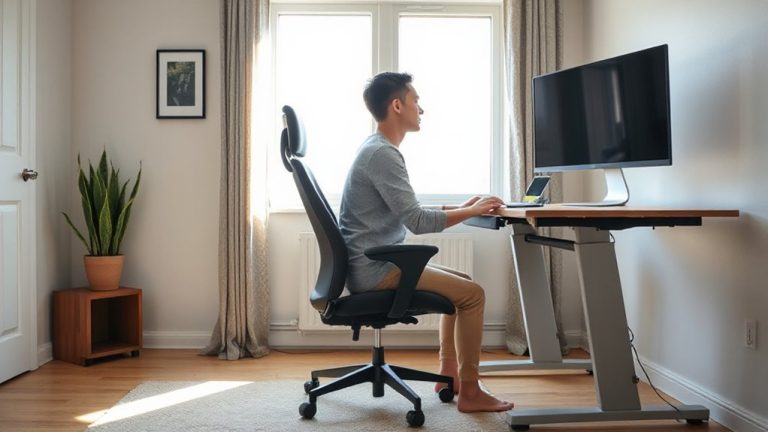
Your standing desk setup can make or break your comfort, so aim for an ergonomically balanced configuration from the start. Begin with proper desk height calibration: your elbows should rest at 90 degrees when typing, and your monitor’s top line should align with eye level to reduce neck strain. This adjustment isn’t one-size-fits-all-recheck it whenever you change footwear or posture. Pair your setup with an anti fatigue mat, which encourages subtle movement and improves circulation, but know that not all mats are equal. Look for ones with varied surface textures and at least 3/4-inch thickness for lasting support. While helpful, even the best mat won’t fix poor desk alignment. Use both calibration and mat together for best results. Comfort matters, but it shouldn’t override correct form-prioritize alignment over softness.
Avoid These Common Sit-Stand Mistakes
How often do you stand at your desk only to end up sore or drained by midday? That’s usually due to improper timing and uneven distribution of sitting and standing. Standing too long without breaks causes fatigue, while switching too frequently disrupts focus. Aim for a 1:1 or 2:1 sit-stand ratio, adjusting gradually. Many overestimate their endurance, leading to posture collapse or foot pain by 3 p.m. Uneven distribution-like favoring one leg or leaning-adds strain over time. Use a timer or smart desk with preset height memory to maintain consistency. Avoid locking your knees or wearing unsupportive shoes. Even the best desk setup fails without routine adjustments. Listen to your body: mild discomfort is normal, sharp pain isn’t. Results take weeks, not days. No gadget replaces good habits.
On a final note
You’ll benefit most by starting slow-just 5–10 minutes of standing per hour-and gradually increasing over weeks. Proper posture, supportive footwear, and correct desk height (elbows at 90 degrees) reduce strain risks. Many adjustable desks work well, but check warranties (aim for 5+ years) and weight capacity. Real-world tests show comfort peaks at 2–3 hours total standing daily. Overdoing it causes fatigue, so listen to your body.