Using Desk Grommets and Cord Clips to Keep Power Strips Securely Mounted Under the Desk
Mount your power strip under the desk using heavy-duty adhesive mounts or metal brackets for a secure hold, and pair desk grommets with rubber-lined cord clips to route cables cleanly and prevent strain. Align the strip parallel to the edge and near the wall outlet to reduce sag. Avoid adhesives on uneven surfaces-mechanical fasteners last longer. Use nylon or reinforced clips rated for 3–5 cords, and keep vents clear. You’ll get cleaner results if you understand how each component fits your desk’s material and layout.
Notable Insights
- Use heavy-duty adhesive mounts or metal brackets to securely attach power strips under desks.
- Install desk grommets in pre-drilled holes to route power strip cords neatly and reduce cable strain.
- Choose rubber-lined cord clips to protect cables and provide strain relief at desk edges.
- Align power strips parallel to the desk edge for easy access and optimal outlet positioning.
- Avoid blocking ventilation or overloading clips by using adjustable mounts and limiting cords per clip.
How to Mount a Power Strip Under Your Desk
A power strip mounted under your desk can save space and reduce tripping hazards, but getting it right means choosing the right hardware and placement. Use heavy-duty adhesive mounts or metal brackets for stability, especially with longer strips. Align the power strip parallel to the desk’s edge-proper strip alignment guarantees outlets stay accessible and cords exit cleanly. Avoid sharp bends behind the desk, as excessive cable tension can damage plugs or strain connections over time. Mount the strip closer to your wall outlet to minimize cord stretch and reduce sag. If your desk surface is thin or made of laminate, check manufacturer specs to avoid voiding warranties with adhesives. Test the setup by plugging in all devices before finalizing placement. Some users report adhesives failing after six months, so mechanical fasteners are more reliable for permanent installs. Balance convenience with durability when deciding.
Use Desk Grommets for Clean Cable Routing
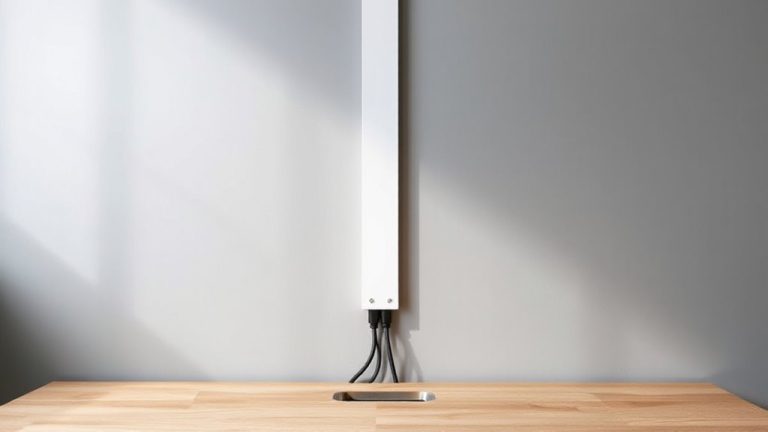
Desk grommets aren’t just decorative plugs-they’re smart tools for routing power strip cords cleanly through desktop surfaces. They improve cable management by letting you feed cords directly down through the desk, reducing clutter and snags. This boosts desk organization, giving your workspace a streamlined look. Most grommets fit standard 1.5- to 2-inch pre-drilled holes and install in seconds-just drop them in. Rubber-lined models protect cords from abrasion, while metal or plastic finishes match common desk styles. Just be sure your desk has a grommet hole; retrofitting one without risks damage. Also, if you route all cords through a single grommet, tangling can still happen without extra ties. They work best when paired with under-desk trays or raceways. Grommets alone won’t solve poor cable planning, but used wisely, they’re a reliable part of a functional setup. For even better results, consider combining grommets with cable hiding options recommended in comprehensive cable management solutions.
Choose the Right Cord Clip for Your Desk
While grommets handle through-desk routing, cord clips keep your power strip leads organized along the surface and edges-giving you control without permanent changes. You’ll want clips that offer solid cable strain relief, securing cords where they bend to prevent fraying over time. Look for models with rubber-lined channels; they cushion cords and reduce wear. Clip material durability matters-nylon or reinforced ABS plastic lasts longer than basic PVC, especially under daily desk adjustments. Metal clips add strength but may scratch surfaces if not coated. Most quality clips use 3M adhesive backing rated for 5+ years, though performance drops on textured or dusty surfaces. Wider clips (at least 0.8 inches) fit multiple cords, but tight spaces may need slim 0.5-inch versions. Test adhesion for 48 hours before final placement. No clip eliminates tangles completely-position matters just as much as design. A well-organized workspace can be achieved by pairing clips with Top Cable Management Solutions for optimal results.
Don’t Make These Power Strip Mounting Mistakes
You’ve picked the right cord clips to manage slack and protect your power strip cords along the desk’s edge, but even the best setup can fail if the strip itself isn’t mounted properly. Mounting it too close to fabric, insulation, or enclosed spaces raises an overheating risk-especially under load. That trapped heat isn’t just inefficient; it’s a fire hazard. Don’t staple or nail the power strip in place-those actions damage insulation and create hot spots. Avoid adhesive mounts on unfinished or uneven surfaces; they fail over time, letting the strip hang by its cords. Instead, use adjustable zip ties or mounting brackets that secure the strip without compressing outlets or blocking ventilation slots. Make sure vents stay unobstructed and the strip isn’t buried under paper or devices. Even high-quality strips can become dangerous if improperly installed, so prioritize airflow and secure, non-damaging fasteners every time. For reliable safety and performance, choose a surge protector with a high joule rating.
Pick the Best Cord Clip for Your Desk Type
Since your desk’s material and edge design直接影响 how well cord clips stay put and protect cables, choosing the right type isn’t just about looks-it’s about lasting function. If you’ve got a laminate or wooden desk, adhesive-backed clips work well, but make sure the desk material is clean and dry for strong bonding. Metal or glass desks? You’ll want clips with reinforced grips or silicone padding to prevent slipping. The clip finish matters too-matte black or neutral tones blend in, while glossy finishes show scratches over time. Go for nylon or steel-reinforced models; they hold up after months of daily plugging and unplugging. Just don’t overload them-each clip’s rated for 3–5 cords. Test the bond for a few days before routing all your cables. Some brands offer 1-year warranties, which helps if adhesives fail.
Keep Cables Tidy Long-Term
Cable management isn’t a one-time fix-it’s an ongoing routine that relies on durable clips, smart layout choices, and regular maintenance to stay effective. You’ll boost cable management longevity by securing cords with adjustable nylon or adhesive-mounted clips every 12–18 inches, especially near bends or stress points. This spacing cuts down on clutter and supports long term cord strain prevention by reducing tension on plugs and ports. Pair desk grommets with strain-relief sleeves to protect power strips from jerks or drops when cords get tugged. Metal clips last longer than plastic, often with 5-year warranties, but may scratch wood finishes-test adhesives on a hidden spot first. Recheck clips every few months; reattach any that loosen. While full under-desk setups look clean, they’re harder to modify later. Balance aesthetics with access, ensuring you can swap chargers or outlets without redoing everything.
On a final note
You’ll keep cords secure and tidy by using desk grommets and cord clips, but only if they match your desk material and cable load. Grommets work best with grommet-ready desks, routing power strips neatly through pre-drilled holes. Cord clips hold excess cable without crimping, especially on laminate or wood. Pick adhesive clips with strong backing, like 3M VHB, but expect reduced stick on textured surfaces. Test fit before final placement-misaligned clips add clutter instead of fixing it.