Why 4K UHD Is Overkill for Text-Based Remote Workers—and When It’s Essential
You probably don’t need a 4K monitor if your day involves emails, docs, or Zoom calls-on screens under 27 inches or at typical desk distances, the sharpness gains are negligible. Without proper scaling, text gets too small, causing eye strain, and some apps still don’t handle high DPI well. But if you edit photos, grade video, or use a large, color-accurate display, 4K becomes essential. Your workflow determines whether it’s a luxury or a necessity-knowing the difference saves time, money, and frustration down the line.
Notable Insights
- 4K offers no meaningful benefit for email, documents, or video calls typical in text-based remote work.
- Crisper text on 4K is only noticeable on screens 27 inches or larger or at close viewing distances.
- High pixel density without proper scaling causes small, hard-to-read text and increases eye strain.
- 1080p or 1440p monitors provide better app compatibility and comparable comfort for productivity tasks.
- 4K is essential for professionals in photo, video, or 3D design requiring precision and color accuracy.
Do You Really Need a 4K Monitor for Remote Work?
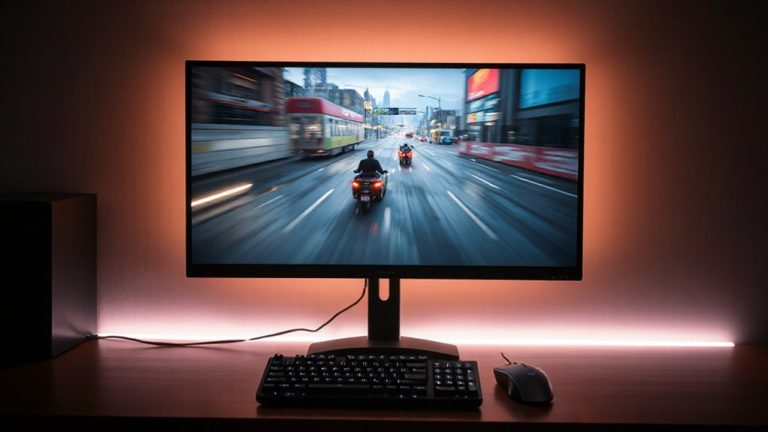
So, do you really need a 4K monitor for remote work? Probably not-if your day is mostly emails, docs, and video calls. Most remote workers won’t notice a meaningful difference in sharpness on a typical 24-inch screen at normal viewing distance. Higher pixel density in 4K does offer crisper text, but only if the display is large enough-27 inches or more-or you sit close. Otherwise, the benefit fades. Worse, without proper scaling, small UI elements can contribute to eye strain over time. You’ll need to tweak text scaling settings to avoid squinting. And while 4K looks great, it’s often overkill unless you’re editing photos or working with complex spreadsheets. For everyday tasks, a good 1080p or 1440p monitor delivers the same comfort with better app compatibility and lower cost. Don’t pay more unless you’re sure you need it.
Who Actually Needs a 4K Monitor?
Who really benefits from a 4K monitor at home? You do-if your work demands high color accuracy and sharp pixel density. If you’re editing photos, grading video, or designing in 3D, 4K delivers noticeably clearer details and more precise hues than 1080p or 1440p. Professionals using Adobe RGB or DCI-P3 color spaces rely on that accuracy for client work. Likewise, larger screens (27 inches and up) make the most of 4K’s density, eliminating graininess. But that clarity comes with trade-offs: you’ll need stronger graphics hardware, and text might appear too small without scaling. Not all apps handle scaling well, leading to blurry interfaces. Also, if your job is mostly email, coding, or browsing, 4K’s edge fades. The extra resolution won’t boost productivity meaningfully there. So while creatives gain real benefits, others may not justify the cost or complexity. Improper seating can undermine even the best monitor setup, so consider chair alternatives for posture to maintain ergonomic alignment during long work sessions.
Why 4K Helps (and Hurts) Multitasking
A 4ruise to considerable improve multitasking-if your workflow involves multiple full-size windows side by side. The extra screen real estate lets you keep apps visible and organized without constant alt-tabbing. With window snapping, you can split your display into four or more resizable sections, each sharp and legible, ideal for comparing spreadsheets, coding, or monitoring dashboards. You’ll fit more content comfortably, reducing the need to minimize or shuffle tabs. But there’s a catch: not all software scales well at 4K, and some apps appear tiny without proper DPI settings. You might also face performance drops if your GPU struggles with high resolution. So while 4K boosts productivity for visual or data-heavy tasks, it demands proper system support and setup. It’s powerful-but only if you’re ready to manage its quirks. Consider upgrading your network hardware like Top ASUS Router Deals to ensure seamless data flow when using multiple high-resolution applications simultaneously.
Why 4K Can Make Text Harder to Read
While the higher pixel density of a 4K display delivers stunning clarity, you’ll likely find text harder to read if your system isn’t properly configured. Without correct scaling, everything-including text-appears smaller, forcing your eyes to work harder and increasing visual strain over time. Even with scaling, some operating systems and apps don’t handle text clarity well, resulting in blurry or jagged characters. This is especially true on Windows, where per-monitor scaling can be inconsistent. If your workflow is text-heavy, sharpness matters more than raw resolution, and poor text rendering defeats the benefit of extra pixels. You might gain screen real estate, but at the cost of comfort and precision. For long reading or writing sessions, a well-tuned 1080p or 1440p display often provides better readability. Guarantee your OS, GPU drivers, and display settings are optimized-otherwise, 4K can make focusing harder, not easier.
When 4K Is (and Isn’t) Worth the Upgrade
You’re better off skipping the 4K upgrade unless your work involves pixel-level detail or you’ve already maxed out your screen real estate with multiple windows. For tasks like photo editing or video production, 4K delivers superior color accuracy and higher pixel density, which means sharper visuals and more precise rendering. But for general productivity, the benefits are subtle and may not justify the added cost.
| Use Case | Worth It? | Key Reason |
|---|---|---|
| Graphic Design | Yes | High pixel density, color accuracy |
| Video Editing | Yes | 4K timeline preview, color grading |
| Email & Browsing | No | Minimal visual gain, scaling issues |
Ensure your GPU supports 4K and consider OS scaling to avoid tiny text. While 4K excels in creative fields, most text-based workflows gain little.
Is 4K Overkill for Your Work Setup?
Is 4K overkill for your work setup? It depends on your tasks and gear. If you’re mostly editing text, browsing, or in video calls, 4K offers little benefit over 1080p or 1440p-especially on screens under 27 inches. Sharp text is nice, but not worth the cost if your work doesn’t demand high detail. However, color accuracy matters if you’re handling visuals, and 4K monitors often use better panel types, like IPS, which improve viewing angles and color reproduction. Still, a 1440p IPS panel can deliver similar color accuracy at a lower price and reduced strain on your GPU. Consider your software needs, screen real estate, and eye comfort. 4K shines in creative workflows or when multitasking across apps. For most remote workers, though, a well-chosen 1440p monitor with good panel type and color accuracy is the smarter, more balanced choice.
On a final note
You probably don’t need 4K for text-heavy remote work-1080p or 1440p on a 24- to 27-inch screen gives sharp text and saves money. 4K shines only if you multitask across many apps, edit video, or use a 32-inch or larger display where pixels matter. Just know: without proper scaling, text can look too small, and not all software handles HiDPI well. Also, 4K demands more GPU power and may reduce battery on laptops-so weigh real benefits against cost and compatibility.