Choosing the Right Type of Backup Power System Based on Your Specific Needs and Requirements in a Distributed Workplace
Choose backup power based on your site’s size and needs. Home offices usually run fine with a 1,500-watt inverter and 1,000Wh lithium battery-giving about 5 hours for laptops, routers, and lights. Bigger sites need 3,000+ watts, so go with modular solar or generators that offer fuel backup and 72-hour runtime. Use UPS systems for instant power and sensitive gear. Always factor in real-world efficiency losses, maintenance access, and warranty length-especially in remote spots. There’s more to get right based on environment and critical loads.
Notable Insights
- Assess power needs by site type, as home offices require 500–1,000 watts while retail or clinics need 3,000+ watts.
- Calculate runtime using battery capacity divided by total device wattage, adding a 10–15% buffer for real-world losses.
- Choose generators for whole-site, multi-day backup, or UPS for instant, short-term power to protect sensitive electronics.
- Opt for solar + battery systems to enable fuel-free, sustainable operation where sunlight and space permit.
- Enable remote monitoring and predictive maintenance to reduce on-site visits and ensure system reliability across distributed locations.
Size Your Backup Power System by Worksite Type
What kind of worksite are you powering? If it’s a home office, you’ll need a backup system that balances load capacity with energy efficiency. Most small setups draw 500–1,000 watts, so a 1,500-watt inverter with a 1,000Wh battery usually suffices. Look for lithium-ion cells-they offer better cycle life and efficiency than lead-acid. For larger sites like retail or clinics, aim for modular systems with scalable battery stacks and a load capacity over 3,000 watts. Energy efficiency matters more here; inverters with 90%+ efficiency reduce waste and runtime strain. Always confirm continuous watt ratings, not just peak, and check warranty terms-7 years is strong for inverters. While compact units suit deskside use, they trade runtime for portability. Test actual output with your gear, since claimed capacity sometimes exceeds real-world performance. Choose based on verified specs, not marketing. A reliable UPS backup power system ensures seamless operations during outages, especially for critical devices in distributed workplaces.
Estimate Runtime for Essential Devices
You’ve sized your backup system to match your worksite, so now focus on how long it’ll keep your key devices running. Runtime depends on battery capacity and your total load calculation. Start by adding up the wattage of essential devices-like laptops, routers, and monitors-to get your total load. Then, divide the battery capacity (in watt-hours) by that number. For example, a 1,000Wh battery might power a 200W setup for about five hours. Keep in mind that real-world conditions like temperature and battery age can reduce actual performance. Don’t assume manufacturer claims are exact; testing often shows a 10–15% drop. You’ll need a buffer, especially if runtime is critical. Accurate load calculation guarantees you’re not caught off guard during an outage. Always verify specs and plan conservatively.
Compare Generators, UPS, and Solar for Backup Power
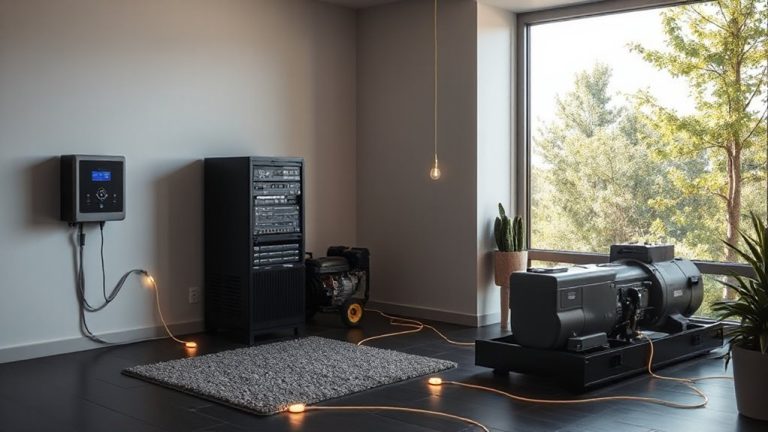
When reliability matters, choosing the right backup-be it a generator, UPS, or solar setup-comes down to your power needs and how long you expect them to last during an outage. Generators deliver high wattage for long durations but come with fuel dependency and high noise levels. UPS systems offer instant, quiet power, ideal for computers and routers, though they last minutes to hours. Solar + battery backups provide clean, quiet energy with no fuel dependency, but initial costs are higher and output depends on sunlight and storage capacity.
| Type | Runtime | Noise Levels |
|---|---|---|
| Generator | Days | High |
| UPS | Minutes-Hours | Very Low |
| Solar | Hours-Days | Low |
| Best for | Whole office | Sensitive gear |
| Caveat | Fuel dependency | Limited capacity |
Maintain Backup Systems in Hard-to-Reach Locations
Though they’re often tucked into tight closets or mounted on high walls, backup systems in hard-to-reach locations still need regular maintenance to work when you need them most. You can’t afford to ignore them just because access is tough. Remote monitoring lets you check battery levels, voltage output, and system errors from a dashboard, reducing the need for physical inspections. Pair that with predictive maintenance-software that analyzes performance trends to flag issues before they cause failure-and you’ll catch problems early. These tools save time and improve reliability, especially across distributed sites. But don’t rely on tech alone; occasional hands-on checks are still necessary to verify sensor accuracy and clean connections. Remote monitoring systems vary in compatibility, so confirm they work with your UPS or generator model. Predictive features require stable network access, which some locations may lack. Plan for both.
Balance Cost and Reliability by Site
Since not every site faces the same risks or usage demands, balancing cost and reliability means matching the backup system to the specific needs of each location-installing a high-end generator at a remote cabin used weekends only might save power during outages but rarely justifies the upfront expense. You need a site assessment to determine outage frequency, environmental exposure, and access to fuel or grid support. Pair that with load prioritization to identify which systems-like security or network gear-must stay online. A small office might run fine on a 5kVA UPS with 30-minute runtime, but a regional hub needs redundant generators with auto-transfer switches and 72-hour fuel reserves. Don’t overspend on features you won’t use, but under-spec’ing risks downtime. Weigh equipment warranties, service intervals, and scalability, especially if remote sites lack on-site IT. Reliable power isn’t one-size-fits-all-it’s about smart trade-offs.
On a final note
Choose a backup power system that matches your worksite’s needs-UPS for short outages, generators for long runtime, or solar for remote sites. Size it based on essential devices and runtime; test monthly. UPS units offer instant power but limited capacity, while generators need fuel but run longer. Solar pairs with batteries but costs more upfront. Check warranties-5 years for quality UPS, 3 for generators. No solution is perfect, but pairing reliability with realistic expectations gives you power when it matters most.