Ensuring Compliance With Electromagnetic Compatibility Regulations: a Comprehensive Guide for Home Office Managers
You need EMC-compliant gear to keep your home office running smoothly, since unshielded cables or cheap power adapters can emit interference that disrupts Wi-Fi, mutes audio, or slows your network. Look for FCC Part 15 or CE marks-proof of lab testing-and choose shielded CAT6A cables, grounded metal casings, and certified routers. Real-world performance varies, so separate power and data lines by 8 inches and avoid daisy-chained extensions. Poorly shielded devices may work at first but fail under load. Your setup’s reliability depends on verified attenuation, not just specs-know what’s behind the label.
Notable Insights
- Use only FCC Part 15 or CE-marked devices to ensure compliance with electromagnetic emission standards.
- Install shielded Ethernet cables and power adapters to reduce EMI and protect signal integrity.
- Separate data and power cables by at least 8 inches to minimize electromagnetic coupling and interference.
- Verify device compliance through certification marks, lab reports, and manufacturer warranties before deployment.
- Avoid unshielded or modified accessories that can compromise EMC performance and regulatory compliance.
Why EMC Compliance Matters in Your Home Office
Why should your home office setup care about electromagnetic interference? Because poor EMC compliance risks degrading signal integrity and disrupting daily work. Your laptop, router, and peripherals rely on clean electrical signals to function properly, and without effective interference prevention, nearby devices can introduce noise that slows data transfer or causes dropped connections. You might not see it, but EMI can corrupt Wi-Fi signals, distort audio during calls, or cause peripherals like keyboards to lag. Shielded cables, properly grounded equipment, and distance between high-emission devices help maintain performance. Some gear is tested to IEEE or CISPR standards-check manufacturer documentation for test reports and shielding specs. Keep in mind that cheaper accessories often cut corners on EMI filtering. While full compliance may seem excessive at home, basic precautions improve reliability without requiring expert knowledge or costly tools-just awareness and smart setup choices.
What Are EMC Regulations for Remote Workspaces?
How do your work devices measure up when it comes to staying within legal electromagnetic limits? EMC regulations for remote workspaces require that your equipment doesn’t emit excessive electromagnetic noise or become susceptible to interference. You’re responsible for ensuring your setup doesn’t cause wireless interference with nearby electronics. Devices must operate cleanly to prevent signal distortion in Wi-Fi, Bluetooth, or corded connections. Most countries enforce standards like FCC Part 15 in the U.S. or CE in Europe, which set clear emission and immunity benchmarks. While many consumer electronics are pre-certified, modifications or third-party accessories can void compliance. You won’t always see immediate issues, but non-compliant setups risk connectivity problems or regulatory scrutiny. Test environments often reveal problems not obvious at home. Stay compliant by using factory-configured gear and avoiding unshielded cables or overclocked components.
EMC-Compliant Devices Every Home Office Needs
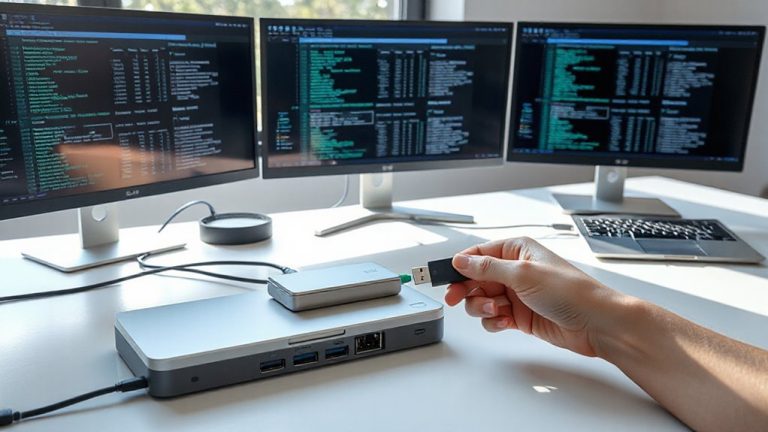
You’re already aware your home office gear must meet electromagnetic emission and immunity standards to avoid disrupting nearby devices or violating regulations like FCC Part 15 or CE marking requirements. Maintaining electromagnetic hygiene starts with using EMC-compliant devices such as shielded laptops, Ethernet cables, and power adapters that minimize interference. Device shielding in monitors and docking stations reduces emitted noise, protecting Wi-Fi and medical equipment nearby. Routers with built-in filters and printers bearing CE or FCC certification also support compliance. While most modern electronics meet baseline standards, cheaper models may cut corners on internal shielding or filtering. Always check for official certification marks and test setups under real workloads. Some peripherals lack adequate documentation, so prioritize brands with clear compliance statements, multi-year warranties, and independent lab reports. EMC safety isn’t optional-it’s foundational to reliable, legal operation.
How to Verify EMC Compliance on Your Equipment
What really separates compliant gear from the rest? It’s verified EMC testing-don’t just take the label at face value. Check for certification marks like FCC Part 15 or CE, which confirm third-party lab results. Look closely at EMI shielding: well-built devices use metal casings or conductive coatings to contain interference. Poor shielding often leads to signal distortion, especially when multiple devices run nearby. Real-world testing matters-operate your equipment alongside Wi-Fi routers, phones, and monitors to observe performance drops. Some gear passes lab tests but still causes interference under typical home office loads. Always review the manufacturer’s test reports if available, and prioritize products with solid warranties covering interference issues. While premium models usually deliver better EMI control, even some budget units perform well-verify individually. Never assume compliance based on brand or price.
Set Up an EMC-Safe Workspace: A Step-by-Step Guide
Though it might seem subtle, the difference between a workspace that runs smoothly and one plagued by glitches often comes down to electromagnetic compatibility. To set up an EMC-safe workspace, start by choosing a location away from large metal surfaces and high-power appliances that can reflect or emit interference. Use enclosures with verified EMI shielding for sensitive devices-look for test-backed attenuation ratings, not marketing claims. Organize cables using braided sleeves or shielded conduits; proper cable management reduces loop areas that pick up or emit noise. Keep data and power cables separated by at least 8 inches where they cross, using perpendicular routing. Ground all shielded cables at both ends unless the device manual specifies otherwise. Remember, even well-shielded setups can fail if cables act as antennas-so neatness isn’t just visual, it’s functional. Test your configuration under real load conditions, as EMI issues often appear only during peak operation.
Is Your Network Interfered With? Fix EMC-Related Issues
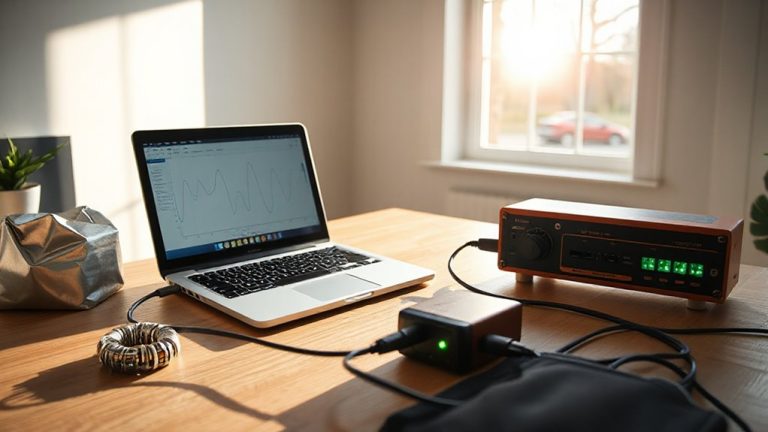
A clean EMC-safe workspace sets the foundation, but even well-organized setups can suffer network disruptions when electromagnetic interference targets data pathways. If you’re noticing slow speeds or dropped connections, signal interference from nearby devices-like routers, power supplies, or microwaves-might be the culprit. Common signs include intermittent network disruption during peak usage hours or when certain equipment powers on. Start by relocating your router away from metal objects and high-power electronics. Use shielded Ethernet cables (CAT6A or better) to reduce crosstalk and improve signal integrity. Keep wireless devices on different non-overlapping channels, preferably using the 5 GHz band. While ferrite cores on cables can help, they won’t fix poor routing or overloaded circuits. These fixes often restore stability, but results vary based on layout and device quality-test changes individually to verify impact. For optimal performance, consider investing in top-rated Ethernet cables that offer superior shielding and bandwidth support.
When Should You Consult an EMC Professional?
Could your office’s persistent network drops or device malfunctions stem from deeper electromagnetic interference that DIY fixes just can’t resolve? If simple fixes don’t work, it’s time to seek a professional consultation. You’ll need expert help when installing high-power devices like laser printers or UPS systems that risk disrupting Wi-Fi or Ethernet signals. Even if your gear claims EMC certification, real-world setups can create unforeseen coupling between circuits. An EMC specialist uses precise tools-spectrum analyzers, near-field probes-to pinpoint emissions sources and recommend shielding, grounding, or repositioning. While hiring a pro adds cost and time, it prevents recurring issues that hurt productivity. Still, not every glitch demands expert intervention-many stem from poor cabling or router placement. Reserve professional consultation for chronic problems after eliminating common causes.
On a final note
You should guarantee your home office meets EMC standards to avoid interference and maintain reliable performance. Devices like shielded USB cables, FCC-verified routers, and filtered surge protectors help achieve compliance. Most issues are preventable with proper setup and testing. But remember, even certified gear can malfunction if damaged or poorly installed. Always check labels for FCC or CE marks and keep warranty info handy-real-world results vary based on your environment.