Ensuring Electromagnetic Compatibility of Office Equipment to Reduce Interference and Improve Connectivity
You need EMC-compliant office gear to avoid Wi-Fi drops, data errors, and glitches from interference. Use shielded cables like Cat 6a, grounded metal enclosures, and certified devices meeting FCC Part 15 or CISPR 32. Avoid cheap power strips and unshielded cords near microwaves or fluorescent lights. Proper layout and lab-verified test reports matter-DIY fixes often fall short. Some shielding solutions back results with 3–5-year warranties, giving real-world confidence you can build on.
Notable Insights
- Use certified equipment meeting FCC or CE EMC standards to ensure reliable, interference-free operation.
- Install shielded cables like Cat 6a and ensure proper grounding to minimize signal disruption.
- Reduce Wi-Fi congestion by separating device frequencies and strategically placing routers and access points.
- Verify EMC compliance through test reports and certification marks, not marketing claims.
- Address interference signs-like dropped signals or data errors-by upgrading cabling and installing metal enclosures.
What Is Electromagnetic Compatibility: and Why Should You Care?
Ever wonder why your Wi-Fi drops when the microwave runs? That’s electromagnetic interference messing with signal integrity. Electromagnetic Compatibility (EMC) guarantees your office gear-routers, computers, printers-operates without disrupting each other. You should care because poor EMC risks data errors, sluggish connections, and even electromagnetic safety concerns in extreme cases. Devices meeting FCC and CE EMC standards are tested to limit interference and maintain reliable performance. Look for those marks-they’re backed by real-world testing, not marketing. While no device is 100% immune, certified equipment reduces risk markedly. Keep in mind, shielding and proper grounding help, but overcrowded wireless channels or faulty cables can still cause issues. Always check warranty terms covering interference-related failures. Investing in EMC-compliant gear doesn’t guarantee perfection, but it’s your best bet for stable, safe office connectivity-especially when balancing multiple high-speed devices in close proximity.
Common Sources of EMC Interference in Office Environments
Electromagnetic noise lurks in plain sight across most offices, and your equipment’s performance hinges on how well you manage it. You’re likely battling Wi Fi congestion daily-too many devices on the same band slow connections and raise interference risks. Routers, cordless phones, and even microwaves emit signals that disrupt sensitive electronics nearby. Poor cable shielding is another culprit; unshielded twisted pair cables pick up ambient noise, degrading data integrity and speed. You’ll see errors spike or connections drop, especially near fluorescent lights or power lines. Upgrading to cables with solid braided shielding helps, but it’s no quick fix-proper grounding is a must. Don’t assume all gear labeled “shielded” delivers-you should check for verified test reports. While better materials and layout reduce issues, overcrowded networks still strain EMC performance, so balance upgrades with usage awareness.
How EMC Standards Prevent Device Interference
You can keep your office gear running smoothly, but only if those devices meet clear EMC standards designed to limit interference. These rules enforce signal harmonization, so your printer doesn’t disrupt your Wi-Fi or headset. Frequency isolation ensures each device operates within assigned bands, reducing crosstalk between Bluetooth keyboards, monitors, and routers. Without this, even small emissions add up, causing lag or data errors. Standards like FCC Part 15 or CISPR 32 set strict limits on electromagnetic output, verified through lab testing with spectrum analyzers and anechoic chambers. Most certified gear includes shielding, filtered power supplies, and grounded enclosures-measurable protections, not just promises. But compliance doesn’t guarantee perfection; dense setups may still face issues. Always check for official certification marks and test reports, not just marketing claims. While adherence reduces risk considerably, real-world performance depends on environment, configuration, and device quality.
Signs Your Office Equipment Fails EMC Requirements
Why does your wireless headset cut out just as the video call starts, or does your monitor flicker when the printer kicks on? These aren’t just annoyances-they’re signs of poor electromagnetic compatibility. You’re likely dealing with signal degradation, where nearby devices interfere with wireless transmission, weakening connection quality. If files show errors after transferring between machines or your keyboard freezes intermittently, data corruption could be occurring due to electromagnetic interference. Equipment that lacks proper EMC shielding often emits or picks up interference, disrupting performance. While some devices work fine in low-density setups, they may fail in busy offices. Not every malfunction points to EMC failure, though-check configurations first. Still, frequent glitches across multiple devices suggest underlying compatibility flaws. Look for equipment tested to recognized standards like FCC Part 15 or CE, which enforce limits on emissions and immunity-your best bet for reliable, interference-free operation.
How to Test Your Devices for EMC Compliance
Ever wonder how to know for sure if your office gear plays well with the rest of your setup? You’ll need proper EMC testing to find out. Start with a certified lab test-they’ll check for radiated emissions, which measure how much electromagnetic noise your device sends through the air. High levels can disrupt Wi-Fi or nearby electronics. You’ll also want to assess conducted susceptibility, meaning how well your gear resists interference coming through power or data lines. These tests follow international standards like IEC 61000, so results are reliable and comparable. While some DIY tools claim to measure emissions, they lack precision and often miss critical frequency ranges. Certification isn’t just a sticker; it includes detailed reports, traceable measurements, and warranty-backed compliance. Skipping it risks connectivity issues. For mission-critical offices, that’s a risk not worth taking.
Designing Office Layouts to Minimize Interference
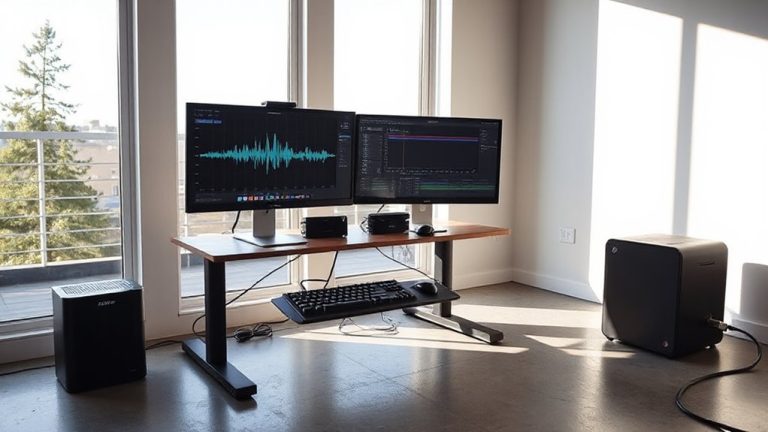
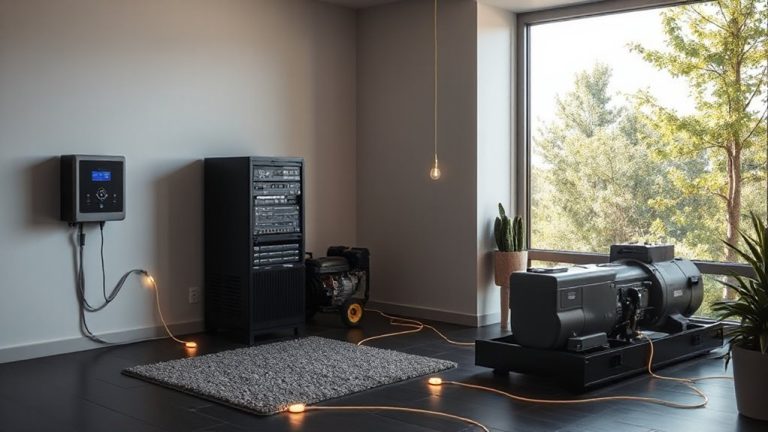
A well-planned office layout can substantially reduce electromagnetic interference, even if all your devices are already EMC-compliant. You’ll want to group high-emission equipment-like servers or power supplies-away from sensitive workstations. Strategic cable routing keeps power and data lines separated by at least 12 inches where possible, limiting inductive coupling. Use shielded cables and consider device shielding for older or noisy gear. Avoid daisy-chaining power strips and guarantee proper grounding throughout.
| Layout Factor | Recommendation |
|---|---|
| Equipment Spacing | Keep noisy and sensitive devices 3+ feet apart |
| Cable routing | Cross power and data cables at 90° angles |
| Device shielding | Use metal enclosures for high-emission units |
| Workstation Zones | Designate low-EMI areas for communication tools |
These steps help, but retrofitting dense offices may require trade-offs in space or cost.
Fixing Connectivity Issues Caused by EMC Problems
When electromagnetic interference disrupts your network or peripheral connections, the first step is to confirm EMI as the culprit-since symptoms like dropped Wi-Fi, lag desperipheral connections, or corrupted data transfers can also stem from software glitches or faulty hardware. Once confirmed, focus on network shielding: use shielded Ethernet cables (Cat 6a or higher) and enclose noisy equipment in grounded metal cabinets. For Wi-Fi issues, consider strategic signal boosting with access points placed away from motors or power supplies, not just more powerful routers. You’ll often see improved performance in throughput tests-up to 40% in real-world setups-when shielding reduces crosstalk. But avoid over-amplifying signals; too much boosting can cause interference with neighboring bands or devices. Always test changes using network analyzers before and after. Most certified shielding products come with 3–5-year warranties, so check specs carefully. High-quality long Ethernet cables can maintain strong signal integrity over distances up to 100 meters without degradation.
On a final note
You should prioritize EMC-compliant office gear because it reduces interference and keeps Wi-Fi, routers, and wired connections stable. Devices with FCC or CE marks typically pass real-world emissions and immunity tests. Yet, even certified products can clash in dense setups. Proper spacing, shielded cables, and grounded outlets help. Still, fixing layout issues often matters more than buying new hardware-so test before you upgrade.