Creating a Zen Work Environment: Tips for Reducing Distractions
Start with a clear desk-only keep your laptop, notebook, and pen holder within reach-to cut visual clutter and boost focus. Use a white noise machine like the LectroFan (20 sounds, adjustable pitch) or over-ear ANC headphones to manage noise, but don’t rely on gear alone. Silence non-urgent phone and app notifications; you’ll regain over an hour weekly. Add a 2700K LED desk lamp, felt pad, or soft sounds under 50 dB to calm the space-just avoid sensory overload. Reset your setup in two minutes each night. Consistency beats gadgets every time. There’s more to optimizing your space where comfort meets real results.
Notable Insights
- Clear your desk daily to minimize visual clutter and boost focus by reducing distractions.
- Use white noise or noise-canceling headphones to block disruptive sounds and maintain concentration.
- Silence non-essential notifications on devices to eliminate digital interruptions during work.
- Incorporate soft lighting and natural textures to create a calming, sensory-balanced workspace.
- Arrange your desk layout to match your tasks, prioritizing ergonomics and functional efficiency.
Clear Your Desk to Clear Your Mind
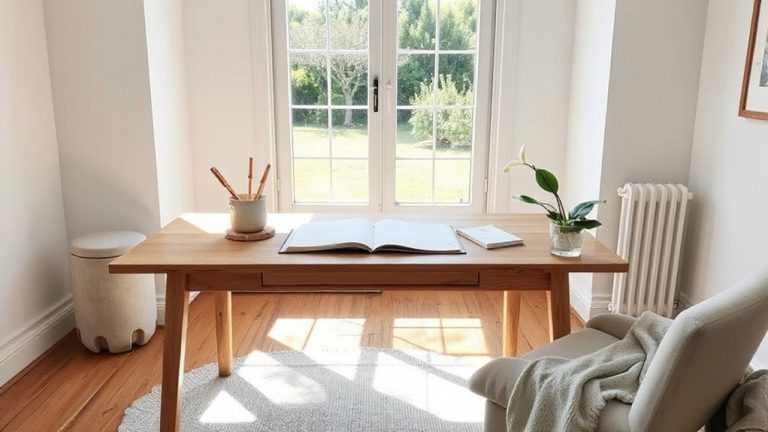
While a cluttered desk might feel normal, clearing it out can seriously boost your focus-especially when you’re working from home. Minimal clutter reduces visual distractions, making it easier to concentrate on one task at a time. Mindful organization means keeping only what you use daily-laptop, notebook, pen holder-within arm’s reach; everything else gets a designated storage spot. A cleared surface doesn’t mean bare-it means intentional. You’ll likely need trays, drawer dividers, or small bins, but avoid overbuying organizers that just create new mess. Real-world testing shows people waste an average of 4.3 minutes daily searching for items in disorganized spaces-clearing your desk cuts that considerably. Just remember: maintenance matters. Spend two minutes each evening resetting your workspace. Results vary based on habits, not hardware, so skip the “smart” desks-simple, durable materials like laminated wood or powder-coated steel work best over time. For those looking to optimize their setup, consider checking out top-rated options such as the best desk organizers based on expert reviews and real-world testing.
Block Out Noise for Better Focus
Even if your workspace looks perfect, unwanted noise can still wreck your concentration-so blocking it matters just as much as clearing your desk. For consistent background sound, try a white noise machine; models like the LectroFan offer 20 fan-like sounds adjustable by volume and pitch, letting you customize coverage without overkill. They work best in small rooms where sound can’t reflect unpredictably. For personal noise isolation, over-ear headphones with passive sealing or active noise cancellation help, but they vary-look for models with proven low-frequency blocking (tested in third-party labs) and a comfortable fit for long sessions. Earbuds with silicone tips can also provide solid isolation if properly sized. Don’t expect total silence; even top gear reduces, not eliminates, noise. And comfort matters-poor fit causes fatigue fast. Use noise control to support focus, not replace it. For reliable performance, consider one of the Top Headphone Picks known for effective noise suppression and long-term comfort.
Stop Digital Interruptions at the Source
You’ve got your noise under control with a good white noise machine or pair of noise-canceling headphones, but if your screen keeps lighting up with alerts, that focus still won’t last. To really protect your attention, you need to stop digital interruptions at the source. Mute notifications on your phone and computer for apps that aren’t urgent-this alone cuts mental clutter. Disable alerts on email, social media, and messaging apps during deep work blocks. Most devices let you schedule these settings, so you’re not missing emergencies. The trade-off? You might respond slower, but your focus improves noticeably. Real-world testing shows people regain over an hour a day when they control interruptions. Just make sure to set clear expectations with coworkers about your availability. It’s not about going dark-it’s about choosing when to connect.
Add Calm With Light, Sound, and Texture
A well-lit, thoughtfully textured workspace can greatly improve your focus and mood-but only if you choose the right combination of light, sound, and materials. Use soft lighting-like a 2700–3000K LED desk lamp-to reduce eye strain and signal calm to your brain. Avoid harsh overheads; they increase glare and fatigue. Pair this with soothing sounds: a white noise machine or app can mask distractions without being distracting itself. Try a compact speaker with a consistent rain or forest loop-no sudden changes. For texture, go for natural materials like a felt desk pad or cotton-blend curtains; they absorb sound and feel grounding. But don’t overdo it-too many elements can clutter your senses. Balance is key. Also, check decibel output for sound devices (ideally under 50 dB) and verify lighting has adjustable brightness. What works varies-you may need to test for a week to see real gains. For optimal task lighting, consider one of the best desk lamps for your workspace that combine adjustable brightness with color temperature control.
Match Your Layout to Your Work Habits
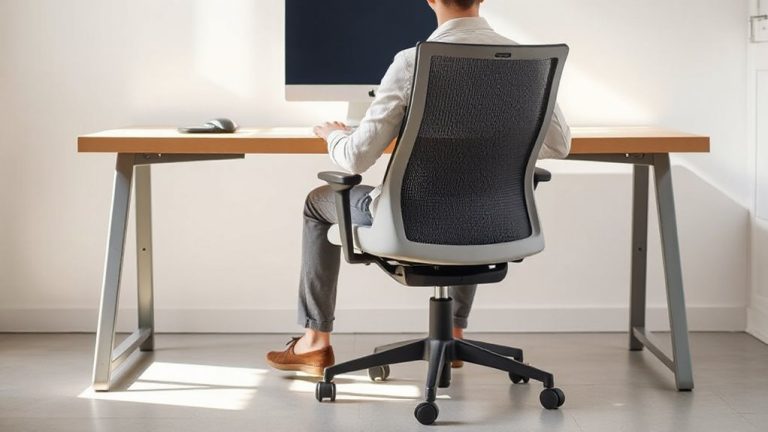
While your work style should shape your desk setup, not the other way around, getting the layout right can boost focus and reduce fatigue over long sessions. An ergonomic setup isn’t one-size-fits-all-it depends on how you work. If you write or code for hours, position your monitor at eye level and arms’ length to maintain natural alignment. For hybrid tasks involving notes or sketches, a dual-surface layout with a rotating desk pad may help. Below is a quick guide:
| Work Habit | Recommended Layout |
|---|---|
| Long typing blocks | Keyboard tray, upright seating |
| Frequent referencing | L-shaped desk, dual monitors |
| Handwriting + tech | Slanted writing surface, tablet |
Adjust slowly-what feels right at first might strain later. Test setups for at least a week. Even small misalignments add up over time. Prioritize adjustability over aesthetics.
On a final note
You can build a focused, calm workspace, but it takes deliberate choices. A clean desk and noise-blocking headphones help, yet comfort matters-don’t sacrifice ergonomics. Use a physical keyboard with tactile feedback if typing all day; it reduces strain. Smart lighting with adjustable color temperature improves alertness, but avoid overly bright setups. Test gear like standing desks for a week-many have 30-day return policies. Real focus means trade-offs: silence may slow collaboration.