Using Drawer Dividers to Store Charging Cables by Device Type
Use drawer dividers to sort charging cables by device-phone, tablet, laptop-for faster access and less tangle. Pick durable, modular ABS plastic dividers that fit shallow or deep drawers, and customize layouts as needed. Group cables by type, label each section with color-coded, text-aided tags (red for phone, blue for tablet), and reserve muted tones for rarely used cords. Test fit bulkier laptop chargers first, since stackable units may shift. Clear out dead cables monthly by testing twice; recycle responsibly. Assign dedicated zones for power banks, dongles, and adapters using padded, labeled slots. Replace vinyl labels every 6–8 months for legibility. A well-maintained system adapts easily when new devices arrive.
Notable Insights
- Group cables by device type using adjustable drawer dividers to separate phone, tablet, and laptop chargers.
- Assign bold labels and color code cables-red for phone, blue for tablet-to speed up identification.
- Use durable ABS plastic dividers that can be reconfigured as cable needs change over time.
- Designate specific zones within dividers for USB-C, micro-USB, and MagSafe to reduce tangles and wear.
- Audit monthly to remove unused cables and maintain organization after device upgrades or changes.
Sort Cables by Device to Save Time Daily
Your cables’ daily chaos has a simple fix: sorting by device. Grouping them this way cuts search time and prevents tangles, especially when you align cable color coding with device usage frequency. Frequent-use items like phone and tablet chargers should stand out with bold or bright labels, while rarely used cords-say, for older e-readers-can be muted. This system works best if you audit what you actually use monthly; people often keep cables they haven’t touched in six months. Cable color coding only helps if it’s consistent and logical, not decorative. Note: over-labeling creates visual noise, which defeats the purpose. Also, color-coded bands or printed labels wear down after 6–8 months unless they’re vinyl or heat-shrink tubing. Pairing device-specific sorting with durable tags delivers real gains in drawer efficiency, but only if you stay honest about what you actually use. For long-term organization, consider using adjustable drawer dividers that accommodate various cable sizes and device types.
Pick the Right Drawer Dividers
Choosing the right drawer dividers makes or breaks the system you’ve started by sorting cables by device. You need strong material durability to handle daily use and prevent warping. Flexible size customization lets you fit various cable types without wasting space. Prioritize adjustable or modular dividers for long-term success. Consider reviewing a product roundup for top-rated options that balance durability and flexibility.
| Feature | Why It Matters |
|---|---|
| Material durability | Resists cracking, especially in plastic models over time |
| Size customization | Fits shallow or deep drawers, adapting as needs change |
| Modular design | Allows reconfiguration without buying new pieces |
| Stackable units | Great for deep drawers but may reduce grip stability |
Not all dividers hold up under frequent handling-check warranty length as a durability clue.
Group Cables by Phone, Tablet, and Laptop
Start with a clear win: organizing cables by device type-phone, tablet, laptop-saves time and reduces clutter. You’ll boost cable compatibility by grouping only those that fit each device, avoiding tangles and wear from mismatched connectors. Use dividers to create dedicated device specific storage zones, so your USB-C phone charger doesn’t get lost among micro-USB or MagSafe options. This method works well if you own multiple gadgets with differing power needs, but it demands consistent upkeep-especially when upgrading devices. Note that not all cables are interchangeable, even if they look similar. Over time, misplacing one can disrupt the system. Drawer size matters too; shallow drawers may not accommodate bulkier laptop chargers. Test the layout first before finalizing. While efficient, this setup requires honest assessment of your usage patterns and space limits.
Label Each Divider by Cable Type
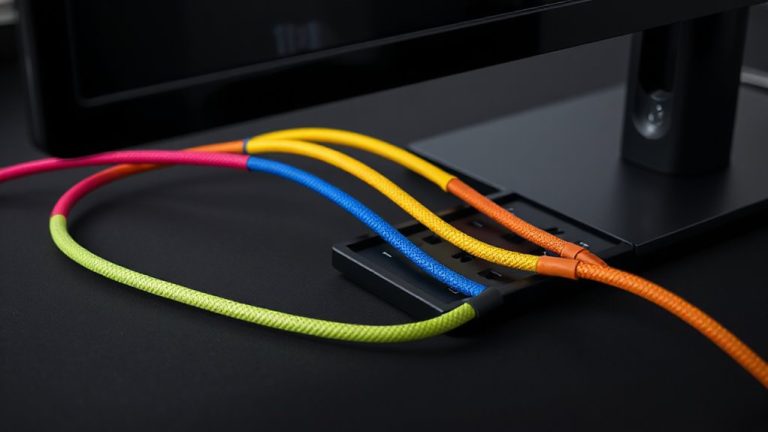
While grouping cables by device helps, labeling each divider by cable type takes organization a step further-especially when you’re dealing with similar-looking connectors like USB-C, micro-USB, and Lightning. You’ll save time and reduce frustration when you can grab the right cable without double-checking. Pair labels with cable color coding to boost visual recognition-red for phone, blue for tablet, for example. Most divider material options, like plastic or fabric, work, but sturdier ABS plastic holds up better over time and resists warping. Use adhesive labels or a label maker for clarity; handwritten ones may smudge or fade. While this system improves efficiency, it only works if everyone in the household follows it. Also, color coding fails those with color blindness, so combine it with text labels. Labels need occasional updating as cable types evolve, especially with USB standards changing. It’s not foolproof, but it’s far more reliable than memory. For consistent, durable labeling, consider using a best label maker that suits your specific organizational needs.
Clear Out Dead Cables Monthly
You should probably clear out dead cables once a month-doing so keeps your drawer from becoming a graveyard of frayed ends and forgotten chargers. Set a recurring reminder to unplug and test each cable; if it doesn’t charge reliably after two attempts, it’s time to go. This habit reduces clutter and improves access to working cords. Instead of tossing dead cables in the trash, check local cable recycling programs-many retailers offer free drop-offs and guarantee materials like copper and plastic are reclaimed safely. Use electronic waste tracking tools to verify your old cables are processed responsibly, not dumped or incinerated. While monthly sorting takes around 10 minutes, skipping it leads to buildup and wasted time later. Just be careful not to discard cords you rarely use but still function-low usage doesn’t mean obsolescence. Balance efficiency with practical retention.
Add Power Banks, Dongles, and Other Tech Gear
Once your drawer’s free of dead cables, it’s time to stock it with the accessories that keep your devices running smoothly-power banks, dongles, and other frequently used tech gear. Smart cable organization isn’t just about cords; it extends to every piece of tech storage. Use dividers to create dedicated zones, so you’re not digging for a USB-C hub before a meeting.
| Item | Ideal Storage Tip |
|---|---|
| Power Bank | Store upright, near charger |
| HDMI Dongle | Group by port type (USB-C, etc.) |
| Ethernet Adapter | Pair with compatible cable |
| Backup Drive | Keep in padded divider slot |
This setup saves time and prevents damage. Just don’t overcrowd-leave room for new additions. While labeled sections help, avoid permanent adhesives; your tech storage needs will shift. Dividers with adjustable widths (6–10 inches) offer the most flexibility.
On a final note
You’ll save time daily by organizing charging cables with drawer dividers, grouping them by phone, tablet, and laptop. Clear, labeled sections make gear easy to find and keep. Choose sturdy dividers that fit your drawer’s exact measurements-flexible ones adjust as needs change. Swap out dead cables monthly to avoid clutter. Just remember, while this system works well, it only helps if you actually close the drawer.