How to Create a Standing Desk Transition Schedule for Beginners
Start with 15-minute standing breaks every hour to ease into the routine without strain. Set your monitor at eye level, 20–30 inches away, and use a separate keyboard at elbow height. Gradually increase standing by 5–10 minutes every few days, aiming for 1–2 hours daily over 3–4 weeks. Balance with sitting in 30-minute intervals to prevent fatigue. Wear supportive shoes or use an anti-fatigue mat, but listen to your body-adjust if you feel pain. There’s more to optimizing your setup based on your daily comfort and long-term habits.
Notable Insights
- Start with 15-minute standing breaks every hour to ease into standing without overexertion.
- Gradually increase standing time by 5–10 minutes every few days as your body adapts.
- Alternate between sitting and standing every 30 minutes to prevent fatigue and support circulation.
- Set up your desk ergonomically with monitor at eye level and wrists straight while typing.
- Monitor for pain or swelling, and adjust your routine or setup to reduce discomfort.
Start With 15-Minute Standing Breaks Every Hour
Start with 15-minute standing breaks every hour-it’s a simple rule that delivers real benefits without demanding a full routine overhaul. These standing breaks help ease lower back strain and improve circulation, especially if you’re shifting from a fully seated setup. By syncing your activity to an hourly rhythm, you build consistency without burnout. Most people find it manageable to stand for short blocks, especially when using a stable surface at elbow height. You don’t need a premium adjustable desk-any flat, sturdy workspace works. But don’t push through discomfort; fatigue can creep in fast if you’re unprepared. Wear supportive shoes and use an anti-fatigue mat only if it feels helpful. Results vary, and some report mild leg aches early on. Adjust timing if focus dips. This method eases you in, but long-term success depends on how well you listen to your body-not any gadget.
Set Up Your Standing Desk for Proper Ergonomics
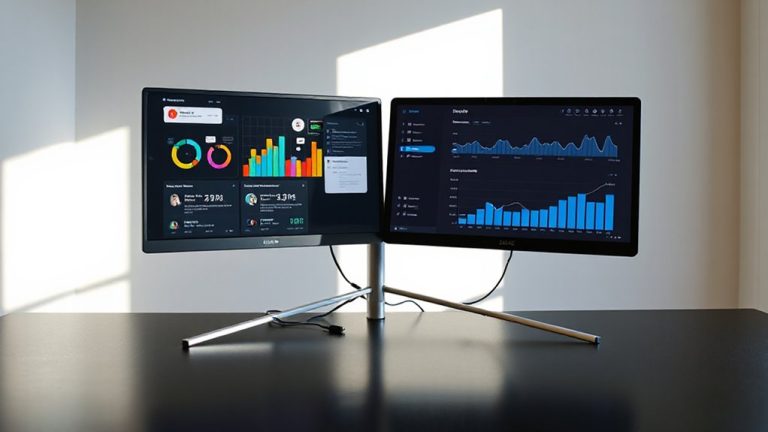
Your comfort at a standing desk hinges on one thing: correct ergonomic alignment. For ideal monitor height, the top of your screen should sit at or just below eye level, about 20–30 inches from your face, reducing neck strain. If you’re using a laptop, consider a separate keyboard and monitor stand. Keyboard placement is just as essential-keep it at elbow height, with wrists straight and shoulders relaxed. A height-adjustable desk lets you fine-tune both elements, but even basic models should offer enough range for most users. Test adjustments gradually; minor tweaks matter more than major overhauls. While standing mats and anti-fatigue pads help, they won’t fix poor alignment. There’s no one-size-fits-all setup-your ideal posture depends on your height, desk, and body. Always verify positions after adjustments with real use over time. Top models offer smooth transitions and ample workspace for dual monitors. Top Standing Desk Converters provide excellent ergonomic support and flexibility.
Increase Standing Time Gradually Over Weeks
Getting the hang of standing at your desk starts with small, manageable sessions-think 15 to 20 minutes at a time-rather than going full hours right away. You’ll want to gradually build up your standing time over weeks, adding 5 to 10 minutes per session every few days as your body adapts. Good footwear support is essential-opt for supportive shoes or an anti-fatigue mat to reduce strain. Track your progress with time tracking tools like a smartwatch or simple timer to stay consistent without overdoing it early on. Most users find they can comfortably stand for 1–2 hours daily within 3–4 weeks. But go too fast, and you risk discomfort that slows long-term adoption. The key is steady, measured increases-your body responds better to consistency than intensity. Listen closely to how your legs, feet, and back feel throughout the process. A reliable best standing desks choice can make this transition smoother by offering stable height adjustments and ample workspace.
Balance Standing and Sitting to Prevent Fatigue
Often, the most effective standing desk routine isn’t about standing more-it’s about balancing standing and sitting wisely throughout the day. Aim for a 1:1 ratio-stand 30 minutes, sit 30 minutes-to reduce lower back and leg strain without overdoing either. As you stand, wear supportive footwear; cushioned insoles or low-heeled shoes improve comfort far more than bare feet or slippers. Pair this with an anti-fatigue mat made of contoured foam or gel, which encourages subtle muscle movement and enhances circulation. Real-world tests show these mats can delay fatigue by 20–30 minutes, but they aren’t a fix for poor posture or standing too long. Even with good footwear support and mats, extended standing still increases joint load. Rotate positions consistently, and remember: no gear replaces a well-paced routine. Effectiveness depends on your discipline, not product claims. For improved posture and core engagement while transitioning between sitting and standing, consider using a standing desk stool.
Adjust Your Routine Based on Discomfort Signs
While standing longer might seem like the goal, adjusting your routine based on discomfort signs is what truly prevents injury and sustains productivity. You need to listen to your body-it’ll tell you when something’s off. If you feel lower back pain, foot soreness, or swelling in your legs, don’t push through it. These aren’t badges of endurance; they’re warnings. Track symptoms daily, noting when and where discomfort appears. That sharp knee pain after 30 minutes of standing? That’s data. Use it. Switch back to sitting, adjust your anti-fatigue mat, or tweak your desk height. Most ergonomic guidelines suggest a 1:1 or 1:2 sit-stand ratio for a reason-balance reduces strain. Even well-designed setups fail if you ignore early red flags. Standing desks aren’t a one-size-fits-all fix. Your body’s feedback is the most reliable metric, not the timer, not the trend.
On a final note
Start with short standing intervals and build gradually-you’ll reduce fatigue while adapting safely. Proper ergonomics matter: align your monitor at eye level and keep your keyboard at elbow height. Most users find a 1:1 sit-stand ratio sustainable long-term. Listen to your body; foot pain or lower back strain means it’s time to adjust or sit. No gear eliminates the need for movement, so keep walking breaks part of your day.