How Panel Type Affects Eye Strain During Extended Work-from-Home Sessions
You’ll find IPS panels easiest on your eyes during long work-from-home sessions, thanks to wide 178° viewing angles and consistent color even when you’re off-center. They reduce strain better than TN panels, which warp colors when viewed slightly off-angle, or VA panels, which offer deep blacks but can blur fast motion. Look for flicker-free backlights, 250–350 nits brightness, and low blue light modes. Just mind the IPS glow in dark rooms-it’s a trade-off for clarity. There’s more to optimizing your screen experience than panel type alone.
Notable Insights
- IPS panels reduce eye strain with wide viewing angles and consistent colors, ideal for long work sessions.
- TN panels increase eye fatigue due to narrow viewing angles and noticeable color shifts off-center.
- VA panels offer high contrast and low blue light options, aiding comfort in dimly lit home offices.
- IPS glow and higher blue light emission may cause discomfort during prolonged use in dark rooms.
- Flicker-free backlighting and matte finishes in IPS/VA panels help minimize glare and visual stress.
Why Monitor Panel Type Affects Eye Strain
While no monitor can eliminate eye strain completely, the panel type you choose plays a significant role in how your eyes feel after hours of back-to-back Zoom calls or spreadsheet grinding. IPS panels typically offer superior viewing angles, so colors stay consistent even when you’re slightly off-center-ideal if you tend to shift positions. VA panels provide deeper blacks and higher contrast, which can reduce glare in dim environments. TN panels, while faster, often suffer from narrow viewing angles, meaning color shifts and brightness loss if you’re not directly in front. Pixel response matters, too: slower response times can cause motion blur, especially during scrolling, leading to eye fatigue. Even with good specs, brightness uniformity and backlight flicker vary by model. Always check real-world reviews and consider a 24–27-inch size with at least 2ms pixel response and wide viewing angles for balanced comfort. No single panel fixes everything, but small upgrades help.
IPS vs TN vs VA: Which Is Best for Eye Comfort?
If you’re aiming to reduce eye strain during long workdays, IPS panels are generally your best bet thanks to their wide viewing angles and consistent color reproduction, so you won’t experience dimming or color shifts when glancing slightly off-center. VA panels offer deeper blacks and good contrast, which helps in dim rooms, but their viewing angles aren’t as reliable-colors can warp if you’re not centered. TN panels have the worst viewing angles, often washing out or inverting hues even with small head movements, making them harder on the eyes over time. While panel durability is similar across types, IPS units tend to maintain image quality longer under continuous use. Keep in mind that IPS models may show slight backlight bleed, so check return policies. For most home office setups where off-angle clarity matters, IPS strikes the best balance-just verify build quality and warranty before buying.
Are IPS Panels Easy on the Eyes?
Why do so many remote workers swear by IPS panels for long screen time? Because they’re generally easier on the eyes, thanks to excellent color accuracy and wide viewing angles. You’ll see true-to-life colors and consistent brightness, even when you’re not sitting directly in front of the screen.
| Feature | Benefit | Caveat |
|---|---|---|
| Color Accuracy | Ideal for editing and detail work | Slightly higher blue light emission |
| Viewing Angles | No color shift at 178° | Can cause glare in bright rooms |
| Panel Uniformity | Even backlighting reduces eye fatigue | May show IPS glow in dark scenes |
That glow in dark rooms? It’s not a defect-just how IPS works. While the improved clarity and color reduce strain during long reads or video calls, pair your panel with matte screen filters and dimming software to manage brightness. It’s a solid choice, but not flawless.
Is the TN Panel Too Harsh for Long Work?
Ever wonder why TN panels aren’t the go-to for long work-from-home stretches? They’re not ideal for extended use, mainly due to limited viewing angles and noticeable color distortion. Even slight head movements can make colors shift or contrast drop, forcing your eyes to work harder. That strain adds up over hours, increasing fatigue. While TN panels offer fast response times and low input lag, their visual trade-offs hurt comfort during long sessions. You’ll likely end up adjusting your posture frequently to stay centered, which isn’t sustainable. If you’re on a budget and mostly do short tasks, a TN panel might suffice. But if you’re logging eight-plus hours daily, investing in a better panel type pays off. For real comfort and accuracy, stick to alternatives. TN’s cost savings come at the expense of eye health over time.
Can VA Panels Reduce Eye Fatigue?
VA panels can substantially reduce eye fatigue during long work-from-home sessions, especially when compared to TN panels. You’ll notice sharper contrast and deeper blacks, which help reduce screen glare and improve visual comfort over time. Their wide viewing angles mean colors and brightness stay consistent even when you’re not sitting perfectly centered-ideal if you frequently shift positions. Many VA panels also include low blue light modes, either through software or hardware adjustments, helping minimize eye strain during extended use. However, they’re not perfect. Some models show slight color shifting or motion blur in fast-moving content, and response times can lag behind IPS or newer OLED displays. Still, for mostly static work like documents, email, or web browsing, a well-calibrated VA panel with flicker-free backlighting and adequate brightness offers solid long-term comfort without premium pricing.
Brightness, Contrast, and Color: What Causes Strain?
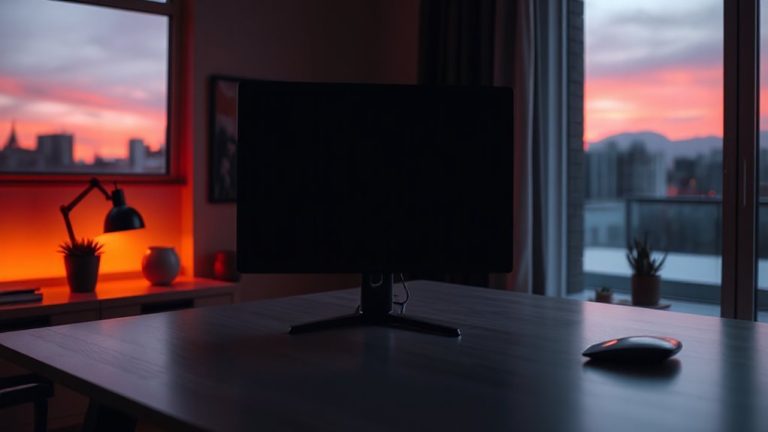
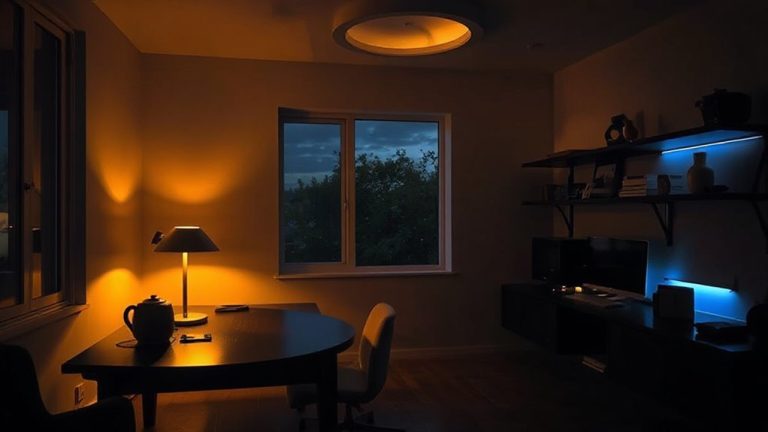
When your screen’s brightness doesn’t match the ambient light in your workspace, your eyes have to work harder-increasing fatigue over time-so sticking to a display with adjustable brightness between 250 and 350 nits usually delivers the best balance for indoor settings. Too much blue light, especially late in the day, can disrupt circadian rhythms and worsen eye strain, so look for monitors with a reliable blue light filter you can toggle. Flicker rate matters just as much: low flicker rates cause subtle eye fatigue even if you don’t notice them, so choose flicker-free (or PWM-free) models. High contrast helps with readability, but oversaturated colors can create visual stress over hours. You’ll want accurate color temperature settings-around 6500K is ideal-to reduce strain. These factors aren’t just comfort tweaks; they directly affect focus and endurance. However, not all “eye care” modes deliver as promised-some merely dim the screen without addressing flicker or blue light.
How to Pick the Best Monitor for Home Office Eye Health
Why settle for a monitor that leaves your eyes tired after just a few hours? Choose an IPS panel with a matte finish-it cuts glare and delivers accurate colors without excessive brightness. Set it at eye level, about 20–30 inches away, for proper ergonomic positioning; tilt the screen slightly upward if needed to reduce neck strain. A height-adjustable stand makes this easier. Good cable management isn’t just tidy-it reduces distractions and helps maintain airflow, preventing overheating. Look for monitors with built-in cable routing and USB hubs to streamline setup. While high refresh rates (75Hz+) feel smooth, they don’t reduce eye strain much for office tasks. Instead, prioritize flicker-free backlighting and low blue light modes backed by third-party certifications like TÜV. Even well-rated models can vary-check real-world reviews. Warranties of three years or more signal manufacturer confidence, but they won’t fix poor viewing habits. Balance hardware quality with smart workspace design.
On a final note
You’re likely best off with an IPS panel for long work-from-home hours-it offers wide viewing angles and accurate colors, reducing eye strain during prolonged use. Real-world tests show its consistent brightness beats TN and VA on visual comfort. But IPS can have minor glow, and VAs offer deeper blacks. Pair any panel with matte finish, 300+ nits brightness, and flicker-free tech. Your ideal pick depends on adjusting brightness to ambient light and taking regular breaks-no monitor fixes poor habits.