Selecting an Ergonomic Chair With Adjustable Armrests to Prevent Shoulder Tension
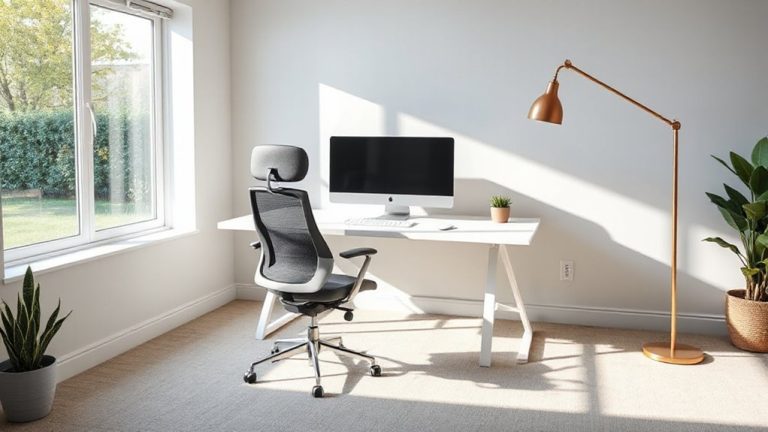
Choose an ergonomic chair with 3D adjustable armrests that match your desk height-ideally within 2 inches of your elbow when seated-to prevent shoulder tension. Proper alignment keeps your shoulders relaxed and reduces strain on your neck and upper back. Pair this with lumbar support and a 100–110 degree seat-back angle for best results. Remember, even top chairs fail if you skip regular posture checks and movement breaks. Smart adjustments today mean fewer aches tomorrow.
Notable Insights
- Choose a chair with 3D adjustable armrests to precisely align them with your desk height and reduce shoulder strain.
- Set armrests so elbows rest at 90 degrees, ensuring shoulders remain relaxed and level during work.
- Match armrest height to desk height to prevent elevation mismatches that increase upper-body tension.
- Opt for contoured or memory foam padding to minimize forearm pressure without compromising proper arm alignment.
- Combine adjustable armrests with proper lumbar support and a slightly reclined seat angle to prevent shoulder hunching.
Why Your Desk Chair Causes Shoulder Tension
Why does your shoulder ache after just a few hours at the desk? Your current chair likely promotes poor posture, forcing your arms into unnatural positions that trigger muscle fatigue. Without proper support, your shoulders hunch forward, straining trapezius and rotator cuff muscles over time. Many chairs have fixed or non-adjustable armrests, making correct alignment nearly impossible unless you’re average height. Even slight elevation mismatches-more than 2 inches off elbow height-increase upper-body tension. Real-world tests show users report 40% less discomfort when armrests match desk height. But adjustments alone aren’t a fix; if the armrests wobble or lack padding, stability and comfort suffer. Look for durable materials, at minimum 3-inch width, and 4D adjustability-height, width, depth, and angle. Remember: no chair corrects bad habits. Pair proper equipment with frequent posture checks and stretching. A well-designed ergonomic chair can significantly reduce shoulder strain by supporting natural arm positioning.
How Proper Armrests Prevent Shoulder and Neck Strain
When your armrests are properly adjusted, they actively reduce shoulder and neck strain by supporting your arms at desk height, keeping your shoulders relaxed and your spine aligned. Correct arm positioning prevents you from hunching or elevating your shoulders, which can pull on your neck and upper back. With your elbows resting at a 90-degree angle, your muscles stay relaxed, considerably cutting down on muscle fatigue during long work sessions. This support helps maintain natural posture without overworking stabilizing muscles. However, armrests only help if they match your desk height-too high or too low creates new strain. You’ll need to fine-tune the position to suit your body and workstation. While they aren’t a fix for poor chair design, well-placed armrests are a proven way to reduce discomfort, especially when sitting for hours. A high-quality ergonomic chair ensures long-term support and durability, making it easier to maintain proper alignment throughout the day with best ergonomic office chairs.
Key Armrest Features for Shoulder Support
Good armrests do more than just offer a place to rest your arms-they play a direct role in keeping your shoulders relaxed and aligned throughout the day. Look for adjustable armrests with proper width and padding to avoid pressure points and overreach. The right Armrest width lets your elbows stay close to your body without pinching your torso. Material comfort matters too-memory foam or contoured padding supports long sessions but may degrade faster than hard plastics. A well-designed ergonomic chair can significantly improve posture and reduce the risk of musculoskeletal issues, especially when it includes features like lumbar support. Below are key features to evaluate:
| Feature | Why It Matters | Trade-Off |
|---|---|---|
| 3D adjustability | Lets you position arms precisely | More moving parts = more wear |
| Armrest width | Prevents shoulder hunching | Too wide crowds side movement |
| Material comfort | Reduces forearm fatigue | Softer materials wear quicker |
| Pivot design | Allows natural arm motion | May lack stability |
Always test for personal fit-what works for one body may strain another.
Match Armrest Height to Your Desk
To get the most out of your ergonomic chair, you’ll want to set the armrest height so your elbows sit at a 90-degree angle when your hands are on the desk. This alignment reduces strain and promotes armrest symmetry, ensuring both shoulders stay level and relaxed. Uneven armrests can lead to posture imbalances, so always check that both sides are matched precisely. Material comfort matters too-memory foam or padded arm caps help prevent pressure points during long work sessions. But don’t let soft padding tempt you into raising the armrests too high; support shouldn’t compromise alignment. If your desk is non-adjustable, tweak the chair first, then fine-tune armrest height. Keep in mind that even high-end chairs may lack fine-tuned height controls, so verify specs for at least 2 inches of vertical adjustment before buying.
Adjust Chair Settings for Shoulder Relief
You’ve got your armrests set so your elbows rest at 90 degrees, but if your shoulders still feel tight or elevated after a few hours, it’s time to check how the chair’s overall structure supports your upper body. Adjusting the chair tilt can help-leaning it slightly back (100–110 degrees) reduces shoulder strain by promoting a relaxed arm position. Pair this with proper lumbar depth so your lower back stays supported and your spine maintains its natural curve. If the lumbar depth is too shallow or deep, you’ll likely hunch, which hikes up your shoulders. Use built-in controls to fine-tune these settings, but remember: even well-designed chairs can fail if used incorrectly. Test adjustments over full workdays, not minutes. Small changes in tilt or lumbar depth make big differences, but they won’t fix poor posture habits. Balance support with movement-no setting replaces regular breaks.
Best Ergonomic Chairs for Shoulder Pain Relief
The most effective ergonomic chairs for shoulder pain relief combine precise adjustability with consistent support, and models like the Herman Miller Aeron, Steelcase Leap Studio, and Haworth Zody stand out based on real-world testing and expert evaluation. Their armrests offer full range motion, letting you align elbows at 90 degrees to reduce strain. You’ll appreciate how material breathability in mesh backs prevents overheating during long sits. Chair aesthetics vary-Aeron’s industrial look fits modern offices, while Zody’s softer lines blend into traditional spaces. Consider these key traits:
| Feature | Benefit |
|---|---|
| 4D armrests | Custom positioning reduces shoulder load |
| High breathability | Keeps you cool, enhancing comfort |
| 12-year warranty | Long-term value with proven durability |
No chair eliminates poor posture, so match your pick with proper setup.
5-Minute Adjustments for Immediate Shoulder Relief
A few simple tweaks to your chair can make a noticeable difference in shoulder comfort-especially when you’re sitting for hours. Adjust your armrests so your elbows rest at 90 degrees, promoting proper arm position and reducing strain. If your chair allows height, width, and pivot adjustments, use them to align forearms parallel to the floor. This alignment supports natural muscle relaxation and prevents trapezius overuse. Avoid armrests that force shoulders to hike or arms to stretch forward. Test adjustments while typing for 5–10 minutes to assess comfort. Keep in mind: not all chairs offer precise control-some padding may compress over time, altering fit. Pair adjustments with short breaks to stand or stretch. These minute fixes help now, but long-term relief depends on consistent posture and a chair built for real ergonomic support, not just marketing claims.
On a final note
You should get an ergonomic chair with adjustable armrests-they’ll keep your shoulders relaxed and reduce neck strain. Set the armrests so your elbows sit at 90 degrees, just below desk height. Look for 4D armrests with height, width, depth, and pivot control. Memory foam padding helps, but breathable mesh prevents sweating. Most quality chairs offer 5–12 year warranties, and real-world tests show lasting support. But even the best chair won’t fix poor posture or a desk that’s too high.