The Complete Guide to Selecting an Ergonomic Office Chair That Supports Lower Back Health
You should choose an ergonomic task chair with adjustable lumbar support, a contoured seat edge, and customizable height and depth to maintain lower back health. Look for breathable mesh backs and a waterfall seat front to reduce thigh pressure. Set the backrest between 90° and 110°, and guarantee your feet rest flat with knees at 90°. Kneeling chairs may help short-term but often cause hip discomfort. Remember, even the best chair requires regular movement. Smart adjustments and proper fit make the biggest difference over time.
Notable Insights
- Choose a chair with adjustable lumbar support to maintain the spine’s natural curve and reduce lower back pressure.
- Ensure seat depth allows 2–4 inches between the edge and back of knees to prevent thigh compression.
- Set seat height so feet rest flat on the floor with knees at 90 degrees for optimal spinal alignment.
- Opt for a breathable, contoured seat with a waterfall front to minimize heat buildup and leg discomfort.
- Prioritize task chairs over kneeling chairs for long-term use, as they offer better support and adjustability for back health.
What to Look for in an Ergonomic Chair for Lower Back Pain
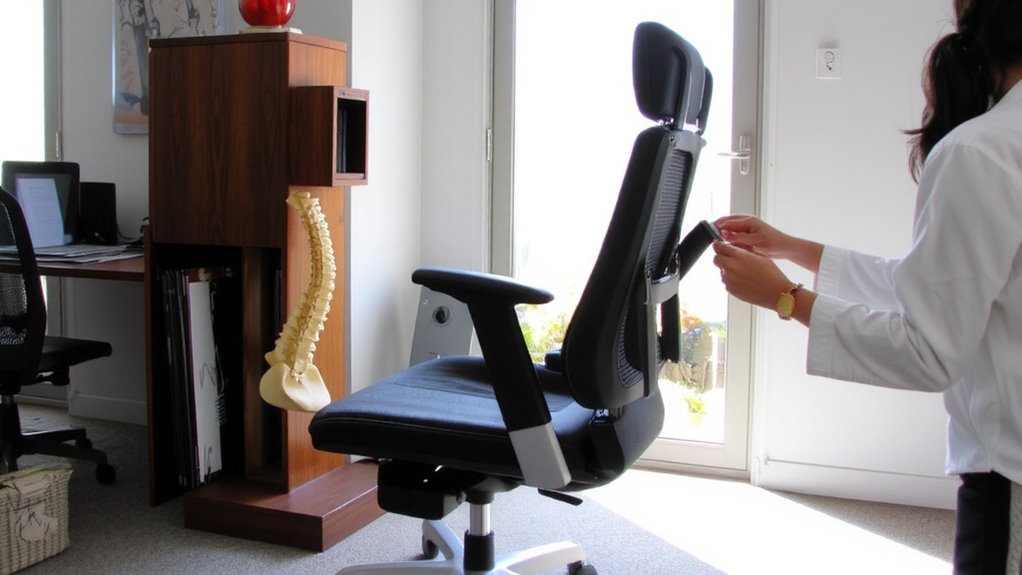
If you’re dealing with lower back pain, choosing the right ergonomic office chair can make a real difference-though no chair will fix poor posture or long sitting sessions alone. Look for a seat with balanced firmness; a slightly cushioned seat texture prevents pressure on your hips without encouraging slouching. Material breathability matters, especially if you sit for hours-mesh backs and perforated fabric reduce heat buildup compared to solid leather or dense foam. A contoured seat edge should taper cleanly to avoid pinching your thighs, ideally with a waterfall front. Most top models use hybrid materials for durability and airflow, but test them under real conditions-what feels supportive at first may stiffen or sag after months. Even well-built chairs need adjustments, so prioritize customizable height, depth, and armrests. Warranties of five years or more signal long-term confidence, but they won’t compensate for mismatched fit. For tailored support, consider chairs with lumbar support customization to maintain the spine’s natural curve.
How Lumbar Support Prevents Spinal Strain
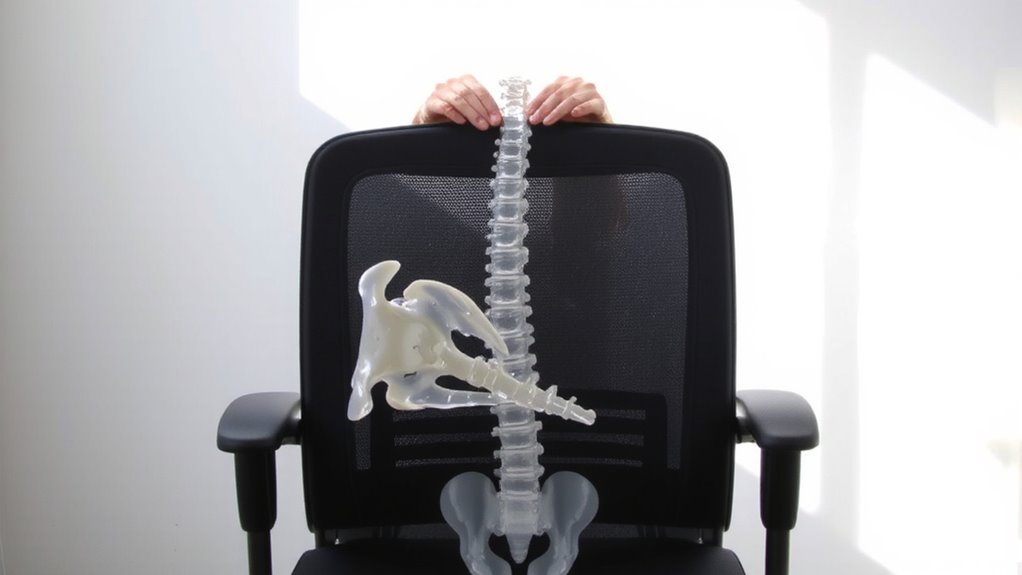
Lumbar support in an ergonomic chair keeps your spine aligned by filling the natural curve of your lower back, reducing strain on discs and muscles during long sitting periods. This support directly lowers disc pressure and prevents muscle fatigue, both of which contribute to chronic back pain. Without it, your spine collapses into poor posture, increasing stress on soft tissues. A well-designed lumbar panel maintains the spine’s neutral position, evenly distributing forces across the lower back. Using a high-quality lumbar support cushion can further enhance spinal alignment, especially when paired with proper ergonomic adjustments.
| Feature | Benefit |
|---|---|
| Contoured lumbar zone | Matches spine’s curve, reducing disc pressure |
| Adjustable height & depth | Personalizes fit, minimizing muscle fatigue |
Even the best support won’t fix a poorly adjusted desk or monitor. You still need proper workstation setup-lumbar support isn’t a cure-all. Real-world testing shows chairs with dynamic lumbar response outperform fixed designs over 8-hour use.
Adjust Your Chair for Proper Spinal Alignment
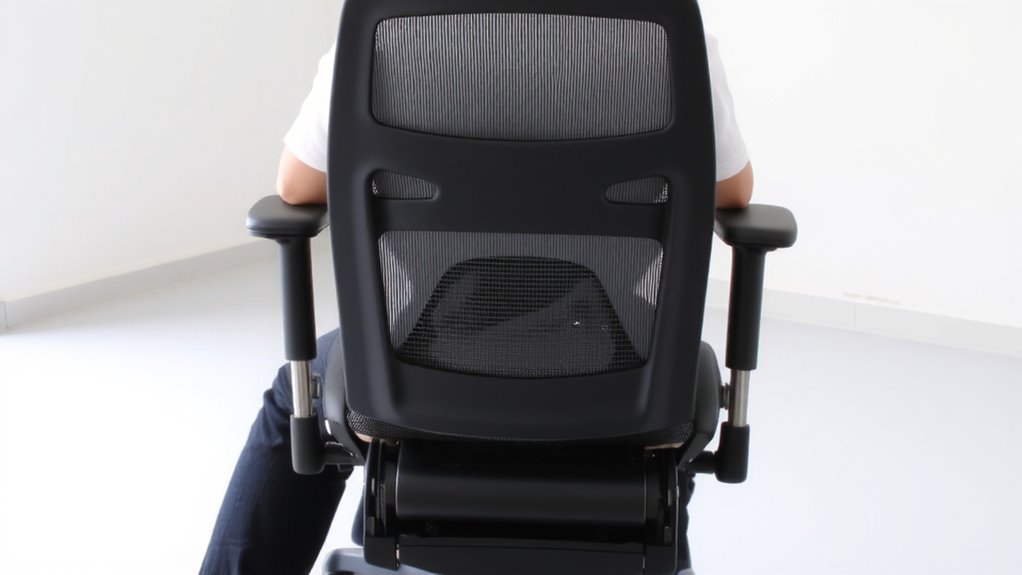
While lumbar support matters, getting the full benefit means adjusting your chair to fit *you*-not the other way around. Start by setting the backrest angle between 90 and 110 degrees; this reduces lower back pressure and encourages upright posture. Use the chair tilt to match your movement-lean back slightly for relaxed tasks, but lock it upright for focused work to maintain spinal alignment. The backrest angle should keep your spine’s natural curve supported without forcing you forward or slumping. Avoid extreme reclines unless you’re pairing it with proper desk height. Most ergonomic chairs let you fine-tune these settings, but test them over hours, not minutes. Over-adjusting can cause instability or muscle fatigue. A well-adjusted backrest angle and moderate chair tilt improve posture, but only if you move regularly-don’t treat perfect alignment as a static goal. For long-term comfort, consider models with adjustable lumbar support that conform precisely to your lower back’s natural curve.
Set Seat Depth and Height for Your Frame
A well-fitted seat depth and height make a real difference in comfort and spinal support, but getting it right means matching the chair to your body-not guessing. Proper seat depth adjustment guarantees 2–4 inches between the edge of the seat and the back of your knees, preventing pressure on your thighs or lower legs. If the seat’s too deep, you can’t use the backrest effectively; too shallow, and your thighs won’t be fully supported. Height customization lets your feet rest flat on the floor with knees at roughly 90 degrees, aligning hips and spine. Most ergonomic chairs use a pneumatic lever for quick height changes, accommodating desks between 28–30 inches. However, shorter or taller users may need extended-range mechanisms. Always test adjustments in your actual workspace-what works in a showroom might not at home. A chair with precise, reliable controls gives better long-term support and reduces strain, but even the best mechanisms can wear over years of daily use.
Kneeling vs. Task Chairs: What’s Best for Your Back?
Have you ever wondered whether swapping your task chair for a kneeling model might actually help your back? While kneeling chairs promote posture benefits by tilting your pelvis forward and reducing lower back strain, they’re not a one-size-fits-all solution. Task chairs generally offer better long-term comfort comparison, with lumbar support, adjustable arms, and larger seat pans. Kneeling designs can relieve pressure briefly but often cause discomfort in hips and knees after 20–30 minutes. Most users struggle to adapt beyond short sessions. If you’re considering a switch, look for kneeling chairs with padded knee rests and height adjustability, though few include warranties beyond one year. Real-world testing shows mixed results-some report improved alertness, others quit within a week. For sustained back health, a high-quality task chair with proper ergonomics remains the more reliable, comfortable choice.
Reduce Back Pain and Boost Focus Over Time
You’ll get better long-term back pain relief and improved focus with a well-designed ergonomic task chair than with alternatives like kneeling chairs, especially when sitting for hours daily. The right ergonomic design supports your spine’s natural curve, reducing muscle fatigue and encouraging healthy posture training over time. Look for adjustable lumbar support, a contoured seat pan, and seat depth that matches your leg length-ideally 1 to 4 inches between the edge of the chair and the back of your knees. Chairs with synchro-tilt mechanisms let you recline smoothly while keeping contact with the backrest, promoting movement during work. But don’t expect instant fixes-benefits build gradually as your body adapts. Some models include posture-cueing features, though they’re no substitute for regular breaks and stretching. Always check warranty length and return policies, since real-world testing over weeks matters most for lasting back health.
On a final note
You should get an ergonomic office chair with adjustable lumbar support and seat depth to match your frame. Models that let you fine-tune height, tilt, and backrest angle help maintain natural spine alignment and reduce lower back pain over time. Look for chairs with at least a 5-year warranty and mesh backs for breathability. Remember, even the best chair won’t fix poor posture or long sitting stretches-pair it with regular movement.